Skip to content
Gaming

New Nintendo 3DS XL review: Return to the third dimension

Glasses-free 3D improvements impress, but other changes are more marginal.

Kyle Orland | 86
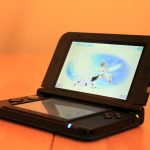
It might not look too new, but just look at the name... "new" is right there!
Story text

Everybody who tried the Nintendo 3DS probably remembers the first time they saw the flat image on the screen extend into three dimensions, receding into the apparent depths of the system without using any special glasses. It’s a pretty magical technology moment… for about five minutes. That’s the upper limit for how long it takes most players to realize that the magic is broken if your head moves out of a very small window directly in front of the system. If you tilt the system ever so slightly in any direction, it’s the same result.

For years now, I’ve played my 3DS predominantly with the 3D feature turned off to avoid the inevitable headache-inducing blurriness when I leave the 3D’s magic “safe zone.” I’m not alone either; an informal poll of my twitter followers found that around half of those responding leave the 3D off for similar reasons.

So the best thing about the exhaustingly named “New Nintendo 3DS XL” (simply new 3DS from here on) is that it brings back the magic of those first 3DS moments in a way that’s comfortable and usable for long periods of time. What Nintendo calls its new “super-stable 3D” feature is easily the hardware refresh’s best selling point; it reclaims the promise of that first 3DS launch.

The super-stable 3D effect is pretty hard to show via 2D photos, but this visualization from Nintendo shows the difference in angled 3D image quality between the old system (left) and the new.
The super-stable 3D effect is pretty hard to show via 2D photos, but this visualization from Nintendo shows the difference in angled 3D image quality between the old system (left) and the new. Credit: Nintendo

Super-stable 3D works by using the new 3DS’ front-facing camera to track the position of your head in relation to the screen, adjusting the display’s 3D output to show correctly at that particular angle. The tracking generally worked surprisingly well, following my position and adjusting the image with no discernible lag or blurriness no matter how fast I moved my head or tilted the system. The super-stable 3D can fail if you tilt your face outside of the camera’s range, but you have to really try to reach the limits of that range during normal play. There’s even a built-in infrared light that turns on to allow for head-tracking in low light environments.

That’s not to say it’s perfect. If you look away from the system for a second—to talk to someone or look at the TV, for instance—the screen often looks blurry momentarily when you look back. Even with a solid gaze, there were moments where I noticed some ghostly after-images hovering around characters, like I was seeing 3D angles meant for other head positions. These snags would usually go away in less than a second, or they’d disappear with a quick shake to startle the head-tracking back into compliance.

Even the 2D images on the new 3DS (right) look a bit better, with less bleeding between pixels and deeper color depth.

On top of the improved 3D effect, Nintendo seems to be using a higher quality LCD screen for the new system. While the new 3DS is still locked to the same ridiculously low resolution of 800 x 240 pixels as the old 3DS (halved horizontally for each eye when 3D is on), images on the refreshed system seem a bit sharper somehow with less apparent bleeding between pixels. The overall color depth is increased just a bit on the new LCD, with deeper blacks and a higher contrast between colors. And while the brightness on the old 3DS dips significantly when the 3D effect is turned on, the illumination drop is much slighter on the new 3DS.

Playing the new 3DS with the 3D effect on consistently for a few weeks now has reminded me just how enamored I was with the effect in those magical first five minutes many years ago. It really creates a visual effect that can’t be replicated on any other gaming hardware available. Nintendo’s newly remastered version of The Legend of Zelda: Majora’s Mask is enhanced with new textures and character models, for instance, but also by a sense of real visual depth that just didn’t exist on the Nintendo 64. In a game like Super Mario 3D Land, having the 3D on is useful for judging distances and even solving some puzzles. Now that it works consistently, it’s the kind of thing you’ll miss on every other flat gaming screen.

Form factor tweaks

The new 3DS’ smaller, slightly thicker stylus actually felt more comfortable to me.
The little system that could (continue selling despite age and competition).

Though the size and shape of the new 3DS matches almost perfectly with the old 3DS XL (the new system is almost imperceptibly wider across), there are some slight changes for the better in the casing design. The included stylus is slightly shorter and thicker than the one in the old 3DS, which felt better in hand. That stylus now slides out of the bottom of the system, rather than the side, meaning it’s harder to bump accidentally while playing.

The volume slider has also been moved from the bottom half of the system to the top, eliminating the significant risk annoyance of accidentally changing the volume with your palm (something that happened to me frequently). And the wireless switch that used to sit on the right side of the system has been removed in favor of a system menu option, removing the risk of accidentally disconnecting in the middle of an online match.

On the front of the system, the area taken up by the power button has been replaced with new, smaller start and select buttons. This is a much better use of the space right below the main face buttons, and it means you no longer need to stretch across the bottom screen to pause a game. The power button has been relocated to a nice, out-of-the-way spot along the bottom edge of the system, while the home button below the bottom screen has been reduced from an obnoxious rectangle to a small, cute oval. And the labels for the face buttons have switched from white to colors reminiscent of the old international Super Famicom controller, making the system look a little more toy-like, for good or for ill.

There are a few other minor changes to positioning on the new casing—the headphone jack moves from the bottom left corner to the center, the game card slot moves from the center top to the lower left—which mainly just take some getting used to. More significantly, the microSD card slot on the new 3DS is hidden underneath the rear faceplate, and it now requires a tiny screwdriver to access. Which brings us to one of the system’s biggest annoyances…

Frustrating system transfers

Nintendo’s official instructions for new 3DS system transfers actually hide how complicated and time-consuming the process is.

Nintendo is known for making it difficult to transfer downloaded data from an old system to a new one, but the process for upgrading to a new 3DS is cumbersome even by the company’s standards. The process, in my experience, is quite a bit more annoying than this official Nintendo video suggests.

First, you have to connect both systems to the same Wi-Fi network and set up a license transfer. This will make all your downloaded games unplayable on your original 3DS, so I hope you were done using it for anything but game cards. After tracking down some chargers, juggling through confusing menus and instructions on both systems, and fighting with a few dropped wireless signals, the actual wireless transfer process took a good 30 minutes just to move a few small system files.

Once the licenses are transferred, you have to get the actual games and save files from one system to the other. The easiest way to do this is using a PC, but only if you have a way to read the SD card from the old 3DS onto the computer, an adapter to write to the new 3DS’ microSD card from the PC, and a size #00 screwdriver to remove the faceplate locking the microSD card into the new system. You may also need to invest in a larger microSD card if the 4GB storage that comes with the system isn’t enough.

To get to the repositioned SD card slot, you need to remove the back cover with a screwdriver.

If you have all of that, the data transfer is a simple (but time-consuming) matter of copying a file folder from one card to the other. If you don’t have the necessary tools, you can transfer your downloaded games and save files from system to system over a local Wi-Fi router. I wouldn’t recommend that, though. Considering the ultra-slow speeds I got moving my license data, transferring gigabytes of game data would be excruciating. You can also simply re-download your games onto the new system from the Nintendo eShop, if you don’t mind losing your saved data.

While the system transfer process is a one-time annoyance, having to waste over an hour and use so many tools to move my game collection from one system to another didn’t serve as a great first impression for the new 3DS.

The second analog nub on the new 3DS is nestled unobtrusively in previously unused space above the face buttons.
The second analog nub on the new 3DS is nestled unobtrusively in previously unused space above the face buttons. Credit: Kyle Orland

A new nub

The super-stable 3D I mentioned above is by far the best thing to recommend the new 3DS, but there are some other changes worth mentioning. The most apparent is the new 3D nub, just above the face buttons. The system treats this nub exactly as it would the old, bulky “Circle Pad Pro” accessory, which added a second analog pad floating off to the right side of the system.

The nub is much smaller and less obtrusive than that Circle Pad accessory, but it’s also a bit less comfortable to use. The tiny, hard-rubber nub pokes into the pad of your thumb a bit, barely giving when being pushed in one direction or another. The closest comparison I can come up with is to those little “pointing stick” nubs in the middle of the keyboards on some old laptops.

On the new 3DS, the nub works well enough, though it requires a very light touch to get small gradations of analog movement on its small surface. Overall, it feels a bit weird and asymmetrical compared with the fuller analog slider on the left side of the system.

The main problem right now is the lack of games that support the new analog nub. Fewer than a dozen legacy 3DS titles bothered to add compatibility with the old Circle Pad Pro, though that number is increasing as new games like Monster Hunter 4 Ultimate, Majora’s Mask 3D, and the upcoming Code Name S.T.E.A.M. are built with the new 3DS in mind. The two additional shoulder buttons that are built in to the new 3DS are supported by even fewer games, making the traditional L and R buttons smaller and slightly less comfortable than they are on the 3DS XL.

The placement of additional shoulder buttons on the new 3DS means the standard L and R buttons are slightly smaller on the new system.

Even the games that do support these features don’t always use them well—Majora’s Mask, for instance, was designed with a camera-centering system that makes the analog nub’s free camera control feel a bit superfluous. The nub isn’t usable for smash attacks in the latest Super Smash Bros. titles, either, so don’t bother trying (Update: A downloadable patch for Smash Bros. seems to have activated the analog nub’s use in the game. Ars regrets the error). The addition of dual-analog support on the 3DS will likely continue as a slow and unsteady affair for the near future, with developer support depending largely on how many people are willing to buy the new system.

Vague hardware improvements

A video from NintendoWorldReport shows Wii-like graphics in the new 3DS version of Xenoblade Chronicles.

Nintendo says that the new 3DS has more hardware power than the original 3DS. The company won’t say how much the internal specs have improved, though, and it’s currently impossible to test. That’s because there are currently no games that make use of this additional horsepower—the first such game, Xenoblade Chronicles, comes out next month. Early video comparisons show Xenoblade sporting graphics that are comparable to its Wii counterpart, but old 3DS games like Mario Kart 8 and New Super Mario Bros. 2 are also pretty comparable to their Wii counterparts graphically. It’s hard to know what to make of this.

The real question is whether developers will start designing games for the added power of the new 3DS, or if they’ll continue to target the much larger audience of old 3DS owners (the new system also plays all games designed for the old). With Xenoblade Chronicles as literally the only game announced that requires the new 3DS, it’s impossible to say at this point.

Loading times are slightly improved on the new 3DS.

Even without new games, the new 3DS’ more powerful processor is already useful for slightly zippier loading times for common system functions. The differences are pretty slight, though—as you can see for yourself in the above video, actions like loading a game from an SD card or switching to the home menu save anywhere from under a second to a couple of seconds in our tests. If you didn’t see the systems right next to each other, you’d be hard pressed to notice the change at all.

Side-by-side download comparisons showed about 15 percent time savings on the new 3DS.

The new internals also make for slightly faster downloads. In our side-by-side tests, the new 3DS was about 15 percent faster than the old 3DS at downloading a 241 MB Pokemon demo. That’s not nothing, but it’s also not that significant unless you’re planning on downloading tons of data frequently.

Amiibo’s work as advertised on the new 3DS.

The new 3DS also includes built-in near-field communication support for Amiibo figures. Simply place the figurine on the bottom screen when directed to read or write data to the base, as shown in the video above. We’re still not that impressed with the way Nintendo is using Amiibo in its games, but if you want to use the figures on your 3DS, buying a new system is the only way for now (there’s still no sign of the promised external NFC pad that will add Amiibo functionality to old 3DS systems).

A shot taken with the camera on the old 3DS…
…and a similar shot on the new 3DS. The improvement is even more apparent in low light situations.

One more upgrade in the new 3DS hardware comes in the camera, which sees a vast improvement. Pictures are sharper, objects show up better in low light, and even the on-screen viewfinder updates more smoothly on the newer system. It still doesn’t measure up to even most low-end smartphone cameras, much less a standalone point-and-shoot, but if you use your 3DS to take photos, it’s a notable selling point. Frankly, we haven’t even thought about using the feature on our old 3DS since testing it during our initial review.

Worth an upgrade?

It might not look too new, but just look at the name… “new” is right there!

Right now, the new 3DS’ biggest selling point is the improvements to its glasses-free 3D screen. The jump in quality is enough to turn a largely unusable feature on the old 3DS into a unique and compelling attraction on the new system.

All the other cosmetic and hardware changes, though, have yet to prove their worth. A second analog nub is nice, but not particularly a must-have feature, even in the few games that support it at the moment. The additional CPU power is good for some minor speed improvements at the system level, but it’s not yet even testable in any games. Tiny tweaks to the design, the addition of Amiibo support, and an improved camera are hard to list as major selling points, even when combined together.

If you’re looking to jump into the 3DS ecosystem for the first time, the new 3DS is the one to buy. The slight additional cost over the old 3DS XL gets you an improved screen and other incidentals, as well as a more future-proofed system (newcomers be warned: the new 3DS doesn’t come with an AC adapter, which has to be purchased separately. Or maybe you can borrow an old 3DS charger from a friend). If you have a regular-sized 3DS, you should consider upgrading to the new 3DS XL for those reasons plus the general size-based improvements we laid out in our old 3DS XL review.

If you already have a 3DS XL, though, I’d hold off on dropping $200 to refresh your hardware for the time being (or closer to $100 if you trade in your old XL at Gamestop). The screen improvements are nice, but not enough on their own to really justify replacing a perfectly functional old system. If and when some more new games come along that require or make use of the new 3DS’ new features, the system will still be there on store shelves, enticing you with a name that literally screams “new” despite being a somewhat marginal improvement on what has come before.

Photo of Kyle Orland
Kyle Orland Senior Gaming Editor
Kyle Orland has been the Senior Gaming Editor at Ars Technica since 2012, writing primarily about the business, tech, and culture behind video games. He has journalism and computer science degrees from University of Maryland. He once wrote a whole book about Minesweeper.
86 Comments