Skip to content
Nanotexture

2020 27-inch iMac review: A classic Mac for the end of an era

With Apple Silicon around the corner, is this Intel-based Mac refresh a good buy?

Samuel Axon | 305
The front of the 2020 27-inch iMac
The front of the 2020 27-inch iMac. Credit: Samuel Axon
Story text
The side of the 2020 27-inch iMac
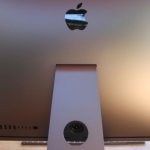
It still has the same shape on the back.
The back of the 2020 27-inch iMac
Here’s the back.

It’s a weird time to be in the market for a new Mac. Earlier this summer, Apple announced that it will begin rolling out Apple Silicon—its in-house-designed riff on ARM processors as seen before in the iPhone and iPad—to the Mac product line. That marks a seismic shift in direction for the Mac.

But the company also said it would be releasing new Macs that use Intel’s CPUs—the more traditional choice for desktop and laptop computers—in the future and supporting Intel-based Macs for years to come.

Enter the new 27-inch iMac, announced just a couple of weeks ago. It’s the first new Mac product since the Apple Silicon announcement, and it’s a refresh for one of the company’s most iconic and popular products—one that’s been falling behind the rest of the Mac lineup for a while now.

With an ostensibly giant leap looming for the Mac, this new release is just an incremental step for the iMac. It boasts the usual updates: faster processors, better RAM and storage options, and better graphics processing. It also has a new webcam and better microphones.

But it’s not a radical change overall. Rather, the new iMac represents a subtle refinement of one of the world’s best (albeit priciest) computers. It’s the calm before a coming storm.

Sometimes, though, you want the thing you’re already familiar with, especially when it costs several thousand dollars. So if you’re in the market for a new Mac, but you’re not ready to bet the farm on the first generation of a whole new architecture, is 2020’s 27-inch iMac refresh worth buying?

Let’s find out.

Table of Contents

Specifications

Specs at a glance: 2020 27-inch iMac
Screen 5120×2880 at 27 inches
OS macOS Catalina 10.15.6
CPU 3.6GHz 10-core Intel Core i9
RAM 64GB 2666MHz DDR4
GPU AMD Radeon Pro 5700 XT 16 GB
HDD 4 TB SSD
Networking 802.11ac Wi-Fi; IEEE 802.11a/b/g/n; Bluetooth 5.0
Ports 2x Thunderbolt 3, 3.5mm headphone, 4x USB-A, SDXC (UHS-II), gigabit Ethernet
Warranty 1 year, or 3 years with AppleCare+
Price as reviewed $5,999
Other perks 1080p FaceTime HD camera, nano-texture glass

All the 27-inch iMacs have a 5,120 x 2,880 display with a maximum brightness of 500 nits and a refresh rate of 60Hz. It’s an outstanding screen that’s tuned to near perfection—so good that it’s hard to find secondary monitors to pair with it that look equally as balanced beside it.

More than anything else, it’s this screen that you’re paying for when you buy the new iMac. It’s probably worth it if you care about working on a big, high-resolution screen. Of course, not everybody does, and there are much cheaper options out there for those who don’t. Also, there’s nothing new here. As far as I could tell, it’s the same screen as was included in the previous model.

Every 27-inch iMac also has stereo speakers, a three-microphone array (which is better than the previous model), and the following ports:

  • 3.5mm headphone jack
  • SDXC card slot (UHS-II, up from UHS-I in the last model)
  • Four USB-A
  • Two Thunderbolt 3/USB-C
  • One gigabit Ethernet (upgradeable to 10Gb for $100)

The big upgrade here is arguably the webcam, which has gone from 720p to 1080p. Every computer manufacturer’s PR team is pitching nicer webcams in the pandemic environment of endless Zoom calls, so this is par for the course right now.

Still, it’s a nice camera. I don’t actually do more than three or four Zoom calls a week, myself, but I could appreciate the difference. I’d love to see this upgrade in the MacBook Pro at some point.

Apple has also brought the T2 chip (first introduced in the iMac Pro, but now seen across the Mac line) to the iMac. It offers a number of security features we’ve discussed in prior Mac reviews. In this case, the T2 chip manages EQ for the audio, face detection on the camera, and Hey Siri, among other things. It’s also used to speed up video transcoding.

Configuration options

There are three default configurations at $1,799, $1,999, and $2,299. The lowest-end ($1,799) comes equipped with a 3.1GHz 6-core 10th-generation Intel Core i5 CPU, 8GB of DDR4 at 2666MHz, a Radeon Pro 5300 with 4GB of GDDR6 video memory, and 256GB of SSD storage.

Stepping up to $1,999, you bump that 6-core i5 up to a 3.3GHz clock speed and you double SSD storage to an almost-adequate 512GB. Finally, the $2,299 spec moves to an 8-core Intel Core i7 CPU at 3.8GHz and a Radeon Pro 5500 XT GPU with 8GB of GDDR6.

Unfortunately, even the top specification offers just 8GB of RAM and 512GB of solid state storage. Both are a bit low for some of the use cases Apple markets these devices for. That means that despite fast CPUs and GPUs, the base specs are only good enough for at-home office workers doing standard office-y things, but this thing is awfully pricey for that low-impact situation. Most of that money is going to the (admittedly impeccable) screen, as stated above. If you want to do video editing, game development, or music production with more than a few tracks and plugins, you’re going to want to spend a bit more on RAM at least.

What optional upgrades are available? Well, that $2,299 spec can get a bump to a 3.6GHz 10-core Intel Core i9 CPU for an additional $400, as well as a faster Radeon Pro 5700 GPU with 8GB of GDDR6 ($300 over the 5500 XT) or an even faster 5700 XT with 16GB ($500 over the 5500 XT).

Our review unit came equipped with the 5700 XT, and it does offer solid performance—about on par with my Nvidia GTX 1070 in my mid-range desktop gaming PC, actually. That’s excellent for an all-in-one, though it is quite pricey for that kind of performance compared to what you could get in a Windows tower.

The quiet but big news here is that Apple has ditched the Fusion Drive, that hybrid solution that combined flash storage with a traditional hard drive. Now, like the rest of the Mac product line, the iMac is solid state through-and-through.

You can upgrade the SSD to 1TB ($200 more than 512GB), 2TB ($600), 4TB ($1,200) or 8TB ($2,400). The 1TB option seems like the sweet spot to me personally, but your needs may vary. Some people need very little storage space, while others can never possibly have enough. There are options for the whole range here, even though they aren’t cheap.

Finally, you can go above that 8GB of RAM to 16GB ($200 more), 32GB ($600), 64GB ($1,000), or a beastly 128GB ($2,600). It’s worth noting that unlike a lot of other Macs, you actually can replace the RAM in the iMac yourself, and there are much cheaper options than buying from Apple.

So while I’d normally recommend stacking the RAM at purchase when buying a Mac to stave off future frustration, I don’t in this case. You can get as much as you need now and add on later as required. Wild concept, that!

The last thing you can add at purchase (besides a 10Gb Ethernet upgrade—and if you’re someone who needs that, you already know all you need to know) is the nano-texture glass option that promises glare-free viewing without any sacrifice in appearances. That costs a spit-take-inducing $500 over the base machine price, and we’ll get more into whether that’s worth it a bit later.

Design

Externally, little has visibly changed about this iMac compared to every iMac over the past several years. The chassis is the same, and the screen is the same size. It’s a different weight (just barely), but since it’s not a laptop, you’re not likely to notice that.

As I noted in my iMac Pro review in early 2018, this is a tried-and-true design that’s already widely liked, so big change might not have even been welcome. That said, in just the past couple of years of testing various all-in-ones and laptops, I have grown used to smaller bezels.

I’m not usually one to fixate much on the size of the bezels, but in today’s context, they are noticeably bulky. This iMac looks a bit odd next to the other screens on my desk, since all of those have more modern designs. Among other things, it means there’s a bigger blank space for the cursor to jump over between the monitors than I’ve recently gotten used to when running displays side-by-side.

I don’t believe the iMac needs a radical new look, mind you, but I would be glad to see a little less bezel and a little more screen next time around in an all-in-one at this premium price.

Nano-texture

The only new thing to pay much attention to on the design and aesthetics front is the nano-texture display upgrade option. A certain subset of Mac users have complained for years that Apple has gone all-in on glossy displays over matte ones, but a new approach first introduced in last year’s Pro Display XDR (which unfortunately was not priced as a mass-market consumer product) seeks to find a middle ground.

Glossy screens are generally perceived to have better contrast and more vivid colors than matte ones—it’s a subtle difference, but most people would pick it out in a side-by-side comparison. But they are highly reflective, such that they’re impractical if you have a bright window right in front of the screen. Matte screens, on the other hand, have a more muted look but fight light sources a bit better.

Instead of using a coating, Apple’s “nano-texture display” process involves etching into the glass “at the nanometer level” to scatter inbound light, according to the company. The promise is reduced glare but glossy-like contrast.

I’ve been using glossy displays so long that I’ve gotten into the habit of arranging all the rooms in my home around making sure my screens are in optimal positions in the room in order to get minimal direct or indirect light. That’s so ingrained now that I stopped being concerned about whether there were matte options. In other words, I accepted my glossy fate. It’s a glossy screen world now, and Mac users have just been living in it for years.

But the nano-texture display delivers on its promise, largely. Subjectively, it affords as much contrast as a glossy screen, but this screen fights off reflections and glare quite well.

It’s just too bad it’s $500. If you’ve been using Macs (or most premium Windows all-in-ones or laptops, for that matter) for several years, then like me you have adapted to the concerns that come with glossy displays. That makes a nano-texture upgrade hard to recommend at that cost.

That said, if it were $100, I would consider springing for it. Maybe the line for you is $500; it’s going to be different for all of us. All you really need to know is that it does what it promises to do, and the dollar value of that is up to you.

Performance

We ran the iMac through our usual synthetic benchmarks. First, here’s a table of the specs of the machines included in this test—all recent Macs.

Model CPU GPU Price
2020 27-inch iMac 10-core Intel Core i9 at 3.6GHz (5GHz Turbo) AMD Radeon Pro 5700 XT 16 GB GDDR6 $5,999
2020 13-inch MacBook Pro 4-core Intel Core i5 at 2GHz (3.8GHz Turbo) Intel Iris Plus $1,799
2020 MacBook Air 4-core Intel Core i5 at 1.1GHz (3.5GHz Turbo) Intel Iris Plus $1,299
2019 16-inch MacBook Pro 8-core Intel Core i9 at 2.4GHz (5GHz Turbo) AMD Radeon Pro 5500M 8GB GDDR6 $3,899
2018 Mac mini 6-core Intel Core i7 at 3.2GHz (4.6GHz Turbo) Intel UHD Graphics 630 $2,199
2018 iMac Pro Intel Xeon W at 3GHz (4.5GHz Turbo) AMD Radeon Pro Vega 64 with 16GB HMB2 $9,599

Now, here are the results.

In this configuration, this is one of Apple’s fastest Macs on sale today. In fact, it even beats the current base spec of the iMac Pro in many tests. With the iMac Pro, you’re paying for workstation-class graphics and CPUs, which are ideal for certain workflows. But if those aren’t your workflows, the iMac offers outstanding performance at a lower price.

It’s not that much lower, though, because this review unit (provided to us by Apple) is near the top of the 27-inch iMac’s available configurations. This is an extremely expensive machine; you’ll get lesser performance in the base configurations. Still, performance should be strong across all the configurations based on what we know about the CPUs, GPUs, and RAM that Apple has included as options when you purchase the iMac.

As is almost always the case, a Windows PC tower desktop can smoke the above benchmarks for a lot less money. But if you want to run macOS on an all-in-one, this is very respectable performance. We’d expect a good showing from lesser configurations too if we had them on hand to test.

Conclusion

The 2020, 27-inch iMac is a long overdue update, but it’s also a modest one. It doesn’t do anything to change the value proposition of an iMac. You probably already know whether or not you’re in the market for a machine like this. So, the question becomes whether it’s worth upgrading—and that question is all about performance. On that front, this new iMac doesn’t disappoint, as long as you’re willing to spend for some upgrades at time of purchase.

Everything about this computer is conservative, in a way: it’s a design that has worked for years, with hardware configurations that are simply steps up (not leaps) over what we saw in previous models. For those in the market for a Mac desktop, it’s the obvious pick. The Mac mini is a bit weak for its price, but the iMac Pro and Mac Pro are overkill for the majority of users.

Sure, the daring will hold out to see what happens with the first Apple Silicon Macs. But Apple has said it will support Intel Macs for “years,” and the company’s track record on that front is strong enough to instill some confidence in buyers—though nothing is certain, of course.

There’s another way to look at this, too: the new iMac might be one of the last traditional, PC-equivalent Macs—the end of an era that’s been in progress for 15 years. Pricy upgrade options aside, if you’re in the market for a classic Mac, this is as classic as it gets. Just know you can get more performance per dollar if you consider Windows machines in different form factors.

The good

  • The screen is just as excellent as before
  • There are lots of configuration options at purchase
  • It offers great performance for an all-in-one
  • The webcam and microphones are better than most now

The bad

  • The bezels are a little beefy by today’s standards
  • The ports, while ample, are all in a hard-to-reach spot on the back
  • The price can get very steep with all those optional upgrades, including nano-texture

The ugly

  • With the first Apple Silicon Mac around the corner, it’s an uncertain time to buy a new Mac

Ars Technica may earn compensation for sales from links on this post through affiliate programs.

Photo of Samuel Axon
Samuel Axon Senior Editor
Samuel Axon is the editorial lead for tech and gaming coverage at Ars Technica. He covers AI, software development, gaming, entertainment, and mixed reality. He has been writing about gaming and technology for nearly two decades at Engadget, PC World, Mashable, Vice, Polygon, Wired, and others. He previously ran a marketing and PR agency in the gaming industry, led editorial for the TV network CBS, and worked on social media marketing strategy for Samsung Mobile at the creative agency SPCSHP. He also is an independent software and game developer for iOS, Windows, and other platforms, and he is a graduate of DePaul University, where he studied interactive media and software development.
305 Comments