Skip to content
Workstations

iMac Pro review: Working as intended

The iMac Pro offers great performance, but does it meet pros’ specialized needs?

Samuel Axon | 355
Image of the iMac Pro from the rear.
The back of the iMac Pro. That hole in the stand is all you get for cable management purposes—this is not ideal, given that the machine may depend on Thunderbolt peripherals so much. Credit: Samuel Axon
Story text
iMac pictured from the front.
Apart from the finish, the iMac Pro looks almost identical to the 27-inch iMac.
Close-up of iMac ports.
These are the ports on the back of the computer—a headphone jack, an SD card slot, four USB 3 ports, four Thunderbolt 3 ports, and Ethernet.

Some high-end professional Mac users are frustrated, and they have been for years.

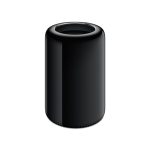
The current Mac Pro received a lukewarm reception when it began shipping in 2013, and it has been preserved in amber ever since. The MacBook Pro went with few substantial updates for a long period of time after 2012. And when Apple overhauled its video editing software and released Final Cut Pro X in 2011, many editors were turned off by its compromises.

But things are definitely looking up: 2016 brought a strong refresh of the MacBook Pro lineup, and Final Cut Pro X has gradually been updated to address and exceed most professionals’ expectations, including a significant release this past December that improved the color tools and added full support for HEVC and 360 video.

Now, the Mac desktop is in focus. In April of last year, Apple invited press to discuss its plans for pro desktops, but it didn’t have specific products to announce at that time. This was a surprise, as Apple usually does not discuss its plans for products unless they are close to being ready for release.

Some pro users’ discontent had reached a point at which assurances were needed. Two such assurances were made: Apple would overhaul the Mac Pro sometime after 2017, taking into account the mistakes it made in 2013, and it would double down on the iMac as a professional machine.

At first, we believed the latter of those simply meant a strong commitment to keeping the standard iMac up to date, but Apple soon announced the iMac Pro.

Starting at $4,999 with an 8-core Intel Xeon processor, 32GB of high-end memory, 1TB of solid state storage, and a Radeon Pro Vega 56 GPU with 8GB of HBM2 video memory, the iMac Pro is decidedly not just a consumer machine. Apple tried to drive that point home by inviting professionals from various disciplines to showcase it in December.

After spending some time with the new release, I can confirm the iMac Pro is an impressive machine. It’s another step in the right direction for some of those same professionals, even though it doesn’t address every need the Mac Pro used to. For the most part, it’s a faster iMac. But it’s also a bit more than that in some areas that count.

Table of Contents

Where the iMac Pro fits in

Apple has said that the standard 5K iMac has filled some of the gap left by the Mac Pro already.

That’s fair. For most professionals, the existing iMac is sufficient. Case in point: I live in Los Angeles, and many of my friends work in creative roles like video production or interactive design in the entertainment industry or at agencies. I often see wall-to-wall iMacs when visiting their offices, studios, and edit bays.

While the iMac offers plenty for most people working in Web design or for people who are editing video for publication on social platforms like Facebook, more is needed for other tasks, like editing feature films and 8K digital video, VR development, scientific modeling, special effects work, and more. Enter the iMac Pro.

To assess the iMac Pro, we should first consider why the Mac Pro was not successful. Luckily, Apple has been forthcoming on that point. Executive Craig Federighi said the following in the aforementioned Mac desktop pow-wow with press:

I think we designed ourselves into a bit of a thermal corner, if you will. We designed a system that we thought with the kind of GPUs that at the time we thought we needed, and that we thought we could well serve with a two GPU architecture… that that was the thermal limit we needed, or the thermal capacity we needed. But workloads didn’t materialize to fit that as broadly as we hoped.

Being able to put larger single GPUs required a different system architecture and more thermal capacity than that system was designed to accommodate. So it became fairly difficult to adjust.

Most workflows call for a very powerful processor and at least one very powerful graphics card. Further, it’s critically important for there to be an upgrade path—particularly with the GPU. Two mid-range workstation GPUs (as found in the Mac Pro) are not enough for some tasks. Annual performance gains in the CPU are not what they used to be, but graphics processors are still marching aggressively forward.

To that end, some workflows require two or more high-end workstation GPUs, and the more frequently they can be replaced with something newer and faster, the better. The Mac Pro could not accommodate this need.

The choice to go with two mid-range GPUs with no upgrade path was a bold bet from a company bullish on a certain architecture, and that bet didn’t pay off. The iMac Pro answers this by shipping with a respectable single discrete GPU—and by making an even bolder bet on external GPUs.

Specs and pricing

The standard configuration for the iMac Pro sells for $4,999 and includes a 3.2GHz 8-core Intel Xeon W CPU, 32GB 2666MHz DDR4 ECC RAM, a Radeon Pro Vega 56 GPU with 8GB of HBM2 video memory, and a 1TB SSD.

The specs in the side panel are the specs for our 3GHz 10-core test unit, which would sell for $9,599. Our test model includes a faster GPU (the Radeon Pro Vega 64), double the storage, and 128GB of RAM instead of 32.

Specs at a glance: 2017 iMac Pro
Screen 5120×2880 at 27” and 500 nits
OS macOS High Sierra 10.13.3
CPU 3.0GHz 10-core Intel Xeon with 23.75MB cache
RAM 128GB 2666MHz DDR4 ECC
GPU Radeon Pro Vega 64 with 16GB of HBM2 memory
HDD 2TB SSD at 3Gb/S
Networking 802.11ac Wi-Fi, IEEE 802.11a/b/g/n compatible, Bluetooth 4.2
Ports 4x Thunderbolt 3, 4× USB 3, 3.5mm headphones, SDXC card slot, 10Gb Ethernet
Size 20.3” × 25.6” (51.6 cm × 65 cm)
Weight 21.5 lbs (9.7 kg)
Warranty 1 year, or 3 years with AppleCare+ ($169)
Price as reviewed $9,599
Other perks 1080p FaceTime HD camera, stereo speakers, 4 microphones

Apple iMac Pro (2017)

All models ship with a space gray Apple Magic Keyboard with Numeric Keypad and a black Apple Magic Mouse 2.

Unlike the standard iMac, there is no 21.5-inch model. All iMac Pros have the same 27-inch, 5120×2880-pixel LCD display at 500 nits of brightness. It’s an eight-bit panel, and spatial and temporal dithering are at play here. It’s exactly the same display you get with the standard 27-inch 5K iMac, and that’s OK.

You can also upgrade to 14- or even 18-core configuration at considerable added expense, but these won’t necessarily be better for all workflows. The core clock speed decreases the more cores you choose. The 14- and 18-core CPUs come in at 2.5 and 2.3GHz, respectively, as compared to 3.2 and 3.0GHz for the 8- and 10-core CPUs. For most use cases, the 10-core is the sweet spot, while 18-core is highly specialized.

In any case, these CPUs are part of Intel’s Xeon line. This is a better choice for serious workstations than the standard iMac’s Core i5 and Core i7 CPUs because Xeon CPUs are meant to handle sustained heavy load for long periods of time—key for tasks like scientific modeling or huge renders—and they support ECC RAM, which contributes to stability. The iMac Pro’s CPUs also support AVX-512 for 512-bit vector operations.

The two Radeon GPUs are very similar. With twice as much memory and notably improved floating point performance, the 64 will deliver about 10- to 20-percent better performance than the 56 depending on the task.

There are a few smaller updates, too. The iMac Pro now has a 1080p FaceTime camera, up from 720p. There are now four microphones to help with eliminating unwanted background noise among other things. And there’s a new chip called the T2, which we’ll explain soon.

Design

If you’ve seen the 27-inch, 5K iMac, you’ve seen the iMac Pro. The dimensions are the same, and it’s made out of the same materials. Apart from the space gray finish, a casual observer would not be able to tell the difference between them. There are some more ports on the back, and the iMac’s service door for replacing RAM is gone.

The edges of the chassis are very thin, but it expands out into a thicker bulge in the back. There’s a large fan vent near the point where the stand connects with the back of the computer, and there are small slits for ventilation on the bottom edge of the machine—though you’d be hard pressed to notice them.

Speaking of the stand, it’s also the same. The display can be tilted to get the right vertical angle, but it cannot otherwise be adjusted. Apple offers a VESA mounting kit that will let you mount the iMac Pro on stands other than the one it ships with. It costs $79. We didn’t test this, but it’s a welcome addition for many an editing bay around the globe.

This design still looks as good as it did when it was introduced back in 2012. It might have been neat to see some more of the front dedicated to screen real estate, but it’s not necessary.

Keyboard and mouse

The iMac Pro ships with the standard Apple keyboard with numpad and the Apple Magic Mouse 2. Functionally, they’re the same as the ones we’ve seen before, but they are colored differently. The keyboard is space gray, and the mouse is black.

Apple redid its desktop keyboard in 2015, and it’s pretty similar to the keyboards on the newer MacBook Pros and MacBooks. This version with a numpad has also been offered since. It doesn’t have a Touch Bar—whether this is because Apple sees that feature as laptop-only or because that experiment is already a thing of the past is unknown. It won’t win any converts over from the mechanical keyboard crowd, but if you already know you like the easy travel and low footprint of the MacBook keyboards (I do), it’s one of the best keyboards you can use. It’s sturdy, consistent, and perfectly sized for most hands.

The black Apple Magic Mouse up close.
The bottom of the mouse.

On the other hand, I still hate this mouse. The touch gestures are nice, but they’re better on a touchpad, which you can buy instead of the mouse for a little bit of extra money.

The mouse is uncomfortable. It’s too short to get a good grip on. The bottom of it gets stuck on some mousepad materials. It gets scratched up very easily. The surface doesn’t feel good to perform touch gestures on. The top of it is one giant button. You can click either side of it for a right or left click, but you can’t right-click and left-click at the same time. This doesn’t come up a lot, but there are some applications that offer special functionality for clicking both buttons at once, so you’re out of luck there. It’s also a problem for gaming, though this is not positioned as a gaming device.

I like what Apple has done with its keyboards, but we’re overdue for a Magic Mouse overhaul.

I/O

One of Apple’s many gambles with the Mac Pro was that Thunderbolt ports will someday be used with external hardware to eliminate the need for some internal upgrades. The iMac Pro makes it very clear that Apple still believes that with all its collective heart.

Close-up of iMac ports.
These are the ports on the back of the computer—a headphone jack, an SD card slot, four USB 3 ports, four Thunderbolt 3 ports, and Ethernet.
These are the ports on the back of the computer—a headphone jack, an SD card slot, four USB 3 ports, four Thunderbolt 3 ports, and Ethernet. Credit: Samuel Axon

That said, this isn’t the MacBook Pro. There are four USB 3 ports on the back of the machine in addition to four Thunderbolt 3 ports. You might not have to live the dongle life with this computer.

We also have Ethernet, a 3.5mm headphone jack that supports S/PDIF (welcome after Apple removed that from recent iMacs), and an SDXC card slot. Ethernet is faster than the iMac’s at 10Gb, and the SD card slot can now take UHS-2 cards.

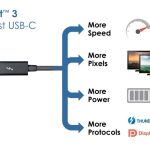
The Thunderbolt ports can be used for external storage, an external GPU enclosure, and of course, displays. They support native DisplayPort output over USB-C, and you can use adapters to work with Thunderbolt 2, HDMI, DVI, and VGA hardware.

Thunderbolt is still the star of the show, and that device ecosystem is still developing, but the ports on offer here accomplish everything most people need. If you have more specialized needs, adapters will usually bridge that gap.

Thermals and noise

Heat management is a significant challenge for an all-in-one with up to 18 cores and a workstation-class GPU. In a way, heat management was the Mac Pro’s undoing.

It’s not just about keeping the machine quiet while you work, although that’s important. Poor heat and power management would lead to either shutdowns or performance throttling to avoid those shutdowns. Either of these scenarios would be absolutely unacceptable in a machine that’s expected to do rendering for days straight.

To that end, Apple claims that the iMac Pro has 80-percent better cooling capacity than the iMac. Apple also told us that no performance throttling should occur when the iMac Pro is operating in a room at normal temperatures, though it could happen in a hot room. (Video editing bays are often kept quite cool for this very reason.)

The iMac Pro has two fans, plus a large heatsink. As previously noted, there’s a large vent on the back, plus some small ones on the bottom. Apple has saved some space eliminating the traditional hard drive in favor of an all-solid-state storage solution, and the company has dedicated that reclaimed space to the thermal management system.

Close-up of iMac vent.
There’s still a large air vent behind the stand.

Most of the time, the iMac Pro is inaudible. The fan doesn’t become audible unless you’re doing something serious, like rendering a 8K video or playing a 3D game. I couldn’t hear it when I was building projects in Xcode. I measured the peak fan noise at 56dB with my sensor placed right against the lower vents, and that’s about 18 percent louder than what I got when I tested my 2016 15-inch MacBook Pro with Touch Bar. That’s not ideal, but it’s fine, and it doesn’t get that loud often.

Under more typical heavy load, the fans spin at 1700rpm, and the noise level sits around 45dB (for reference, some industrial noise scales put normal conversation at home around 50dB).

In a room with an ambient temperature of 21 degrees celsius (70 degrees Fahrenheit), I invoked the classic “yes” Terminal command approach to push all the iMac Pro’s CPU cores to close to 100-percent utilization and monitored the temperature. They all settled around 90 to 95 degrees celsius and exhibited no signs of reduced clock speeds.

Since that didn’t cause any problems, I decided to tax the GPU, too. To make things a little more fun, I launched the Mac version of World of Warcraft in 5K resolution with 4x super-sampling anti-aliasing and maxed out graphics settings while also running the CPU processes. (The game ran at around 15 frames per second under these conditions, in case you’re interested.)

I continued this state for nearly an hour. The GPU became fully utilized, the fans sped up to 2400rpm, and the CPU cores heated to 99 degrees celsius and stabilized there. I still didn’t see any change in clock speed.

I’d be remiss if I didn’t note that AppleInsider did manage to measure some CPU throttling, maxing out at about 7 percent when creating an extreme situation on an 8-core iMac Pro. I could not reproduce this in my testing environment, but it does appear to be something that can occur. That said, it seems it would almost never happen in normal usage—even heavy usage.

Upgrades and serviceability

Upgradeability is a common frustration for professionals using Mac hardware. In pursuit of cleaner designs and thinner machines, Apple has been making it harder and harder to service Macs over the years.

This was one of many complaints about the Mac Pro. Apple touted its modular design, but the GPUs could not be upgraded. You wouldn’t expect an all-in-one to be any better here, and it’s not.

This isn’t critical for everyone, though. There are many professionals in fields like design and 3D modeling who are not also IT people and who do not have access to IT people—say, if they’re freelancing independently, or working in a boutique creative agency, independent studio, or small startup. An all-in-one might be attractive to them because it is easy to set up and maintain. Direct support from the manufacturer is also key in these cases, and AppleCare+ and Apple Stores ideally ensure that they can get speedy and thorough servicing for the machine when anything goes wrong. For these users, opening up the machine and servicing it themselves is the last thing they would want to do.

For such users, only the longterm viability of the hardware is a concern, and Apple believes it has a nascent answer for that with regard to the most rapidly evolving component (the GPU), which we’ll get into in just a moment.

But there are a lot of people who understandably demand the ability to easily service and upgrade their workstations. Despite the Pro label, the iMac Pro does not offer you anything better than the iMac does if you’re concerned about serviceability—in fact, the situation is a little worse.

Upgrading anything but the RAM is a nonstarter with the iMac Pro, and even that requires dismantling the machine and removing the display. The iMac Pro is only barely more serviceable than a MacBook Pro. Even the Mac Pro offered more in this regard.

Because our review unit was provided to us on loan from Apple, we were unable to tear down the iMac Pro. But iFixit has already done so, and it found that the RAM could be replaced with standard DIMMs, but it’s buried deep in the machine. Apple technicians will do this for you if you need it, though.

The CPU is socketed and could theoretically be replaced, but this would also involve stripping the machine down, and it is surely not supported by Apple. Nothing else is replaceable.

If you need a modular Mac desktop that you can upgrade over the years, Apple will still leave you waiting and hoping for that promised Mac Pro revamp. That’s too bad; I would have preferred to at least be able to easily access the memory. It’s a step backward when Apple’s customers were asking for a step forward.

Your only options for upgrades come via Thunderbolt 3 peripherals. We’ve already reached the point where this is usually going to be an adequate solution for storage. But Apple doesn’t want Thunderbolt 3’s usefulness to stop there.

The eGPU dream

I mentioned that the iMac Pro’s GPU, while more than adequate for most use cases, might need a bit of room to grow. It’s not sufficient for high-end 3D modeling, for example, which is often done on machines with multiple high-end, workstation-class desktop GPUs.

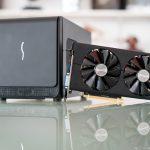
Apple is betting that external GPU enclosures will solve this problem and grant each iMac Pro a great deal of longevity.

This is an idea folks in the industry have been throwing around for years, but it has never come to full fruition. With Thunderbolt 3, it seems truly viable for the first time. It still won’t match the speeds you’d get with PCI Express, but it will be fast enough, with a theoretical 40Gbs transfer rate.

Unfortunately, eGPU support is still not where it needs to be. It’s looking to get a lot better in macOS High Sierra 10.3.4, though, and we’ll likely spend some time exploring its viability at that time.

There’s also another reason that today is an unfortunate time for Apple to be pushing this vision: GPU prices at the time of this writing are as much as 200 percent above MSRP thanks to the crypto mining rush.

It’s a lot harder for Apple to sell customers on the notion that they can upgrade the iMac Pro’s performance by simply buying desktop GPUs and slotting them into an eGPU box when those desktop GPUs are in extremely high demand and insufficient supply for the immediately foreseeable future. The fact that iMac Pro users will often opt for workstation-class GPUs helps, though; many of those GPUs are not as impacted by the crypto phenomenon as those designed for gaming.

Once the eGPU stars align—and I’m hopeful we’ll see that start to happen in the next year—we’ll revisit this question. It’s possible that with the kinks ironed out, there could be a viable path to GPU upgradeability here. We’ll just have to wait a while to know for sure, and any prospective owners will have to factor that uncertainty into their buying decisions.

The T2 chip

After all those years of rumors, ARM processors really did make it into Macs—sort of. A couple of years ago, Apple added the T1 chip to the MacBook Pro after designing it in-house. That chip managed the touch bar, as well as Touch ID authentication for various purposes, including Apple Pay. It also introduced Apple’s “secure enclave” to the Mac.

The iMac Pro contains a similar chip called the T2. Apple has described it as the next generation in the line that the T1 started. The iMac Pro doesn’t have a touch bar or a fingerprint reader, though, so what does the T2 do?

A whole lot.

The T2 is an all-purpose system controller. It manages the microphones, speakers, cooling system, and the SSD (which is actually two SSDs working in tandem). It also acts as an ISP for the front-facing camera. This chip thus allows Apple to streamline the internal components and reduce reliance on other manufacturers—and it has speed and security advantages, too. Apple remains all about that end-to-end integration.

While this approach to a system management, audio, and SSD controller might have some small performance advantages, it’s mostly a boon for Apple’s own design and engineering goals. Most users would not even be aware of it.

But the biggest advantage is security, and users should know about what it does on that front. The T2 chip contains a secure enclave processor, which manages security keys. Further, it contains a dedicated encryption engine for the machine’s flash storage—it actually encrypts the drives’ contents on the fly.

As if that’s not enough, the T2 is a key component of a secure-boot feature that’s currently unique to the iMac Pro. The T2 validates the boot loader, which in turn validates the firmware, which in turn validates the kernel, which in turn validates the drivers.

With this comes a new tool called the Startup Security Utility, which is accessible from the macOS recovery mode. You reach this by rebooting the machine and holding Command and R. The Startup Security Utility gives you a choice between three security modes—full security, medium security, and no security. It also permits you to allow or disallow booting from external media, and you can set a firmware password “to prevent this computer from starting up from a different hard disk, CD, or DVD without the password.”

Once you’re in the macOS boot utilities screen, you can navigate to the new utility from the menu bar.
You’ll be asked to enter your macOS username and password to proceed.
Here you’ll find all the options the utility offers.
You can set a firmware password here.

Full security is on by default, and it only allows “signed operating system software currently trusted by Apple” to execute. This is more similar to how iOS devices work, and it’s new to the Mac. This has huge security ramifications, most of them positive, but it does stoke fears that the Mac could become further closed off to the degree that iOS devices are. For now, though, it’s just an option—albeit the default one.

Medium security opens things up a bit by allowing any signed operating system software that Apple has trusted in the past, as well as the present, to run. No security takes things back to the old ways, offering no restrictions or requirements on the bootable OS.

There are so many advantages to this chip that I expect to see something similar in most future Macs after a short time, but how far Apple goes with it remains to be seen. For example, will Apple enforce the equivalent of “full security” on all Macs in the future, just as it does on iOS devices? I doubt it, but you never know. I wouldn’t be surprised if there were advocates for that approach within the company.

Without the T2 chip, the iMac Pro looks a lot like the iMac, but with more powerful, workstation-class internals. This chip is the most innovative thing about the machine.

Performance

The T2 chip is interesting, but performance is what Apple is really selling with the iMac Pro, so it’s time for benchmarks. But first, let’s clarify the specifications for machines we’re comparing.

Model CPU GPU
2017 iMac Pro
Intel Xeon W at 3GHz (4.5GHz Turbo) AMD Radeon Pro Vega 64 with 16GB HMB2
2017 iMac (5K) Intel Core i7-7700K at 4.2GHz (4.5GHz Turbo) AMD Radeon Pro 580 with 8GB GDDR5
2016 15-inch MacBook Pro with Touch Bar
Intel Core i7-6820HQ at 2.7GHz (3.6GHz Turbo) AMD Radeon Pro 460 with 4GB GDDR5
2015 iMac (5K) Intel Core i7-6700K at 4GHz (4.2GHz Turbo) AMD Radeon R9 M395X with 4GB GDDR5

Now let’s look at the results.

CPU performance

The Xeon chipset in this machine excels at tasks that utilize multiple cores well. As I mentioned earlier, the clock speed scales down per added cores in the iMac Pro’s configurations, so single-core performance is strong, but it doesn’t blow the door off compared to last year’s standard iMac.

But the multi-core gains are massive.
A similar story is told by the Cinebench R15 CPU test.

If your workflow does not involve applications that take full advantage of all these cores, you probably don’t need the iMac Pro. That stands for a whole lot of consumer applications, including many games, even to this day. But most of the professional apps for which this computer is intended—Final Cut Pro, Logic Pro, Adobe Premiere, AutoCAD, and so on—do scale well with added cores, sometimes even linearly.

The iMac Pro’s CPU is effective for most of its intended uses. Of course, there are some tasks for which this is still not sufficient—advanced airflow or traffic simulations, for example—but they are extremely specialized.

GPU performance

Apple has selected its GPU well here; performance is on par with most of the best single-GPU workstations used for tasks like Maya rendering and AutoCAD. We saw drastically better results in GPU benchmarks with the iMac Pro than we did with the 2017 iMac—more than double, in one test.

We get big numbers in Cinebench, too.
The lead lessens in the OpenCL benchmark.

As a starting point, these results are nothing to complain about at all. The only concern for GPU performance is longevity—GPUs are still getting notably faster each year, for the most part—and scalability for extremely demanding work like rendering and previewing sophisticated scenes in applications like Cinema 4D. The most intense workflows require a GPU like this, yes, but they sometimes require more than one.

The Mac Pro offered two, but they were not upgradeable, and they were mid-range even at the time. For the iMac Pro to be a complete solution for professional use, it needs that scalability. Apple believes that will come with the external GPU enclosures.

Nevertheless, this GPU performance will be good for most purposes for the next couple of years even without an eGPU solution.

Storage performance

Storage speed is also important for tasks like video editing, and the iMac Pro raises the bar for the Mac lineup when it comes to write speeds. Read speeds are not improved, but that’s not as important.

SSD write speeds are an improvement over previous Macs, but read speeds aren’t.
SSD write speeds are an improvement over previous Macs, but read speeds aren’t. Credit: Samuel Axon

Note also that the iMac Pro actually has two SSDs working together, controlled by the T2 chip. It’s an unusual solution, but it works well.

Gaming on the iMac Pro

The iMac Pro is not intended to be a gaming desktop, but performance-starved Mac gamers with money to burn might be drawn to it anyway. It is the only Mac currently on the market that can run the latest games at very high resolutions, settings, and framerates.

I tested World of Warcraft in macOS on this iMac Pro, and I was impressed with the results. The game is old, but it’s a live game whose new expansion packs (the most recent was Legion, released in August of 2016) implement new graphical features and keep the newest areas looking modern.

WoW makes for a good testing game for two reasons: it has the best support for the Apple-specific Metal graphics API that I’ve seen, and it is highly CPU dependent in addition to being GPU dependent, so we get a broad picture. I tested frame rates repeating a predefined run through the Highmountain area from the most recent expansion. Here were the average frame rates.

The game is playable at native resolution—which is very impressive—but you’ll want to scale it down just a little bit to hit 60 frames.
World of Warcraft: Legion running on Ultra at 5K with super-sampling anti-aliasing. Playable? No. Epic? Yes. Fortunately, it plays just fine if you turn off SSAA, which you don’t need at this resolution anyway. Unfortunately, I had to compress this image a lot to upload it to our CMS.

That’s better than my own Windows gaming desktop with an Nvidia GeForce GTX 1070. At first glance, it looks like the iMac Pro should be able to max out most contemporary games at 60fps and 2560×1440 or better.

Testing professional applications on the iMac Pro

The iMac Pro is designed to run applications like Final Cut Pro and Logic Pro. For that reason, I ran some tests that we don’t typically run in our laptop or desktop reviews.

There are obviously many more applications we could test—AutoCAD, Maya, various game development engines, and so on—but Apple’s own programs like Xcode are specifically designed to perform well on this machine, so we were particularly curious about what we’d find there. Many workflows involve running virtual machines, so we sought results for that use case as well.

Virtualization

Running virtual machines is a core part of many, many professional workflows, and the iMac Pro seems well positioned for that. With 10 cores and 128GB of RAM, this test machine shouldn’t have any trouble running multiple VMs at once.

That is precisely what I found. I launched multiple instances of Windows with Parallels, each performing miscellaneous tasks in the background, and worked in a modest-sized Xcode project while that was happening. As you’d expect, it went very smoothly.

I also ran Geekbench benchmarks on a Windows virtual machine in Parallels. In this case, I launched only one VM, but I tried it in two configurations: once with two CPU cores and 512MB of RAM dedicated to the VM and once with five cores and 16GB. Here are the results:

To loosely paraphrase an erroneous quote from someone famous, this amount of performance ought to be enough for anybody.
To loosely paraphrase an erroneous quote from someone famous, this amount of performance ought to be enough for anybody. Credit: Samuel Axon

If you’re a VMWare or VirtualBox user, don’t worry; performance for those virtual machine applications is generally quite similar to that of Parallels, varying only a little bit depending on the task.

Final Cut Pro X

Apple recently added several new features to Final Cut Pro X, including support for 360-degree video and the H.265 codec. The iMac Pro is as likely to end up in video editing bays as anywhere else, so I loaded up the software to see how the iMac Pro performed.

I worked with a couple of 4K video projects and found it to be highly responsive. Video editing is much faster on the iMac Pro than it is on my 2016 MacBook Pro, but that goes without saying. As far as tests go, I kept it simple for Final Cut Pro X—so simple that we don’t need a graph. I put together a 1-minute-and-43-second 4K, 29.97fps, maximum-quality H.264 video with some effects and left it to render.

The video rendered in 81 seconds.

Logic Pro X

Try as I might, I could not best the iMac Pro with Logic Pro X. I created a project with 21 main tracks and more than 200 sub tracks, all with plenty of events and regions. This project had a mixture of recordings and software instruments, plus a lot of effects. I nevertheless found that the test unit’s 10 cores were never more than 20-percent occupied.

Logic Pro X running on the iMac Pro.
Logic Pro X running on the iMac Pro. Credit: Samuel Axon

Activating a lot of plugins takes up a bit more CPU brainpower. When Apple first demonstrated the iMac Pro to the press in December, it took a project with more than 230 active plugins to push the CPU usage indicators up.

The point is, most current Logic Pro X use cases that would best the iMac Pro as configured here are more theoretical than actual. In general use, even in professional productions, you won’t see system overload errors with any frequency. It helps that Logic Pro X is well optimized to scale with more cores.

Xcode

Apple told us a few months ago that 60 percent of GitHub commits are made using Macs. Given the Mac’s prevalence in Web development and its essential role in iOS development, I find that impressive but not actually that surprising.

When the iMac Pro’s specs were first revealed, my first thought was that it would be an excellent development machine. We’ve already seen that virtualization works well on it, so now it’s time to consider Xcode.

Xcode in 2018
Building the WordPress iOS app in Xcode.
Building the WordPress iOS app in Xcode. Credit: Samuel Axon

Generally, Xcode runs nicely on any recent MacBook Pro or iMac. There are two scenarios that can get very slow on lesser machines, though: new builds and testing. If the iMac Pro can perform well at these types of tasks, it could easily be an attractive machine to development teams despite its very high price. That’s because developers can hit frustrating periods of downtime while they wait for building to conclude or tests to run.

To assess the iMac Pro’s value for developers working in Xcode, I downloaded and prompted a build of the open source WordPress iOS app—a small app, but one just complex enough to take a little bit of time. It took one minute and 47 seconds. On my 2016 MacBook Pro (see the start of the performance section for specs), this took four minutes and 10 seconds, so the iMac Pro finished the build 134 percent faster.

Half the solution

The 2013 Mac Pro redesign was a fascinating and innovative machine, but it was also a bad bet. It made some assumptions about where pro hardware was going that didn’t pan out.

The iMac Pro is equally bold with its assumptions. It places a huge bet, for example, on the coming practicality of external GPUs for the most demanding graphics workflows. That bet must pay off, since the included GPU is not powerful enough for the highest-end 3D modeling work—though it’s plenty for most other purposes.

But the iMac Pro also addresses basic architectural disadvantages in the Mac Pro, delivers the best performance ever seen in a Mac—plenty for the vast majority of professional use cases—and does so in a design that has proven very popular in offices and editing bays around the world.

Were it not for the T2 chip, which establishes a blueprint for a more integrated, more secure, and potentially more closed-off future for the Mac, this would look like just a faster iMac. And it is. But it’s much faster, and the use of workstation components matters for a lot of potential customers.

It’s just too bad it’s so expensive. Apple has engineered something impressive with the iMac Pro, but, without confidence in longterm viability through upgrades, a computer this expensive is going to be a tough sell for some.

The iMac Pro will delight the faithful and win back the hearts and minds of some disgruntled pro users even as it won’t work for all of them; it’s only half of the solution. For the rest, we’ll have to wait for that promised Mac Pro revamp. That had better be good.

The good

  • CPU performance is exceptional for tasks that capitalize on multiple cores
  • The T2 chip offers new security features
  • Sticks to a tried, true, and popular design—just faster
  • Excellent thermal and power management almost always ensures steady performance
  • First-party software like Final Cut and Logic is very well optimized for this architecture

The bad

  • Prohibitively expensive for most users
  • The graphics solution needs scalability—it’s just not enough for high-end 3D modeling, among other things
  • To that point, GPU technology is moving quickly, but the eGPU upgrade path is not yet open
  • The Apple Magic Mouse is still suboptimal

The ugly

  • It is impossible to upgrade and self-service this machine outside of adding new Thunderbolt peripherals

Ars Technica may earn compensation for sales from links on this post through affiliate programs.

Photo of Samuel Axon
Samuel Axon Senior Editor
Samuel Axon is the editorial lead for tech and gaming coverage at Ars Technica. He covers AI, software development, gaming, entertainment, and mixed reality. He has been writing about gaming and technology for nearly two decades at Engadget, PC World, Mashable, Vice, Polygon, Wired, and others. He previously ran a marketing and PR agency in the gaming industry, led editorial for the TV network CBS, and worked on social media marketing strategy for Samsung Mobile at the creative agency SPCSHP. He also is an independent software and game developer for iOS, Windows, and other platforms, and he is a graduate of DePaul University, where he studied interactive media and software development.
355 Comments