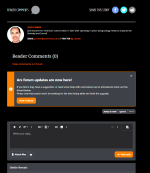
Ars forum updates are now here!

The community updates are now live, so let us know what you think! Here's a previous post Aurich made about updates if you'd like to take a look. If you see any bugs, even anything small, please let us know in this thread and we'll take a look! Also, if you have any positive feedback we'd love to hear that too :)

Here's a list of changes we made and if you have any questions let us know!

Screen Shot 2022-11-09 at 10.58.13 AM.png


We've developed a system to make it easier to find the content you're looking for through "feeds."
  • Create many types of content through the "create" button at the top of the page.
  • Set your favorite feed as your default feed so that it will show up first when you log into the community.
  • Select from a large number of filter options to only see the content you want to see.
  • A dedicated questions feed to help any and all questions get answered.

We’ve also created a new, fresh look for the site that should help you to get around and find content more easily by developing a new display for forum content.
  • Dark theme is here! You’ll now have light and dark options for the site depending on your preference.
  • An alerts system so that you can clearly see what thread conversations you’re involved in.
  • Improved mobile experience for those of you visiting the site on your phone or tablet.
I’d like to thank everyone involved in testing out these changes and we hope you love the new site as much as we do!

[Added by Aurich: If you're having issues staying logged in please delete your Ars cookies and try again. Some people got a temporary session cookie during some testing and until you delete it and replace it with a non-expiring one you may have issues.]
 
Last edited by a moderator:
I think I can see a bunch of forums that I am not supposed to be able to see. I'm just a regular forum member so I shouldn't have special access. But if I scroll to the bottom of the list of fora, I see all this and can go into them and view threads.
View attachment 46135
Hey could you let me know if you're still seeing these forums? We were finishing up configuration so this should be fixed now!
 

asbath

Ars Legatus Legionis
14,325
Subscriptor++
Maybe I'm just being dense here, but I don't seem to see a "go to first unread post" button under the Forums > Find Threads > Threads with your posts page. Clicking into the thread and then clicking "Jump to latest" works, but there was a faster way to do this on the old ego search page. I'm likely missing something here...
 
Maybe I'm just being dense here, but I don't seem to see a "go to first unread post" button under the Forums > Find Threads > Threads with your posts page. Clicking into the thread and then clicking "Jump to latest" works, but there was a faster way to do this on the old ego search page. I'm likely missing something here...
From the threads with your posts page that is the fastest way to get to latest content. This may be a bit faster, but if you go the the threads feed and use the watched content filter you'll see all of your watched threads and from there you'll be taken to the latest unread content in each thread. Hope that helps!
 
  • Like
Reactions: Chorian

Interactive Civilian

Ars Praefectus
5,477
Subscriptor
Okay, I have a question. The old version had a "My Threads" page of threads that I've posted in (and so conversations that I'd like to keep track of). I'm having trouble finding the equivalent here. Is there one?

Or do I have to go and set all the threads I'm participating in to "Watched" in order to be able to easily filter that in the "Threads" view to get a near equivalent? :confused:
 
G
gyrocyclist
Changes were made because coders need employment. It's now up to you to figure out how the danged thing works.
In the comments for articles, if you click on the upvote/downvote area, it creates a sort of 'popup' page that has who upvotes and downvotes. Problem is, if you click on a comment near the bottom of the page (or anywhere away from the top of the comments page that doesn't happen to have any real reactions yet), all you see is the whole site darken up with no indication on what happened. You need to scroll all the way to the top of the comments section of the article in order to see anything. I think if this is to stick around, it would be better implemented by having the info as a 'mouse-over' feature.

Plus, honestly, not a fan of seeing how individual people vote on comments. I mean, yeah, it'd be funny to point out certain trolls who just go through and downvote every comment in a particular thread, but I can see this as a way for users to openly 'bully' people by making it KNOWN they downvote specific users. It kind of gives them "the power" and potential reaction that they want.
 
Last edited:

jmarlin

Technical Director
412
Ars Staff
Okay, I have a question. The old version had a "My Threads" page of threads that I've posted in (and so conversations that I'd like to keep track of). I'm having trouble finding the equivalent here. Is there one?

Or do I have to go and set all the threads I'm participating in to "Watched" in order to be able to easily filter that in the "Threads" view to get a near equivalent? :confused:
Hmm.. I think we'll have to re-import that tracking data. It might be a "tomorrow" thing though.
 
Slick XenForo forum. Still not seeing all comment threads, when I’m at the home page or in the story the icon that usually says comment numbers is grey. Clicking it takes me to a link with jo comments.

Edit: now says comments closed.
Hey there, could you give me a link or screenshot so that I can see this issue?
 
  • Like
Reactions: herozero

Interactive Civilian

Ars Praefectus
5,477
Subscriptor
Also, is it me or is the "Show Online Status" privace feature not working? Granted, I can only see myself from my point of view, but I have unchecked both "show online status" and "show current activity", but I still see the status icon on my avatar and my name in the list on the main forums page.

Can someone else please let me know whether or not they can see my online status? Thanks. :)