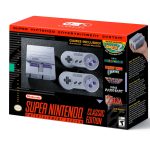
Doing a full review of a piece of hardware like the Super NES Classic Edition is kind of an odd concept. The $80/£80 system itself is really just a vessel to transmit a handful of well-remembered classic games from Nintendo’s glorious 16-bit console past. To do that job adequately, all the system has to do is produce a more-or-less accurate emulation of the decades-old Super NES hardware (it does) with graphics that look properly scaled on an HDTV (they are) and two included controllers that have a responsive and authentic feel (they do).
Beyond that, any review of the Super NES Classic is just re-evaluating a bunch of decades-old games to see if they stand the test of time (and the newly released Star Fox 2, which we’ll review in more detail later in the week). And while we’d love to see a few more obscure cult classics on the list of included titles (Zombies Ate My Neighbors, Legend of the Mystical Ninja, Tetris Attack, Ogre Battle, etc. etc.), it’s hard to find fault with the selection of 20 varied and well-remembered games Nintendo has put together here.
Rather than belabor those basic and unremarkable points, we’ve put together the following selection of lesser-known facts and observations about the system gleaned from a weekend of nostalgic play. Consider this our attempt to provide you with everything you need to know (and some things you probably don’t) about the Super NES Classic Edition before you go out hunting for the hardware that goes on sale this weekend.
Performance and Features


- Just like the NES Classic Edition, you can save progress for any game at any point by tapping the reset button and storing the game state in one of four “Suspend Point” slots. But the Super NES Classic Edition also supports the in-game save features originally included in 15 of the included games. This means things like game progress, unlocked levels, high scores, etc. can be stored using the same process the original game makers intended, even if you don’t start from an existing Suspend Point.
- The Super NES Classic Edition sports a “rewind” feature that lets you revert a game to the state it was in a few seconds before. The feature isn’t exactly easy to use, though. First, you have to hit reset on the system itself to go to the system menu, then tap down to the Suspend Point and tap X to enter a rewind menu (you can also choose to rewind from previously saved Suspend Points). There, you can choose to go back up to roughly 40 or 50 seconds—the exact length seems to vary depending on the complexity of the inputs and game scenes. The L and R buttons can jump back and forth through the rewind menu at 10-second intervals, but more accuracy than that requires letting the recording play out in real time. Once you’ve chosen the point to resume, though, it takes only a second to jump right back into the gameplay from that moment.
- The Classic includes the option to use your own gameplay footage as a screensaver. If you leave the system on for a few minutes, an animated Mario figure will replay footage recorded in the last minute or so before one of the saved “Suspend Points.” The screensaver can also play the standard attract modes/title screens included in the original game cartridges themselves.
- The system’s included “CRT filter,” which tries to replicate the lower resolution and scanlines of an old tube TV, is much more subtle than it was on the NES Classic Edition. Much less “fuzz” blurs the square edges of the individual pixels, and there’s a finer gradation of color in the simulated scanlines. This could come down to a difference in the internal resolutions of the original systems, but it seems more like a deliberate change that softens the overall effect.
- Even though the Super NES Classic Edition is rated for five watts, it only draws 2.3W from the provided USB adapter. The USB Micro power cord can be plugged in to any sufficiently powerful source, including a laptop or the USB power outputs on many modern TVs.
- The Super NES Classic Edition controllers are backward compatible with the NES Classic Edition, which is convenient if you never invested in a second controller for the previous system. The d-pad, Select, Start, and B and A buttons are mapped correctly, while the Y button maps to A and the X button maps to B on the NES Classic (L and R do nothing). The old NES Classic controllers are also forward compatible to the Super NES Classic, but the missing face and shoulder buttons make this a nearly useless feature. Both controllers seem to work for classic games on the Wii and Wii U as well.
- It takes about seven seconds after turning the system on for the menu to appear on screen. After turning the system off, the screen displays a “Shutting Down” message for about three seconds before going black.




 Loading comments...