Skip to content
CES 2019

The best PCs, gadgets, and future tech of CES 2019

This year’s best products mostly involve small tweaks that make them more usable.

Samuel Axon | 68
Lowered Samsung Space Monitor
Samsung's Space monitor in a lowered configuration. Credit: Samsung
Story text

CES 2019 has finally come to an end—and by and large, it was a more interesting show than last year’s. To that end, the Ars reviews staff has put together another annual Best in Show list, and this group of products we consider particularly interesting.

As was the case with CES 2018, the main takeaway from most of the press releases and product pitches we’ve read and heard over the past couple of weeks has been “Google Assistant and/or Amazon Alexa are in everything.” But to be frank, we don’t find that to be the most interesting thing happening at CES right now. For most users, digital voice assistants are still just a curiosity, and nothing major happened at CES to push them forward—the voice assistant story this year was simply one of ubiquity. The best innovations and products in this category were largely iterative ones or one-off clever designs that wouldn’t find a place in broader “CES trends” pieces.

By contrast, our list is a small one given the vast number of products at the show. There’s always a tension when judging CES products this way: do we select the products that represent remarkable innovation and give us a glimpse of something neat or useful in a not-too-distant future or the products that are going to be easiest to recommend to prospective buyers right now in 2019? This year, the Ars team wants to err on the side of the here and now, but we stretched that a little bit for certain gadgets that pushed the envelope while still being viable products that will ship to real users.

At a show where most product categories are either so mature that there’s little innovation or so new that they’re not ready to be in the hands of consumers yet, it’s a rare and refreshing treat to see something that will make someone’s life a little better (or just a little cooler) right here in 2019. These are the products that met that criteria at CES 2019.

A nearly perfect Windows laptop: Dell XPS 13

The new Dell XPS 13 laptop sitting on a white table.
It’ll come in white, black, and a new rose-gold finish.
The new Dell XPS 13 laptop sitting on a white table.
The webcam sits on top of the display! Finally!

Every time we’ve reviewed Dell’s recent XPS 13 laptops, we’ve mostly adored them, but we’ve always had to include one particularly irritating caveat: the webcam was below the screen, not above it. That led to some strange and unflattering views for whoever you’re video chatting with or streaming to.

The 2019 model finally fixes that, so we’re newly looking forward to reviewing the Dell XPS 13. We expect it will be difficult to find many strong bullet points for “the bad” or “the ugly” sections.

The improved webcam now measures at 2.25mm, so it can fit in the thin bezel above the display. That does come at a cost, however: the XPS 13 no longer has an IR camera for Windows Hello given the lack of space. In case that’s a concern, though, Dell offers an optional fingerprint reader add-on.

Other changes are simply light iterations, but there’s nothing wrong with that when the existing XPS 13 is one of the best modern laptops. The screen is the same, but it now supports HDR content via Windows HD Color. And the new XPS 13 has an improved thermal management system, which should get more performance out of current-gen Intel processors. Dell is also promising better battery life for 2019, and minor changes have been made to the lid and hinge for usability.

All that means an already-great laptop from 2018 is poised to be better in 2019.

A gaming desktop in a laptop form factor: Alienware Area 51M

Promotional image of a notebook computer.
Alienware says this is the start of a new design language for the brand.
Promotional image of a notebook computer.
A large set of vents jut out the back of the notebook.

And now for a completely different kind of laptop: the Alienware Area 51M, also from Dell. This device packs desktop gaming hardware into a laptop form factor—albeit for a steep price and in a 17-inch size that is only sort of portable.

Gaming laptop-makers have thrown around the phrase “desktop replacement” with reckless abandon over the years, and it has usually been not entirely true for gamers. That’s especially the case when today’s PC gamers aren’t even settling for 60fps or 1080p—it’s 4K @ 144Hz or bust for some. Dell/Alienware’s answer in 2019 is to ship what basically amounts to an all-in-one desktop computer and call it a laptop.

That means desktop-grade components like Intel’s six-core i7-8700 or eight-core i9-9900K, and an RTX 2060 video card with 6GB GDDR6 video memory in the base model or an RTX 2080 with 8GB GDDR6 if you need even more performance. There are even options for RAM up to 64GB, which is hilariously more than almost any gamer would need. And yes, you can configure the gigantic 17.3-inch display to be 144Hz, though it is only 1080p.

Dell’s approach also means the components like the battery, hard drive, CPU, GPU, and RAM are user-upgradeable. This is huge for gaming laptop enthusiasts. Just note that this gigantic machine is also 8.54 pounds and 1.7 inches thick, and it has the usual gaming aesthetic trappings, like a bunch of RGB lighting effects.

Practical? Not really. Portable? Absolutely not. Powerful? You bet. It’s not for everyone, but it’s really for the people it’s for.

A Google Assistant product that actually looks useful: Lenovo Smart Clock

Pictures of the Lenovo Smart Clock.
With a cloth back, it looks just like a Google Home product.
Pictures of the Lenovo Smart Clock.
Lenovo’s Smart Clock next to the bigger Lenovo Smart Display.

How do you make a product with a voice assistant stand out when every product has a voice assistant? Lenovo did it by packing everything we liked about Google-driven smart displays from last year into a very small, 4-inch form factor. It’s designed to be your bedside table alarm clock, and it turns out that Google Assistant is a good fit for that place in your home.

You can use it as an alarm clock, of course—it supports Google’s gentle wakeup routine, which we previously saw in the Pixel 3’s Pixel Stand. But you can also use it to track calendar events, ask questions, control various gadgets in your smart home (a perfect fit for the start of the day), and listen to music. It also supports some clock faces that aren’t part of the standard Google package.

As for the specs: its 4-inch touchscreen display has a resolution of 800×480, and it sports a 1.5GHz MediaTek 8167S SoC with four Cortex A35 cores and a PowerVR GE8300 GPU. It also has 1GB of RAM and 8GB of storage. The Smart Clock even has a USB port for charging your phone while you rest.

The Lenovo Smart Clock also apes Google’s cloth-based design as part of a recent design trend to make gadgets a little more comfortable for the humans who use them. It’s due out in the spring and will cost $79—$50 less than the Alexa-equipped Echo Spot it will directly compete with.

Emissive displays will reign supreme: LG’s OLED TV lineup

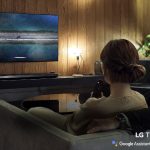
Couple watching LG TV
You can watch LG TVs with your significant other, it seems. Neat!
Woman talking to LG TV
You can talk to it, because if last year’s CES showed us anything, it’s that Google Assistant and Amazon Alexa must be in all the things, whether you want them or not.

Annual improvements to LG’s OLED TV lineup have been lightly iterative since about 2016, give or take—and that’s fine, because the TVs already offered unrivaled picture quality by most metrics. The biggest barrier to the lineup’s success so far has been price, but even the prices have been coming down for a while now. The LG B8, 2018’s “entry-level” OLED, is selling for around $1,500 for a 55-inch unit right now. That’s hardly cheap, but it’s a far cry from the $3,000+ prices of a couple of years ago.

It has always been easy to recommend the B-series because it has the exact same panel as LG’s more expensive OLEDs, and that’s still true, but 2019’s new lineup doubles down with some bigger differentiators. LG will now ship TVs that support variable refresh rates (VRR), automatic low-latency mode (ALLM), HDMI 2.1, and eARC—some of those features depend on LG’s Alpha 9 Gen 2 CPU that will not be included in the B9 model. Still, if you can stomach the price, you get a future-proof TV with all the modern bells and whistles and stellar image quality.

Except in certain edge cases like very bright rooms or use cases that might carry burn-in concerns, LG has virtually no competition at the top end when it comes to quality—in fact, the other good OLEDs on the market from competing companies like Sony actually just use LG’s own OLED panels.

The verdict is nearly unanimous among the consumer tech press, especially among those who rigorously and objectively test the panels they review. Rtings.com is one of those sites, and it has consistently ranked LG’s OLEDs as the top TVs in all but a few categories for a while now—though that site has also run a concerning ongoing series on LG OLED burn-in. That won’t be a problem if you watch a lot of movies, but it might be an issue if you play a lot of the same video game or leave CNN running all day long with its ever-present red logo.

This year’s refresh is still iterative, but it’s the biggest step in a while. And that’s needed, because LG will finally have some real competition soon.

What about MicroLED?

There’s one big caveat that we want to share when discussing this selection, though: Samsung’s MicroLED technology is remarkable, and it moves a few key steps forward with each CES. The problem for now is that Samsung is only showing one market-ready MicroLED TV this year, and it’s enormous and extremely expensive. MicroLED’s time is not here yet for most consumers, so it wasn’t a fit for our 2019 Best-of list—but it might be in 2020 or 2021. When that time comes, LG’s OLEDs will have serious competition at the high end. That might not be good for LG, but it will probably be great for the rest of us.

Clever design makes for a promising monitor: Samsung Space

Lowered Samsung Space Monitor
Samsung’s Space monitor in a lowered configuration.
Adjusting a Samsung Space Monitor
An image meant to convey how easy it is to adjust the monitor.

The specifications of Samsung’s new Space monitor are solid, but it’s the design that makes it stand out.

The 4K, 32-inch VA monitor clamps onto the back of a desk and can be easily pulled up and down or tilted for different types of tasks—similar in some ways to Microsoft’s Surface Studio 2. The chief benefit is that it can be pushed back completely flat against the wall without a wall mount (provided your desk is also up against the wall), saving critical space in small workspaces or apartments. It’s the sort of thing that instantly attracts the attention of creative designer types. (It’s worth noting that it’s not a touchscreen, though.)

This selection isn’t solely about aesthetics, though. And actually, some of us are not fans of the monitor’s boxy, brutalist look. It would also be nice if the monitor’s typical brightness was a little better than 250 cd/m2, which puts it behind some other monitors at its price point for several key metrics of image quality. This isn’t the monitor for you if you’re wanting to jump on the HDR bandwagon. But on the other hand, a 2500:1 typical contrast ratio is strong, as is a 4ms response time.

In other words, this is not the best monitor we’ve seen at CES when it comes to specs, but it’s good enough for most use cases, and its flexibility could make the right user’s desk a lot more pleasant. On top of that, we’re always happy to see actual ship dates and pricing information alongside a CES product. The Samsung Space will ship on March 11. The 31.5-inch version will cost $499.99, a 27-inch variant will cost $399.99, and it’s already available for preorder.

Making VR more natural: Vive Pro Eye

Monochrome schematic for goggles.
A glimpse at how the HTC Vive Pro Eye’s schematics look, courtesy of HTC.
Promotional image for VR goggles.
And here’s our first peek at the Vive Cosmos. Side angles revealed at the CES press conference show more tracking cameras, one on each side.

VR shows such promise, and we’ve enjoyed some amazing experiences with VR headsets that easily make the case for owning one. Unfortunately, they are struggling to gain the kind of traction fans of the tech hope for. This is largely due to price, difficulty or impracticality of setup, and the slow rollout of non-gaming content—that’s a lot of problems, admittedly. But nevertheless, companies like HTC, Oculus, and Sony continue to push forward to improve the VR experience.

HTC introduced two major VR products at CES: the Vive Pro Eye and the Vive Cosmos. The Cosmos is a stand-alone VR headset, but the Vive Pro Eye is arguably the more interesting product.

The Pro Eye features built-in eye tracking. This has quite a few ramifications—the obvious one is, of course, control methods, but the focus of HTC’s announcement was on how it can improve performance and realism.

Modern video games use a technique called “frustum culling” to render only what is in front of the game’s virtual camera—not rendering stuff outside your field of view allows the graphics hardware to focus entirely on making just what you can see as realistic or attractive as possible, which allows more detailed virtual worlds on lower-end hardware.

Eye-tracking enables an even more sophisticated technique than that called “foveated rendering,” which reduces image rendering quality in your peripheral vision. While you do see and are aware of objects in your peripheral vision, the quality of your perception in those regions is lowered anyway. By employing this technique, game and VR experience developers can further improve the rendering of what’s right in front of you without much downside.

That could mean more realistic or visually stunning VR experiences on high-end hardware, and it also means that quality experiences will be possible on somewhat lower-end PC hardware. It’s just too bad the headsets that offer cutting-edge features like this are still such a pain to set up.

Ron Amadeo, Jeff Dunn, Sam Machkovech, and Valentina Palladino contributed to this report.

Listing image: Samsung

Photo of Samuel Axon
Samuel Axon Senior Editor
Samuel Axon is the editorial lead for tech and gaming coverage at Ars Technica. He covers AI, software development, gaming, entertainment, and mixed reality. He has been writing about gaming and technology for nearly two decades at Engadget, PC World, Mashable, Vice, Polygon, Wired, and others. He previously ran a marketing and PR agency in the gaming industry, led editorial for the TV network CBS, and worked on social media marketing strategy for Samsung Mobile at the creative agency SPCSHP. He also is an independent software and game developer for iOS, Windows, and other platforms, and he is a graduate of DePaul University, where he studied interactive media and software development.
68 Comments