Skip to content
Working wiser

HP Elitebook x360 1030 review: Small tweaks made to a stylish work 2-in-1

HP made the already solid business two-in-one better, but it’s mostly familiar.

Valentina Palladino | 31
Credit: Valentina Palladino
Story text

It has been 10 years since HP launched the original Elitebook, and the company continues to improve upon this already stellar business notebook family. This year’s Elitebook x360 1030 is the follow-up to last year’s model and will replace the 1020 model in the Elitebook lineup.

The new Elitebook has been sprinkled with updates that you’d expect in a convertible that didn’t have many major problems: HP stuck a new processor inside, shrank some bezels, made the chassis’ footprint smaller and lighter, added an LTE option, and improved the optional Active Pen. There were a few sub-par aspects about the previous model, so HP addressed them in this device, too. However, those improvements, while thoughtful, may not be crucial enough to push current Elitebook users to upgrade.

Look and feel

HP changed little about the Elitebook x360’s skeleton—it’s still an all-aluminum convertible with a unibody chassis and slick, diamond-cut edges. It now has a 10 percent smaller footprint than the previous model, measuring 15.8mm thick and weighing 2.76 pounds, and the bezels around its 13.3-inch touchscreen are slimmer than ever before. The side bezels are 50 percent thinner, and the chin is 39 percent smaller, too.

Specs at a glance: HP Elitebook x360 1030 G3 (as reviewed)
Screen 13.3-inch 1920×1080 touchscreen
OS Windows 10 Pro
CPU Core i7-8650U
RAM 16GB LPDDR3
GPU Intel UHD Graphics 620
HDD 512GB PCIe SSD
Networking 8265 802.11a/b/g/n/ac (2×2) Wi-Fi, Bluetooth 4.2 combo, vPro, NFC, MiraCast support, Cat9 4G LTE (optional)
Ports 2x Thunderbolt 3, 1x USB-A 3.1 Gen 1, 1x HDMI port, 1x lock slot, 1x audio combo jack
Size 12.04×8.07×0.62 in (30.58×20.5×1.58 cm)
Weight 2.76 pounds
Battery 56WHr
Warranty 3 years
Price as reviewed $2,149
Other perks Windows Hello IR camera, fingerprint sensor, backlit keyboard

HP EliteBook x360 1030 G3

The top bezel remains thick enough to include a new FHD webcam and an IR camera, both of which are important for business customers to have. However, HP didn’t include a privacy shutter over the webcam. Numerous ultrabooks have embraced the privacy shutter or another way to disable the front-facing camera to give users more control over their privacy. But most ultrabooks that have both a webcam and an IR camera for Windows Hello don’t include a shutter—I’m not surprised that HP left it out in the Elitebook x360, but it would have been a welcome feature, especially on a business-focused convertible like this.

The screen comes in FHD (1920×1080) and UHD (3840×2160) options, with one of the FHD options equipped with HP’s SureView technology. The integrated privacy screen makes it difficult for passersby to peer over your shoulder at your potentially sensitive work materials. While our review unit didn’t have SureView, I’ve seen it in action and understand how it would be indispensable for professionals who are constantly traveling or working from unfamiliar locations.

The two FHD display options can be equipped with HP’s new anti-glare coating, making it easier to read in direct sunlight. Making this a standard feature would have been ideal, but some users rarely work outside or need such a feature on their display. Nevertheless, it will accompany the 400 nit and 700 nit brightness maximums of those panels well. The UHD panel is the only configuration without the option of anti-glare coating, and that panel reaches up to 500 nits of brightness.

The diamond-cut edges point to a more refined design than the previous model. The new angled hinges that connect the lid to the chassis do, too, as do the honeycomb speaker grilles on either side of the keyboard. HP included both top and bottom firing on this model, which should emit sound well regardless of the position of the convertible.

These small changes bring even more Spectre-chic to the Elitebook line without being garish. HP also designed the device to pass MIL-STD 801G stress tests (drop, vibration, shock, temperature, dust, and others), making it both attractive and strong in the face of harsh environments and accidental drops.

The build quality of this Elitebook matches that of last year’s model. Most of the design changes only result in noticeable aesthetic differences, rather than changes felt in the sturdiness of the machine. The bump in MIL-STD certification is a nice touch, but most users will likely appreciate that HP built a machine that’s both relatively thin and light and also has an overall solid design that doesn’t give under pressure.

The selection of ports on the new Elitebook x360 changed a bit: now, it includes two Thunderbolt 3 ports, one USB-A 3.1 Gen 1 port, one HDMI port, one nano SIM slot (only on some models), one audio-combo jack, and one lock slot. Gone are the extra USB-A port, the microSD card reader, the smart card reader, and HP’s proprietary charging port. Nixing the last of those is a welcome change—there’s no reason to take up space with a proprietary charging port when a USB-C/Thunderbolt 3 port charges the device and does more in terms of data transfer and peripheral connectivity.

Some will be frustrated by the other ports that weren’t included. However, I’m happy that HP kept one of the two Type-A ports, because not all users (and their workplaces) have made the switch to USB-C yet. MicroSD card slots certainly aren’t obsolete, but the new nano SIM slot is more important for HP’s vision for this device. Much like the new Spectre x360 and the Acer Swift 7, LTE connectivity is becoming a popular optional feature on ultrabooks like these. It allows professionals to get online anywhere there’s decent cellular service, and it lessens their dependence on public Wi-Fi (which poses security risks for those working with sensitive information). Optional LTE may be the new feature that persuades existing Elitebook users to consider this upgrade, and it will put the Elitebook x360 on the radars of new customers who need LTE in their next laptop.

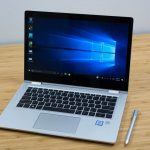
The 2018 HP Elitebook x360 2-in-1 sitting on a wooden table.
Its overall footprint is 10 percent smaller than that of last year’s model.
The 2018 HP Elitebook x360 2-in-1 sitting on a wooden table.
HP nixed one of the USB-A ports, but it still has one left on its slim edges.

Keyboard, trackpad, and Active Pen

The keyboard on the new Elitebook x360 is just as good as the one on last year’s model, which is to say it’s fantastic. I’d say these keyboards are second only to Lenovo’s keyboards on devices like the ThinkPad X1 Carbon. Typing on the Elitebook x360 was comfortable and easy, and I like that you can hear the chiclet keys as you type, but they emit a subdued, softer sound than other keys. I also like the full Fn row of keys at the top of the keyboard, even if many of those keys are geared toward professional programs that I don’t use much, like the default Windows calendar or Skype.

Below the keyboard are the Precision trackpad and the fingerprint reader, both of which were present on the previous Elitebook model. Not much has changed with either: the trackpad is still responsive and great for Windows-specific gestures, while the fingerprint reader complements the IR camera to give users two Windows Hello biometric authentication options.

A $76 Active Pen, but for whom?

While the optional Active Pen looks identical to the previous one, it has a few important improvements. For one, the Pen recharges via a USB-C port hidden underneath a flap of gray silicone near its top. That’s much better than the previous model, which used a AAAA battery for power. Considering the Elitebook x360 charges via USB-C itself, users can charge both the convertible and its pen using the same cable.

I’m not crazy about the fact that the Active Pen costs extra and doesn’t come with the Elitebook x360—unless there’s something unique or spectacular about it, I think convertibles should come with their pens because inking abilities are some of the biggest selling points about such devices. HP’s Active Pen is a solid stylus that shows little (if any) latency in multiple sketching apps, and it’s even more pressure sensitive than the previous pen. It also responds well to tilted input, making shading and nuanced sketching easy.

But creatives are the users who demand such features, and there are a bunch of strong competitors in the convertible and detachable space that may appeal to creatives more than the Elitebook x360—some of which include a stylus in their prices. Those who only need standard inking abilities could go with a device like the $1,299 Lenovo C930 two-in-one, which includes a basic stylus that lives in its chassis.

HP came up with a clever way to keep its Active Pen alongside the Elitebook x360 at all times: it attaches magnetically to three of the four sides of the convertible’s chassis (it doesn’t attach to the back edge, near the hinge, for obvious reasons). All of its three buttons can be customized in the Pen Settings to open various ink-friendly programs like SketchPad, Ink Workstation, and others. Quick actions like going home or launching a specific app can also be assigned to any of the buttons.

HP’s radial menu, a circle that appears on the screen with additional quick actions that you can initiate via touch or Pen input, is quite useful when you’re primarily using the Active Pen. By assigning one of the Pen’s buttons to open the radial menu, you essentially get a bunch of actions that you can quickly perform when the keyboard isn’t accessible, such as pausing/playing music, adjusting the volume, and taking a scribble-ready screenshot. It’s similar to Samsung’s Air Command, which is one of my favorite pieces of software that’s unique to Samsung devices like the Notebook 9 Pen—now, HP has an equivalent.

A close-up of the keyboard on the 2018 HP Elitebook x360 1030.
New top-firing speaker grilles sit in either side of the keyboard, much like those on the Spectre ultrabooks.
A close-up of the keyboard and the fingerprint reader on the 2018 HP Elitebook x360 1030.
The fingerprint reader accompanies the IR camera, giving users two biometric login options.

Software

HP packs a lot of bloatware onto its Elitebooks, but the programs are geared toward business users, so some are actually useful. HP WorkWise lets you keep a close eye on your convertible even when you’re not around. It requires the accompanying WorkWise app for Android or iOS, and with that you can program the Elitebook x360 to lock automatically when you (along with your smartphone) move out of range. You can also customize alerts to receive on your smartphone if and when someone tries to open the lid of your laptop or log in when you’re not around.

HP’s PhoneWise goes one step further and connects your smartphone to your Elitebook x360, letting you receive and send texts, calls, and notifications. It’s similar to Apple’s Continuity features, but HP’s program works on Android and iOS devices. I’m also a fan of HP Orbit, a consumer app that lets Android and iOS users share files from their smartphones to their PCs, similar to Apple’s AirDrop feature.

HP offers a slew of security features for its Elitebooks that should fit most IT personnel needs. Some of the pre-installed software on my review unit includes BIOSphere Gen 4, HP Drive Lock and Automatic Drive Lock, HP Secure Erase, and HP Wireless Wakeup. Other programs are optional and can be configured for the Elitebook x360, including the SureView privacy screen, HP Sure Start Gen 4, Sure Run, and Sure Recover.

Performance

The Elitebook x360 got a power boost thanks to its updated Core i7-8650U processor. Our review unit also had Intel UHD Graphics 620, 16GB of RAM, and 512GB of storage—standard specs for a business-class ultrabook. It served me well over the few days I used it as my primary PC, but the fans were noticeably loud when the machine was under stress. In this case, “stress” meant having tens of Edge and Chrome tabs open and running benchmark tests. The Elitebook x360 performed just as well, if not slightly better, than most competing ultrabooks of its size.

Battery Life

The new Elitebook x360 has a slightly smaller battery than the previous model (56WHr instead of 57WHr), but HP managed to improve on its already long battery life. The company claims it tweaked some of the internal components, including the screen panel, storage, and memory, to be highly power efficient. That may explain why the new two-in-one lasted a couple extra hours on both of our tests, clocking in at an average of 981 minutes, or just under 16.5 hours, on our Wi-Fi test and 451 minutes, or 7.5 hours, on our WebGL test.

An upgrade more for HP than users

HP had a lot to talk about when debuting the new Elitebook x360, but the gist of it comes down to these points: the convertible now has a smaller profile with better internal specs (as well as optional LTE), and there’s an optional, yet much improved, Active Pen.

The good thing is that all of these features deliver on their promises. The familiar yet smaller profile of the device doesn’t hinder overall performance, which is slightly better than that of last year’s model thanks to an 8th-gen Intel processor. Some users will embrace the newly added nano SIM card slot as their gateway to a reliable cellular connection even in unfamiliar places, and those who spring for the Active Pen will love that they can get a week’s worth of charge from just 30 minutes of USB-C connectivity.

All of that is well and good, but those with last year’s Elitebook x360 don’t need to ditch their current convertibles for this one. While the new updates are thoughtful, they don’t fundamentally change the experience of using the Elitebook x360.

That said, the Elitebook x360 remains one of the most premium business notebooks available. Some won’t be happy with how much the Elitebook x360’s price soars after a few customizations, but increasingly that’s the case for both consumer and business devices. The Elitebook x360 is a solid choice for those who want a work device that can be as flexible as they need it to be, and it boasts a stylish design that matches the device’s high-end nature to boot. Many will also gravitate toward HP’s suite of security features that includes programs that users will appreciate and a few that workplace IT professionals will require. Pairing function and form at a high level makes this Elitebook an easy recommendation—that is, unless you already own a recent one from this HP line.

The Good

  • Premium, sturdy design.
  • Fingerprint reader and IR camera.
  • Top- and bottom-firing speakers for better sound in all convertible positions.
  • Optional LTE with nano SIM slot.
  • Pen charges via USB-C.
  • Good performance.
  • Great battery life.

The Bad

  • No more microSD card or second USB-A.
  • SureView privacy screen only available on one FHD configuration.
  • Active Pen comes at an additional cost.
  • Loud fans.

The Ugly

  • No webcam privacy shutter.

Listing image: Valentina Palladino

Ars Technica may earn compensation for sales from links on this post through affiliate programs.

Photo of Valentina Palladino
Valentina Palladino Associate Reviewer Emeritus
Valentina reviews consumer electronics for Ars Technica, testing all kinds of gadgets with a focus on mobile devices and wearables. She has a soft spot for Chromebooks.
31 Comments