What is this thing?
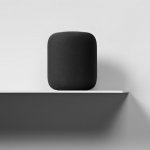
That, in essence, is the question most onlookers have asked about Apple’s HomePod speaker since its unveiling last summer. The natural inclination is to compare it to smart speakers like the Amazon Echo or Google Home. It’s a speaker with a talking assistant in it, the thinking goes. Apple just wants a piece of that growing pie.
But that doesn’t sit right. Sure, Siri, the assistant at the heart of the speaker, can answer questions, set alarms, and turn off connected light bulbs. But the HomePod costs $350, roughly three times as much as the base Echo and Home devices, it sounds miles better than both, and Apple isn’t nearly as concerned with assisting you through every part of your day and controlling everything in your home. The HomePod is decidedly more “speaker” than “smart.”
You could then think of it as Apple’s first strike on Sonos, the popular maker of connected speakers. That’s a closer analogue but still not totally on the nose. The whole pitch with Sonos is that its speakers are hubs for every music service you care about. They’re also best utilized as a family. The HomePod, meanwhile, is a solitary device for a solitary service. It may become more like Sonos, but Apple has a tendency to keep things for itself, so it’s hard to say to what extent.
Instead, in its current state, the HomePod is something much simpler: a neat accessory for Apple Music subscribers. Just as the AirPods are fun and flashy headphones for Apple diehards to listen to music on the go—albeit ones that still work for those who don’t live in Apple’s world—the HomePod is a pleasant way for them to listen to that music at home. That’s it. It sounds good, and for most of the 36 million people paying for Apple’s music service every month, it’ll stream music and podcasts with little friction.



 Loading comments...