Skip to content
Pixel perfect

Pixel 2 and 2 XL review—The best Android phone you can buy

Google brings the best software, an amazing camera, great performance, and fast updates.

Ron Amadeo | 467
Story text
The back is a nice metal with a matte finish.
Up top on the Pixel 2 XL we’ve got skinny bezels with one on the sizeable front-facing speaker grill.

Welcome to year two of Google Hardware. In 2016, Google jumped into the Android hardware space with its first self-branded device, the Google Pixel. Google’s software prowess shined on the Pixel 1, offering up exclusive features like the Google Assistant, the best Android camera thanks to advanced software processing, fast day-one OS updates and betas, and the smoothest, best-performing overall build of Android. The killer software package made it the best Android phone of the previous generation.

The Pixel still represented Google’s first foray into smartphone hardware, though, and it didn’t offer anything special in the hardware department. It was a bland-looking iPhone clone. It had the same specs and basic design as everything else. The Pixel even skipped water resistance, which had become an expected feature at that price point. Google said it wanted to make its own hardware, but it didn’t actually build special hardware.

Google had an excuse, however: the original Pixel was a rush job. All the evidence we have points to it being blasted out the door in about 9 months, approximately half the usual development time for a smartphone. This year Google’s second-generation smartphones—the Google Pixel 2 and Pixel 2 XL—arrive after a development timeframe much closer to the usual smartphone schedule. Expectations are rightfully a lot higher.

The software package is pretty much the same story as last year: Google is still blowing away its competition with a killer software package that no other Android OEM can touch. Of course the company that makes Android also knows how best to make an Android phone, so with the Pixel 2 you’re getting all the “best practices” for Android. Google gives you three years of day-one OS updates, an incredible camera, the best UI performance, a cohesive software package, and (if you buy the XL at least) hardware that’s “good enough” to stand up to the rest of the high-end smartphone crowd.

SPECS AT A GLANCE
Pixel 2 Pixel 2 XL
SCREEN 1920×1080 5.0″ (440 ppi)

Samsung AMOLED, 16:9 aspect ratio

2880×1440 6.0″ (538ppi)

LG pOLED, 18:9 aspect ratio

OS Android 8.0 Oreo
CPU Eight-core Qualcomm Snapdragon 835 (Four 2.35GHz Kryo 280 Performance cores and four 1.90GHz Kryo 280 Efficiency cores)
RAM 4GB
GPU Adreno 540
STORAGE 64GB or 128GB
NETWORKING 802.11b/g/n/ac, Bluetooth 5.0, GPS, NFC, eSIM
Bands GSM: 850, 900, 1800, 1900
UMTS/HSPA+: 1, 2, 4, 5, 8
CDMA: BC0, BC1, BC10
FDD-LTE: 1, 2, 3, 4, 5, 7, 8, 12, 13, 17, 20, 25, 26, 28, 29, 30, 32, 66
TD-LTE: 38, 40, 41
PORTS USB 3.1 Type-C
CAMERA 12MP rear camera, 8MP front camera
SIZE 145.7 x 69.7 x 7.8 mm (5.7 x 2.7 x 0.3 in) 157.9 x 76.7 x 7.9 mm (6.22 x 3.02 x 0.31 in)
WEIGHT 143g (5.01 oz) 175 g (6.17 oz)
BATTERY 2700 mAh 3520 mAh
STARTING PRICE $649 $849
OTHER PERKS USB-PD quick charging, fingerprint sensor, notification LED, IP67 dust and water resistance, Daydream ready, Active Edge

This go-round, Google has actually done something special with the hardware, too. The back design is more refined than last year, and the Pixel represents one of the only premium, aluminum unibody phones left standing. From HTC, Google is borrowing the U11’s pressure sensitive sides, so a quick squeeze at any time—even when the phone is off—will fire up the Google Assistant.

In fact, less than a day before our review was set to publish, Google dropped major hardware news on us. The Pixel 2 has two SoCs. There’s the expected Qualcomm Snapdragon 835, but the Pixel 2 also hides a custom Google-designed SoC called the “Pixel Visual Core.” While currently dormant, the SoC packs in eight Google-designed Image Processing Units (IPUs) that will eventually enable the Pixel 2 to process photos faster and more efficiently than ever.

All these changes make the Pixel 2 hardware situation more complicated than it was in the first year. Like Apple, Google does not own any smartphone manufacturing facilities, but it does all the engineering work itself and outsources the manufacturing to a company like Foxconn. Google’s Pixel strategy has been to partner with an Android OEM and build a phone together. Last year the Pixel and Pixel XL were built with the help of HTC. This year the duties are split between LG and HTC. LG is building the Pixel 2 XL, while HTC is building the smaller Pixel 2. (Next year, Google will probably have a much bigger hand in the hardware design, since it acquired the Pixel team from HTC. In September, Google paid $1.1 billion for about 2,000 HTC engineers and a patent-sharing deal.)

The “Google” Pixel phones definitely feel like two different devices from two different companies. These devices share the same SoC, cameras, software, and roughly the same design; the screens, bodies, and little details are completely different. But make no mistake about it—the new Pixels remain in the upper echelon of Android phones.

Table of Contents

Hardware: A tale of two phones

The biggest area where the two phones diverge is the front. The LG-made Pixel 2 XL looks like a modern device that keeps up with the slim-bezel trend of 2017. By reducing the amount of dead space on the front of the device, LG was able to cram a 6-inch 2880×1440 OLED display into a phone that is still about the same size as the 5.5-inch Pixel XL. The 18:9 aspect ratio means the screen is taller than usual, which is great because you get to see more of a vertical list or more of a webpage. If you use Android’s split-screen mode, you get more space for apps. The Pixel 2 XL front design is great—you get more screen in the same amount of space—and that makes it a huge upgrade over the Pixel XL.

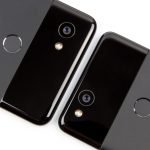
The back looks almost the same as the Pixel 2 XL, only the camera and flash have swapped places.
The Pixel 2 gets equipped with stereo speakers too, and there’s tons of room for them with all this bezel.

On the other hand, the HTC-made Pixel 2 front is a disappointment. There are basically no gains made over last year—Google is still using an old-school 16:9 display with absolutely massive bezels on the top and bottom of the phone. It’s still a 5-inch screen with a 1920×1080 resolution. The screen-to-body ratio is basically the same as last year, but the smaller Pixel 2 is actually uglier than its Pixel predecessor, since the sharper body corners make the bezels seem taller.

Thanks to references in the AOSP (Android Open Source Project) repository and some reliable reports, we know a bit about how the development process of the Pixel 2 went down. Originally, HTC and Google were sticking to the same plan as last year, with HTC making sequels to the Pixel (codenamed “Walleye”) and the Pixel XL (codenamed “Muskie”). There was also a third phone, though—an LG-made Pixel 2 XL, codenamed “Taimen.” Eventually, the HTC-made Pixel 2 XL (Muskie) was cancelled, and Google went with an HTC Walleye and LG Taimen lineup. The early reports tell us that the HTC Pixel 2 and Pixel 2 XL had similar designs, so did Google cancel the HTC Pixel 2 XL because it wanted a more modern looking flagship?

Enough about the fronts for now: both Pixels have moved this year to IP67 dust and water resistance, which is a big upgrade after last year’s models had no water resistance at all. The first number in these “IP” ratings are the dust protection, and Wikipedia tells me the “6” means “No ingress of dust” even under a vacuum. A “7” water resistance means the Pixels are good for total immersion in up to 1 meter of water. Some phones have IP68 resistance, which generally means they’re good for 3 meters of water. So you can wash a Pixel in the sink, take it swimming, or use it in a tub—just don’t drop it in the deep end of the pool.

Just like last year, the Pixel 2s have an aluminum unibody construction. With most of the industry switching to glass, Google is making one of the last metal devices out there. I prefer metal because it survives a drop much better than the glass-backed phones out there, and it doesn’t feel cheap to me the way plastic does. The industry’s move to glass seems to be entirely because glass makes things easier for OEMs. Glass doesn’t block RF signals the way metal does, so the antenna design for an all-glass phone is easier to design and manufacture than a phone with a metal back. It’s definitely possible to make a metal phone with great reception—Apple did it for years with the iPhone 5, 6, and 7—but lately more OEMs are taking the easy way out regardless of the durability drawbacks.

Similar to its predecessors, the Pixel 2s take a mixed approach to the glass-versus-metal dilemma. The majority of the back is metal, but up at the top the glass back serves as an RF window to easily let all the bits in and out. This year the window is even smaller. The Pixel 1 and 1 XL had 47mm- and 49mm-tall glass panels, respectively, making the back of the phone about 32 percent glass. The Pixel 2 and 2XL have cut the window down to 30 and 32mm, respectively, so now only about 20 percent of the back is glass. There’s not much of the Pixel design that stands out as unique, but I think these back panels look great. They also offer a good mix between the premiumness and durability of metal, while still letting all the wireless signals in and out.

Because the glass panel is so much smaller, the fingerprint reader on the Pixel 2 moved from the glass window to the metal back. Unlike a certain other flagship, the fingerprint reader sits in a great spot on the back of both phones—your finger naturally falls right on the sensor when holding it. This year Google says the Pixel 2 sensor “unlocks faster than any other smartphone,” and in my testing it always seemed fast and accurate. A rear fingerprint reader does have some trade offs—you have to pick up the phone when it’s on a desk, for instance—but there’s certainly no room for it on the front until those magical under-screen fingerprint readers get made. Google has great supporting software to help with this; Android’s “smart lock” feature allows you to set the phone to automatically unlock by location or paired Bluetooth devices. That’s usually enough to never have the phone ask for a lock screen challenge in the kind of safe, familiar places where you would leave your phone, like on a desk.

Metal backs and wireless charging

The one thing you don’t get with Google’s metal-and-glass mix is wireless charging, which is probably going to experience a comeback thanks to Apple’s backing of Qi charging. Qi charging is enabled by a big, flat metal coil that is usually placed in the back of the phone, and while Qi works fine through glass, a metal back can interfere with the inductive power transfer. Since 2015, Qualcomm has claimed it can do wireless charging through metal with its “WiPower” technology, but we’ve never seen the technology actually come to a phone.

Wireless power was all the rage in Android-land back in 2013, but that was back when wired charging was awful and wireless seemed like a decent alternative. We were all dealing with awful MicroUSB charging ports, which weren’t reversible. Even if you had the right orientation, they were finicky to plug in, especially in the dark. They were fragile, and either the ports on the phones would break or the spring connectors on the wires would wear out, resulting in an unreliable, loose fit. Back in 2013, not having to deal with any of that seemed like a feature.

Since 2013, though, wired chargers have seen big updates. The USB-C connector is more durable, and its oval shape and reversible nature make it easy to plug in without a fuss. USB-C also has a much wider range of compatibility—never before have you been able to have a laptop charger double as a phone charger. Wired chargers have also seen a massive speed boost, with various “quick charging” standards that blast smartphone batteries from 0 to 50 percent in 15 minutes. Meanwhile, wireless chargers haven’t moved forward much. They’re still really slow, and they still require pinpoint positioning in order to charge the phone. Today, it’s not hard to bump your phone off the wireless charger, go to bed, and wake up with a phone that didn’t get charged.

Until Apple revived wireless charging interest with the iPhone 8, the wireless charger seemed like it was going to die of obsolescence. I certainly don’t miss wireless charging on the Pixel 2s, and I’m really not sure why Apple is suddenly trying to bring the technology back. Hopefully this doesn’t doom all flagships to fragile glass backs, but after seeing the 3.5mm headphone jack fiasco unfold, I’d guess most Android OEMs will be eager to follow Apple’s lead next year. Hopefully Google ignores the industry trends and keeps the metal backs going forward.

The grainy LG OLED display

That’s the Pixel 2 on the left, with its Samsung OLED, and the Pixel 2 XL on the right, with its LG OLED. The LG screen has much more of a “dirty” look to it.
These are at zero-percent brightness in a dark room. I developed the pictures with the goal of showing the difference between the panels, not the real-life representative grain levels.
Any time there’s a white background, you can discern the grain in the LG screen. Each screen has a totally different white point, too.
The Play Store.

While the Pixel 2 ships with an OLED display made by Samsung—the leading supplier of OLED displays—the Pixel 2 XL is one of the rare devices to ship with an OLED display made by LG. Historically, LG doesn’t make smartphone OLED displays, and its occasional efforts in the past haven’t been very good.

In the 2013 to 2015 era, the company tried its hand at smartphone OLEDs with the awful LG G Flex and G Flex 2. Both of them had a distinctive “graininess” that meant solid colors weren’t displayed as solids. Instead, images were full of brightness variations that made screens look “dirty.” Sometimes, these variations formed in large bands that stretched across the display. We also saw large variations in the brightness of the display to the point that a solid color would appear as a gradient on the display.

After taking a hiatus from creating smartphone displays, LG returned to the OLED game with the V30, and both our pre-production unit and our final review unit still exhibited many of the image-quality issues that those older LG OLED displays had. The Pixel 2 XL uses the same display panel as the V30, and we’re sad to say the same graininess issues apply to the Pixel 2 XL.

The Pixel 2 XL display has a consistent “dirty” grain to it, and you can see it all the time if you know what to look for. But the dirt is most noticeable in a dark room with the screen at 0-percent brightness, which is a totally normal, “night-time” use case. Any time there’s a solid color background—like, say, in a list with a white background—you’ll see the grain. It jumps out when you’re scrolling, when the text moves but the layer of grain is stationary. If you’re not in the “night-time” scenario, the grain is much less noticeable. But if you look closely, especially during scrolling, you can see it is always present.

Above, we have pictures demonstrating the grain, but please note that the pictures are meant to be exaggerated comparisons rather than realistic representations of what the screen looks like in the dark. Cameras don’t work the same way the human eye does, and any time you process a picture you can make decisions about contrast, brightness, grain suppression or enhancement, or the use of smoothing algorithms. I edited the pictures with the goal of demonstrating the difference in clarity between the two screens.

In the pictures, it’s easy to see that the LG-made Pixel 2 XL screen is grainier and blotchier than the Samsung-made Pixel 2 screen. This is not representative of the total amount of grain you will see in real life, but, comparatively, it’s meant to demonstrate that the smaller Samsung screen on the Pixel 2 is clearer than the LG screen on the Pixel 2 XL.

The Pixel 2 XL screen also hurts the Daydream VR experience, if you’re into that sort of thing. These are Google’s “dumb” VR headsets that enable a smartphone-powered VR extension by sticking a pair of lenses in front of the screen. Sticking what is basically a magnifying glass in front of the grainy LG screen feels like strapping a dirty window to your face.

Again, the “scrolling” use case applies here, since you’re constantly moving your head around: the world moves, but the grain in the foreground is stationary.

Squeeze for assistance

Like the HTC U11, the Pixel 2 and Pixel 2 XL have squeezable sides. The frame is pressure sensitive, and so a squeeze works basically the same way as a button. Just give the Pixel 2 a quick squeeze and the Assistant will pop up, ready to answer a question or execute a command. Since the squeezy feature is measuring pressure and not capacitive touch, it even works with a case on.

It might sound silly, but squeezing to open the Assistant is one of my favorite features of the Pixel 2. Because the squeeze function is always there and works all the time—if you have an app open, or even if the screen is off—it’s easily the fastest, most consistent way to open the Assistant.

If you’re pulling the phone out of your pocket, you can grab it inside your pocket, give it a squeeze as you pull it out, and have the Assistant load up and start listening before you even have the phone up to your face. The squeeze is also faster and more consistent than saying “OK Google.” It’s so fast and easy I’m already using it 10+ times a day.

Squeezing the phone feels great. You get a haptic buzz when you apply pressure and again when you release pressure, making it feel like you’re really triggering a button. The pressure sensitivity is adjustable, so you can make sure the phone doesn’t give a false-positive squeeze every time you pick it up.

The one advantage the HTC U11 has over the Pixel 2 is that, on the U11, the squeeze action is configurable, while on the Pixel 2, it’s locked to the Assistant. Launching the Assistant is the option I’d like my phone to be set to anyway, so I’m not complaining much. But having the option to change it would be nice.

Audio and Google’s hypocritical removal of the 3.5mm jack

Google’s Pixel 1 ad blasts the iPhone for not having a headphone jack. So much for that.
Cool dongle, bro.
Google’s new Bluetooth pairing system. It’s super easy if you have headphones that support it.
After pairing, you’ll be asked to install a specific app for the headphones. You’ll see battery percentages in the settings screens, too.

Let’s talk about Google removal of the easy-to-use, beloved 3.5mm jack. The Pixel 2s don’t have a 3.5mm headphone jack this year, and they did last year, and this sucks. Last year Google actually bragged about the 3.5mm audio jack, calling it “satisfyingly not new” in its Pixel 1 advertising. The mention was a dig at Apple, which had just launched the iPhone 7 without the universally compatible audio jack. The realities of phone development pipelines means Google probably made the Pixel 1 ad at the same time it was plotting to remove the jack from the Pixel 2.

Just like with glass backs, I suspect the reason many OEMs are removing the 3.5mm jack is because it makes life easier for them. These OEMs don’t seem to care what consumers want—the lack of a 3.5mm jack makes the phone easier to build, so it gets removed. In their minds, ditching the jack is excusable now that Apple did it, but, in my mind, it’s still not excusable. The lack of a 3.5mm jack is the biggest disappointment of the Pixel 2. Removing the jack has zero benefits for consumers, and I don’t believe the lame explanations that it “takes up too much space.” The LG V30 is a close cousin of the Pixel 2 XL, and it squeezes a 3.5mm headphone jack into a device with the same screen, smaller bezels, and a more compact body in literally every dimension. Google should have demanded a similar setup in the Pixel 2.

Google at least ships a dongle in the box, which will allow you to plug in your headphones. But you still can’t charge and listen at the same time. Google has a compatible adapter in the Google Store that can do charging and listening, but it costs $45. If (or when) you lose the packed-in dongle, a replacement is $9, which was recently lowered from the MSRP of $20. If you’re looking for an alternative USB-C to 3.5mm adapter, it needs to support “digital audio” as opposed to analog. The USB-IF has specs for both modes, but the digital audio adapters actually need to have “multi-processing units” and amplifiers in the adapter, hence the outrageous costs of these dongles.

Your other option is Bluetooth headphones, and Google has tried to make Android Bluetooth a bit better with a few enhancements. The first is that the battery level of Bluetooth devices is now reported in the OS, but not where you would expect. If you dig into the Bluetooth settings, or open up the quick settings and expand the Bluetooth tile, you’ll see the battery percentage of your headphones. Both of these percentage readouts are too buried in the settings—you’d really want the Bluetooth battery level right in the status bar, preferably next to the Bluetooth icon that’s already up there. Android doesn’t have that yet, but this is a start.

The other enhancement—if you have a pair of supported headphones, and that’s a huge “if”—is easier pairing with a new feature called “Fast Pair.” Headphones that are participating in Google’s “Made for Google” program can do proximity pairing using Google’s “Nearby” API. Typically, Google’s Nearby setup uses a combination of Wi-Fi, Bluetooth, and ultrasonic communication to allow devices in the same room to pair with each other (I suspect Wi-Fi is out of the picture on the headphones).

Google was nice enough to send over the one pair of headphones that is currently compatible with this, the Libratone Q Adapt Wireless On-Ear Headphones, and the setup is super easy. You turn on the headphones, the phone immediately pops up a notification saying it detected the headphones, and you hit “pair.” Easy!

Besides Libratone, Google says AiAiAi and “other manufacturers” are signed up to support the program. Fast Pair isn’t a Pixel 2 exclusive feature—Google says Fast Pair will be rolling out to all “Android 6.0 and above” devices soon. That covers about 50 percent of the two billion Android devices out there, so maybe an install base of one billion users will encourage headphone manufacturers to support Fast Pair. The feature is nice when it’s here, but I’m not holding my breath for widespread adoption.

While better pairing and battery life are nice, Android Bluetooth is still bad. Even in 8.0 Oreo, which supposedly had a lot of work done on the Bluetooth stack, it still has a mess of issues. If you don’t believe me, you can check out this thread on Google’s official Pixel User Community group, which was dedicated to Oreo Bluetooth issues until Google locked it after 650 replies. You’ll find reports of total incompatibilities, stutters, skips, and dropped calls, usually with follow-up reports of “I tried an iPhone and that worked fine.” Bluetooth issues still permeate the board, so the wrinkles don’t sound like they’ve been ironed out yet. For what it’s worth, my Pixel 2 Bluetooth experiences have been fine, but the issues people are experiencing seem to mostly involve compatibility across the whole spectrum of Bluetooth devices.

One final note: the Pixel 2 supports Bluetooth 5.0, but unfortunately it doesn’t support dual Bluetooth audio devices the way the Galaxy S8 does.

While we’re on the subject of audio, the Pixel 2 and 2 XL have added front-facing speakers this year! Last year, the Pixels were roundly criticized for not having front-facing stereo speakers. Those criticisms stemmed not just from how the Pixels’ large bezels totally left room for front-facing speakers, but from how the previous Google flagship, the Nexus 6P, had front-facing speakers and a lower price tag than the Pixel.

This year, with the slimmer bezels on the Pixel 2 XL, I’m not sure the front-facing speakers are worth it considering the space they take up on the front of the phone. The biggest issue is that there isn’t a huge improvement in sound here. Both models sound a bit louder and higher-quality than the bottom-firing speaker from last year’s Pixels. But the difference isn’t night-and-day. You can still have good sound from a bottom-firing speaker, too. In a side-by-side comparison, I actually found the iPhone 8 speaker to be slightly better sounding and slightly louder than either Pixel 2. This was surprising given that the iPhone speaker is technically pointing out the bottom while the Pixel 2 speakers are pointed at my ears. Direction just didn’t matter.

The speakers are positioned well, and, with a natural grip, your hands won’t block them in landscape or portrait. Again, though, you can say the same thing about the iPhone speaker.

The Pixel 2 speakers are fine—they’re pretty good actually—it’s just that when other vendors accomplish the same level of sound with bottom-firing speakers, the space Google dedicates on the front of the phone doesn’t seem worthwhile. The speakers seem good on paper, but, in reality, they aren’t louder, clearer, or better positioned than competing bottom-firing designs. This setup provides no advantages, just the disadvantage of wasted front space.

eSIM—Because using a giant plastic card to hold 128KB is dumb

An e-SIM chip (right) versus the plastic SIM cards.
The eSIM setup screen that pops up during the initial phone setup. Once you connect to Wi-Fi and set up the phone, you can activate Fi.
If you have an eSIM and a physical SIM installed, you can switch between them.
I found this internal SIM screen in an activity scan. Neat.

The Pixel 2 is the first smartphone to support eSIM, a new GSMA standard that can provision a device for cellular service without the need for those little plastic SIM cards. The Pixel 2 isn’t the first device ever to use an eSIM—that honor goes to the Samsung Gear S2 smart watch—but the Pixel 2 is the first smartphone to use the technology, so it’s worth a closer look.

Instead of a plastic card, an eSIM device (also called an “eUICC” or an “embedded Universal Integrated Circuit Card”) has an embedded microchip that contains all the usual SIM information in a tiny, rewritable package. This offers a number of advantages over a plastic card. First, you don’t have to ship anyone anything. A person can theoretically sign up to an eSIM carrier instantly, without having to run out to a shop for the right piece of pre-provisioned plastic. Second, you get more storage: a SIM card with a single profile usually takes 64KB or 128KB of memory, but the eSIM standard requires the chip hold at least 512KB, enough to hold multiple accounts.

(Side note: can you believe we still use a 12x9mm card to store 128KB of information in 2017?! A MicroSD card is only a little bigger than that, and it can store 400GB!)

eSIMs will also eventually save a ton of internal space. For now, eSIMs are a bolt-on solution, and the current industry standard chip is called an “MMF2” (somehow that stands for “M2M Form Factor”). This is a tiny 5x6mm chip that attaches right onto the motherboard. In the future, though, with the SIM card freed from the need to stay the same standard size forever, eSIMs should get much smaller. Earlier this year at Mobile World Congress 2017, Infineon demonstrated its vision for the future of eSIM. After the MMF2, Infineon imagines the eSIM will eventually just disappear into the primary chip of the device. On a smartphone, that would mean grafted directly into the modem, which usually lives on the SoC package right alongside the CPU, GPU, and memory. Without the need to maintain a physical size for compatibility, eSIMs can rapidly shrink in the future, just like every other piece of circuitry.

While some Samsung and Apple smartwatches are already taking advantage of the space-saving abilities of an eSIM, it’s just an extra solution on the Pixel 2. There’s still a standard nano SIM tray, which most carriers will still need to use. In fact, on the Pixel 2, the only carrier set up for self-provisioning is Google’s own MVNO cellular service, Project Fi.

From a Project Fi customer’s perspective, an eSIM is really easy to use. During the initial setup, the phone will tell you to insert a SIM card. There’s a link at the bottom that asks “On Project Fi?” and a tap will trigger Fi’s SIM-free setup process. From there, you’ll be asked to connect to Wi-Fi to complete the normal phone setup process, and, once you’re signed in to your Google account and the phone is set up, you’ll be able to activate your eSIM Fi access in a few taps.

The one downside to Google’s particular implementation is that you can’t do the initial setup over a mobile data connection anymore. Since you have to be logged in to a Google account to activate Project Fi, you’ll have to do the initial phone setup over Wi-Fi first and then complete Fi activation once you reach the normal home screen. The problem is a catch-22: you can’t log in to the network without first getting network access yourself. As eSIM gains wider adoption, we’ll need a way to use eSIM as the primary, only form of Internet access so it can be used during setup.

If you have a Fi eSIM setup and insert a normal plastic SIM card for another carrier, something fascinating happens: you can switch between carriers at will! In Settings -> Network & Internet -> Mobile Network -> Carrier, you’ll have both “Project Fi” and “SIM” listed under carriers, and a tap on one or the other will switch to that service. It’s not as handy as a dual SIM phone, which will let you connect to both networks simultaneously, but it’s a good start.

Google Hardware still doesn’t feel like “Google” hardware

Check out the “G” logos. The Pixel 2 uses gray paint. The Pixel 2 XL has a shiny, 3D inlay.
The bezel close up.

In terms of offering a cohesive set of phones, it feels like Google has gone backwards this year. The Pixel 2 and Pixel 2 XL don’t just have different front designs; just about every little detail about the two phones is different, too. It feels like HTC and LG were both shown rough sketches of a phone and then left to come up with their own interpretation of the design. The differences go on forever:

  • The Pixel 2 XL has a modern design with slim top and bottom bezels. The Pixel 2 has an old-school large bezel design, and it isn’t competitive with the other high-end Android phones out there.
  • The 2 XL has curved display corners, while the Pixel 2 has square corners.
  • The 2 XL display glass curves slightly to meet the sides of the phone, and the metal sides form a small lip around the glass. The Pixel 2 has a flat glass front, and the sides meet the glass with a polished, chamfered edge.
  • The Pixel 2 has visible seams or antenna lines that run perpendicular to the chamfered edge, while you won’t spot any of that on the 2 XL.
  • On the back, the 2 XL camera lens is neatly tucked into the corner of the phone, followed by the LED flash. The Pixel 2 swaps the arrangement, putting the LED in the corner and the camera lens just off-center on the back. This looks a lot more awkward.
  • The Pixel 2 XL has an inlaid, 3D, shiny “G” Logo on the back. The Pixel 2 just uses gray paint for the G logo.
  • Pixel 2 has a microphone hole next to the USB port, while the Pixel 2 XL presumably has it integrated into the speaker grill.

There are also some design choices that were clearly made for the Pixel 2 XL but carried over to the Pixel 2, where the decisions don’t make as much sense. The biggest culprits are the corners of the phone body. They’re taller and more rectangular than the Pixel or iPhone. This is a necessity on the slim-bezeled 2 XL, and it looks great. The screen gets closer to the top and bottom edge of the phone, so the corners need to be taller to accommodate the screen. The curve of the 2 XL screen corners also matches the body corners well. On the Pixel 2, the taller shoulders don’t match or accommodate anything. They just make the already tall bezels look even more imposing.

The laundry list of difference means these don’t quite feel like a “Google” product. Instead, just like the Nexus program, it feels like Google is starting with someone else’s design and doing a few tweaks here and there. The LG-made Pixel 2 XL feels like it has been cobbled together from LG parts—it looks and feels a lot like an LG V30 that has been fitted with front speakers (in fact, those two phones even share the same display panel). It seems like the only reason the Pixel 2 has massive bezels is because HTC made it, and gigantic bezels are practically an HTC trademark.

Google’s Pixel 2 lineup simply feels sloppy. It’s like the company is still feeling out exactly how to do hardware. The end result of buying a single phone is fine, but there’s no cohesion here across devices.

The Nexus program, due to the constantly shifting OEMs building the products, was a crapshoot from year to year. Sometimes Google’s collaboration with an OEM created an amazing phone, and sometimes it created a hot mess. The real problem was that it’s impossible to grow and evolve a product line when the entire design and manufacturing process is thrown out and starting from scratch every year. Accordingly, the clockwork-like improvement and iteration you get year-over-year from Samsung and Apple doesn’t seem like it’s here yet with the Pixel smartphones. The phones instead feel like a “collaboration” with Google and a third-party OEM with lots of third-party DNA appearing in the end product. So far, I don’t see any actual improvement in the Pixel manufacturing process when compared to the Nexus line.

Hopefully, Google’s acquisition of the Pixel team from HTC means we’ll get more of a cohesive lineup in the future. For now, it appears like smartphone design is a hobby at Google.

In this Verizon ad, Verizon can say the phone is an “exclusive,” but the Pixel 2 is actually an unlocked device you can take to any carrier.

When it comes to all the “boring” parts of being a hardware manufacturer, Google continues to repeat some mistakes of the past. The first is marketing. The Pixel 1 was sold as both an unlocked smartphone that worked on all carriers and at Verizon stores. Google let Verizon use an incredibly misleading “only on Verizon” marketing campaign for the first Pixel.

With the Pixel 2, Verizon is still being allowed to use misleading language about availability. This year, Verizon’s website is labeling the phone with “Verizon Exclusive wireless partner.” While the “Kinda Blue” color is exclusive to Verizon, you can still buy a Pixel 2 and bring it to any carrier you want. This kind of marketing tells the majority of US consumers that they can’t buy a Pixel, because most consumers aren’t on Verizon. Any customers that learn about the Pixel from a Verizon ad might dismiss it, since they are led to believe they can’t get it on the carrier of their choice.

Stock of the first Pixel was also a major issue, with Google Hardware SVP Rick Osterloh even referencing the manufacturing difficulties of the Pixel 1 at the Pixel 2 launch event. “I just wish we had a few more of them to go around,” he said. Even six months after the launch of the Pixel 1, stock wasn’t readily available. HTC could basically never manufacture enough phones for the entirety of the Pixel 1’s shelf life. The LG/HTC split this year will hopefully help the stock issues, but it’s too early to tell. So far there are already a few color/storage combinations that are sold out on the Google Store, but hopefully Google is able to have a steady supply of phones once launch hype dies down.

The Pixel’s perfect software

The search bar on both the home screen and the app drawer has changed to a white Google bar with rounded ends.
The color scheme is dependent on the wallpaper. Here’s the default light theme.

The software of the Pixel 2 is why you’re buying this phone. Google ships the absolute best version of Android out there. It follows all the best practices, it’s ridiculously optimized, it has a cohesive design, and you get updates faster than anyone else. The Pixel 2 is also only phone, besides the original Pixel, to run the latest version of Android: version 8.0 Oreo.

For the most part, this is software you could call “stock Android,” with a few Pixel-specific tweaks. Google took the same strategy last year, and nearly all the Pixel-specific tweaks eventually made it back to AOSP. The main point is that the software matches Google’s Material Design guidelines, which is what all the Google apps and most third-party apps adhere to. With skinned phones, there’s usually a hard split in design—packed in apps follow the OEM’s design language and branding, and everything else follows Material Design. Buy a stock Android device, though, and you’re getting a phone that feels like a consistent, cohesive product no matter which app icons you tap on.

We already covered the vast majority of the Pixel 2’s software in our 20,000 word Android 8.0 Oreo review, so we’ll direct you there for the basics. Here, we’ll just cover what has been changed for the Pixel 2.

The biggest change the Pixel has over stock Android phones is “The Pixel Launcher,” which is Google’s custom home screen. This year the Google Search bar is back to being a bar again, and it’s now at the bottom of the screen. Previously, the Google shortcut lived at the top of the screen, but since the top of a 6-inch, 18:9 screen is really far away, this change makes a lot of sense for Pixel 2 XL users. There’s also a new top widget Google is calling “At a glance.” For now it shows the date and weather, but eventually this will turn into a kind of “Google Now” widget, showing upcoming calendar events and traffic information.

The big downside to Google’s first-party launches is always the lack of customizability. You can’t turn off the Google bar or “at a glance” widget, nor can you move them. There’s also no way to adjust the icon grid if you prefer setting a larger display density. It’s super easy to change to a third-party launcher, though, and one like Nova Launcher will give you Google-like design with tons of customizability.

Depending on what wallpaper you set, the Pixel 2 will automatically re-theme some UI elements to preserve contrast and match theming. If you change to a dark wallpaper, you’ll automatically get a dark-themed app drawer and Quick Settings, while the Google bar will desaturate to a white-on-gray mode. If you pick a light-colored wallpaper, the system UI, Google bar, and date widget will turn a contrasting dark color. The Google Bar really has a mind of its own. On the default wallpaper, you get a colored “G” logo. Changing the wallpaper to anything else will kick over to a desaturated dark or white logo, depending on the wallpaper. (There are no hard settings for any of this; it’s all automatic.) The dark theming is also limited to just the app drawer and Quick Settings. The Notification panel, settings, and other system UI components will always be white.

The Pixel 2 and 2 XL both get more spacing on the left and right of the status bar to accommodate the Pixel 2 XL’s rounded corners.
The Google Assistant on the Pixel 2 switches fonts from Roboto to Product Sans, the same font as the Google logo. The Assistant also keeps a running history now.

There’s a ton of other little changes in the Pixel 2 software. Google added bounce scrolling to the launcher, and folder opening has a new animation. The clock icon now moves in real time so the hands match the current time. The font for the Google Assistant and the “check for updates” page has changed from Roboto to Product Sans, the same font as the Google logo. The power menu has been totally redesigned, and it’s now a little set of squares that pop up next to the power button. The Settings feature has a search bar at the top (instead of a search button), and while some of the Settings screens now get extra little icons, some screens oddly lose icons.

Ambient Display and Now Playing

Here’s the “always-on” screen that the Pixels display. They’re currently identifying a song at the bottom, too.
The ambient display and now playing options.

The other big addition to the Pixel software is the new always-on ambient display. The Pixel screen is never really “off”—it displays the time 24/7. Since it’s an OLED display, the powered-off pixels don’t use any energy, so an interface like this that is mostly black doesn’t use a ton of power. It also gets so dim that it’s never annoying, even in a dark room.

The always-on display shows the time, the next alarm, and a strip of tiny app notification icons. It’s the exact layout we saw added to Oreo. While we were disappointed at the simplification of the screen at the time, having the interface be always on means the stripped-down layout makes sense.

You can now double-tap on the screen at any time to wake the device, which is one of my favorite Android features that seems to be included or not included in a device at random. It’s much easier than trying to find the power button when a device is sitting on a desk.

An addition to the always-on display is a new music identification feature that lives on the bottom of the screen called “Now Playing.” The Pixel 2 is always listening for music, and it will automatically ID any songs it hears. The artist and title will be at the bottom of the screen, and a tap will launch the Google Assistant for further information. Having the phone stream audio to Google’s processing 24/7 would be just a little creepy, so, just like the “OK Google” hotword recognition, music recognition is powered by on-board machine learning. It works without sending any information to Google, meaning it even works in airplane mode.

The downside to this on-board song recognition is that you’re getting a very small selection of Google’s music identification data. Google says the phone can only recognize “tens of thousands” of song titles in this “offline” mode, which is several orders of magnitude away from a comprehensive music identification service. Apparently the database will be updated weekly, through the new “Pixel Ambient Services” APK (Android’s app file format) that ships on the Pixel. I guess the idea is that if you constant ship the top “tens of thousands of songs” to a device every week, you can still have a useful music ID service, even if it’s not comprehensive.

Song recognition through Now Playing is slow. It usually takes between 30 seconds to a minute of listening to find a song in order to identify it. I don’t think the goal of the feature is to be “fast,” though. If you’re sitting somewhere and background music is playing, Now Playing is there for when you want to know what new song has been playing for the past minute or so. If you’re in a hurry, it’s way faster to fire up the Google Assistant and ask “what’s this song?” This on-demand feature will send audio data to Google, and as a result it has a much larger song database and only needs 5-10 seconds of audio.

FYI to anyone buying a Pixel 2: Now Playing is off by default. You need to dig into “Settings -> Sounds -> Advanced -> Now Playing” to enable it.

Google Lens

“OLD German Shepherd?!” Google Lens just insulted my dog! Also that quarter is not a “nickel.” I mean, technically it’s made of nickel but I don’t think Lens is that smart.
Pulling out business card text is nice, but then Google Goggles could do this years ago. It sure would be nice to know what the QR Code links to, instead of just saying that it’s a QR code.

A new exclusive feature of the Pixel 2 is Google Lens, Google’s new machine learning-powered image recognition feature. This is essentially “image search” with a camera, which makes sense as a top-tier Google product next to “text search” on Google.com and “voice search” with the Google Assistant. Google tried this feature in the past with an app called “Google Goggles,” but that app was so neglected over the years that it doesn’t even run on a modern phone. Google Lens serves as a reboot to Google’s image recognition efforts.

Google describes Lens on the Pixel 2 as a “preview,” so we can’t beat up on it too much, but right now it just isn’t useful. The biggest current problem is the interface for using Lens. Ideally Lens gets built into something like an actual camera app where it tries to identify things in real time within the camera viewfinder. That would be the fastest, most useful implementation of something like this, and “speed” is very important when running a search.

For now, using Lens is a clunky process: you have to open the camera app, take a picture, open the picture, wait for Google’s HDR processing to finish, tap the “Google Lens” button, and then wait for the lens results to come back. Google says that Lens will arrive in the Google Assistant “in the coming weeks,” so maybe that will be faster and easier to use than the current solution. Lens is buried in the Photos app for now, and it’s a tap-heavy and time-heavy process that I literally never want to use.

Google has put its image recognition algorithms to great use in other apps, however. Google Photos uses the same technology to tag pictures with as many keywords as possible, to make searching through your massive photo collection easier. As an “on-demand” solution, though, I’m not sure how useful Lens will ever be. How often are you looking at something, and you don’t know what it is? Lens is currently best at recognizing media covers, like books, movies, and games, but I can just read the cover on my own.

The most useful action I’ve seen Google’s image recognition do is business card recognition, where you can snap a picture of a business card and take action on things like the phone number, website, or address. Google Goggles could do this exact thing in 2011, though. I’ve tried to get Google Lens to recognize celebrities in TV shows and movies, but I could never get it to work. I took a picture of a QR code, and Lens recognized it as a “QR code,” but it didn’t actually translate the QR code.

Lens is also really inconsistent. A picture that would return a result yesterday might not return a result today. Even if you take a picture of something Google Lens can recognize, it will work on one picture, but may not work on an extremely similar picture.

Again, the feature is a “preview,” so problems are to be expected. On top of that, image recognition is really hard, and something like Lens will only be good if Google sticks to it for a couple of years. Google has shown with Google Photos that this technology can be put to great use. It could also be used to great effect in tagging YouTube videos or images for Google Search. If you were building a robot, it would be great for it to be able to do the kind of common-sense image recognition that humans can do, knowing that a red cylinder sitting on my desk is really a can of Coke.

But for now, I am smarter than Google Lens. Google.com and the Google Assistant tell me things I don’t know all the time; I’ve never had Google Lens tell me something I didn’t already know.

Google’s Android update outlook

Google provides the best Android support you can buy. You’ll get day one updates when a new version of Android is ready. Even when it’s not ready, with a Pixel you’ll be able to opt-in to Android betas and try out the latest in-development version. The wider Android ecosystem really is a toxic hellstew of fragmentation, abandoned devices, and unpatched vulnerabilities, but you can sidestep the entire mess if you just buy a Pixel. With a phone direct from Google, you get an iPhone-like update experience on an Android device—updates arrive as soon as they come out, with no waiting.

While the Pixel or Nexus update experience has always been pretty excellent, the Pixel 2 is coming with a few improvements. The one spot an iPhone still bests a Pixel in the update area is the duration of support time—Apple is often good for five years of support. While Google still isn’t willing to match that, this year it is promising “a minimum” of three years of major OS updates for the Pixel 2, up from two for the Pixel 1. You’ll also get three years of monthly security updates.

Like pretty much all Snapdragon 835 devices, the Pixel 2 runs Linux kernel 4.4. This is a “Long Term Support (LTS)” release, and Google has recently been doing work to get the Linux community to commit to longer support times for its LTS releases. Last month a Googler announced the news that LTS releases were being bumped from two years to a whopping six, and the first release to get this treatment is version 4.4. This means the Pixel 2’s Linux kernel will have upstream support for the next four years, which will make supporting it a lot easier. Google’s promise of “a minimum” of three years is interesting—the foundation is there for it to be longer than that.

Regardless of what Google’s final support is like, the Pixel 2 should have a strong third-party ROM community. The Pixel 2 comes with an unlockable bootloader, which lets you load any OS build you want onto the phone. Plus its support of Project Treble should make updating the Pixel 2 a lot easier. Treble is a new Android 8.0 feature that standardizes the hardware interfaces of Android into a “Vendor Interface,” modularizing the OS away from the often proprietary drivers that make hardware work. Treble means that raw AOSP builds should boot on the device, making life significantly easier for modders. The Pixel phones are also usually very popular among the hacker community, so there should be a ton of support if you decide to load your own software.

We should also see a few new update tricks from Google with the Pixel 2. The Pixel’s GPU driver exists in the Vendor partition as a separate APK, which lays the foundation for updating the GPU driver right through the Play Store without needing a full OS update.

Performance: Head and shoulders above the Android pack

Performance just might be the Pixel 2’s killer app. Sure, tons of Android phones have a Snapdragon 835 and will score similarly in benchmarks, but the smoothness and general “speediness” differences you feel between a Pixel 2 and something like a Samsung Galaxy S8 cannot be overstated. Google’s build of Android for the Pixel 2 is the most highly optimized, smoothest, and fastest build of Android I have ever seen. Every single animation goes off without a hitch. Scrolling is flawless. There are additional, exclusive animations on the home screen like bounce scrolling and folder opening that add to the buttery-smooth feel. It’s amazing—head and shoulders above every other Android phone out there.

Below we have some obligatory benchmarks that do not represent the gaping chasm between the Pixel 2’s UI performance and everything else, but you can look at them if you wish. In reality, you just need to try a Pixel 2 in person to feel how fast it is.

The battery life of both devices is fantastic, with both the Pixel 2 and Pixel 2 XL making big strides over last year’s versions. I think our test results are really interesting. For our “Wi-Fi browsing” battery test, the phone’s workload is usually pretty low. We’re just loading some cached webpages on devices with a normalized brightness, and it usually boils down to “screen power usage versus the size of the battery.” The Pixel 2 destroys the Pixel 2 XL in this test, but usually the bigger phone does much better than the smaller phone.

After seeing some early V30 battery tests, I’m starting to suspect that LG’s OLED display just isn’t that power efficient. In addition to all the graininess problems, it would make sense that LG’s display would use more power than your typical Samsung OLED. Samsung is on something like its eighth-generation OLED display, and power usage goes down every year. LG maybe just hasn’t had time to catch up.

Camera

Google’s camera continues to be pretty good, combining a good sensor with exclusive software algorithms that combine up to 10 photos at once into a single image. This year Google is ignoring the dual-camera trend and opting for a single 12MP sensor with optical image stabilization on the back. You still get a blurry background mode that adds bokeh to your images if you’re into that kind of thing. Google is apparently going to revamp the entire camera stack when it turns on the Pixel 2’s special Pixel Imaging Core SoC with the launch of Android 8.1, but for now we have the software version of its “HDR+” camera algorithms.

Nothing evaluates a camera quite like side-by-side comparisons, though, so below we have the Pixel 2 versus the Pixel 1, the iPhone 8+, and the Galaxy S8.

First an outdoor plant shot from the Pixel 2. This is actually the correct color for this plant: a pale pink.
The Pixel 1 turns it just a bit neon, but it’s not as outrageous as the next phone.
The iPhone 8 Plus turns the pinkness up to the max, for some reason.
And here’s the Galaxy S8.


The Pixel 2 shows off some good dynamic range. The lights aren’t blown out, and yet the ground and surrounding area is still bright.
The Pixel 1 has the glass back double as the camera cover, and sometimes light can hit the back and bounce around, giving you streaking like this.
The iPhone brightens up the street and blows out the lights.
The Galaxy S8 is the opposite: visible lights at the expense of a dark ground. I still like the overall picture, though.
The Pixel 2 takes a picture of a plant. The details are great, but it’s a bit too dark. I could fix this with the on-screen brightness control, but I wasn’t aware of it until I opened it on a computer.
The Pixel 1 does much better, with a nice, bright scene.
The iPhone 8 Plus does great, too.
The Galaxy S8 is always good for a weird “smeary” effect on the detail.
In the dark the Pixel 2 does well. It’s in focus, relatively bright, and has accurate colors.
The Pixel 1 focus is a bit softer in an area this dark. The colors are good, though.
The iPhone 8 Plus is a bit pink.
The Galaxy S8 manages good colors here.
It saves two pictures, one with a blurred background and one normal, so you can pick.
The iPhone 8+ with bokeh effects does much worse, turning everything pink.

The best Android phone out there

For two years running, the Pixel is the best Android phone you can buy. Google’s vertical integration of hardware and software is clearly a winning combination, and it should be no surprise that the company that writes Android is also the one that can best tune it to run on a smartphone. With the Pixel, you get an iPhone-like update experience, a cohesive software package, and super fast UI performance. This year Google has actually done something special with the hardware, too. While it doesn’t work yet, this new custom imaging chip sounds interesting and innovative.

For the hardware, if you buy a Pixel 2 XL, you’re getting a modern, high-end flagship that is “good enough” to compete with the slim bezel designs from Samsung, Apple, and other manufacturers. The downside is that LG’s OLED displays are still full of problems with an ugly graininess that is most noticeable in the dark.

The Pixel 2 design is a real shame. If you want a smaller phone, you’re stuck with a dated aesthetic that looks just like last year’s phone. The lack of a 3.5mm jack is also a disappointment, but there are not many OEMs that are willing to listen to consumers on this.

The performance of the Pixel 2 is really something special. The phone is just blazing fast in a way that won’t come across in benchmarks. Some OEMs tune a phone for raw benchmark performance (sometimes to the point of cheating), but it’s clear Google aimed for practical performance concerns, like ensuring smooth scrolling and UI animations. High benchmark scores are easier to communicate in a review or commercial, but boy does the practical UI tuning matter more once you have the phone in your hand. Kudos to Google for going with the less marketable, more user-centric performance concerns.

Most Android phones feel like a battlefield of competing interests. Google is ever-present, hoping that you use search, see ads, and try its ecosystem apps. Then there’s usually the OEM, pushing an entirely different set of apps, maybe its own ecosystem, and changing as much of Android as possible to match its software branding. Lastly there’s the carrier packing in as many crapware apps as possible, so it gets a kickback with every unit sold.

The Pixel sidesteps all of that. It offers a harmonious device with a single, cohesive design language and none of the junk that slows your phone down. In 2017, that’s enough to merit the title of “Best Android phone.”

The Good

  • Stock Android means you get a cohesive, unified interface in the OS, the Google apps, and the third-party apps.
  • Google’s optimizations mean you get unbelievable performance. This is the smoothest Android phone ever.
  • The aluminum body feels great, and it’s more durable than glass.
  • Squeezing to open the Assistant is fast and useful.
  • Google’s usual great camera, with more to come once the Pixel Visual Core gets turned on.
  • The slim bezel, big-screen layout of the Pixel 2 XL allows you to fit more stuff on-screen at once.
  • Great support. You get three years of day-one updates and betas.

The Bad

  • No 3.5mm headphone jack.
  • On the Pixel 2 XL, you get a grainy display that looks bad in the dark and in VR.
  • Why bother with front-facing speakers when the iPhone does just as well with a bottom-firing speaker?

The Ugly

  • The smaller Pixel 2’s design is downright embarrassing in 2017.
Photo of Ron Amadeo
Ron Amadeo Reviews Editor
Ron is the Reviews Editor at Ars Technica, where he specializes in Android OS and Google products. He is always on the hunt for a new gadget and loves to rip things apart to see how they work. He loves to tinker and always seems to be working on a new project.
467 Comments