Skip to content
Tech

Review: Gigabyte’s AMD Brix gives Intel’s mini PC a run for its money

It uses a little more power, but at $250 it’s a nice value option.

Andrew Cunningham | 54
Gigabyte's AMD Brix (top) is, if anything, even smaller than Intel's latest NUC (bottom). Credit: Andrew Cunningham
Story text

When AMD sent us the Brix Gaming for review, it wasn’t alone in its box. We were also sent another, smaller Brix with an AMD processor, and it’s the antithesis of its big loud cousin. It’s basically the AMD take on the NUC: a small, quiet, unobtrusive little box that still tries to deliver the features and performance of a full-size entry-level desktop.

We originally planned to review both in one shot, but there was so much to say about the Brix Gaming that the GB-BXA8-5545 (say that three times fast) got edged out. Rather than bury it, we’ve decided to give it its own evaluation. It’s the only AMD-powered desktop in the same size category as the NUC that doesn’t use a wimpy netbook-class processor. And as much as Intel’s integrated GPUs have improved in recent years, the name “AMD” still means something when it comes to graphics performance.

Surprise, it’s a tiny cuboid!

Like most other mini PCs, the Brix is a tiny box with a small external power supply.
Like most other mini PCs, the Brix is a tiny box with a small external power supply. Credit: Andrew Cunningham
Specs at a glance: Gigabyte Brix GB-BXA8-5545
OS Windows 8.1 x64
CPU 1.7GHz AMD A8-5545M, Turbo Boost up to 2.7GHz available with proper BIOS settings
RAM 8GB 1333MHz DDR3 (supports up to 16GB)
GPU AMD Radeon 8510G (integrated)
HDD 128GB Crucial M500 mSATA SSD
Networking 2.4GHz 802.11n Wi-Fi, Bluetooth 4.0, Gigabit Ethernet
Ports 4x USB 3.0, 1x mini DisplayPort 1.2, 1x HDMI 1.4a, audio
Size 4.24” x 4.5” x 1.18” (107.6 x 114.4 29.9 mm)
Other perks Kensington lock, VESA mounting bracket
Warranty 1 year
Price $249.99 (barebones), $494.97 with listed components and software

The other Brix boxes we’ve reviewed have been larger and more powerful machines, but the smaller Intel and AMD-based Brixes are a lot more like the original Intel NUC. This one’s a short, square little device that’s actually a little shorter than the NUC. It’s an understated all-black system with matte metal sides and a glossy plastic top, and while it has an external power brick it doesn’t add much to the total size of the package. With the adapters, it’s roughly the size you’d get with standard PC laptops and Ultrabooks, since the Brix uses low-voltage mobile parts rather than full-fledged desktop chips.

The standard complement of mini PC ports are lined up on the front and the back: a total of four USB 3.0 ports, a mini DisplayPort, a full-size HDMI port, a gigabit Ethernet jack, a headphone jack, and a Kensington lock slot are all available. The box comes with a single-band 802.11n Wi-Fi mini card, but you’ll have to supply your own RAM (it has two slots for DDR3 and you’ll want to populate both with a matched set to maximize your memory bandwidth and graphics performance) and mSATA SSD. Our two 4GB RAM sticks and 128GB Crucial M500 SSD will add about $145 to the $250 base price, and you should add another $100 or so for an OEM license of Windows 8.1 if that’s the operating system you want to use.

The single, reasonably quiet fan that keeps the AMD processor cool.
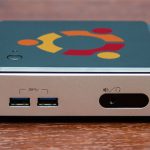
The Brix has the same ports as most other mini PCs, including a full-size HDMI port (the NUC’s is mini HDMI).
The smaller AMD Brix box compared to the Brix Gaming.
The NUC and the Brix.

A single fan mounted to the top of the system board expels heat out the back of the system. After the noisiness of the Brix Pro (under load) and the Brix Gaming (literally all the time), we were pleasantly surprised by how quiet it was. It’s near-silent while browsing the Internet or watching videos, and even when doing more CPU- or GPU-intensive tasks the fan is audible but unobtrusive.

Power consumption

This AMD Brix box uses a quad-core AMD A8-5545M (codename “Richland”), a mobile CPU with a base clock speed of 1.7GHz. The chip also supports a Turbo clock speed of up to 2.7GHz, but these speeds are only achievable if you tweak a setting in the BIOS (go to “CPU settings” and then change “CPB mode” from “disabled” to “auto”).

As in the Brix Gaming, enabling the Turbo speeds makes the fan a little quicker to spin up and increases system power consumption, but for most light tasks you’ll see a substantial increase in performance (according to our benchmarks, you’ll see an increase as high as 33 percent). For heavier tasks that will tax all four CPU cores for an extended period of time (exporting video, for instance), you’ll see a smaller increase—in our CPU stress testing, the clock speed eventually settled to about 1.84GHz, just a little bit faster than the normal 1.7GHz.

Activity Haswell NUC Ivy Bridge NUC AMD Brix AMD Brix, Turbo
Off/Hibernated 0.5W 1.6W 2.4W  2.4W
Sleep mode 1.1W 2.1W 2.9W  2.9W
Idle at desktop 6.4W 10.8W 11.2W  11.7W
Watching YouTube in Chrome 9.0W 14.0W 14.8W  15.7W
Bioshock Infinite benchmark 38.0W 31.0W 35.3W  37.4W
Prime95 CPU torture test 29.7W 26.6W 32.0W  43.8W (peak), 36.5W (sustained)

AMD’s idle power consumption isn’t as good as Intel’s, due in part to Haswell’s focus on low idle power usage and Intel’s manufacturing advantage (Haswell is made on a 22nm processor, where Richland is 32nm). This chip compares pretty well with previous-generation Ivy Bridge parts, though, and overall it should be better behaved than the A8-5557M in the Brix Gaming (a 35W TDP CPU, where this CPU has a 19W TDP).

Performance

We’ll compare the AMD Brix to the following group of mini desktops:

  • The Haswell NUC (model D54250WYK1), which has a dual-core 1.3GHz (2.6GHz Turbo) Core i5-4250U and an Intel HD 5000 GPU.
  • The Gigabyte Brix Gaming with the BIOS set to Turbo Mode. It has a 2.1GHz (3.1GHz Turbo) AMD A8-5557M and a dedicated Radeon HD X275M GPU with 2GB of GDDR5.
  • The Ivy Bridge NUC (model DC3217BY), which has a dual-core 1.8GHz Core i3-3217U and an Intel HD 4000 GPU.
  • Our Intel graphics driver is version 10.18.10.3345. We used the Catalyst 14.3 beta for the AMD GPUs.

As has been the case for several years, Intel’s single-threaded CPU performance is much better than AMD’s. Generally speaking, it takes two AMD cores to keep up with one of Intel’s Haswell cores. The AMD Brix is more competitive for multi-threaded tasks

The other factor to consider is price: the Haswell NUC retails for $390, $140 more than the AMD Brix. You can get Intel NUCs for cheaper, but you give up both CPU and GPU performance to do it, which is even more important to remember when comparing graphics performance among the different boxes.

The AMD Brix has an integrated Radeon HD 8510G GPU, which has 384 of AMD’s shaders running at clock speeds of up to 554MHz. The biggest thing limiting this GPU’s performance is memory bandwidth—for whatever reason, the A8-5545M is limited to a maximum memory speed of 1333MHz, a 20 percent decrease compared to the 1600MHz clock speed used by every other PC in our lineup. You can see this deficit in Geekbench’s memory bandwidth score, and it’s keeping the integrated GPU from being as good as it could be.

Even with that odd handicap, the 8510G can equal the Intel NUC’s HD 5000 in every one of our benchmarks, despite being $140 cheaper. Intel mini PCs in the same price range either use Ivy Bridge CPUs with HD 4000 GPUs or lower-end Haswell CPUs with HD 4400 GPUs (the HD 4400 is faster than the HD 4000, but not by much). The AMD Brix is much faster than either—if you’re looking for something that can play light games, the AMD Brix may be a better value for the money.

Linux support: Ubuntu and SteamOS

As we’ve done with other mini-desktops, we briefly installed both Ubuntu 14.04 and the latest SteamOS beta to see what works out of the box. The Brix Gaming had some trouble here, mostly related to its dual-GPU setup and its Wi-Fi card. The smaller, less-exotic AMD Brix fares a bit better.

The smaller Brix uses a slower, cheaper, but more common 2.4GHz 802.11n card based on a Realtek RTL8723AE chipset, which is better-supported than the newer and still-rare 802.11ac Realtek chipset used in more expensive Brixes. You can swap this card out for a faster one if you want, but it connected to our network and worked as expected, as did the integrated GPU. It also goes to sleep and wakes back up with no trouble. If you can install Linux on something without having some problem with one or all of these three things, you’re doing a pretty good job.

The biggest problem we noticed with Ubuntu 14.04 on this computer was a sizable increase in idle power consumption—it used about 16.5W of power idling at the desktop, compared to about 11.2W in Windows. Switching from the open-source Radeon driver to AMD’s proprietary version seemed to help a little bit, reducing idle power consumption to around 15.0W, but Ubuntu still seems to idle higher than Windows does.

As for SteamOS, we had some of the same problems we had with the Brix Gaming. The installation process is fine, but somewhere in between the initial driver installation and booting into the SteamOS user interface the computer stops sending an image to the monitor. The monitor appears to be receiving a signal, since it doesn’t switch off or go to sleep as it would if the computer was off, you just can’t see or do anything. The same version of SteamOS works flawlessly on our Intel mini PCs, so we’ll keep blaming the graphics drivers and the still-in-beta operating system.

Value for the money

The Brix is pretty close to the NUC in most ways, but it’s a fair bit cheaper.
The Brix is pretty close to the NUC in most ways, but it’s a fair bit cheaper. Credit: Andrew Cunningham

In some ways, this smaller AMD Brix makes a better case for itself than the Brix Gaming. That box delivers on its stated promise—good graphics performance in the smallest package possible—but it’s loud and a little power hungry.

This Brix isn’t the best at any one thing, but it gives you a good combination of CPU and GPU performance, power consumption, size, and price. It performs roughly as well as Intel’s best Haswell NUC but costs $140 less, and it has much better graphics performance than any of the lower-end, Intel-based NUCs and Brixes (even though we’re still talking about integrated graphics performance here). It’s a great option for light gaming, HTPC use, or even if you want a small, reasonably capable, no-fuss Ubuntu workstation.

The good

  • Offers a good mix of CPU and GPU performance for the money
  • Small, quiet, and easy to upgrade
  • Enough performance for lighter or older games and HTPC use

The bad

  • Full CPU speeds not available without a BIOS tweak
  • Single-threaded CPU performance consistently worse than Intel’s
  • Uses more power than equivalent Intel machines

The ugly

  • The memory speed limitation is irritating, since AMD’s integrated GPUs need all the bandwidth they can get

Listing image: Andrew Cunningham

Photo of Andrew Cunningham
Andrew Cunningham Senior Technology Reporter
Andrew is a Senior Technology Reporter at Ars Technica, with a focus on consumer tech including computer hardware and in-depth reviews of operating systems like Windows and macOS. Andrew lives in Philadelphia and co-hosts a weekly book podcast called Overdue.
54 Comments