Google already had an iPhone-optimized version of their mobile portal since late last year. Today, however, the Google Talk team has released a new web client that doesn't rely on Flash, making it possible to chat with your GTalk contacts via your iPhone.
Now, I don't use GTalk that much. I have a Google account through consequence of having previously used Blogger to run my blog. I'm a big fan of search and maps, and occasionally use some of the other tools. But I do occasionally run into situations where I need to chat with someone not on the iChat bandwagon. I don't find GTalk quite as amazing as some do, but it's certainly serviceable. The iPhone-optimized version, though, may just make it a little more useable, in more ways than one.
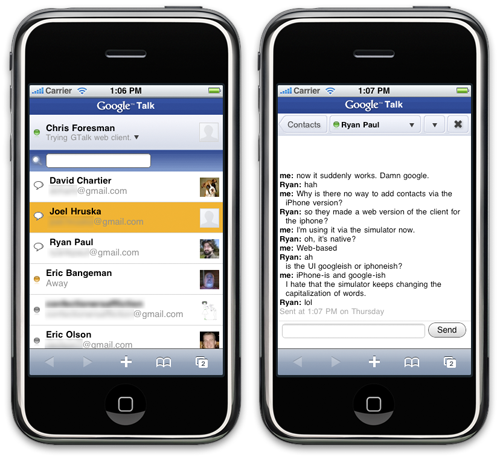
Here are the main two screens for GTalk for iPhone: the contact list and the chat window.
You can see in these screenshots (courtesy of iPhone Simulator) that the interface is clean and simple. You can set your status at the top; it will automatically be set to away if you close the Mobile Safari window it is running in. There is also a scrollable list of contacts. Simply click one and start chatting away. At the top of the chat window is a drop down that will list any other open chats and let you switch among them. There's also a visible yellow highlight on the drop-down as well as the main contact list when there is a reply waiting.
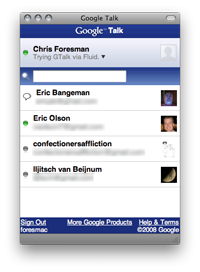 A bonus feature I found is that I can have a custom GTalk desktop app, via the very handy Fluid. I created an SSB that goes straight to the URL for the iPhone-optimized version, set the browser agent to Mobile Safari, and set the window to iPhone size. It's far more convenient than running via the browser, and for me, it keeps things compartmentalized enough that I find it useful to keep open while I work.