Perpetual Random Apple Rants Thread

Status
You're currently viewing only gregatron5's posts. Click here to go back to viewing the entire thread.

gregatron5

Ars Legatus Legionis
12,616
Subscriptor++
We all(?) love Apple and its products to some extent or another, but we can all definitely agree Apple is not perfect. Let’s have a thread for gripes big and little that don’t necessarily deserve their own thread but would feel good to vent about. I’ll start.

Apple can put a speaker and U1 chip in the AirPods Pro case but not the Apple TV remote? WTF Apple!
 

gregatron5

Ars Legatus Legionis
12,616
Subscriptor++
My Apple TV is hooked directly up to a TCL TV and has a Vizio sound bar connected to HDMI ARC. The Apple TV will always turn everything off, but will only turn the sound bar on. If I reset the CEC settings on the TV, the Apple TV will turn on the TV and sound bar once or twice, then it reverts back to just turning on the sound bar and not the TV.

If the sound bar isn’t connected, tha Apple TV will power on the TCL just fine.
 

gregatron5

Ars Legatus Legionis
12,616
Subscriptor++
Why is Apple Arcade so bad? I can’t find what I downloaded on one device from another. And there’s no arcade-specific search. If I search for the exact name of a game in Arcade it shows a bunch of non-Arcade games first. It’s infuriating when I’ve downloaded something on my iPad that my kids love and then they want to play it on my phone.
 
  • Like
Reactions: FoO

gregatron5

Ars Legatus Legionis
12,616
Subscriptor++
Speaking of rants that are actually relative to the thread, why can‘t you search Apple Arcade explicitly? Or sync arcade downloads amongst devices? I have a game on my ipad my son loves and i want it on my phone. It’s almost impossible to do. There‘s nowhere to see downloaded arcade apps, and search shows nothing but scammy regular store apps.
 
  • Like
Reactions: FoO

gregatron5

Ars Legatus Legionis
12,616
Subscriptor++
I'm not one of those "This wouldn't happen with Jobs" people, but this is 100% something Tim Cook is behind, it has his fingerprints all over it.
I’m not so sure it’s so much as Cook explicitly… I think it‘s Eddie Cue, but Tim doesn‘t doesn‘t do the same low(er) level meddling Steve did. So IMO it‘s Eddie‘s fault and Steve would have stopped it but Tim is content just delegating.

Same for the sorry state of the App Store.
 
  • Like
Reactions: Ashe

gregatron5

Ars Legatus Legionis
12,616
Subscriptor++
It’s time for my semi-regular I-hate-Haptic-Touch rant. Seriously, it’s the worst. I took my phone out of my pocket, and when I put it down the flashlight was on. Did I push a button? No. My palm just happened to rest on the lock screen for too long. The LOCK screen. My phone was supposed to be locked. Why is it accepting random idle touches as inputs‽ :mad:

If only Force Touch was a BTO option. I swear I’d pay extra money for a heavier phone with worse battery life just to get it back. TAKE MY MONEY!
 

gregatron5

Ars Legatus Legionis
12,616
Subscriptor++
I don’t have any particular preference as to which swipe brings up Control Center but I do wish it was consistent for all devices.
This. So much this. I have a rant forthcoming about how the meta keys on apple’s software keyboards are in different locations on every. single. keyboard.
 
  • Like
Reactions: jaberg

gregatron5

Ars Legatus Legionis
12,616
Subscriptor++
I f-ing hate when I accidentally swipe left on the Lock Screen (iPhone or iPad) and the camera opens, then I immediately swipe back to the right to "undo" what I did, but instead of going back so I can actually unlock the damn phone it just changes the camera mode.

An accidental swipe left to the widgets can be reversed with a swipe right, but not the camera.

:mad::mad::mad:
 

gregatron5

Ars Legatus Legionis
12,616
Subscriptor++
Note: these are assumptions, even if stated as fact.

I think part of the problem is that the definition of stage manager (from a developmental position, anyway) is: we need better multitasking for iPad. Oh, and we should probably make it work on iOS, too.

You can’t log out of an iPad in any meaningful way, so it is not an issue on iPad. Since macOS is a secondary target, ¯⁠\⁠⁠(⁠ツ⁠)⁠⁠/⁠¯
 
  • Like
Reactions: Ashe

gregatron5

Ars Legatus Legionis
12,616
Subscriptor++
I don't understand why my Magic Trackpad 2 doesn't work like the built-in trackpad when trying to drag files in the Finder. I need to upload some school forms that I've scanned. Trying to drag and drop from Finder into the browser window just doesn't work with the external trackpad. It "clicks", but the icon isn't picked up and the drag just fails. Do the exact same thing with the laptop's trackpad and it works fine. WTF.

[Edit] This same behavior persists among multiple accounts and on multiple machines. Am I just cursed or has someone else experienced this?
 

gregatron5

Ars Legatus Legionis
12,616
Subscriptor++
It's been awhile now and I still absolutely frickin hate the new system preferences. Hate hate hate. Hard to find all sorts of basic stuff, search is no substitute, the "hurr it's similar to iOS" is meaningless since the Mac is full of things with no iOS analog, things I do a fair amount take longer. Damn it.
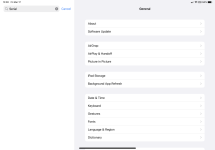
I was looking for a serial number, so I searched “serial”. Nothing came up. Not even the serial number of the machine. WTF.
 

gregatron5

Ars Legatus Legionis
12,616
Subscriptor++
You know what? It was my iPad. My bad.
 

Attachments

  • 294B8AF0-9E9D-46FD-9D63-BEBCA6D4DAFE.png
    294B8AF0-9E9D-46FD-9D63-BEBCA6D4DAFE.png
    45.4 KB · Views: 29
  • Like
Reactions: cmannes

gregatron5

Ars Legatus Legionis
12,616
Subscriptor++
I went to the Apple Store last week because my Smart Folio Keyboard keeps having “Accessory not supported” issues. They tell me it’s covered under my Apple Care but they don’t have it and it can only be shipped to the store so come back when it’s in. Well, it’s in, and I went back, but what they neglected to tell me until I went back is that it’s not actually covered by Apple care because it’s only covered under Apple Care if it was purchased with the device, which it wasn’t. The replacement (which is usually refurbished) is a mere $20 less than buying a new one. It wasn’t even worth going back and now I have to decide between just dealing with a wonky keyboard and shelling out for essentially a new one for this iPad that was released in 2018. :mad:
 
  • Like
Reactions: FoO

gregatron5

Ars Legatus Legionis
12,616
Subscriptor++
I’m having a similar problem on my mac. Mail says it can’t connect to my iCloud accounts. All the other ones work fine, and the icloud accounts work from my phone and iPad. A reboot fixed it for like an hour, then it happened again. I was also unable to hit developer.Apple.com from Orion but I could in Safari.

something weird is definitely going on.
 

gregatron5

Ars Legatus Legionis
12,616
Subscriptor++
Why is it only possible to set up an auto-reply in Mail by logging into your account via desktop into the web version of iCloud Mail…?
Mail.app is a client and does client stuff. Auto reply in the client would only work if the client was running. Auto-reply is server, so they make you do it on the server.

In this case, Microsoft has more of the “full stack” advantage here in the sense of them owning and integrating the mail server and client (Outlook), so they can tightly integrate. IIRC iClould Mail is more-or-less bog standard IMAP under the hood, so my guess is Apple’s auto-reply secret sauce is some other iCloud specific server component that they’re unwilling to couple tightly to their “It’s just IMAP email” client.

I get the rant, though.
 

gregatron5

Ars Legatus Legionis
12,616
Subscriptor++
I think the hidden irony in dal's complaint is Apple, the company who just loves to take something open and standard and tweak it so it becomes juuust proprietary enough to introduce friction when using it with anything but a fully Apply-blessed workflow, is apparently deeply invested in the purity of their IMAP implementation.
[Citation needed]
 

gregatron5

Ars Legatus Legionis
12,616
Subscriptor++
ACC is an industry standard and was when Apple adopted it. Just like the transition to USB, Apple just happened to significantly increase the speed of adoption of an objectively superior standard.
iMessage is a bespoke messaging app (at this point). I don't see how SMS/RCS enters into it, other than that the Messages app also supports bog standard SMS (and in no way, shape, or form extends it in a way that introduces friction, unlike RCS).
AirPods were initially bog-standard Bluetooth and still support bog standard bluetooth without any undue friction.
AIO vs. components. I'm not sure how that even entered into the discussion of supporting standards. How does an AIO take something open and standard and tweak it so it can't be used by something not Apple?
App "stores." Same as previous point. They didn't even set the precedent. See gaming consoles. Or Steam. Or Epic. Or…

On the flip side. IMAP, iCal, vCal, PDF, JPEG, HEIF, MP4, EPUB (if you ignore FairPlay DRM, which is no worse than Adobe's DRM, but it does support non-DRM EPUB with no undue friction). Sorry they're not all linked, I got tired of looking up links to the canonical standards Apple uses in its products. There are more esoteric ones, too, like RTF, that Apple supports the standards of, and pretty thoroughly, without extending in a way that breaks interoperability. HTML, HTTP, SMBA, NFS, NTP and probably more back-end stuff than I don't even know exists.

I'm not saying Apple is perfect, but implying they're using an Embrace and Extend style of business is just wrong. Add the extra E (Embrace, Extend, Extinguish), and that's a Google/Microsoft/Facebook way of doing things (and why 1/2 of the fediverse is afraid of Meta actually federating Threads).

[Edit] One last point. Apple doesn't have a proprietary IMAP push mechanism. It uses bog standard IMAP IDLE, but on iOS and iPadOS only allows it for the single primary iCloud account email address (supposedly to prohibit potentially unlimited network resource usage, which I would agree and argue is probably no longer a concern and should probably be allowed for all IMAP accounts). On macOS's Mail.app, any IMAP account can use IMAP IDLE for push email.

 

gregatron5

Ars Legatus Legionis
12,616
Subscriptor++
To bring this to the iOS/iPadOS apps:

And why can't I set it to always open in my library? I just want to find and read a book… one of MY books, dammit. Not see whatever swill they're pushing or think everyone wants to read. My backlog is big enough, thank you. I'll add a new book to it when I damn well please.

And why the fuck would anyone want to turn off search for the bookstore? Turning that off makes it impossible to search the bookstore! You can only browse, which… why even bother. I understand not wanting to search the bookstore when you're searching your library, but tying the two together is inane and infuriating. It's like searching the fridge for the mayo and being told that Safeway has it. I. Don't. Care. (Except in this case there are SO many books the iBook Store doesn't have it's borderline insulting. I recently found a book on the Kobo store that wasn't in the Apple Store.) I want to search my library, and I want to search the store. Those are separate concerns. Keep them separate!

Finally, tying all controls to two little buttons in the corners, one of which does one thing and the other that does everything else… I don't even know what to say. It's too stupid to critique.
 

gregatron5

Ars Legatus Legionis
12,616
Subscriptor++
I work in and for the book publishing industry. The Apple Book Store is irrelevant to most publishers for a host of reasons, many of which are too Inside Baseball to go into here, but suffice it to say there is little to no urgency about making your full catalog available in that storefront. It's not worth the effort and Apple honestly couldn't care less. They're still pissed off they got called on trying to control how book pricing works.
I'd love some of that inside baseball. I was pretty close to it when I helped write some of the foundational code for the bookstore back when I worked at Fruit Co.

/me still remembers the mess that is DDEX

If you're ever in DC let's grab a coffee, or beer, or whatever your drink of choice is.
 
  • Like
Reactions: cateye

gregatron5

Ars Legatus Legionis
12,616
Subscriptor++
No, you're supposed to use a Magic Trackpad. Or both.

Seriously, though. After becoming a Magic Trackpad years ago with the barrel version (after already bing a die-hard laptop trackpad user), I don't know how anyone can use a Magic Mouse. I find it way too awkward to swipe on. Picking it up to reposition it is also harder than it should be because of its shape and slipperiness.
 

gregatron5

Ars Legatus Legionis
12,616
Subscriptor++
Maybe it's my giant hands. I have a Magic Mouse, and I have to use one when I'm helping my mom with her computer, but I just can't seem to hold them comfortably.

I wonder if the way I learned too play the piano and to type also contribute to my affinity for the Magic Trackpad.

That said, almost every non-Mac trackpad I've used can die in a fire. I'll switch to any mouse over most PC trackpads, regardless of how bad the mouse is. In the (distant) past, I've even used an old iMac circular mouse and Mighty Mouse on Windows laptops just to not use the dinky crappads they had.
 
  • Like
Reactions: analogika
Status
You're currently viewing only gregatron5's posts. Click here to go back to viewing the entire thread.