Ars Asks: Share your shell and show us your tricked-out terminals!

uhuznaa

Ars Tribunus Angusticlavius
8,756
Inconsolata's a great font. That's what I use too, even though a friend once texted me, verbatim, "We need to get you a better terminal font lol." Ouch. I still don't know why it's bad.

Personally I think all the geeking out about fonts and themes and whatever is just a distraction. Somewhat understandable and maybe fun for a while, but still.
 
Upvote
1 (1 / 0)
Upvote
0 (0 / 0)

GreyAreaUK

Ars Legatus Legionis
11,566
Subscriptor
Personally I think all the geeking out about fonts and themes and whatever is just a distraction.
Strong disagree. How the terminal looks alters how I feel about it. It may not be rational but it's real.
Somewhat understandable and maybe fun for a while, but still.
Even if it were just a distraction, where's the harm?
 
Upvote
6 (6 / 0)

Quirinus

Ars Tribunus Angusticlavius
8,288
Subscriptor
No, not really. I played around with the exposure settings in my camera when I took this pic to avoid the "screen tearing" effect that usually happens when photographing CRT monitors, which makes it look a lot more intense than it does in person. I find the amber-on-black display very easy on the eyes!


That makes sense. The picture looks like its shining bright mustard yellow in someone's face. My eyes itch from thinking of that experience.

(Note: I have some color blindness issues hence my color description.)
 
Last edited:
Upvote
1 (1 / 0)

tgx

Ars Scholae Palatinae
1,446
vim inside of Konsole. Only tweaks I make are setting the color scheme in Konsole to green on black and setting the font size to Hack 18. Pretty basic, no shell tweaks. Since I remote in to a lot of systems I don't like to get dependent on some function I crafted that may not exist on another host. Konsole handles the look and feel so that stays consistent.
 
Upvote
0 (0 / 0)

illongruci

Smack-Fu Master, in training
1
I had to make an account to post this...

don't grep your history, use command recall in bash.

^r, then start typing something you know you typed before. If there are multiple hits, keep hitting ^r until you get to the one you want, and then edit the command

and
there are loads of other command shortcuts which make bash work A LOT smoother (everyone knows ^c, but not many people seem to know there are tons of them):

^a - cursor to the beginning of the line
^e - cursor to the end of the line
^left-arrow or ^right-arrow - cursor one word forwards or backwards
^w - delete one word backwards

and so on

but ^r and the fast-cursor-movement shortcuts drastically reduce the number of keypresses you need to do anything, which makes you look like a magician to anyone watching

(or even just up-arrow to ratchet up through the history of the last things you typed, it amazes me how many poeple don't do that)
 
Last edited:
Upvote
2 (2 / 0)

reified-cellulose

Smack-Fu Master, in training
67
Shortly after Gnome minimalized it's interface and became one of the first full-featured Wayland window managers, I became addicted to its simplicity and reliability. I have three keyboard shortcuts that allow me to escape into the much more deep and rich text-driven world of computing.
  1. Gnome Console opens with a relatively vanilla Bash, just some path and alias customization. wl-copy and wl-paste are my friends here. Muscle-memoried C-d (typing an end-of-file) kills the tab/window, which is nice for quickly removing a potentially bloated/frustrating workflow.
  2. Gnome Console opens with a GHCi (Haskell interpreter) session, which I use as a calculator. It loads with the GHC2024 language edition (which includes GADT's), custom routines for spawning wl-copy and wl-paste, and Data.Ratio (infinite precision rationals) loaded. Infinite precision rationals are a must-have for a good calculator app. Typing end-of-file kills the GHCi process, but not Gnome Console, which is good for preventing muscle memory from wiping useful work.
  3. Kitty opens running emacsclient. Syntax highlighting is disabled, and there is golden-ratio paging, but it is mostly vanilla Emacs with an interface that is more responsive than the default gtk. I call it kittEYmacs. It is very nice to be able to quickly open a view to a file I am editing on another workspace.
Additionally, for my preferred monospaced font, I use Julia Mono. I have mixed feelings about its ligatures, since they break up many useful operators, such as <-> and <|>, so those are disabled in Kitty. It specializes in math-symbol unicode coverage, but even when not taking advantage of that, it strikes a very pleasing synergy between ergonomics and aesthetics. For my keyboard layout, I use programmer dvorak; I don't know that it's any faster than qwerty, but it feels like I am typing in cursive.
 
Upvote
2 (2 / 0)

goretsky

Wise, Aged Ars Veteran
160
Hello,

I haven't seen much mention of MS-DOS (or PC-DOS, DR-DOS, etc.) in the discussion so far. Here are the CONFIG.SYS and AUTOEXEC.BAT files that I use to run DOS programs in a virtual machine.

Note that these are basic CONFIG.SYS and AUTOEXEC.BAT files, and just meant for running DOS and Windows for Workgroups 3.11, with support for CD-ROM, network and sound card hardware. They are not configured to run a specific program, which oftentimes would require additional tweaking.

CONFIG.SYS
Code:
DEVICE=C:\WINDOWS\SMARTDRV.EXE /DOUBLE_BUFFER
DEVICE=C:\DOS\HIMEM.SYS /TESTMEM:OFF /VERBOSE
DEVICE=C:\DOS\EMM386.EXE NOEM
BUFFERS=15,0
FILES=30
DOS=UMB
LASTDRIVE=Z
FCBS=4,0
DOS=HIGH
DEVICE=C:\DOS\CDROM.SYS /D:MSCD001 /DMA
DEVICE=C:\DOS\SETVER.EXE
DEVICE=C:\DOS\ANSI.SYS /X
DEVICEHIGH /L:2,4560 =C:\WINDOWS\IFSHELP.SYS
SHELL=C:\COMMAND.COM /E:512 /P
STACKS=9,256

AUTOEXEC.BAT
Code:
@ECHO OFF
LH /L:0,1,45472 /S C:\WINDOWS\SMARTDRV.EXE
LH /L:1,28288 C:\WINDOWS\MSCDEX.EXE /S /D:MSCD001 /L:D /E
LH /L:1,14880 C:\UTIL\ANARKEY.COM
C:\UTIL\DOSIDLE\DOSIDLE.EXE
SET BLASTER=A200 I5 D1 H5 P330 T6
SET DIRCMD=/A
SET MIDI=SYNTH:1 MAP:3
SET PATH=C:\WINDOWS;C\NET;C:\DOS
SET PROMPT=$e[37;44m$e[1;50H $d $T$h$h$h$h$h$h$e[uR3[37;40m$p$g
SET SOUND=C:\SB16
SET TEMP=C:\TEMP
SET WINPMT=$P»
C:\SB16\DIAGNOSE.EXE /S
C:\SB16\MIXERSET.EXE /P /Q
C:\NET\NWLINK.EXE
C:\WINDOWS\NET.EXE start
CLS
VER /R
C:\DOS\MEM.EXE /A


A couple of notes about third-party programs in the AUTOEXEC.BAT file:

The ANARKEY.COM program file listed in Line 4 of AUTOEXEC.BAT is to run Moderne Software's AnarKey keyboard handler, which I prefer over Microsoft's DOSKEY.COM. If you use DOSKEY, you will need to adjust LOADHIGH's memory values by running MEMMAKER. I also recommend using DOSKEY with the /INSERT option, but that's strictly a personal preference.

The DOSIDLE.EXE program file listed in Line 5 of the AUTOEXEC.BAT is a utility to improve interrupt handling performance inside of a VM and can be removed if you are running DOS natively.

If there's any interest, I'd be happy to add some comments explaining how they work in further detail.

Regards,

Aryeh Goretsky
 
Last edited:
Upvote
5 (5 / 0)

hecate.

Ars Praetorian
460
Subscriptor++
2026-05-07 11-16-28.png


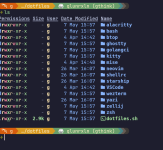
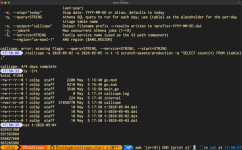
I love ghostty for having a consistent and high-perf terminal across my macbook and desktop. Fish, as well (used to be a zsh diehard, until a year ish ago, when I started using starship.rs for my prompt and massively simplified my dotfles).

The neovim/vim configs are pretty minimal at this point, since I've gotten used to minimal vi on production servers.

I've been using monofur as my font of choice for ages.... and only recently discovered I have an amount of dyslexia. To each their own :)

And lastly, I use Yolk for managing my dotfiles - stow was rather unwieldy and I wanted some mild templating / per-host automated logic when instantiating my dotfiles onto the host. It's cute stuff, but the scripting lang (rhai) has some rough edges.

I could go on for ages about my overall setups and amount of fiddling I've poured into my hosts and how my shell configs/etc have evolved over the years... I've always tried to stick roughly to my own color scheme amongst it all, which has been fun.
 
Upvote
2 (2 / 0)

mdrejhon

Ars Praefectus
3,145
Subscriptor
That makes sense. The picture looks like its shining bright mustard yellow in someone's face. My eyes itch from thinking of that experience.

(Note: I have some color blindness issues hence my color description.)
The color spectrum of direct amber is very different from RGB-simulated amber.

Apparently, it will look dramatically different to the color blind.
 
Upvote
2 (2 / 0)

numerobis

Ars Tribunus Angusticlavius
51,184
Subscriptor
I use default everything. No customization allowed.

The reason: my career has been about jumping in to new organizations every couple months and needing to start things up, figure out who the right team is, then hand over to that more permanent team (often juniors under me, sometimes new hires at the client site). Any customizations I rely on mean slowing down my startup time -- and startup time is a very large fraction of my time. Also, different policies across different clients meant I couldn't even rely on my customizations matching across domains, and at various times I'd be active in several different clients at the same time.

It kind of sucks. It's fun reading about all the hacks and tips and tricks here.
 
Upvote
7 (7 / 0)
I've used EmTec Zoc Terminal since its initial platform release on OS/2!

Works great on macOS.

At the day job I use both putty and SecureCRT.

I've setup tcsh, bash and zsh with the same colorized prompt and few aliases...

[shell command #][2026-05-07 15:55:00 EST][<uname>@<hostname>][~]

Here is .zshrc example:

PROMPT="%{$(printf '\033[1;93m')%}[%!][%{$(printf '\033[0;37m')%}%D{%Y-%m-%d %H:%M:%S} EST%{$(printf '\033[1;93m')%}][%n@%m][%c]%{$(printf '\033[0m')%} "
 
Upvote
1 (1 / 0)

glok

Smack-Fu Master, in training
8
Sorry late to the party, signed up to Ars yesterday morning just to post this but as a new member it wouldn't let me. I hope this helps or inspires someone out there. I worked REAL hard over the last several months to completely re-learn, re-tool, customize the shit out of ALL my envs (macos, linux(deb,arch,wsl2, headless and desktop),and develop a complely new terminal-focused workflow. Enjoy!
--- (original post)
Bruh, you need to level up. I spent the last 4 months learning all new tooling and dialing in a CRACKED new environment and workflow. The mac Terminal.app is completely inadequate for modern terminal apps and does not render things correctly or behave as it should. Plus you have basically nil options for customizing it.

Unfortunately my automation set-up scripts are in the middle of being completely refactored, but I wrote up a gist with thorough instructions for how to apply this to MacOS, Linux, and WSL. it uses my dotfiles as a base (note: don't run the main install.sh script, I am in the middle of refactoring the entire project and it is broken. Still, my dotfiles are there, along with a ton of other goodies and scripts). Here are the main highlights, albeit not a complete list:
  • (proper) Terminal emulator: Alacritty for Windows WSL2, Kitty(preferred) or Ghostty(runner up)(I know wezterm is cool but I don't have good dotfiles for it) for MacOS/Linux
  • Font: JetBrainsMono Nerd Font (mono). You need a proper nerd font for the extended ligatures and symbols required for modern CLI/TUIs.
  • Theme: Catppuccin Mocha in most cases, but can be easily changed in dotfiles
  • Shell: zsh with oh-my-zsh and plugins (including fzf fuzzy find integration, highlighting, autocomplete/autosuggest, and vim mode if you dare. the git plugin is great too, but I disabled it because I use jj)
  • Prompt: ostentatious Starship prompt with gruvbox colors and dynamic fields. Note that hostname only appears if you are using an ssh connection. Can be altered to your liking in the dotfiles.
  • Session/Window manager: Custom zellij with locked sequential keymaps and custom 3-pane split layout. I have the alias 'zdtab' to launch a new tab with the plain default layout.
  • Editor: heavily customized Lazyvim (neovim). I learned Lazyvim through this PHENOMENAL book. Incredible experience, it's so good I look for any excuse to be in my editor. I'll never go back to anything else. I make a game of trying to figure out the most efficient way to do something with the fewest amount of keystrokes. All my customizations are available in my dotfiles
  • AI: pi or direct tui stuff (under construction), opencode (with zen subscription) and a custom opencode integration directly into lazyvim

Modern cli replacements and misc tooling:

  • btop instead of top
  • rg (ripgrep) instead of grep
  • fd instead of find
  • eza instead of ls
  • bat instead of cat. I included the alias bpp if you don't want the interactive window
  • cd now uses zoxide, which builds up a history of visited directories and lets you use shortcuts to them. for example, if you cd'ed into ~/Projects/coding/myproject once, from now on you can just cd myp from anywhere to go straight there. if you have multiple myproject directories scattered about, you can do things like cd pro co myp to specify one.
  • VCS: git-backed jujutsu (jj), which is far superior to git imo. lazygit and lazyjj for tui interfaces, and gh dash for a tui to manage PRs
  • tldr: simpler than man pages
  • fzf and jq because duh
  • hledger for automatable, cli-first plaintext markdown accounting.
  • Tons of aliases (check ~/.shellrc/02-aliases.sh)
  • MANY MANY more, check out the various Brewfiles and scripts in the dotfiles repo.


There's also a bunch of MacOS settings scripts in the repo's gs-dotfiles/install.d/macos/*.sh. You can't run those directly, they're designed to be sourced by the main install script (which, again, is broken, don't use it), but they can be easily modified to be run directly. I HIGHLY recommend most of those settings changes to make default MacOS suck less.


Ok enough yapping, here are some screenshots from my linux laptop:

Clean Desktop:

Screenshot From 2026-05-06 14-54-50.png


Kitty, zsh(oh-my-zsh), starship, jetbrainsmono nerd font, catppuccin mocha, eza, clean (no zellij):

Screenshot From 2026-05-07 20-24-56.png


Kitty, zsh, starship, zellij w/ G's Split Layout (panes are resizeable and you can also add stacks within each pane), lazyvim, jj:

Screenshot From 2026-05-07 20-27-21.png


Btop (tokyo night theme):

Screenshot From 2026-05-07 20-28-11.png

LazyJJ:

Screenshot From 2026-05-06 13-52-50.png

GH Dash:

Screenshot From 2026-05-06 13-53-38.png


Lazyvim w/ Opencode integration (visual line select, "go" to append selected context to prompt, <leader>ai to append and submit prompt):

Screenshot From 2026-05-07 20-32-13.png
 

Attachments

  • Screenshot From 2026-05-07 20-24-04.png
    Screenshot From 2026-05-07 20-24-04.png
    123.4 KB · Views: 10
Last edited:
Upvote
1 (5 / -4)

Quirinus

Ars Tribunus Angusticlavius
8,288
Subscriptor
The ANARKEY.COM program file listed in Line 4 of AUTOEXEC.BAT is to run Moderne Software's AnarKey keyboard handler, which I prefer over Microsoft's DOSKEY.COM.

If there's any interest, I'd be happy to add some comments explaining how they work in further detail.

I cannot seem to find information on this software tool. What does it do exactly?
 
Upvote
1 (1 / 0)

Simk

Smack-Fu Master, in training
96
Subscriptor++
Late to the party, but loving articles like these, especially for the comments. Learned a thing or two. I really like ripgrep (which is new to me) and bat (which I knew about, but never tried out). I'll be using those two.

My #1 life improvement recently has been atuin. It's been mentioned, but I can't rate it highly enough. It is a fantastic command history tool - much better than "history". The amount of time the "show me this command that I previously ran in this directory" has saved me is incredible. I have reduced my alias & script creation because of it. And the ability to sync the command history across systems (either with the provided server or your own) is a life saver.
 
Upvote
2 (2 / 0)

glok

Smack-Fu Master, in training
8
I only see placeholders where you indicate screenshots should be.

oh great. thanks for the head's up. need to find a way to fix this. anybody recommend a good way to include images in a post? I'm new here

NOTE: Hard for me to debug this since I can see the images on my end, not sure what's going on
 
Last edited:
Upvote
3 (3 / 0)

dollyllama

Ars Tribunus Militum
1,926
• 40+ years: vi/vim
• 30+ years: Trackpoint keyboards (which are suddenly difficult to find! 😲) with typical CapsLock mapped to Ctrl, Alt->Cmd, Windows->Opt.
• 25+ years: MacOS X Terminal... and no more Windows😃
• 5 years: bash-git-prompt, with different colors assigned to different hostnames when ssh'd into them, so it's clearer which host I'm interacting with.
• 3 years: vim configured to use "jk" as an alias for Esc -- your pinkie will thank you!
• 1 year: Apple Magic Keyboard velcro-ed under edge of desk for convenient authentication with Touch ID, and Karabiner configured to ignore all keypresses on the AMK.
• <1 year: Karabiner configured to disable pasting with the middle Trackpoint button, which reliably allows the Trackpoint to be used for scrolling--less reaching for a Trackpad.
 
Upvote
2 (2 / 0)
I like to use my prompt to very clearly remind me at all times (1) which user I'm working as, (2) on which machine, and (3) in which directory. This helps me avoid doing anything stupid. But also, I want to do this minimalistically, so that my prompt is not cluttered by any unnecessary default info. To that end, I use the following in my .zshrc file (replacing MYLITERALUSERNAME with my literal user name):

Bash:
# Custom prompt.
PROMPT=""
# If sudo-ing or whatever, show the current user name in red.
[[ "$USER" != 'MYLITERALUSERNAME' ]] && PROMPT="${PROMPT}%F{1}%n%f"
# If not on local machine (ssh or whatever), show machine name in blue.
if [[ -z "$TERM_PROGRAM" ]]; then
    # Separate user name from machine name using `@`
    [[ -n "$PROMPT" ]] && PROMPT="${PROMPT}%F{7}@%f"
    PROMPT="${PROMPT}%F{4}%m%f"
fi
# If we have anything in the prompt already, separate from dir name using `:`
[[ -n "$PROMPT" ]] && PROMPT="${PROMPT}%F{7}:%f"
# Directory name in yellow.
export PROMPT="${PROMPT}%F{11}%1~%f %F{7}%#%f "

View attachment 134466
  • The current working directory is always shown in yellow. When I'm in my home directory on my local machine, the prompt is just a ~. Otherwise, it shows me the base name of the current working directory.
  • When I ssh to another machine (which has the same content in its ~/.zshrc file), the host name is prepended to the prompt in blue.
  • Finally, when I use sudo su to work as another user (e.g. root), the user name is prepended to the prompt in red.

By using these conditional checks, I can have a prompt that only shows me the user and/or host info when they aren't their default values. I like my minimalism, so it makes me happy. But moreover, this means that when I am working on another machine or as another user, it is very obvious.

Testing against $TERM_PROGRAM is a nice little hack that is specific to the macOS Terminal.app. It's conveniently only set in the initial shell environment and not any nested shells, so it makes a good proxy for checking whether I'm ssh-ed into another machine and/or using sudo. If you use another terminal, you can probably find some similar test to run in its place.
I do something similar, but not quite as fancy or compact:

Screenshot 2026-05-07 at 8.08.18 PM.png


I also once found something somebody wrote that allows for case-insensitive auto-complete by hitting the Tab key. Works on both commands and paths. So, for example, in the user folder, cd down and then pressing Tab auto-completes to cd Downloads/. Typing pm and then Tab will list your options (pman pmset), whereas typing pms and then Tab will auto-complete to pmset. It occasionally barfs, but it's been pretty consistent overall, so I haven't taken the effort to figure out why it barfs.

Everything is in .zshrc (including obligatory ls modification):

Code:
alias lls="ls -lhAFwGeOT@"

##### Default Prompt Settings
setopt prompt_subst #apparently necessary for the prompt to display colors
PROMPT=$'\n''%U%D{%a %b %e, %G %l:%M:%S %p}%u%D{%t}%F{blue}%m%f : %F{white}%n%f'$'\n''%~'$'\n''%% '

##### ZSH case-insensitive autocompletion
autoload -Uz compinit && compinit
 # case insensitive path-completion
zstyle ':completion:*' matcher-list 'm:{[:lower:][:upper:]}={[:upper:][:lower:]}' 'm:{[:lower:][:upper:]}={[:upper:][:lower:]} l:|=* r:|=*' 'm:{[:lower:][:upper:]}={[:upper:][:lower:]} l:|=* r:|=*' 'm:{[:lower:][:upper:]}={[:upper:][:lower:]} l:|=* r:|=*'
 
Upvote
0 (0 / 0)

xvilka

Smack-Fu Master, in training
1
Subscriptor
My three main tools are tmux, neovim, and rizin (disclaimer: I am one of the authors). As a reverse engineer I use these tools every single day basically - from writing notes to writing code, as well as reversing software and firmware. Only in some rare cases, especially for big graphs (CFG, call graph, etc), I reach for the GUI - e.g. Cutter.

NeoVim:

nvim-v850.png


Rizin - disassembly and graph modes:

rizin-Vv-disasm.png


rizin-Vv-graph.png


rizin-Vv-minigraph.png
 
Upvote
5 (5 / 0)
I grew up in DOS and came to Linux WAY later in life. In DOS, I learned early on to use a program called "HotDir" (and a later alternative 'MaxDir'). While Maxdir might be garish as all heck to modern eyes, I'm so trained to look for the colors it uses that I seek to replicate it on any system I'm on. Directories are hot pink, text files are white, executables are cyan or bright green. It's also nice to see everything in columns along with file sizes... In a perfect world, I'd know enough coding to reimplement maxdir for *nix and have the free time to do it. Neither are currently true.

MaxDir:
mdir230.jpg


For my prompt, I aim for clarity: I want a clear printout of who I am, what server I'm on, the full path I'm at (no ~ for me; always the full pwd). I color code the user@server with a different color for every server so I have an extra visual indication when I'm hopping between them. I always start my prompt with a newline so that there's always separation between my prompts. I just find it easier to read.

Anything after that is a bonus for me. And, of course, like MaxDir, directories are hot pink.
console.jpg


All the rest of the colorizing that I'd love to do takes more time than I'm able to put into it these days. I love all of the prompts in this thread, and it'll take me some time to go through them and find all the cool new utilities that I want to use. Until then, I'm pretty basic, and it works for me.
 
Upvote
4 (4 / 0)
Nothing wrong with terminal.app these days. They added full color support, and it’s one of the fastest terminals out there. (Panic’s Prompt is faster.) You might wonder why a fast terminal matters, but if you spend a lot of time spelunking through huge log files it makes a noticeable difference.

I also use fish, but I use it everywhere, including my Linux systems and my Synology box. Almost all of my customizations are to get programs to obey XDG standards for where to put files, and not just crap stuff into my home directory.

I’m another vi user. I was using neovim, but I’m looking for something else to switch to now that Vim and neovim are incorporating LLM-generated code. I’m waiting to see what helix decides as policy, or I might just go back to nvi or real original vi.
 
Upvote
2 (2 / 0)

Sudonym

Smack-Fu Master, in training
12
Speaking of the 90’s, imagine an alternate universe where we had the same article but it was about what customizations you use for a (modern) Enlightenment window manager.

Desktop UI’s were so dope back then. Unstable as hell, also.

90’s me would be very disappointed if I showed him my boring MacOS and Terminal setup.
‘90s me would have been absolutely blown away by the timeline that Apple was going to switch to x86 chips, replace MacOS with a fully POSIX-compliant UNIX implementation with a functional UI on top of it (best of both worlds), then much later produce their own line of industry-leading custom silicon, and not only maintain but gain relevance over the decades.

Sure, I settled on plain old terminal.app years ago and stuck there. But I keep my background translucent, so it’s kind of like two monitors in one :)
 
Upvote
3 (3 / 0)

CrunchyWizard

Smack-Fu Master, in training
3
Subscriptor
I love the idea of the .bashrc code you published - and the article as a whole, but even with the fixes to the function timer_now_us from otila, my bash on Red Hat Enterprise Linux v9.7 (GNU bash, version 5.1.8(1)-release (x86_64-redhat-linux-gnu)) consistently throws a 'bad substitution' error and the elapsed time is never correct:

root@mymachinename:~ # sleep 5
-bash: ${ timer_now_us; timer_started_at_us=$REPLY; timer_command_active=1; }: bad substitution
${ timer_now_us; timer_started_at_us=$REPLY; timer_command_active=1; }
[12:01:27] 0 ✓ (0us)
root@mymachinename:~ #

I'm guessing the bash on Macs is slightly different, but my bash script-fu is weak in this instance. Anyone get this working on RHEL?
 
Upvote
0 (0 / 0)

pokrface

Senior Technology Editor
21,557
Ars Staff
I love the idea of the .bashrc code you published - and the article as a whole, but even with the fixes to the function timer_now_us from otila, my bash on Red Hat Enterprise Linux v9.7 (GNU bash, version 5.1.8(1)-release (x86_64-redhat-linux-gnu)) consistently throws a 'bad substitution' error and the elapsed time is never correct:

root@mymachinename:~ # sleep 5
-bash: ${ timer_now_us; timer_started_at_us=$REPLY; timer_command_active=1; }: bad substitution
${ timer_now_us; timer_started_at_us=$REPLY; timer_command_active=1; }
[12:01:27] 0 ✓ (0us)
root@mymachinename:~ #

I'm guessing the bash on Macs is slightly different, but my bash script-fu is weak in this instance. Anyone get this working on RHEL?
@CrunchyWizard, I believe the version in the article is dependent on some functionality not present in your version of bash. However, the older version I posted back on pg1 should work for you! Pasting in spoiler tags below:

Code:
color_prompt=yes

if [ "$color_prompt" = yes ]; then

function timer_now {
    date +%s%N
}

function timer_start {
    timer_start=${timer_start:-$(timer_now)}
}

function timer_stop {
    local delta_us=$((($(timer_now) - $timer_start) / 1000))
    local us=$((delta_us % 1000))
    local ms=$(((delta_us / 1000) % 1000))
    local s=$(((delta_us / 1000000) % 60))
    local m=$(((delta_us / 60000000) % 60))
    local h=$((delta_us / 3600000000))
    # Goal: always show around 3 digits of accuracy
    if ((h > 0)); then timer_show=${h}h${m}m
    elif ((m > 0)); then timer_show=${m}m${s}s
    elif ((s >= 10)); then timer_show=${s}.$((ms / 100))s
    elif ((s > 0)); then timer_show=${s}.$(printf %03d $ms)s
    elif ((ms >= 100)); then timer_show=${ms}ms
    elif ((ms > 0)); then timer_show=${ms}.$((us / 100))ms
    else timer_show=${us}us
    fi
    unset timer_start
}

#Prompt and prompt colors
function set_prompt {
    Last_Command=$?
    FancyX='\342\234\227'
    Checkmark='\342\234\223'
    export PS1="\n$WHITE[\t] "
    if [[ $Last_Command == 0 ]]; then
        PS1+="\$? $GREEN$Checkmark "
    else
        PS1+="\$? $RED$FancyX "
    fi
    timer_stop
    PS1+="$WHITE($timer_show)"
    PS1+="\n\[$HOSTCOLOR\]\u@\h\[\033[00m\]:\[\033[1;38;5;027m\]\w\[\033[00m\] \\$ "
}

trap 'timer_start' DEBUG
PROMPT_COMMAND='set_prompt'

fi
 
Upvote
2 (2 / 0)

dollyllama

Ars Tribunus Militum
1,926
[...] In a perfect world, I'd know enough coding to reimplement maxdir for *nix and have the free time to do it. Neither are currently true.
Uh, the world is far from perfect, but I assure you the latest Claude Code and Codex can do this for you in a couple hours if not several minutes.
 
Upvote
0 (0 / 0)

CrunchyWizard

Smack-Fu Master, in training
3
Subscriptor
@CrunchyWizard, I believe the version in the article is dependent on some functionality not present in your version of bash. However, the older version I posted back on pg1 should work for you! Pasting in spoiler tags below:

That works; thank you very much!
 
Upvote
2 (2 / 0)

goretsky

Wise, Aged Ars Veteran
160
I cannot seem to find information on this software tool. What does it do exactly?

Hello,

From the program's README file:
Anarkey is an intelligent command-line editor for DOS. With Anarkey,
complete input lines can be entered with two or three keystrokes. Anarkey
is intelligent because there is no need to tell it what you want to enter on
the command line; simply press the <Tab> key and Anarkey figures out what
you want and does it for you.

In addition to console line editing, it also had tab-completion, history, command aliasing, mouse support and other features that while quite standard today, were novel to have in 1990. I found a brief mention of it here in the Wikipedia entry for MS-DOS's DOSKEY program, as well as being mentioned in this archive of information about LucasArt's Rebel Assault game for DOS.

It was incompatible with DOS under Windows 95 and was in Microsoft's KB139052 knowledgebase article of incompatible TSRs (archive here). As far as I know was never updated to make it compatible so it fell out of use. You may be able to find a copy of the program by searching for "ANARKEY4.ZIP", but the usual disclaimers apply about software from untrusted sources.

Regards,

Aryeh Goretsky
 
Upvote
2 (2 / 0)

clewis

Ars Tribunus Militum
1,869
Subscriptor++
oh great. thanks for the head's up. need to find a way to fix this. anybody recommend a good way to include images in a post? I'm new here

NOTE: Hard for me to debug this since I can see the images on my end, not sure what's going on
I see you fixed it already. I like to open an incognito window when I'm testing stuff that's uploaded to an authenticated service. I've done the same thing before. ;-)
 
Upvote
1 (1 / 0)