
You are using an out of date browser. It may not display this or other websites correctly.
You should upgrade or use an alternative browser.
You should upgrade or use an alternative browser.
Android 14 review: There’s always next year
- Thread starter JournalBot
- Start date
tompagenet
Seniorius Lurkius
I don't really want a load of new features in the operating system! I'd much rather such features were in optional apps or installed via Google Play Services so all devices benefited. It's not obvious to me that uneventful means bad.
Upvote
273
(290
/
-17)

Personally, I think the previous, flat Android-logo looked far better. It's cleaner and visually more consistent, when put next to text, like e.g. the "Android" text, or inside a text block. The "3D" logo looks out of place and it's just so reminiscent of the 90's "3D" boom. It's ugly.
Upvote
162
(177
/
-15)

Unfortunately, the app has to manually support the window insets system for this to work. Otherwise, apps you force this on would start drawing content under the status and navigation bars, which could completely break them.It would be great to completely remove developer control from the status bar and navigation bar and always make them transparent, but that's not what this checkbox does. It doesn't seem to work. At least it didn't fix any of the problems I usually run into, like Gmail and Chrome having pointlessly solid navigation bars.
It's something that Android could make mandatory in a future target SDK update, but it does require a significant amount of work to support correctly.
Upvote
55
(55
/
0)
SomeGuy123456
Ars Centurion
The updates are even less exciting for Samsung owners who already have lockscreen customisation, separate notification volume, and notification flash settings.
Upvote
126
(133
/
-7)
Post content hidden for low score.
Show…

The lock screen clock options are hilarious. People complained about the two-line clock, so we now get 7 goofy variations of it, plus one standard analog clock (that doesn't match the other analog clock widgets), and some bizarre date/time/weather frame thing.
Upvote
169
(172
/
-3)
D
Deleted member 811040
Guest
When will Google fix password autofill and make it actually work? Password autofill is nothing but a frustrating experience on Android -- shows up in certain forms but the other 50% of the time you need to switch to your password manager and do copy & paste. By comparison, this just works flawlessly on iOS -- prompt shows up EVERY SINGLE TIME at login screens.
This problem alone is enough to make me consider switching to an iPhone. Many Google employees including those working on Android must face these same problems every day themselves. How can they be ok with it?
This problem alone is enough to make me consider switching to an iPhone. Many Google employees including those working on Android must face these same problems every day themselves. How can they be ok with it?
Last edited by a moderator:
Upvote
222
(241
/
-19)
Don’t fat shame! /jkIf you ask me, bugdroid in 3D looks a bit pudgy.
i agree that a logo should generally not be 3d and prefer a minimalist look. Maybe they plan on animating it…
Upvote
-12
(17
/
-29)
I have been postponing this upgrade but I'm downloading it now. I also dislike the phone app taking over the screen when the phone rings so the new fullscreen notification permission sounds good to me.
And based on this review it sounds benign enough to hopefully not have issues after the upgrade.
And based on this review it sounds benign enough to hopefully not have issues after the upgrade.
Upvote
14
(17
/
-3)
Hymenoptera
Ars Scholae Palatinae
- I have always found Android Back button far more logical and intuitive (because it´s predictable) than browsers´ Back button (which highly depends on the way the site is coded). I hope I´ll have the choice to keep it the current way.
- The issue I have with Location is that when I opt for Approximate, somehow some apps detect and refuse it. Apps shouldn't be allowed to know if the Location is Precise or Approximate. Looks like Android 14 won't solve that.
- The Selective media is great news.
- The issue I have with Location is that when I opt for Approximate, somehow some apps detect and refuse it. Apps shouldn't be allowed to know if the Location is Precise or Approximate. Looks like Android 14 won't solve that.
- The Selective media is great news.
Last edited:
Upvote
143
(150
/
-7)

While I am sick to death of flat graphic designs (it's been over a decade, we need something new), I can't say that the new design all that great.
Smartphone are definitely commoditized. It's been over 20 years since the first S60 smartphone was released.
I don't see any reason to buy anything other than a mid-ranger these days.
The only thing flagships have going for them are the night time photos. And this gap will become irrelevant in a 2 or 3 years.
Smartphone are definitely commoditized. It's been over 20 years since the first S60 smartphone was released.
I don't see any reason to buy anything other than a mid-ranger these days.
The only thing flagships have going for them are the night time photos. And this gap will become irrelevant in a 2 or 3 years.
Upvote
-1
(33
/
-34)
SomeGuy123456
Ars Centurion
There's a major issue if you use the multi-user functionality, so you might want to hold off if you use that.I have been postponing this upgrade but I'm downloading it now. I also dislike the phone app taking over the screen when the phone rings so the new fullscreen notification permission sounds good to me.
And based on this review it sounds benign enough to hopefully not have issues after the upgrade.
https://meincmagazine.com/gadgets/202...-storage-bug-locks-out-users-remains-unfixed/
Upvote
55
(56
/
-1)
TimeToTilt
Ars Tribunus Militum
Big things that drew me to a flagship is battery life, ram, and extremely bright screen for using in bright rooms/sunlight. I think the screens are just a lot better on flagships than mid range for the most part.While I am sick to death of flat graphic designs (it's been over a decade, we need something new), I can't say that the new design all that great.
Smartphone are definitely commoditized. It's been over 20 years since the first S60 smartphone was released.
I don't see any reason to buy anything other than a mid-ranger these days.
The only thing flagships have going for them are the night time photos. And this gap will become irrelevant in a 2 or 3 years.
Upvote
32
(38
/
-6)
TimeToTilt
Ars Tribunus Militum
Yeah I would much rather them do more they the hood improvements and better handling of things like passwords and notifications battery useI don't really want a load of new features in the operating system! I'd much rather such features were in optional apps or installed via Google Play Services so all devices benefited. It's not obvious to me that uneventful means bad.
Upvote
44
(46
/
-2)
TimeToTilt
Ars Tribunus Militum
That probably helps, but the big thing for Google Pixel line is they use Google designed CPUs so Google can make sure the drivers are available for future updates. Qualcomm refuses.So what is the source of the 7 years support?
Surely it must have something to do with the software stack being maintainable?
Upvote
90
(90
/
0)
For apps or web? I find the auto fill for apps works ok, it's web that's pretty messed up... so sounds like a chrome issue.When will Google fix password autofill and make it actually work? Password autofill is nothing but a frustrating experience on Android -- shows up in certain forms but the other 50% of the time you need to switch to your password manager and do copy & paste. By comparison, this just works flawlessly on iOS -- prompt shows up EVERY SINGLE TIME at login screens.
This problem alone is enough to make me consider switching to an iPhone. Many Google employees including those working on Android must face these same problems every day themselves. How can they be ok with it?
Upvote
19
(20
/
-1)
This broke one battery monitoring app for me. An option to exclude apps from this would be nice.Android 14 is more aggressive about denying CPU time to these cached background applications, giving them 0 CPU resources sooner than earlier releases.
Upvote
28
(32
/
-4)
Notification chime and ringtone volume separation! Fucking finally!!!! Only took them 14 years to implement something so trivial.
Now if only they can get the media volume right, I've had to install an app ever since they fucked it up sometime around KitKat or something, whenever it was they introduced DND to replace silent mode. Maybe in 10 more years?
Now if only they can get the media volume right, I've had to install an app ever since they fucked it up sometime around KitKat or something, whenever it was they introduced DND to replace silent mode. Maybe in 10 more years?
Last edited:
Upvote
52
(57
/
-5)
Post content hidden for low score.
Show…
Might be what broke music playing for me. I've disabled battery optimization and tried a couple other players but no help.This broke one battery monitoring app for me. An option to exclude apps from this would be nice.
Upvote
11
(12
/
-1)
+1For apps or web? I find the auto fill for apps works ok, it's web that's pretty messed up... so sounds like a chrome issue.
I use Firefox for everything, but somewhere along they way they removed the option to open Gmail links in not-Chrome, which has none of my passwords or info.
@mikepers I've had tons of issues since moving to 14. I recommend holding off, if it's not already installed
Upvote
32
(34
/
-2)
gguillottine
Seniorius Lurkius
Here's a random old app
Oh, but I recognize the eternal bitterness of jilted Google Reader users.
Upvote
142
(143
/
-1)

Great, so now the back gesture does one more random thing randomly. What a shittastic feature. How about the back gesture does something consistent. Pick it and stick with it.
Upvote
30
(39
/
-9)

every google product is a secondary gig to get people to look at there innovative ads.I wonder how much better Android could be if they took some of the 26 billion they spend on search placement and spent it on improving Android and the Google services that run on it.
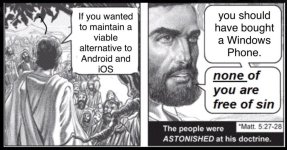
you fools abandoned Windows Mobile and Palm for this.
Upvote
-1
(50
/
-51)


Android does not pull in enough revenue for that. It likely never could.I wonder how much better Android could be if they took some of the 26 billion they spend on search placement and spent it on improving Android and the Google services that run on it.
Upvote
3
(17
/
-14)
Post content hidden for low score.
Show…
So much this. I still hate the two line clock. At least the "keep it small" option is easy to select. Feels like an afterthought though.The lock screen clock options are hilarious. People complained about the two-line clock, so we now get 7 goofy variations of it, plus one standard analog clock (that doesn't match the other analog clock widgets), and some bizarre date/time/weather frame thing.
Upvote
27
(30
/
-3)

It’s amazing to me that it still doesn’t seem to have been equaled. In many ways the death of Google Reader seems to have cut the knees off the growth of RSS in general. Perhaps that was part of the point; people getting updates via RSS feeds aren’t seeing as many ads.Oh, but I recognize the eternal bitterness of jilted Google Reader users.
I still use RSS, mostly for keeping tabs on webcomics, but Feedly is kinda bad, especially on mobile. I’m using the paid-for old version of Unread on iOS (from before they went to a tremendously overpriced subscription plan with Unread 2), with Feedly providing the backend. Is there an actual good product in this space, with a decent mobile website and maybe non-evil iOS/Android apps?
Upvote
44
(48
/
-4)
Fwiw, I personally use theoldreader.com on desktop, but I've never actually tested how it does on mobile.It’s amazing to me that it still doesn’t seem to have been equaled. In many ways the death of Google Reader seems to have cut the knees off the growth of RSS in general. Perhaps that was part of the point; people getting updates via RSS feeds aren’t seeing as many ads.
I still use RSS, mostly for keeping tabs on webcomics, but Feedly is kinda bad, especially on mobile. I’m using the paid-for old version of Unread on iOS (from before they went to a tremendously overpriced subscription plan with Unread 2), with Feedly providing the backend. Is there an actual good product in this space, with a decent mobile website and maybe non-evil iOS/Android apps?
Upvote
0
(3
/
-3)
Weirdly, the long press to customize the lock screen didn't work for me (Pixel 6a, Android 14). I went into settings and was able to set lock screen shortcuts from there. And now the long press works.
Upvote
7
(7
/
0)

QuarterSwede
Ars Praetorian
I use Reeder with Feedly as the backend (though its iCloud local service is very good, just didn’t fit my specific needs). IMO Reeder is the best RSS app for Apple devices. Clean, customizable, and fast to triage.It’s amazing to me that it still doesn’t seem to have been equaled. In many ways the death of Google Reader seems to have cut the knees off the growth of RSS in general. Perhaps that was part of the point; people getting updates via RSS feeds aren’t seeing as many ads.
I still use RSS, mostly for keeping tabs on webcomics, but Feedly is kinda bad, especially on mobile. I’m using the paid-for old version of Unread on iOS (from before they went to a tremendously overpriced subscription plan with Unread 2), with Feedly providing the backend. Is there an actual good product in this space, with a decent mobile website and maybe non-evil iOS/Android apps?
Upvote
2
(5
/
-3)
tipsy.trex
Ars Scholae Palatinae
Material You somehow always looks worse every time they update it.
I've been on the samsung beta and I don't really see the purpose of predictive back. You have to slowly use the gesture, so it's a very purposeful action as opposed to a quick "fling" from the side to back, and it works so rarely that I have yet to use it outside of consciously wanting to try it.
I've been on the samsung beta and I don't really see the purpose of predictive back. You have to slowly use the gesture, so it's a very purposeful action as opposed to a quick "fling" from the side to back, and it works so rarely that I have yet to use it outside of consciously wanting to try it.
Upvote
1
(10
/
-9)
tipsy.trex
Ars Scholae Palatinae
every google product is a secondary gig to get people to look at there innovative ads.
you fools abandoned Windows Mobile and Palm for this.
Attachments
Upvote
54
(60
/
-6)
gReader on Android works great - as close to the functionality of Google Reader as I could find. One of the few apps I am happy to pay for.It’s amazing to me that it still doesn’t seem to have been equaled. In many ways the death of Google Reader seems to have cut the knees off the growth of RSS in general. Perhaps that was part of the point; people getting updates via RSS feeds aren’t seeing as many ads.
I still use RSS, mostly for keeping tabs on webcomics, but Feedly is kinda bad, especially on mobile. I’m using the paid-for old version of Unread on iOS (from before they went to a tremendously overpriced subscription plan with Unread 2), with Feedly providing the backend. Is there an actual good product in this space, with a decent mobile website and maybe non-evil iOS/Android apps?
Note: the gReader developer went dark for a few years, but they've been back for awhile now. I use Feedly as the back end, but gReader supports several options.
Upvote
0
(2
/
-2)
I took what I felt was a weird amount of anti-pushback when I complained about the two line clock:So much this. I still hate the two line clock. At least the "keep it small" option is easy to select. Feels like an afterthought though.
Me: "So it takes up the whole screen?"
"Yeah."
Me: "This line - why is it bolded, in a heavier weight vs. the first two digits?"
"Iono."
Me: "And the entire layout of the lock screen has to change when I get a notification that scales down 5 characters from an entire screen to a totally different layout where those 5 characters sensibly fit on a single line so I can be shown a/some notifications?"
"Yep."
Me: "Thanks, I hate it."
"But what don't you like about it? You don't even have any reasons, you just hate change."
Upvote
21
(26
/
-5)