| Specs at a glance: Intel Compute Stick STK1AW32SC | |
|---|---|
| OS | Windows 10 Home 32-bit |
| CPU | 1.44GHz quad-core Intel Atom x5-Z8300 (Turbo Boost up to 1.84GHz) |
| RAM | 2GB 1600MHz DDR3L (non upgradeable) |
| GPU | Intel HD Graphics (integrated) |
| HDD | 32GB eMMC SSD |
| Networking | 867Mbps 802.11ac Wi-Fi, Bluetooth 4.0 |
| Ports | 1x USB 2.0, 1x USB 3.0, microSD, micro USB (for power) |
| Size | 4.45” x 1.50” x 0.47” (113 x 38 x 12mm) |
| Other perks | Lock slot |
| Warranty | 1 year |
| Price | $159 with Windows, less with no OS installed |
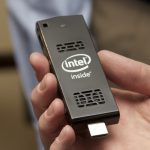
Conceptually, Intel’s Compute Stick is an interesting alternative to a Roku, Fire, or Apple TV box. It’s as small and unassuming as a Roku Stick, but it’s a full Windows (or Linux) PC capable of a much larger and more versatile list of skills.
In practice, though, the first-generation Compute Stick was mostly notable for its rough edges. You don’t expect much from an Atom-powered computer with 2GB of RAM and 32GB of storage, but its flaky Bluetooth and weak Wi-Fi helped dilute whatever potential it had.
Enter the next-gen model, which updates the processor and the design but is most notable for big wireless upgrades. When done well, second-generation models can be even more exciting than brand new ideas. Time gives companies new technology to work with, and feedback from the public gives them ideas they may not have had themselves and a list of things to prioritize. Is the new Compute Stick a dongle that fulfills the promises of the original, or should you… stick with a larger computer?
Revisiting the old Compute Stick
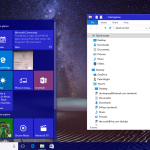
Most of the stuff I wrote in our review of the original Compute Stick back in April still stands, but a lot has happened between then and now. Intel has released several BIOS updates and a few driver updates for the graphics, Wi-Fi, and Bluetooth. And while it shouldn’t change performance all that much, anyone who bought the stick with Windows 8.1 installed can upgrade it to Windows 10 provided you don’t run into disk space limitations. The following impressions are based on a clean 32-bit Windows 10 installation with the latest BIOS and drivers.
We’ve run new benchmarks that I’ll discuss later on, but it should be said that Intel has done an admirable job addressing at least some of the wireless issues I ran into in our original review. With both a Bluetooth keyboard and mouse connected, I no longer had problems with laggy or inconsistent connectivity. Range is still a problem, especially for mice—a Bluetooth mouse will still work if you get more than three or four feet away from the stick, but movement becomes less precise and harder to control.



 Loading comments...