The huge Windows Phone 8.1 release made Windows Phone a very different platform than it had been before. As well as high-profile new features, most notably the Cortana digital assistant and major work enabling developers to use substantially the same code on both Windows Phone and Windows 8, it had one more important feature: it was cheaper than ever.
| Specs at a glance | ||
|---|---|---|
| Lumia 630 | Lumia 635 | |
| Screen | 854×480 4.5″ (217 ppi) IPS LCD Gorilla Glass 3 touchscreen | |
| OS | Windows Phone 8.1 with Nokia “Cyan” update | |
| CPU | 1.2GHz quad-core Snapdragon 400 | |
| RAM | 512MB | |
| GPU | Adreno 305 | |
| Storage | 8GB | |
| Networking | 2.4 GHz 802.11b/g/n, Bluetooth 4.0 LE, GPS, GLONASS, BeiDou | |
| Cellular | 3G (up to 21 Mbps HSDPA) | 3G (up to 42 Mbps HSDPA) 4G (up to 100 Mbps LTE) |
| Ports | Micro USB, headphones, microSD | |
| Camera | 5MP rear camera, f/2.4 aperture, 720p video | |
| Sensors | Accelerometer | |
| Size | 129.5mm×66.7mm×9.2mm | |
| Weight | 134g | |
| Battery | 1830mAh | |
It’s not simply that the software itself costs nothing, though that certainly helps. It’s that Windows Phone 8.1 changes the hardware spec in some important ways.
Windows Phone launched needing an array of Windows Phone-specific buttons: the trio of buttons on the front, for back, Windows, and search, and the camera button—with half press to focus—on the side. Though the camera button requirement was relaxed some time ago, Windows Phone 8.1 went a lot further: the only mandatory buttons are the volume rocker and power button. The camera button and front buttons can be discarded entirely, with the former replaced by a tile for the camera app, and the latter by three on-screen buttons.
This makes Windows Phone 8.1 devices cheaper than ever before. There’s the obvious cost-savings from not having to include the buttons, but the advantages run deeper than that: manufacturers no longer have to customize their hardware for Windows Phone. With both Android and Windows Phone 8.1 supporting on-screen buttons, hardware companies can now build a single hardware model and install either of the operating systems onto it.
No doubt these relaxed constraints and lower prices are a big part of why Microsoft has announced a ton of new Windows Phone partners and a whole host of new phones that’ll be coming to different markets around the world.
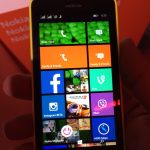
However, one of the, if not first, Windows Phone devices to hit the market to take advantage of the new specs comes from one of Microsoft’s older and better partners. In fact, it was the partner that it ended up buying: Nokia.


 Loading comments...