Skip to content
start me up

A few weeks with the Pocket 386, an early-‘90s-style, half-busted retro PC

AliExpress retro laptop doesn’t always live up to its promise.

Andrew Cunningham | 128
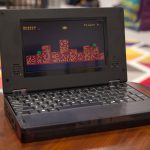
The Pocket 386 is fun for a while, but the shortcomings and the broken stuff start to wear on you after a while. Credit: Andrew Cunningham
Story text

The Book 8088 was a neat experiment, but as a clone of the original IBM PC, it was pretty limited in what it could do. Early MS-DOS apps and games worked fine, and the very first Windows versions ran… technically. Just not the later ones that could actually run Windows software.

The Pocket 386 laptop is a lot like the Book 8088, but fast-forwarded to the next huge evolution in the PC’s development. Intel’s 80386 processors not only jumped from 16-bit operation to 32-bit, but they implemented different memory modes that could take advantage of many megabytes of memory while maintaining compatibility with apps that only recognized the first 640KB.

Expanded software compatibility makes this one more appealing to retro-computing enthusiasts since (like a vintage 386) it will do just about everything an 8088 can do, with the added benefit of a whole lot more speed and much better compatibility with seminal versions of Windows. It’s much more convenient to have all this hardware squeezed into a little laptop than in a big, clunky vintage desktop with slowly dying capacitors in it.

But as with the Book 8088, there are implementation problems. Some of them are dealbreakers. The Pocket 386 is still an interesting curio, but some of what’s broken makes it too unreliable and frustrating to really be usable as a vintage system once the novelty wears off.

The 80386

A close-up of the Pocket 386’s tiny keyboard.
A close-up of the Pocket 386’s tiny keyboard. Credit: Andrew Cunningham

When we talked about the Book 8088, most of our discussion revolved around a single PC: the 1981 IBM PC 5150, the original machine from which a wave of “IBM compatibles” and the modern PC industry sprung. Restricted to 1MB of RAM and 16-bit applications—most of which could only access the first 640KB of memory—the limits of an 8088-based PC mean there are only so many operating systems and applications you can realistically run.

The 80386 is seven years newer than the original 8086, and it’s capable of a whole lot more. The CPU came with many upgrades over the 8086 and 80286, but there are three that are particularly relevant for us: for one, it’s a 32-bit processor capable of addressing up to 4GB of RAM (strictly in theory, for vintage software). It introduced a much-improved “protected mode” that allowed for improved multitasking and the use of virtual memory. And it also included a so-called virtual 8086 mode, which could run multiple “real mode” MS-DOS applications simultaneously from within an operating system running in protected mode.

The result is a chip that is backward-compatible with the vast majority of software that could run on an 8088- or 8086-based PC—notwithstanding certain games or apps written specifically for the old IBM PC’s 4.77 MHz clock speed or other quirks particular to its hardware—but with the power necessary to credibly run some operating systems with graphical user interfaces.

Moving on to the Pocket 386’s specific implementation of the CPU, this is an 80386SX, the weaker of the two 386 variants. You might recall that the Intel 8088 CPU was still a 16-bit processor internally, but it used an 8-bit external bus to cut down on costs, retaining software compatibility with the 8086 but reducing the speed of communication between the CPU and other components in the system. The 386SX is the same way—like the more powerful 80386DX, it remained a 32-bit processor internally, capable of running 32-bit software. But it was connected to the rest of the system by a 16-bit external bus, which limited its performance. The amount of RAM it could address was also limited to 16MB.

(This DX/SX split is the source of some confusion; in the 486 generation, the DX suffix was used to denote a chip with a built-in floating-point unit, while 486SX processors didn’t include one. Both 386 variants still required a separate FPU for people who wanted one, the Intel 80387.)

While the Book 8088 uses vintage PC processors (usually a NEC V20, a pin-compatible 8088 upgrade), the Pocket 386 is using a slightly different version of the 80386SX core that wouldn’t have appeared in actual consumer PCs. Manufactured by a company called Ali, the M6117C is a late-’90s version of the 386SX core combined with a chipset intended for embedded systems rather than consumer PCs.

An awkward CPU choice

The upshot is that you can use a 386-based PC the exact same way you’d use an 8088 PC, running MS-DOS and DOS-based apps and just benefitting from the extra speed and RAM flexibility. But 386 PCs—especially faster ones with a decent amount of RAM, like the one in the Pocket 386—also do a decent job with early-’90s graphical operating systems like Windows 3.1, and they’ll stretch to Windows 95 if you’re patient with them.

Windows 95 compatibility means there’s a whole universe of additional apps that the Pocket 386 can technically run, but the problem is that Windows 95 is not actually ideally suited to run on a CPU this old and slow. PCs at the time were mostly using the faster iterations of the 486 or the Pentium (which at the time of Windows 95’s release had already been out for over two years), and retro computing enthusiasts on the VOGONS forums tend to draw a line right around there when deciding what software to run on their vintage systems (Ars staffers old enough to remember also said their first Windows 95 PCs were in the 486DX-to-Pentium range).

So yes, the 386SX will run Windows 95, and a combination of 8MB of RAM (more than a 386 would generally have used) and solid-state CompactFlash storage (rather than a spinning HDD) will make it feel a bit better than it would have felt on a genuine 386 system at the time. But just because Microsoft technically supported the 386 doesn’t mean that app developers were writing anything with it in mind, and many Windows 9x-era apps and games will run poorly, if at all.

I say all of this not to dump on the idea of the Pocket 386, but to point out that a 386 system with these specs straddles an awkward line when it comes to retro computing. It’s neither especially true to a “real” system that would have been in use at the time, nor is it powerful enough to credibly run the full range of available 32-bit Windows software. It’s hard not to want some kind of “pocket Pentium” PC; a chip in the 100MHz–200MHz range outfitted with somewhere between 32MB and 128MB of RAM would be able to run just about anything from the MS-DOS, Windows 3.x, and Windows 9x eras, rather than hitting a wall midway through that era as the Pocket 386 does. (About a year ago, I bought an old IBM ThinkPad 560X, which offers driver support for everything from DOS to Windows 3.1 to Windows Me to Windows NT/2000 to OS/2. It worked great for a while but stopped booting recently for no discernible reason—because it’s pushing 30 years old).

Pocket 386 hardware tour

The Pocket 386’s screen is higher-quality, though, with better contrast and viewing angles.
It’s not pocketable, but the Pocket 386 is significantly smaller than the Book 8088.


In pictures, the Pocket 386 and Book 8088 don’t look all that different, but once the two devices are side by side, there are some pretty significant design differences to account for. Some are good, others are not.

The best change is the 8-inch screen, which, either because of a better panel, better [display inverter], better video adapter, or some combination of factors, is a lot more pleasant to look at than the original Book 8088’s murky display. The Book 8088 could scrape by because most of what you could do with it involved white blocky text on a black background, but a screen like that would have been miserable in 256-color Windows (more on that when we talk about the internals).

It’s also possible to do some limited display configuration, including brightness, contrast, and aspect ratio adjustments; pressing Fn+F4 on the laptop brings up a simple display menu like you might find on a cheap LCD monitor. These adjustments aren’t always useful—turning up the brightness just makes the screen look more washed out, and these early OS versions don’t know what to do with an 800×480 resolution panel, so you’re either stuck with a stretched image or one with black bars on either side. But the controls are there for people who want to play with them.

Fn+F4 brings up some actual settings for the internal screen.
On the left, a headphone jack and power button.

Another menu, accessible via the F5 > keyboard shortcut, controls whether communication ports like serial, parallel, and PS/2 are enabled or disabled or whether the laptop uses external accessories like monitors or mice rather than its own built-in versions. Keyboard shortcuts give easy access to all of these toggles, to make it easier to memorize the ones you’ll want to use all the time.

And while the Book 8088 didn’t include any kind of internal pointing device at all, the Pocket 386 supports a kludgey internal “mouse,” accessed by holding down the menu key and then using the arrow keys to scoot the pointer around. The ? and shift keys function as left and right mouse buttons.

Boards and chips

The Book 8088 used real vintage CPUs, while the Pocket 386 uses this newer ALi chip originally designed for industrial and embedded systems. DOS and Windows still just see a 386SX.
8MB of RAM, spread out across four 2MB chips. Those with soldering skills could possibly expand this. The flash chip for the BIOS and CH375 USB controller chip are also visible here.
The OPL3 sound chip in the middle. You can also see the other mini ISA slot here, which could theoretically be used for further internal expansion.
Various controller chips on the board’s flip side.

At the heart of the Pocket 386 is an ALi M6117C chip, which combines the 40 MHz 80386 SX core with a Ali M1217B chipset that obviates the need for a separate chipset to handle communication with RAM, the video card, the hard drive, and other accessories. Today, it’s common for all of these components to reside on the same CPU package or in the same piece of silicon, but the M6117C is actually a specialized chip made years after the 386’s heyday for use in industrial and embedded systems. Luckily for us, consumer DOS and Windows operating systems don’t really know the difference.

Directly beside the main CPU are four EDO DRAM chips that each provide 2MB of memory for a total of 8MB, plus a 512KB flash chip (likely for the BIOS) and the CH375B USB controller that bridges the system’s USB port to the ISA bus.

Other chips of note include the integrated Yamaha sound chip, which provides OPL3/Ad Lib functionality and also has its own neighboring 32KB flash chip. A separate board connected via one of the board’s two “mini ISA/GPIO” slots houses the Cirrus Logic display adapter, its memory, and its own 512KB flash chip. These “video cards” are swappable if you can find or make one that fits, but they aren’t compatible with the similar graphics expansion boards from the Book 8088 v2.

You do have to put up with a bit of a GPU lottery when you buy a Pocket 386. It can come with any one of a number of different graphics chips, including several different Cirrus Logic adapters. Mine, a Cirrus Logic GD5422 with just 512KB of memory, is one of the lesser options, leaving my Pocket 386 incapable of rendering more than 256 colors or resolutions higher than 800×600 (with 1MB of memory, it ought to be capable of both, but I’d need to find the correct memory chips, desolder the old ones, and solder down new ones). This is mainly limiting when trying to use external displays, where it would be great to be able to use a 1024×768 resolution and/or 16-bit color. The graphics board in my Book 8088 v2 is, frustratingly, a more advanced GD5429 that is wasted on the slower processor. In both cases, the manufacturer is clearly just using whatever old parts can be harvested from vintage computers.

I sort of lost the graphics lottery in my Pocket 386. This Cirrus Logic adapter tops out at 800×600 and 256 colors.
I sort of lost the graphics lottery in my Pocket 386. This Cirrus Logic adapter tops out at 800×600 and 256 colors. Credit: Andrew Cunningham

The GD5422, and really probably any of these legacy video adapters, doesn’t natively support the display panel’s 800×480 widescreen resolution, since most PC displays in those days used a square 4:3 aspect ratio rather than any kind of widescreen resolution. By default, the Pocket 386 uses a square aspect ratio with black bars on either side, though a stretched widescreen mode is available in the display options. With the right knowhow, it might be possible to create a custom display mode that uses the Pocket 386 screen’s native resolution and aspect ratio, but it’s not something I figured out.

Broken things

The Pocket 386’s battery indicator, shown here on the Fn+F5 menu, is unreliable at best. The laptop is constantly losing its BIOS settings, which resets the clock, turns off the mouse, and leads to POST errors every time it happens.
The Pocket 386’s battery indicator, shown here on the Fn+F5 menu, is unreliable at best. The laptop is constantly losing its BIOS settings, which resets the clock, turns off the mouse, and leads to POST errors every time it happens. Credit: Andrew Cunningham

This is where I mostly run out of nice things to say about the Pocket 386. Its extra-small size means it has an extra-small keyboard, which at least for my fingers is far too cramped for me to ever get up to a useful typing speed. I’m not sure why all expandability is done entirely via awkward external dongle, when the second iteration of the Book 8088 built common ports like serial and parallel ports directly into the laptop.

The battery is also a major problem. It’s too dumb to know when it’s charging or to accurately report what its charge level is—plugging it in usually resulted in a (wrong) warning that I was about to run out of battery—so your impression of battery capacity mostly comes down to vibes. The computer is also using that battery to remember any BIOS settings rather than a dedicated coin-cell CMOS battery that most computers use, and the Pocket constantly and randomly forgot the BIOS settings I had assigned to it.

The effects of this ranged from merely annoying to actively experience ruining. It was annoying to have the clock reset constantly or to always see a boot error about a nonexistent floppy drive that the BIOS assumes is present by default. It was more experience-ruining to constantly have the computer forget that it had a mouse attached (either an external one or the “built-in” “mouse” enabled by keyboard shortcuts) because the BIOS defaults to having the mouse turned off.

Like the Book 8088, the Pocket 386 comes with a USB port that isn’t a traditional USB port but a physical USB port that’s connected to the legacy ISA bus via a CH375 interface chip. Using this USB port to connect a USB mouse or other accessory to the Pocket 386 is technically possible, but it mainly exists to allow USB mass storage devices to be connected to the laptop and viewed by DOS, Windows, and other legacy operating systems as a large removable disk.

Having these external ribbon cables hanging off the laptop every time you want to plug in an external mouse or keyboard makes it more difficult to travel with. PS/2 to USB adapters also don’t work. But at least it came with PS/2, VGA, and parallel dongles in the box.
Having these external ribbon cables hanging off the laptop every time you want to plug in an external mouse or keyboard makes it more difficult to travel with. PS/2 to USB adapters also don’t work. But at least it came with PS/2, VGA, and parallel dongles in the box. Credit: Andrew Cunningham

Also as with the Book 8088, I found that the driver included with the Pocket 386’s default MS-DOS install to be somewhere between flaky and totally unusable. I had to manually change it out for an updated driver by VOGONS forum user FreddyV before it would work reliably.

And while it was mostly nice to actually have some of the I/O dongles included with the Pocket 386 instead of sold separately, it wasn’t entirely smooth sailing with them, either. The combo PS/2 and VGA dongle works well, for example, but didn’t seem to be compatible with USB-to-PS/2 adapters; only native PS/2 accessories would work properly when plugged in. The VGA output from the dongle was pretty good as long as I was using a monitor with a native VGA input; the VGA-to-HDMI converter I bought cut a chunk off the right side of the screen and didn’t work nearly as well in 800×600 mode. I have every reason to believe that connecting this thing to an actual vintage CRT monitor would look pretty much like the real thing.

The Pocket 386 is hurt by some of the same lack of quality control and consistency as the Book 8088 was. Some Vogons forum users report that the laptop’s real-time clock (RTC) doesn’t function properly because the manufacturer soldered in a component it shouldn’t have (mine was fine, so it’s possible this has been corrected on newer manufacturing runs).

Software recommendations

The Pocket 386 ships with a 2GB CompactFlash card with MS-DOS 6.22 and Windows for Workgroups 3.11 installed. The seller will provide a disk image of a Windows 95 OSR 2.5 install (also sometimes known as Windows 95 C) in the ancient Norton Ghost format.

Along with the OS software are a handful of other apps—a Topbench benchmark, Foxbase database software, a handful of games including Doom and Wolfenstein 3D, a disk copying program I’ve never heard of called HD-COPY (dated 1997–98 and credited to someone named YaoChangLi), and a couple of Chinese-language things (TechWay SCS V3.2 and a folder of UCDOS files) that I couldn’t make heads or tails of.

I have no immediate reason to believe that any of these files are doing anything actively malicious, but because this old software is all freely available and because there are some things that can be fixed or improved about the default installs, I did take it upon myself to do clean installs of both operating systems—a combo of DOS and Windows 3.1x, and a version of Windows 95.

As with the Book 8088, this is all technically stolen and unlicensed software, though in practice, Microsoft and other software companies (at least the ones that are still around) have allowed it to be posted unchallenged on abandonware preservation sites like WinWorld. I found it easiest and fastest to set up a PC emulator like 86Box with a disk image attached that was identical in size to the CompactFlash card I was using, and then to flash that image to a physical CompactFlash card for booting with the Pocket 386. It generally made it easier to try new things, and it saves time to not have to wait for the poky 386 to muddle through the install process for various OSes and apps.

Once you figure that part out, clean installs of all of these operating systems are pretty straightforward. Windows 95, in particular, has built-in drivers for pretty much all of the important hardware, including the OPL3 sound chip and our Cirrus Logic VGA adapter. I didn’t try other operating systems that might run—OS/2 Warp 3, Breadbox Ensemble/GEOS, FreeDOS, and some very very early and old Linux flavors—but the hardware should technically be compatible.

You’ll want at least two drivers if you’re doing a clean install of anything DOS-based. FreddyV’s updated driver for the CH375 USB controller chip makes it work faster and more reliably and can be downloaded from the Vogons forums here. Add DEVICE=CH375286.SYS @260 %0 to your config.sys file, pointing to the path where you downloaded the driver; you can update config.sys either from the Pocket 386 or from a modern Windows install if you unhide protected operating system files.

You can also optionally grab this driver, which allows the OPL3 chip (normally only capable of MIDI output) to be used for waveform audio in DOS and Windows. This will let you enjoy all the startup and shutdown noises that Windows used to make back when operating systems would really let you personalize them to the point of hideousness.

DOS/Windows 3.1x

The aging 386 had already been replaced by the 486 by the time Windows 3.x hit in the early ’90s, but it still would have been common in offices and on desks, and it was still the CPU that lots of midrange and low-end PCs were shipping with even in 1992 (at least, according to contemporary ads).

So some combination of DOS and Windows 3.1x is a natural fit for the Pocket 386, accounting both for the device’s performance and what a similar computer might have been running at the time. I chose IBM’s PC-DOS 2000 for the same reason I ended up choosing it for the Book 8088—the newest features possible in a slightly smaller memory footprint than MS-DOS 6.22 or 5.0—and Windows 3.11 for Workgroups.

You could just as easily decide to run Windows 3.1—you wouldn’t really give up any significant functionality given that the Pocket 386 won’t be doing much networking anyway. Windows 3.0 works, too, but it’s not as polished as 3.1 or 3.11 and it didn’t have the same app library or staying power. Windows 3.x will boot under DOS versions as old as 3.1, so you have your pick of versions to use (just as long as you don’t use FreeDOS, which still doesn’t support Windows 3.x).

If you want a computer that feels decently fast and that doesn’t leave you waiting long, this is the sweet spot for it. The older versions of the Microsoft Office apps, the relatively simple 2D games, and other simple productivity apps made for Windows 3.1 all seem pretty well-tuned to run well on a 386, and most ’80s and early-’90s-era DOS apps and games are, too. The only real exception are DOS games from the mid-to-late ’90s, which usually wanted a faster CPU and sometimes a more capable VGA adapter (though this will depend on which video chip your Pocket 386 ships with).

That last fact does make the Pocket 386 a less-than-ideal one-stop system for all DOS software. It’s better than the Book 8088, but it’s hard not to wish for the extra speed of a decent 486 or an early Pentium sometimes.

Windows 95

A 386 is technically capable of running Windows 95, and the 8MB of RAM and solid-state storage are both benefits that most regular 386 PCs wouldn’t have had. It still doesn’t run great.
A 386 is technically capable of running Windows 95, and the 8MB of RAM and solid-state storage are both benefits that most regular 386 PCs wouldn’t have had. It still doesn’t run great. Credit: Andrew Cunningham

It says something that Windows 95 is offered only as an alternate install option by whatever entity is making and selling the Pocket 386; it helps them use compatibility as a selling point without needing to immediately confront the fact that Windows 95 doesn’t run all that well.

But performance is tolerable. A 40MHz 386 just barely scrapes over the line of the minimum system requirements, but 8MB of RAM is reasonably comfortable, and solid-state storage helps mask the pain a little. You can watch every element of every window get drawn as it pops into existence. And apps that run OK in Windows 3.1, like some of the more action-heavy Windows Entertainment Pack games, run worse under Windows 95 because of the added overhead.

But Windows 95 is just usable enough to be viable, at least for single-tasking with less-demanding apps. And it does open up a wide universe of more advanced apps, including versions of Microsoft Office that can read and write files using formatting that modern Office apps will recognize (I recommend Office 97, the oldest and therefore lightest version that can save in the Office 97–2003 file formats that newer Office apps can work with).

As for other apps and games? Your mileage will vary, but anything that wants 3D rendering (even something as simple as the OpenGL 3D screensavers) won’t run well at all, and many apps made with Windows 95 in mind generally also had realistic specifications in mind—a 486 or an early Pentium, at least. MS-DOS apps and games still run well, and Windows 95 retains a pure DOS mode that can be booted into separately from the GUI that retains mostly-pretty-good compatibility with older apps and games.

Your best option for a capable but lightweight Windows 95 install is to use Windows 95 OSR 2.1, or Windows 95 B, rather than Windows 95 C, as the manufacturer-provided image does. The main difference between Windows 95 B and C is that version C auto-installs Internet Explorer 4.0, which comes with an IE-ified version of the Windows Explorer that consumes more of the Pocket 386’s extremely limited system resources.

Installing IE 4 or 5.x yourself after the fact will make Windows 95 B functionally identical to Windows 95 C; stopping the Internet Explorer 4 install before it can junk up your system will let you run Windows 95 C without the extra cruft. Even by Windows 11’s recent standards, it’s kind of incredible how much additional software Internet Explorer 4 installs alongside the browser; you can definitely see why it landed the company in so much trouble.

One project that may be of interest if you want to push the boundaries of what is possible: literally earlier this year, in 2024, mad scientist YouTuber MattKC back-ported .NET Framework 2.0 to run on Windows 95 B and C, opening up compatibility with a whole bunch of apps that nominally required Windows 98, but only because the .NET Framework required Windows 98 (work on .NET 3.5 “has just begun”).

These are, again, apps and games that would have been released well after anyone was optimizing for systems with a 386 and 8MB of memory. The installer also requires Internet Explorer 5 to be installed, meaning you also have to submit to the Internet Explorer integration we just talked about avoiding. But I point it out for those of you who like to push the boundaries of what is possible.

Fun for a while

I still think the Pocket 386 is interesting, but I came away from it more frustrated than I was with the Book 8088. The Book 8088 is objectively more limited, but I think it’s generally better at what it’s trying to do. It is neat to be able to run a whole lot more software on the Pocket 386, but the long list of broken or half-working features, the nearly unusable keyboard, and the 386’s slow speed when running Windows 95 are all points against it.

There are two big reasons for a machine like this to exist. For people like me, they’re fun curiosities, a way to play with some retro hardware and software that doesn’t require actually finding, buying, and making space for actual vintage hardware. It’s an opportunity to revisit a time when this technology was newer and simpler (and, at least for me, a time when it was easier to be optimistic and excited about it). There are also people with vintage software or accessories they want to keep using and who (for one reason or another) can’t use modern hardware or an emulator to do it.

The Pocket 386 is a poor fit for either audience, too flakey and frustrating for hobbyists and too inconsistent and unstable for anyone who genuinely needs to rely on it for anything. I actually kind of liked using the Book 8088 as a distraction-free glorified electronic typewriter; there’s a version of the Pocket 386 that could fill the same niche, but this particular laptop doesn’t do it for me.

In short? Buyer beware. Get the Pocket 386 only if you’re thoroughly acquainted with its shortcomings and you think it will be fun or useful to you anyway. To anyone else, I can only hope that reading about the hardware in this much detail has cured you of any curiosity you had about it.

Listing image: Andrew Cunningham

Photo of Andrew Cunningham
Andrew Cunningham Senior Technology Reporter
Andrew is a Senior Technology Reporter at Ars Technica, with a focus on consumer tech including computer hardware and in-depth reviews of operating systems like Windows and macOS. Andrew lives in Philadelphia and co-hosts a weekly book podcast called Overdue.
128 Comments