Skip to content
Tech

Ars Technica System Guide: Gaming Boxes

Ars showcased indie games last week—make sure you have the best system to enjoy ’em.

Brian Won | 197
Credit: Aurich Lawson
Story text
Since the early 2000s, the Ars System Guides have been helping those interested become "budding, homebuilt system-building tweakmeisters." This series is a resource for building computers to match any combination of budget and purpose.

The main Ars System Guide is great for what it is—an updated, step-by-step look at the best components for an all-around desktop build. But even this beast has some limitations and a few gaps. And if our System Guide build got much bigger, it might not ever get published.

In particular, there are sizeable gaps between the Budget Box (our low-end, affordable build) and the Hot Rod (that “just right” bowl of build porridge). Quite frankly, there’s also an enormous gap between the Hot Rod and the God Box (where money is no obstacle). But if you do a focus shift from capable-all-around boxes with gaming capability to boxes that are purely gaming focused, you have an equally seismic shift. There’s where the newest System Guide comes in. Meet the special Gaming Boxes.

The goal of Gaming Boxes is two-fold. First, we want to help build boxes that are the best gaming performance for the money. Second, we want to do so while highlighting different price points than what we see in the main System Guide. Let’s get to it.

Shrinking differences

The differences between the specialty Gaming Boxes and others may be smaller than some think, though. Many gamers have large collections of downloaded games, which means Gaming Boxes actually need fairly large amounts of storage. The shrinking cost of LCD monitors, affordable SSDs, fast video cards, and other components all mean that the adjustments in a build from a focused gaming box to a more well-rounded box aren’t all that bad on the wallet.

Meet the boxes (and their requirements)

The Gaming Boxes give a greater emphasis on gaming performance than the boxes in the main System Guide. Hot Rod-class performance on a Budget Box price, or so goes the cliché. For those who desire something more than the Hot Rod but don’t need all the storage or processing power of the God Box (and with a stronger bent on value), the Gaming Boxes can provide that, too.

Previous Ars system guides

Ars forums: Gaming Box discussion
February 2013: Ars Bargain Box
December 2012: Ars System Guide

The Value Gaming Box sits between the Budget Box and Hot Rod for price but aims for Hot Rod-level gaming performance. With gaming as the primary focus, things like low noise might take a hit. However, modern components today tend to have energy efficiency designed in, so the power and noise penalties aren’t too bad. A target price between $1,000-1,200 seems to be an attractive spot for the Value Gaming Box. It budgets for a reasonable CPU and GPU plus a small(ish) SSD while leaving flexibility for individual builders to bump up a component or two if budgets allow.

The Performance Gaming Box has many similarities to the Hot Rod, only done bigger and faster. The base components making up the Hot Rod today actually look quite solid, so bumping up some areas (such as CPU or memory) end up being a relatively poor value. Keeping those in the same class as the Hot Rod and focusing on the parts that matter for more gaming panache—the video cards and monitor in particular—seems to find the best balance between performance and money. Other components do end up tweaked as needed to handle the increased power draw of a pair of high-end video cards in SLI/Crossfire (plus these can accommodate more gaming-specific demands).

Value is still a key, and to that end, the Performance Gaming Box ends up targeted somewhere around $2,500. This forces some difficult choices. Bumping up both frame rates and resolutions can cause a serious strain on the video subsystem as well as significantly increasing the cost of the monitors necessary to support higher frame rates, higher resolutions, or both. Needless to say, things can quickly get out of hand as we found in our time searching for reasonable configurations.

Gaming peripherals

Gamepads such as the Xbox 360 Wireless Controller for Windows, the Logitech F310 (wired), or Logitech F710 (wireless) are all popular choices. These are especially kind to gamers whose console ports of choice don’t translate well to mouse and keyboard.

The Logitech G27 is an excellent racing wheel complete with pedals, while the Logitech Driving Force GT is a cheaper alternative. Thrustmaster’s Ferrari F430 Force Feedback Racing Wheel also earns a few mentions, although Logitech appears to dominate this market. Finding a way to securely bolt the wheel to your desk usually isn’t too hard, but the real challenge is doing the same for your couch.

Joysticks appear to be a rarity these days, with the Logitech Extreme 3D Pro, Thrustmaster T.Flight Stick X, and their competitors from Saitek and Mad Catz now selling in tiny numbers. The number of games that use them has simply declined. Those of us in the Ars Orbiting HQ with flashbacks to the glory days of LucasArt’s TIE Fighter are probably not representative of the general population these days—and that makes us a little sad.

On the more widely used end, there are plenty of options for in-game communication headsets. Logitech’s G930 is a fairly decent unit filled with gizmos, while the Corsair Vengeance 1500 USB is a somewhat more modestly priced unit. The Razer Carcharias is even more affordable, but it’s still pretty decent. At the high-end, Sennheiser has the PC 350 Special Edition and the even higher-end PC 363D.

Quite a few different mouse pads exist. RazerSteelSeries, Func, and even companies like Corsair do mouse pads. Some gamers swear by particular ones, others don’t care, and some use no mouse pad at all. Improved sensors in modern mouses supposedly improve compatibility with a wide variety of surfaces, meaning some may want to change mouse pads if they don’t like the way their old one performs.

Additional items such as gaming chairs don’t seem to have caught on, and we have insufficient experience in the Ars Orbiting HQ with them to properly discuss them. For further discussion of these and other gaming peripherals, we recommend a stop by the Ars OpenForum’s Gaming, Extra Strength Caplets.

Operating systems

Windows is by far the OS of choice for the Gaming Boxes. The vast majority of games come on Windows. Linux, OS X, and others are relatively small factors in the computer gaming space. Fortunately, Windows 7 Home Premium or Windows 8 is just fine for these boxes. There’s no need for more costly, higher-end versions of Windows.

Alternatives and evolution

Today’s gamer has a host of platforms to choose from. An Android, Windows Phone, or iOS phone/tablet is the choice of many, with iOS in particular having a large selection of games to choose from. Valve has a Steam Box in the works, while Xi3 already has one. Even things like cloud processing for gaming appear to be on the way from Nvidia and AMD.

Of particular interest is the Ouya, a $99 gaming console. At that price, it significantly undercuts traditional consoles such as the current Xbox 360, Wii U, and Playstation 3 (nevermind future consoles such as the next generation Xbox or Playstation 4). Graphical performance is significantly slower, but we still watch these developments with interest.

In the future, perhaps the Gaming Boxes will spend more time doing the processing and streaming it back to your mobile device of choice rather than actually feeding it to the monitor plugged directly in to it. Who knows!

Up first, the Value Gaming Box…

Value Gaming Box

  • Intel Core i3-3220 retail = $129.99
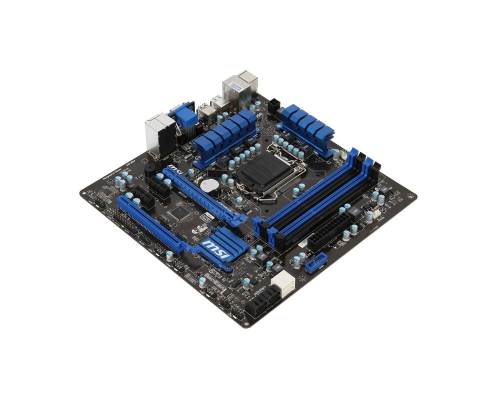
  • MSI H77MA-G43 motherboard = $84.99 ($5 MIR)
  • Corsair 8GB (2x4GB) DDR3-1600 CL9 1.5v = $61.49
  • eVGA Geforce GTX 660 2GB Superclocked = $189.99 ($10 MIR)
  • Plextor M5S 128GB SSD = $108.99
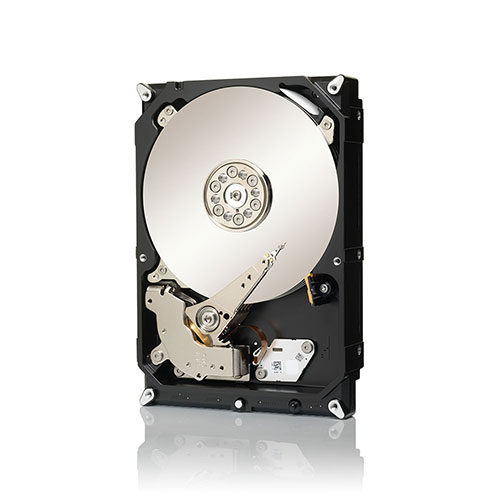
  • Seagate Barracuda 1TB = $74.99
  • Lite-On 24x DVD-RW = $17.99
  • Corsair Carbide 200R = $59.99
  • Seasonic S12 II 430B = $59.99
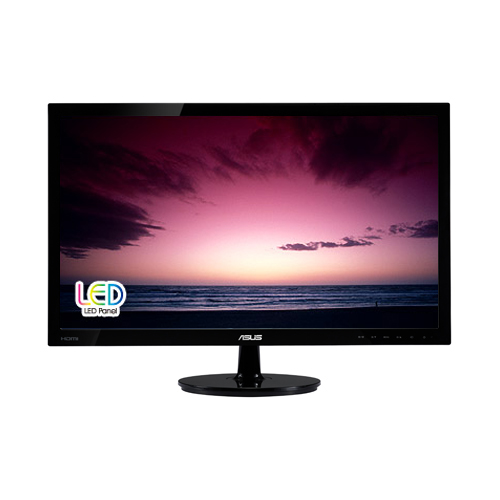
  • Asus VS238H-P 23.6″ = $169.99 ($20 MIR)
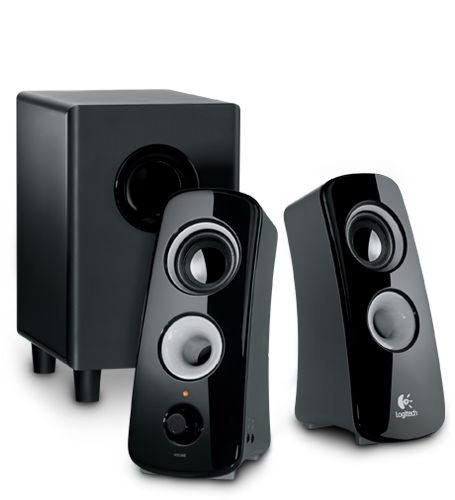
  • Logitech Z323 2.1 speakers $49.99
  • Logitech G400 mouse $49.99
  • Microsoft Keyboard 200 = $9.99
  • Total = $1068.37 ($1,023.37 after rebates)

The Value Gaming Box fills a very attractive sweet spot. The Budget Box from the main three-box System Guide can’t quite fit serious gaming ability at 1920×1080 inside its guts. The few extra bucks allocated for the Value Gaming Box lets it bump the 3D capability an extra notch (or two) for much better frame rates at 1920×1080.

It’s still substantially cheaper than the Hot Rod, which puts this box in reach of far more enthusiasts. The Value Gaming Box seems to occupy a very attractive price point. Plus, an extra stretch of $70 or $100 or so for individual builders lets gamers consider a quad-core CPU upgrade or another GPU upgrade. With that upgrade, the Value Gaming Box is a formidable machine at a price point that’s still considerably cheaper than the Hot Rod.

CPU, motherboard, memory

  • Intel Core i3-3220 retail
  • MSI H77MA-G43 motherboard
  • Corsair 8GB (2x4GB) DDR3-1600 CL9 1.5v

Compared to AMD in the last few generations, Intel processors offer superior per-thread performance, which leads to superior performance in most games. In particular, the dual-core Core i3 processors such as the i3-3220 (3.3ghz, 55W TDP) are extremely formidable for gaming at their price-point. These are fast enough that the only really compelling upgrade from Core i3 processors is all the way up to a significantly more expensive quad-core CPU such as the Core i5-3470.

The quad-core i5-3470 is strongly worth considering for those whose favorite games are CPU-bound, but it’s not a cheap upgrade. Most gamers would definitely need to evaluate if a faster GPU would provide more benefit than a quad-core CPU upgrade.

We also opt to save a few bucks by using the Intel retail box heatsink/fan. Noise from the retail unit is generally acceptable for most users, and the money saved is better spent on the video card, SSD, or graphics card. If not, the Cooler Master Hyper 212 Plus is among the top budget units, and it’s often found on sale for $5 or $10 less than its usual retail price.

Motherboard is a fairly easy choice, as the lower-end Intel processors are not overclocking-friendly. Instead, cheaper motherboards on the Intel B75 and Intel H77 chipsets get the nod. A cheaper B75-chipset board saves a few bucks when compared to an equivalent H77 board, but it loses a SATA 6Gbps port (one instead of two) and Intel SRT (SSD caching). Both of those are nice for additional flexibility at relatively minimal additional cost.

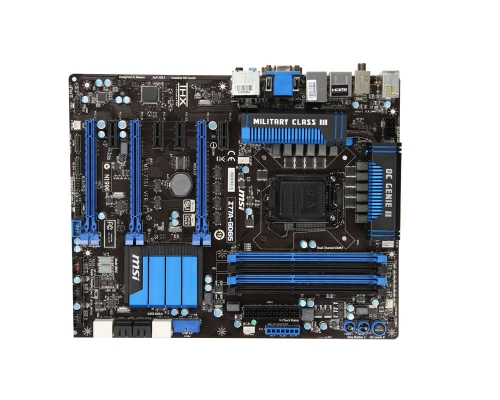
The MSI H77MA-G43 is a micro-ATX board with four DDR3 sockets for future expansion, two SATA 6Gbps, four SATA 3Gbps ports, one PCI-e 3.0 x16 slot, one PCI-e 2.0 x4, two PCI-e x1 slots, Realtek ALC892 7.1 audio, gigabit Ethernet, VGA and DVI outputs, 2x USB 3.0 ports (and headers for two more), plenty of USB 2.0 ports… and more.

Memory is easy. With recent price increases and the fact that 8GB is enough for modern games, quality 8GB (2x4GB) kits of DDR3-1600 at CL9 are probably the best fit for a Gaming Box. Slight gains could be made with faster memory, but they would generally be very slight. Builders should stick with JEDEC-spec 1.5v memory to ease potential compatibility headaches found with higher-voltage memory.

Video

  • eVGA Geforce GTX 660 2GB Superclocked (02G-P4-2662-KR)

Some games perform better on AMD cards, some perform better on Nvidia cards. If your games of choice perform better on AMD cards, the Radeon HD 7850 or the higher-end Radeon HD 7870 are worth a look. In fact, the biggest upgrade for most Value Gaming Boxes would probably be to a faster video card. Beware that as price points creep up, it’s easy to lose perspective on budgets and value. After all, the Radeon HD 7950 and Geforce GTX 660 Ti look tempting…

One additional consideration is the free games being offered. AMD’s Never Settle bundle was the latest round, but Nvidia is now rumored to be catching up on its game bundles.

There’s considerable effort from both Nvidia and AMD to improve frame rate consistency, with constant driver tweaks going on to improve performance in general. At the moment, we happen to like the Geforce GTX 660 and GTX 660 Ti, but that really does depend on the game you’re playing.

The EVGA GTX 660 2GB Superclocked has a 1046mhz core clock (980mhz reference), 1111mhz boost clock, 2GB of GDDR5 memory at 6008mhz effective, and the standard Nvidia reference blower. Ports include HDMI, DisplayPort, and 2xDVI. Other cards with different heatsink/fan combinations may be quieter, so keep an eye out when shopping for better deals. Finding a faster-clocked video card is a nice extra performance boost, assuming the card doesn’t cost too much more.

Sound, communications

  • Network card: none (on-board)
  • Sound card: none (on-board)

Onboard gigabit Ethernet and 7.1 sound do fine for the Value Gaming Box. Keep in mind that many headphones now include their own USB DAC, so a separate sound card in the Value Gaming Box may be completely unnecessary.

Storage

  • Plextor M5S 128GB SSD
  • Seagate Barracuda 1TB (ST1000DM003)
  • Lite-On 24x DVD-RW (iHAS124-04)

A solid-state drive large enough to fit a gamer’s entire Steam collection is not likely to be affordable in the Value Gaming Box. We compromise here with a smaller SSD and a 7200rpm hard disk for bulk storage.

The Marvell 9174 controller inside the Plextor M5S isn’t the fastest, but outside of benchmark racing, most would be hard-pressed to tell the difference between the M5S and a faster drive. The Plextor M5S still ranks among the first-tier drives in performance, plus it’s affordable. The three-year warranty and 520MBps sequential read/200MBps sequential write speeds don’t hurt either. The write speed rating may seem modest, but given that smaller SSDs have fewer NAND to write to, the reduction is expected.

Bulk storage is handled by the 1TB/platter Seagate Barracuda (ST1000DM003), which also packs a 64MB cache and two-year warranty. Its competition from Western Digital and Toshiba isn’t too different in performance, so we recommend builders buy whatever 7200rpm 1TB/platter drive is more affordable at the moment.

The same goes for the DVD-RW. This could probably be omitted for a great deal of builds, since online content delivery is becoming increasingly common. The Lite-On iHAS24 is a solid 24x DVD-RW (24x DVD+R/-R, 8x DVD+RW, etc.), but so is most of its competition.

Case and power supply

  • Corsair Carbide 200R
  • Seasonic S12 II 430B

Of the midrange cases aimed at good cooling and affordability, the Corsair Carbide 200R is pretty good. There are plenty of others worth considering, including the Antec Three Hundred Two, Fractal Design Core 3000, and BitFenix Shinobi. Even a few others from Cooler Master and Silverstone are worth a look, but the Corsair 200R is a solid choice.

With two 120mm fans included, eight fan mounts total, two front USB 3.0 ports, front audio jacks, and four 3.5-inch, four 2.5-inch, and three 5.25-inch drive bays, the Corsair 200R has a few more fan mounts and 2.5-inch drive bays than its typical competitor. Outside of that, it’s fairly similar. Room for graphics cards up to 16.5″ in length is another useful trait. And the included two 120mm fans should be plenty for most use, making the extra mounts largely unnecessary (but we don’t mind having them). The easy cable routing and fan filters for front and PSU intakes is a nice touch, too.

Power supply is one area where we are tempted to spend a little more for a higher-efficiency 80PLUS Gold unit like the FSP AURUM S 400W, Seasonic SSP-450RT, or Seasonic G Series 450W. However, neither of the first two units has much exposure yet in enthusiast circles (or reviews), which makes us somewhat hesitant to recommend them. Sadly, the third is rather pricey. The Seasonic S12 II 430B not only saves a few bucks, but it’s already known as a reliable, low-noise, (relatively) high-efficiency power supply.

A five-year warranty, 80PLUS Bronze certification, two +12v rails at 17A each, two PCI-e power connectors (1×6-pin, 1×6+2pin), and all the other goodies make the Seasonic S12 II 430B an excellent choice for the Value Gaming Box. Builders more concerned about value may find the cheaper Corsair CX500 a decent alternative that is only slightly more noisy at low loads.

Monitor

  • Asus VS238H-P 23.6″

Monitors are a bad area to skimp on and an easy area to blow your entire budget.

A fast response time and low input lag are vital for gaming, while a target resolution of 1920×1080 fits what the rest of the system can handle fairly well. Sticking with a standard LCD monitor capable of 60hz—as opposed to a higher-end 120hz/144hz unit—also fits the Value Gaming Box’s performance and budget goals.

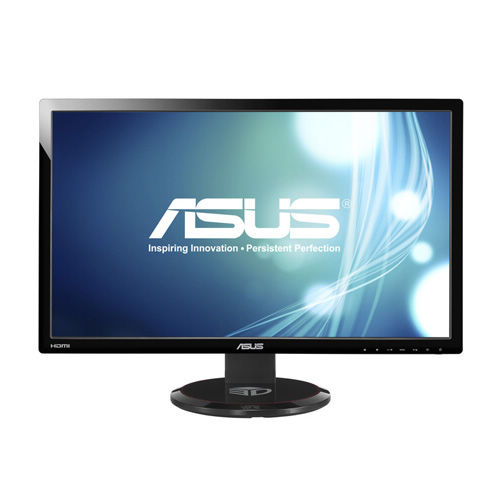
The Asus VS238H-P has ample brethren that are affordable and in a ~23″ size, pack a fast rated response time (2ms), and actually follow through with a decent response time in the real world. Input lag is harder to confirm without actual testing, so finding monitors with low input lag generally requires some actual testing, usually by Xbitlabs, TFTCentral, prad.de, Anandtech, and a few others with the proper test equipment. There are more than a few out there, but the Asus VS238H-P is pretty good. The Acer S231HLbid, Asus VH236H, and Asus VE228H aren’t so bad either.

Stepping up to a nicer monitor capable of 120hz/144hz will eat a significant chunk of the Value Gaming Box’s budget and is more than the video card can be realistically expected to do. The same goes for a higher-resolution 2560×1440 monitor. Finding cheap 27-inch 2560×1440 monitors with low input lag is tricky, though. Input lag still is not a published spec by any manufacturer that we are aware of, and most reviews of these monitors make no actual measurement of it.

Speakers

  • Logitech Z323 2.1 speakers

A modest 2.0 or 2.1 setup works fairly well for the Value Gaming Box. Unfortunately, nothing in this price range stands out, so we make do. The Creative Inspire T10 is similarly uninspiring. Affording even a mediocre 5.1 setup is not realistic in the Value Gaming Box.

For gaming, a headset such as the Razer Carcharias or the Plantronics GameCom 780 probably makes more sense for serious gaming sessions, especially where voice communication is needed. The Logitech G330 would be more affordable. As headsets are a distinctly personal fit, we would worry about individual comfort more than reading too much into our recommendations.

Some headsets come bundled with Dolby Headphone software for positional audio, which is worth keeping in mind when comparing headsets. Also note that some games already include positional audio support for headphones, which mean separate Dolby Headphone support may not be needed.

Mouse and keyboard

  • Logitech G400 mouse
  • Microsoft Keyboard 200

The Logitech G400 is a solid gaming mouse in the same vein as Logitech’s old MX518. It’s a sound recommendation to start with.

Slightly lower end would be the Logitech G100s, Razer Abyssus, or SteelSeries Kana, which some gamers favor over more complex ones. The Logitech G400s is an improved G400 that looks very promising, and it’s still pretty reasonable in price. For lots of customizability and buttons, the Corsair Vengeance M90 and Logitech G600 MMO are two excellent examples. We stick with the very solid G400 and leave any changes up to individual Value Gaming Box builders’ personal preference.

Keyboards can get very fancy as well, with N-key rollover being particularly important to ensure all of your key presses are being recorded. Units are all over the place as far as price, with the Cooler Master CM Storm QuickFire TK and SteelSeries Merc Stealth at the higher end, the Microsoft Sidewinder X4 in the middle, the SteelSeries Zboard and Gigabyte Force K3 at the more affordable end.

We stick with the basic Microsoft Keyboard 200 and let individual builders see where it goes from there. In the end, not all types of gaming demand more than what a basic keyboard can deliver.

Up next, the Performance Gaming Box…

Performance Gaming Box

  • Intel Core i5-3570k retail = $209.99
  • MSI Z77A-GD65 motherboard = $164.99 ($10 MIR)
  • Thermalright TRUE 140 = $39.99
  • Corsair 8GB (2x4GB) DDR3-1600 CL9 1.5v = $61.49
  • MSI Geforce GTX 670 OC = $369.99 * 2 = $739.98 ($10MIR)
  • Plextor M5S 256GB SSD = $189.99
  • Seagate Barracuda 2TB = $99.99
  • Lite-On 24x DVD-RW = $17.99
  • Fractal Design Define XL R2 = $112
  • Seasonic X-650 650W = $119.99
  • Asus VG278HE 27″ 144hz = $464.99
  • Corsair SP2500 2.1 speakers = $199.99 ($20 MIR)
  • Logitech G400 mouse $49.99
  • Microsoft Sidewinder X4 keyboard = $59.99
  • Total = $2531.63 ($2,491.36 after rebates)

The Performance Gaming Box faces some difficult choices. Two Geforce GTX 670s in SLI or the equivalent Radeon HD 7950s in Crossfire gives ample performance for 2560×1440 or 1920×1080 at 120/144hz. In some games, this setup gives enough performance for a triple-monitor 1920×1080 display. Unfortunately, going to a quality 2560×1440 monitor with known low input lag (which is essential for gaming) makes the price uncomfortable (as does a triple-monitor setup) even with relatively affordable 1920×1080 screens.

Low-cost 27-inch monitors with 2560×1440 are plentiful today, but finding confirmed reports of models with low input lag is difficult. That’s not a gamble we are willing to take in the System Guide.

The plus side is that at 1920×1080 and driving a monitor capable of 144hz, the Performance Gaming Box is not going to be slowed down by much. If individual Performance Gaming Box builders choose to go 2560×1440 or triple-monitor 1920×1080, they should have little to worry about on the performance front. Noise should also not be a huge concern, as components of this generation all run fairly cool at idle and aren’t that bad at full load.

CPU, motherboard, memory, and heatsink

  • Intel Core i5-3570k retail
  • MSI Z77A-GD65 motherboard
  • Corsair 8GB (2x4GB) DDR3-1600 CL9 1.5v
  • Thermalright TRUE Spirit 140 heatsink/fan

The Core i5-3570K seems to represent the sweet spot in CPUs for gaming. Stepping up to the i7-3770K brings very small gains in real-world performance compared to its price premium. Add in the possibility of overclocking, and the advantage for the i7-3770K over the i5-3570K essentially vanishes. AMD is not particularly competitive at the moment, making the recommendation an easy one for the Performance Gaming Box.

A motherboard that supports SLI/Crossfire and overclocking means that boards based on the Intel Z77 chipset are necessary. There’s a ton of choices out there, with the excellent Asus P8Z77-V Pro and Gigabyte GA-Z77X-UD5H at the middle-higher end, the Gigabyte GA-Z77X-UD3H and MSI Z77A-G45 at the lower end. Significantly higher-end boards exist, usually with PCI-e 3.0 switches to enable full PCI-e 3.0 triple-or-quadruple slot configurations. Those are far more than what the Performance Gaming Box is concerned with.

We stick with the midrange MSI Z77A-GD65, which offers solid power delivery for overclocking, four memory slots, three PCI-e 3.0 x16 (x16/x8/x4 electrical) slots, four PCI-e x1 slots, four SATA 6Gbps ports, four SATA 3Gbps ports, Realtek ALC898 7.1 audio, two USB 3.0 and four USB 2.0 ports on the backpanel, two USB 3.0 and six USB 3.0 headers, four system fan headers, and plenty more features for a very reasonable price.

Memory is easy. With recent price increases and the fact that 8GB is enough for modern games, quality 8GB (2x4GB) kits of DDR3-1600 at CL9 and JEDEC-spec 1.5v are probably the best fit for a Gaming Box. Slight gains can be made for faster memory, but they would generally be very slight. Money would be better spent on a faster video card or other components first. As attractive as 16GB (2x8GB) is, there are better areas to spend more money on.

Those not overclocking are welcome to stay with the retail boxed Intel heatsink. It works fine, allows a modest bit of overclocking, and really isn’t too bad noise-wise. For the rest, the Thermalright TRUE Spirit 140 is an excellent mid-range heatsink with solid performance and a relatively low-noise 140mm fan. Its relatively narrow width means it fits on more motherboards than fatter heatsinks, and the price is actually reasonable, unlike some of its significantly higher-end brethren. Extreme overclockers will naturally want to look at high-end air cooling or high-end water cooling setups, but we leave that discussion to others. Extreme overclocking fixes are far beyond the scope of the System Guide’s Gaming Boxes.

Video

  • Two MSI Geforce GTX 670 OC (N670GTX-PM2D2GD5/OC)

A dual-GPU configuration, be it SLI or Crossfire, of high-end cards is necessary to support the latest games at high resolutions and/or high refresh rates. Ideally we’d do both, but 2560×1440 monitors capable of 120hz are not yet in sufficiently reliable supply to recommend for the System Guide. Issues with microstutter have been thoroughly analyzed by many sources. At this moment, it appears that Nvidia has done a somewhat better job addressing such issues.

Things are evolving rapidly as both Nvidia and AMD pour resources into improving performance and reducing microstutter. For now, we prefer to go Nvidia. As nice as a Radeon HD 7950 or 7970 Crossfire setup looks, a Geforce GTX 670 SLI setup is slightly more attractive to our eyes. Those with a little extra cash or who need a little more performance can look at a GTX 680 SLI setup, or perhaps just slightly faster overclocked GTX 670s such as the eVGA GTX 670 FTW.

Nvidia’s new monster GPU, the Geforce GTX Titan, is almost as fast as a pair of GTX 680s in SLI. Unfortunately it doesn’t make sense from a price/performance standpoint, as awesomely fast as it is. Supply is still scarce, and the insanity of two Titans is most definitely not affordable in the Performance Gaming Box.

Lightboost is a recent development to reduce motion blur, and it is currently an Nvidia exclusive. AMD appears to have similar efforts, but Lightboost seems to be currently better. Despite being its infancy, Lightboost’s reduction of motion blur makes it look like a technology worth having in the Performance Gaming Box.

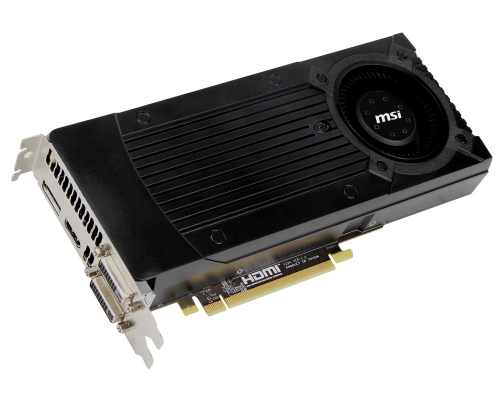
The MSI Geforce GTX 670 OC (N670GTX-PM2D2GD5/OC) is a Geforce GTX 670 with a decent overclock (965mhz base, from 915mhz, 1045mhz boost), standard 2GB memory at 6008mhz effective, and a two-year warranty. One HDMI port, one DisplayPort, and two DVI ports round things out, and the blower-style cooler works somewhat better in close-proximity situations for cooling.

Sound, communications

  • Network card: none (on-board)
  • Sound card: none (on-board)

Onboard gigabit Ethernet and 7.1 sound do fine for the Performance Gaming Box. Keep in mind that many headphones now include their own USB DAC, so a separate sound card in the Performance Gaming Box may provide zero additional benefit depending on the individual builder’s choice of headsets.

For those who demand a separate sound card, the Asus Xonar DSX is probably the card of choice. The Xonar DX appears to offer only limited additional benefits, and the high-end Xonar Essence STX is somewhat too specialized to be the recommendation. Creative’s X-Fi line is also still around for those who don’t like Asus.

Storage

  • Plextor M5S 256GB SSD
  • Seagate Barracuda 2TB (ST2000DM001)
  • Lite-On 24x DVD-RW (iHAS124-04)

A solid-state drive large enough to fit a gamer’s entire Steam collection would be an enormous chunk of the Performance Gaming Box’s budget, so we compromise with a smaller SSD and a 7200rpm hard disk for bulk storage. As tempting as a Crucial m500 960GB is, it’s still a little too expensive to be reasonable.

The Marvell 9174 controller inside the Plextor M5S isn’t the fastest, but it’s still competitive among the top tier of SSD performance. The Plextor M5S is also fairly affordable and packs a three-year warranty along with a 520MBps sequential read/390MBps sequential write. That’s a nice boost over the smaller 128GB version used in the Value Gaming Box. 256GB is enough for the operating system and the most frequently played game or three, and the benefits of an SSD are hard to pass up even if it only fits a few games rather than an entire collection.

Bulk storage is handled by the 1TB/platter Seagate Barracuda (ST2000DM003), which also packs a 64MB cache and two-year warranty. Its competition from Western Digital and Toshiba isn’t too different in performance, so we recommend builders buy whatever 7200rpm 1TB/platter drive is most affordable at the moment.

Take the same approach for the DVD-RW. This could probably be omitted for a great deal of builds, since (again) online content delivery is becoming increasingly common. The Lite-On iHAS24 is a solid 24x DVD-RW (24x DVD+R/-R, 8x DVD+RW, etc.), but so are most of its competition. Blu-ray readers are fairly affordable, but the lack of games being distributed on Blu-ray means there’s little reason for one in a Gaming Box.

Case and power supply

  • Fractal Design Define XL R2
  • Seasonic X-650 650W

Keeping a pair of high-end video cards cool quietly is a bit of a challenge. The Fractal Design Define XL R2 appears to do a pretty good job at a reasonable price. Alternatives are plentiful, including the Antec Eleven Hundred, Bitfenix Shinobi XL, and the superb Nanoxia Deep Silence 1 (although finding the Nanoxia is tough at the moment). Higher-priced alternatives include the Corsair Obsidian 800D, but that’s getting into serious overkill.

For a case capable of cooling a (potentially) overclocked CPU and a pair of high-end GPUs, the Define XL R2 is a pretty good choice at an affordable price. Other chassis, particularly ones aimed at low-noise, often do fine with cooler-running single GPU setups. They run into issues when faced with higher thermal loads imposed by a second GPU and/or an overclocked processor, whereas the Define XL R2 manages to keep temperatures and noise at reasonable levels. For those looking at alternatives, Anandtech, SilentPCReview, and Techreport do nice case reviews with extensive temperature and noise testing.

Power supplies are a slightly more complex choice. The abundance of high-wattage, high-efficiency power supplies combined with the relatively modest power draw of current Nvidia and AMD graphics cards means that we have plenty of choices. The same sites that do case reviews (plus Jonnyguru) also do an excellent job with power supply reviews and recommendations.

Reviews show significantly under 200W for a GTX 670, below 250W for a GTX 680 at maximum load, and well below 300W for a Radeon HD 7970. Even with some headroom for overclocking, a 650W power supply should handle most Performance Gaming Box builds with GTX 670 SLI or reasonably clocked GTX 680 SLI setups, 750W should handle just about anything reasonable beyond that, and only an extreme overclock is likely to need anything more powerful.

When shopping high-end power supplies, keep an eye out for sales and rebates. The higher-efficiency Seasonic Platinum 660W normally has a serious price premium over its regular X-650 (80PLUS Gold) brother for a very small increase in efficiency. But if it’s on sale, it might be worth a look.

The Seasonic X-650 is a high-efficiency, low-noise 650W unit with four PCI-e 6+2-pin power connectors, eight SATA power connectors, 54A available on its +12v rail, 80PLUS Gold certification, and a seven-year warranty. Fully modular cables also make doing a neat cabling job a great deal more convenient.

Monitor

  • Asus VG278HE 27-inch 144hz

Triple-screen gaming? Lightboost? 120hz/144hz refresh rates? Aiming beyond the usual 1920×1080/60hz single monitor and going for 2560×1440? The Performance Gaming Box has a ton of difficult choices to make. Reflecting the realities of many builders, sadly there’s only so much budget to go around.

Some gamers prefer a single high-resolution screen, such as the 27-inch 2560×1440 HP ZR2740w. It reviews well, with excellent response time and low input lag. The cheap Korean-made 27-inch monitors are also getting lots of attention, but finding proper reviews with accurate measurements of response time and input lag makes it hard for us to recommend a particular model. A few apparently do 120Hz, but the confirmed 120Hz capable ones are not cheap.

We end up with the more typical 1920×1080 resolution, 120hz and 144hz capable 27-inch monitors instead. The Acer HN274HB and Asus VG278H/VG278HE aren’t quite as pretty as their 2560×1440 brethren, but finding them is a lot easier. The video card setup in the Performance Gaming Box should be easily capable of pushing 120 frames per second to them in many titles at maximum detail. They are also Lightboost-capable for reduced motion blur when paired with Nvidia GPUs, which makes them great for fast-action gaming.

While the video card setup in the Performance Gaming Box can handle more than 1920×1080 at 144hz in many titles, the sticky part is affording more monitor without completely blowing the budget. Cribbing the monitor from the Value Gaming Box and buying three of them would make for sweet triple-monitor gaming at an affordable price and is definitely worth considering for certain types of games. Going with three Asus VG248QE 144hz units would be even sweeter, but the price for three of those gets a little more extravagant.

Performance Gaming Box builders going the AMD GPU route should look at Samsung monitors for 3D and motion blur support, including the Samsung S23A700D 23-inch monitor and the S27A750D 27-inch monitor. Samsung’s backlight strobe also works with Nvidia cards for added flexibility, although input lag is apparently worse.

In the end, we opt on the conservative side with a single 27-inch 1920×1080 144hz Lightboost-capable LCD, the Asus VG278HE. It has Nvidia 3D Vision support if you buy the 3D glasses, a 2ms panel with very low input lag, and those who are more ambitious can always buy two more if they want surround gaming.

Speakers

  • Corsair SP2500 2.1 speakers

The Corsair SP2500 is perhaps overkill for the Performance Gaming Box. 232W total RMS power and a frequency response from 35Hz to 20kHz are more than enough to fill the average bedroom or office with unreasonable levels of sound. The cheaper Logitech Z623 would probably do the job as well, although it wouldn’t sound as good. For users seeking a 5.1 surround sound experience, the Logitech Z906 is probably the best bet among what is actually a pretty limited selection.

A solid headset will probably have more utility than speakers. With appropriate support such as Dolby Headphone, a superior surround sound experience can be achieved. The Logitech G930, Sennheiser PC 350 Special Edition, and Sennheiser PC 363D are but a few of many possible choices. Many gamers swear by them, both for in-game communication and for avoiding waking sleeping households in late-night gaming sessions.

At this price range for speakers and headsets, getting away from computer speakers and into more home theater-targeted speakers such as the Audioengine A2 or M-Audio AV40 is definitely worth considering. The more expensive Swan M200MkIII, Audioengine A5+, and Axiom Audiobyte are also well worth a look. More than a few builds in the Ars Orbiting HQ also pair a small amplifier or receiver with a decent pair of bookshelf speakers.

Mouse and keyboard

  • Logitech G400 mouse
  • Microsoft Sidewinder X4 keyboard

The Logitech G400 is a solid gaming mouse in the same vein as Logitech’s old MX518, and it’s a solid recommendation to start with. The somewhat higher-end Logitech G500 is a little nicer, but not hugely so, as is the upcoming G400s.

Some gamers actually prefer a more simple mouse, such as the Logitech G100s, Razer Abyssus, or SteelSeries Kana. Others go the opposite way and prefer high-end mouse with extreme customizability and lots of buttons, such as the Corsair Vengeance M90 and Logitech G600 MMO.

Keyboards can get very fancy as well, with N-key rollover being particularly important to ensure all of your key presses are being recorded. Units are all over the place as far as price, with the Cooler Master CM Storm QuickFire TK, QuickFire Pro, Corsair Vengeance K90, Das Keyboard Model S Ultimate Silent, and SteelSeries Merc Stealth at the higher end, while the Microsoft Sidewinder X4 is a more mid-ranged unit. Mechanical keyboards tend to rule at higher price points, offering superior feel in the eyes of many.

We stick with a midrange recommendation in the Sidewinder X4 and let individual builders see where it goes from there. After all, the keyboard is an intensely personal decision for many gamers.

Listing image: Aurich Lawson

197 Comments