Skip to content
Tech

Ars Technica system guide: Bargain Box April 2012

Ready to build your own computing rig? We’ll help you do it on the cheap.

Brian Won | 97
Story text

Since the early 2000s, the Ars System Guides have been helping those interested become “budding, homebuilt system-building tweakmeisters.” This series is a resource for building computers to match any combination of budget and purpose.

The Bargain Box (formerly the Ultimate Budget Box) is the most basic box we cover in the System Guides. As the lowest-price box in the guides, it lacks the sex appeal of its flashier siblings, and it has a host of competition today. Before it was just OEM pre-builts, then it was netbooks, now it’s tablets.

Still, there seems to be a place for a basic desktop system. These live on in strength in the office, where the vast majority of employees read e-mail, crunch spreadsheets, and stream training videos. At home, boxes like this are a convenient place to stash all the pictures from the family vacation, and a nice place to hold media that won’t fit on the (relatively) limited storage of the average tablet or cell phone. Tucked in the home office, or maybe even the core of a low-budget HTPC; many still have a legitimate need for a desktop.

There’s no pretense of other needs in the Bargain Box. It gets a reasonable amount of storage despite its low cost, and there’s no attempt at 3D ability outside of the basic level of performance found in the integrated graphics (IGP). It’s there to do the basic tasks with minimum fuss.

Why not Dell?

For the lowest-cost desktop possible: honestly, buying an OEM box makes sense.

Big OEMs like Dell, HP, Toshiba, Lenovo, and others all get volume discounts and economies of scale that the individual builder or even smaller OEMs can’t match. This holds particularly true with software. Paying for the OS is a big chunk of change in systems like these, and something that will significantly affect any builder.

The Bargain Box is probably more useful to such buyers (and potential builders) as a reference on what specs their pre-built system should meet.

For the enthusiast who insists on building his or her own box, though, a pre-built box isn’t a choice. Building it yourself, even a bargain system, is a must. The Bargain Box is aimed at them. When even a stripped-down Budget Box is too much, the Bargain Box is designed to provide an even lower-spec’d price point.
We do try to emphasize a few things we think are worth the money, particularly higher-efficiency power supplies (PSU) than are typically found in bargain-basement boxes, as well as USB 3.0. Neither may be critical, but if you’re building it yourself, they are nice things to consider for relatively minimal cost.

What about tablets?

Tablets are the biggest change since the last update of the Bargain Box. They’re now powerful enough, light enough, practical enough, and have nice enough screens to handle everyday computing for a lot of consumers.

For a few things, though, users may want to keep a desktop around. Media has to be stored somewhere, and that may be on a computer. Photo processing (not just viewing) is still not ideal on a tablet, and there are lots of times where the virtual keyboard on a touchscreen is impractical.

The line is getting increasingly blurred, though. Tablets have keyboard docks, more processing power, lower costs, and increased use of the cloud for storage. Also, don’t forget the netbook; it occupies the same price point—actually a lower one than high-end tablets—yet packs a physical keyboard and a hard disk for bulk storage. Processing power is still a little light by desktop standards however, and relatively low screen resolution is a limiting factor for serious use.

Bargain Box Basics

The Bargain Box is the lowest-cost setup in the System Guides. It’s priced below even the Budget Box from the main three-box System Guide, sacrificing any pretense of gaming ability in favor of even lower cost and competence at only the most basic tasks. The target is sub-$500 (without OS) for the Bargain Box, including monitor, mouse, and keyboard.

While a low price, value-focused box is the goal, we did have a few priorities. A balance of processing power, storage, and two slight indulgences over the absolute-lowest-cost: USB 3.0 and a decent, high-efficiency power supply. All that media has to go somewhere, and too little processing power means the Bargain Box would be a chore to use, so those get some attention. USB 3.0 may be planning for the future, but it’s a future that is already well on its way. Finally, a high-efficiency power supply is a nice thing to have, both in terms of saving money in the long run and in terms of reducing the A/C load in the summer.

Saving a few more dollars could be done, but we feel the Bargain Box does the job as far as the lowest reasonably priced system possible without cutting too many corners.

Final note: choosing an OS

Unfortunately, the operating system is a significant chunk of change in a $500 box. Windows 7 Home Premium is easily 15 to 25% of the budget, while an open-source OS such as Linux Mint or Ubuntu still lacks the traction (and the polish) on the consumer desktop that Windows has.

Due to the prevalence of Windows, it’s hard to ignore. So many users are familiar with it, particularly business ones, that non-Windows operating systems are not an attractive option. As noted, Linux tends to lack traction in the desktop market, and to non-geeks. The polish required never seems to quite be there in many eyes.

For those who do believe Linux is worth a try, don’t forget to look outside the mainstream full-on distros and into others, such as XFCE and E17 desktop environments. There are also specific ones for specific uses (should your needs match up), like the media center focused XBMC.

The Bargain Box

We cover two versions, one powered by AMD and one powered by Intel. Each has strengths and weaknesses: better CPU performance with Intel, better graphics performance with AMD.

Common components

  • GeIL 2x2GB (4GB) DDR3-1600 1.5v = $26.99
  • Seagate 500GB 7200rpm = $79.99
  • LG 22x DVD-RW = $16.99
  • NZXT Source 210 = $39.99
  • Seasonic SS-300ET 300W = $39.99
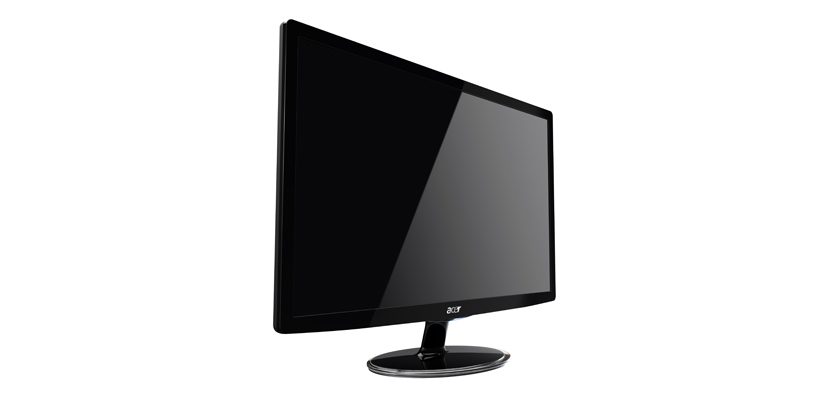
  • Acer S201HLbd 20″ 1600×900 = $99.99
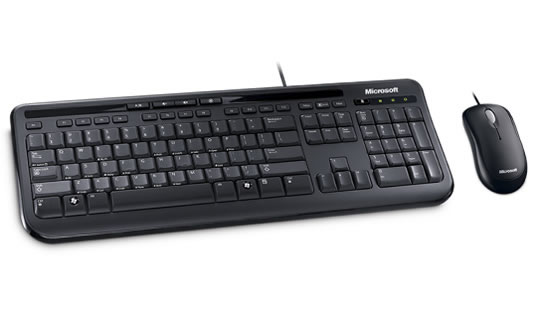
  • Microsoft Wired Desktop 600 = $22.99
  • Speakers (no specific recommendation) = $15

Powered by Intel

  • Intel Pentium G620 (2.6ghz) retail = $69.99
  • Gigabyte GA-H61MA-D3V = $69.99
  • Total = $481.91

Powered by AMD

  • AMD A4-3400 (2.7ghz) = $69.99
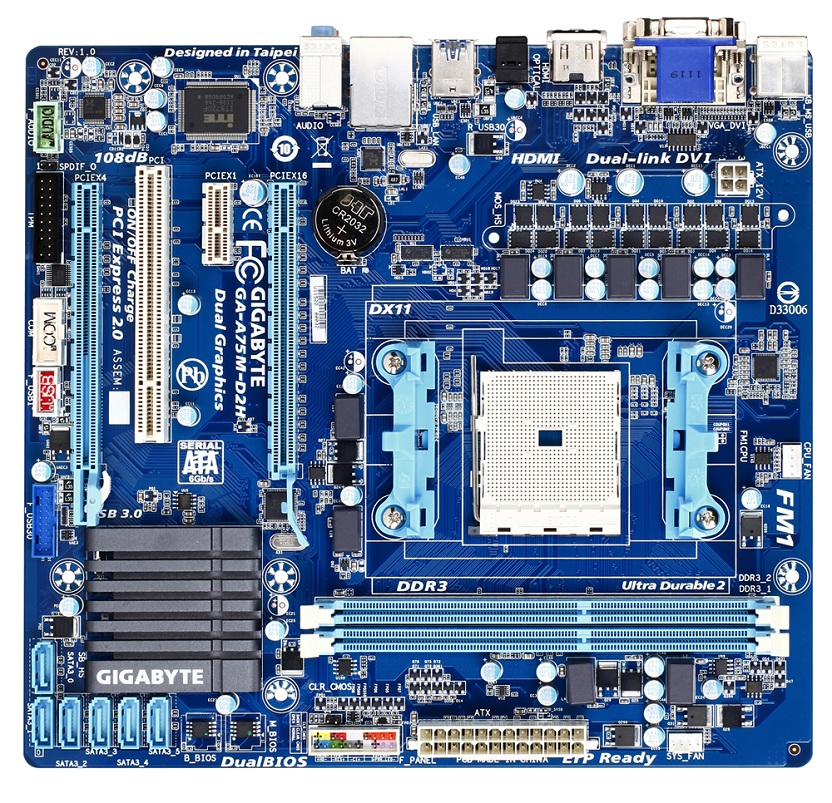
  • Gigabyte GA-A75M-D2H = $79.99
  • Total = $491.91

Differences in performance between the processor and graphics are very real, but performance in the grand scheme of things is still limited. Still, the differences might matter more to specific user types, so we discuss both.

Processor

  • Intel version: Pentium G620 retail
  • AMD version: A4-3400 retail

AMD and Intel both offer different strengths for the Bargain Box. AMD offers markedly superior graphics performance (Anandtech), while Intel offers significantly better CPU performance and power consumption over the dual-core A4-3400.

On the AMD side, for a few bucks more, the triple-core A6-3650 competes much better with the Pentium G620 in CPU performance. It also crushes the Pentium G620 in GPU performance, but this starts the slippery slope of possible upgrades and more money. It is something worth considering given the small premium, but we leave that in the hands of individual builders.

Intel’s Pentium chips are somewhat handicapped with smaller caches, lower clockspeeds, no Turbo Boost, and the slower versions of Intel’s HD Graphics compared to their full-fledged Core i3/i5/i7 brethren. In spite of all that, it still takes a triple-core AMD chip to keep up with a dual-core Pentium. It’s not just that Intel’s Sandy Bridge architecture is good, but AMD has lagged that much on the CPU performance side. Much like AMD, a few bucks more buys faster Intel chips such as the Pentium G850, but this time, the performance gain is much more marginal. The CPU side is fast enough, but the graphics side is still slow (we don’t consider it worth it). In fact, stepping down to the dual-core Celeron G540 might be worth it if every last dollar counts—just avoid the single-core parts even lower in the lineup.

The Bargain Box is decidedly not intended for gaming, but AMD’s graphics performance advantage is substantial enough that it’s worth mentioning. Keep in mind that compared to any sort of remotely worthwhile discrete card, such as the Radeon HD 6770 or nVidia Geforce GTX 550 Ti, integrated graphics performance is best described as anemic. Even the Radeon HD 6570 is notably faster.

Lower-power CPUs such as the Intel Atom and AMD Brazos (aka E-350 APU, and its brethren) could be used, but they don’t save very much money in the Bargain Box, despite their significant hit in performance. Even for lightweight photo management or streaming 1080p video, we feel they’re a little bit too much of a hit for the relatively small savings they provide. Less memory could also be used, but memory is so cheap today… anything less seems silly.

Heatsink: make sure to pick up a retail boxed CPU. The included heatsink/fan is more than adequate.

As far as the actual processor choice in the Bargain Box, we consider both pretty valid. For the vast majority of office-bound or Mom/Dad/Grandparent-bound systems, we might prefer the Intel setup due to lower power consumption, but the all-around flexibility granted by AMD’s superior graphics performance is definitely worth considering.

Next: a closer look at the motherboard, memory, and sound options.

Motherboard

AMD:

Intel:

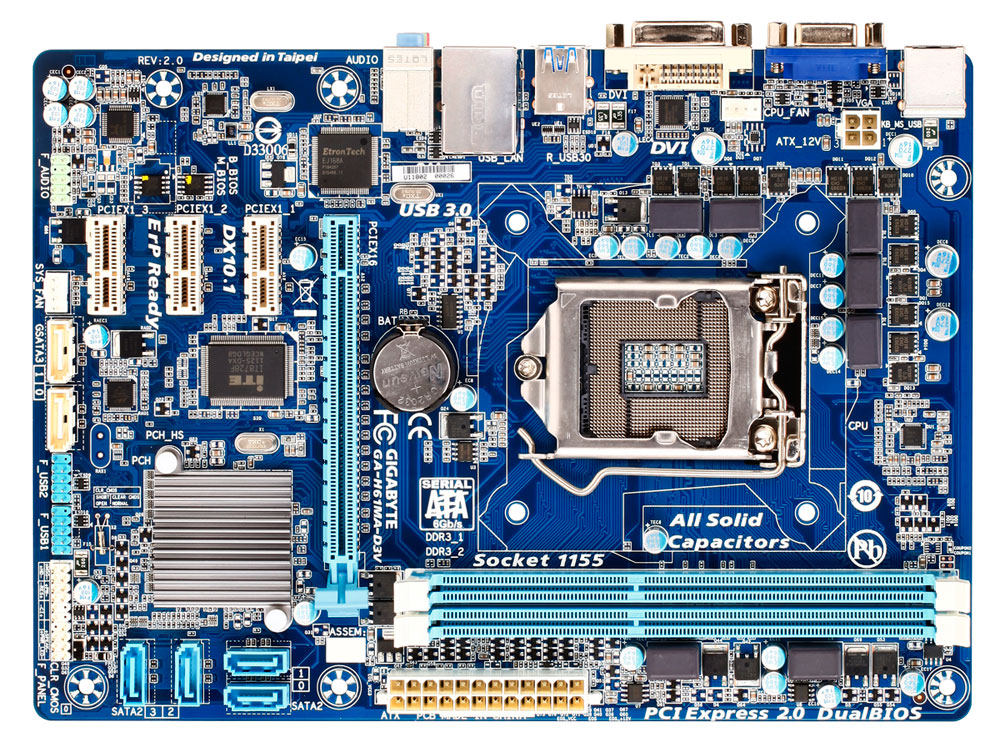
  • Intel version: Gigabyte GA-H61MA-D3V
  • AMD version: Gigabyte GA-A75M-D2H

We have one non-standard requirement for the Bargain Box: USB 3.0.

Some may see USB 3.0 as unnecessary, but we would still like to see some measure of future-proofing. USB 3.0 is both reasonable and affordable. It’s fast, cheap, and with a plethora of external USB 3.0 hard disks already on the market, it’s already useful.

The very cheapest motherboards tend to skip USB 3.0, but a few bucks more gets an affordable Intel H61 chipset board or an AMD A75 chipset board with USB 3.0 built-in. The low-end Intel H61 chipset omits SATA 6Gbps, while the better-featured AMD A75 chipset includes that as well.

At least two memory slots, some form of digital out for the monitor (DVI or HDMI), at least one PCI-e x16 expansion slot, two rear USB 3.0 ports, a bunch of USB 2.0 ports, onboard 7.1 audio, etc. are found on virtually every motherboard today. Both boards are microATX form factor, which may be useful to many Bargain Box builders seeking smaller footprints for their boxes.

The Gigabyte GA-A75M-D2H also has socket FM1 (for the AMD A-series APU), a second PCI-e x16 (x4 electrical slot), six SATA 6Gbps ports, and HDMI out in addition to DVI. The AMD A75 chipset provides USB 3.0 and SATA 6Gbps natively, a nice touch. The Asus F1A75-M PRO and MSI A75MA-P35 are almost identical if the Gigabyte isn’t available.

For Intel builders, the Intel H61 chipset in the Gigabyte GA-H61MA-D3V isn’t quite as nice, relying on 3rd-party USB 3.0 and SATA 6Gbps controllers, as well as omitting HDMI. Four SATA 3Gbps ports and three PCI-e x1 slots are still more than adequate, especially since the mechanical hard disk included isn’t going to take advantage of SATA 6Gbps. Competition such as the Asus P8H61-I and MSI H61MA-E35 are just as good if the Gigabyte board isn’t available.

One important caveat when searching for Bargain Box motherboards, whether Intel or AMD: check current prices. Rebates in particular can save a few bucks. With the needs of the Bargain Box being so standard, quite a few motherboards out there fit the bill.

Memory

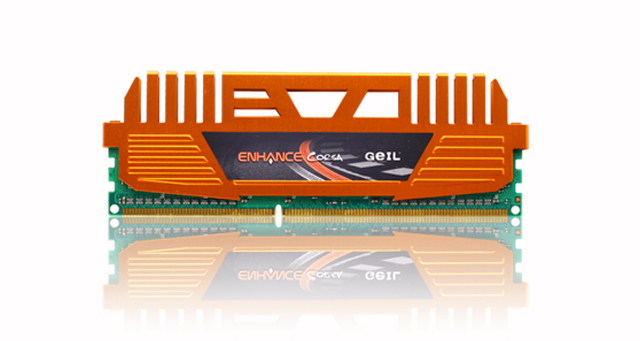
  • GeIL 2x2GB (4GB) DDR3-1600 1.5v

Memory is simple due to two factors. Memory today is very cheap, and using integrated graphics means we want all the memory bandwidth we can (reasonably) afford to improve performance.

Finding a 2x2GB (4GB total) DDR3-1600 kit from a reliable maker, with JEDEC-standard 1.5v voltage and decent timings is easy. Stepping down to DDR3-1333 might save a dollar or three and probably wouldn’t hurt the Intel box, but it’s worth the extra three bucks in this case.

Pundits may note that 2x4GB (8GB total) memory is very affordable. True, but we’re trying to keep the price down in the Bargain Box. Of course, individual builders are free to make their own decisions!

Sound, communications

  • Video card: none (on-CPU)
  • Network card: none (on-board)
  • Sound card: none (on-board)

Onboard sound and gigabit ethernet work well enough for Bargain Box users.

They’re nothing fancy, but they work. The quality these days is generally decent enough.

The same goes for video, although as it’s integrated into the CPU (err, APU, in AMD terms) and hence is discussed in-depth in the CPU section. Those who need more than that probably should be looking at the main three-box System Guide, where the Budget Box is better positioned to handle higher-performance 3D needs.

Next: a closer look at the storage, power, monitor, and mouse/keyboard/speaker options.

Storage

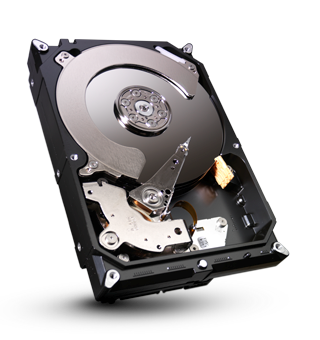
  • Seagate 500GB 7200rpm
  • LG 22x DVD-RW

Storage is a primary reason for a Bargain Box over a tablet. The fall 2011 floods in Thailand that crippled hard disk production worldwide mean cheap multi-terabyte drives are no longer so cheap. But 500GB is still something to consider, and more isn’t too pricey.

Unlike the rest of the System Guide’s recommended systems, where going to a solid-state drive (SSD) may be a viable choice, the Bargain Box’s intended use probably means it needs more storage than what a low-cost SSD can provide. Expanding the budget to fit both a small boot/OS, SSD, and a supplemental mechanical hard disk is not within the spirit of the Bargain Box. A hard disk is the way to go.

The new sweet spot in hard disk pricing appears to be the 500GB mark. This may seem small and expensive compared to the 1TB and 2TB drives we were seeing for this price a few months ago, but for the Bargain Box it works. A few full memory cards from even the cheapest point and shoot camera today can add up to 16GB or more of photos and video, but 500GB should be enough to get most started.

Seagate’s new Barracuda drives (500GB model, ST500DM002) sport 1TB/platter density, very low power use for a 7200rpm drive, and excellent acoustics. The 1-year warranty is the main drawback. Alternatives such as the Western Digital Caviar Blue 500GB get a 2-year warranty if that matters.

The optical drive is simple: a DVD-RW to install software, maybe playback the odd DVD, or whatever else comes to mind. LG’s 22x unit works fine for almost everyone, although Samsung, Lite-On, Sony Optiarc, and others have nice options too.

Case and power supply

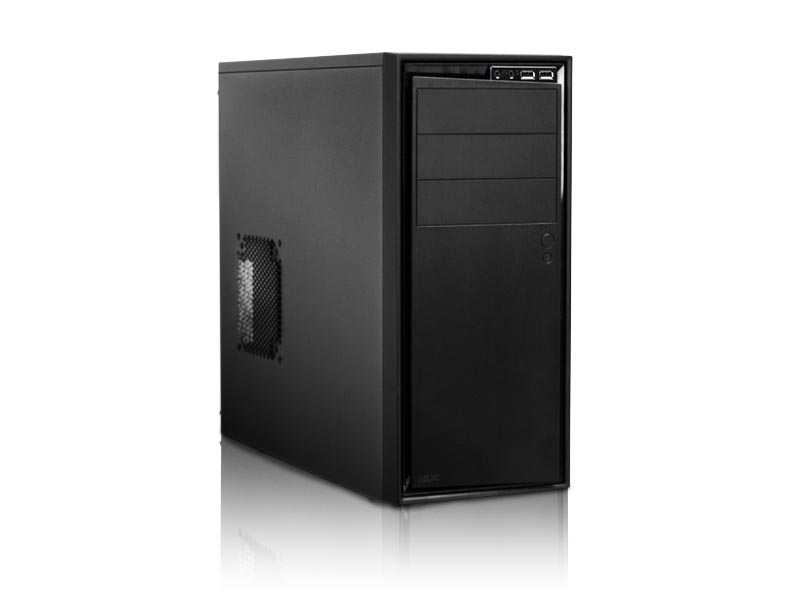
  • NZXT Source 210 case
  • Seasonic SS-300ET 300W

The recent emergence of several new case manufacturers has done a wonderful thing for would-be builders at all price levels. There’s an incredible array of new cases to choose from, most of them pretty good choices.

On the budget end, Fractal Design, BitFenix, and NZXT have several excellent choices. Established players such as Antec and In-win also make a viable chassis. The Bargain Box holds only a single relatively cool-running CPU, a single hard disk, a single optical drive, and not much else. Almost anything will work. Good construction, decent airflow, nice cable routing, and large, low-noise fans are a plus.

The NZXT Source 210 has a rear 120mm fan, three 5.25″ drive bays, eight 3.5″ drive bays, and a fairly elegant design for a value-priced case. We could go with a smaller microATX chassis such as the Fractal Design Core 1000 if size was a foremost concern.

The power supply (PSU) should also be low-noise like the case fans. It needs to be high-efficiency, reliable, and able to provide clean output. Finding a power supply appropriately sized is also a helpful, although the trend towards oversized PSU’s has made this somewhat difficult. Modern PSU’s today are more than just 80PLUS compliant (in a nutshell, 80 percent or more efficiency), but often closer to 90 percent.

The Seasonic SS-300ET is one of the better examples, with 80PLUS Bronze efficiency (greater than 82 percent), very clean output, fairly low noise, and a known history of reliability from one of the industry’s better manufactuers. A full 288W available on the two +12v rails (17A/17A max per rail) ensures far more power than the Bargain Box needs. Alternatives include the Antec Earthwatts Green 380W and the Corsair CX430 V2, however those are even more oversized than the SS-300ET.

Monitor

  • Acer S201HLbd 20″ 1600×900

Cheap LCD monitors are everywhere, and fortunately, most fit the typical Bargain Box user. Color, viewing angles, brightness, and response time are nice but not critical issues. Value is important.

We prefer to stick with major brands such as Viewsonic, NEC, Acer, Hanns-G, and Asus, along with others such as Dell and HP. We don’t expect too much from a budget monitor, but 1600×900 resolution on a 20″ or 22″ panel is typically pretty easy on the eyes. The 5ms response time and 250cd/m^2 brightness is also fine for Bargain Box use (same for the viewing angles). DVI input does the job as well. Some may prefer DisplayPort or HDMI, but at this price range, this is more than adequate.

Finding higher-resolution monitors (such as the Acer G215HVAbd or Hanns-G HF225DPB) for a little extra isn’t hard, but the cost jump to 1920×1080 resolution is enough to make it an option rather than a requirement for the Bargain Box. Furthermore, not all Bargain Box users may want or need the extra pixels.

Mouse, keyboard, and speakers

  • Microsoft Wired Desktop 600
  • Speakers: no recommendation

The Microsoft Wired Desktop 600 is a decent mouse and keyboard setup. As the primary interface method for your computer, we recommend trying a few until you find one you like. The cheapest ones are often junk, but higher-end ones may not agree with everyone either. Logitech’s MK120 is one place to start if an easy-to-find alternative is required.

Pick and choose according to personal preference. We have no particular allegiance to the Microsoft Wired Desktop 600 but, we find for our money, it fits most users just fine. It’s a safe recommendation. In the Orbiting HQ, we have a diverse variety of keyboard and mouse setups, from fancy ergonomic setups to the Apple wireless keyboard/Magic Trackpad combo to old school IBM Model M’s. Use what you like—we do.

For speakers, bring your own, or pack headphones. A few bucks doesn’t get much. The average Bargain Box isn’t expected to do more than provide audio for background music or some video streaming. Nothing great is needed. The Logitech LS11 speakers are a decent example of what exists in this price range; they work but are nothing special.

97 Comments