If you’re in the market for a new Twitter client for the iPad, one that will seduce you with good looks or woo you with custom interfaces, keep walking. Tweet Library from Riverfold Software will do none of these things. If you’re a Twitter user who wishes you could organize and collect incoming tweets while filtering out others based on specific content, or you have a thing for minimalist user interfaces, then read on.
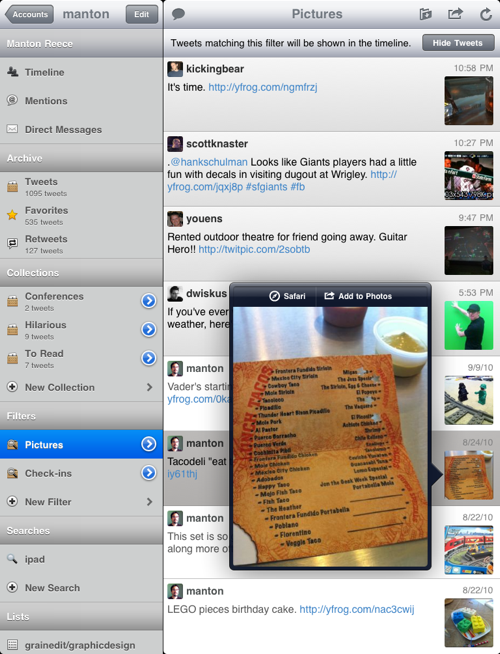
Tweet Library is developer Manton Reece’s first venture into the iOS software jungle. Reece, founder of Riverfold, could be considered a UI minimalist, and it shows in his Twitter client for the iPad. There are no custom UI elements and no fancy animations; the UI is a standard iPad split view in both portrait and landscape. The color palette is simple and the pop-over styling might be considered uninspired—if it actually existed. If we didn’t know from using past Riverfold Software titles that this sparseness was intentional, we would think that the app was released before the UI was finished. Fortunately, the form is in no way an indicator of function.
Tweet Library supports all of the basic Twitter features and does so across multiple accounts. As expected, mentions, viewing timelines, direct messages, selecting favorite tweets, and searching through the public timeline are all supported. Version 1.0 is missing some functionality that is standard in most Twitter clients, namely URL shortening and image uploading. While those shortcomings might be deal-breakers for many, you have to understand that Tweet Library is less about tweeting and more about archiving, organizing, and keeping a repository of past tweets.
 Loading comments...