“Ladies and gentleman, put down your MiFis, and step away from your laptops, or there’s going to be trouble.”
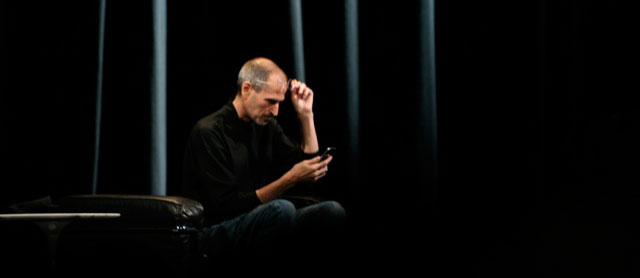
Apple’s CEO didn’t actually utter these words during his demonstration of the iPhone 4’s higher-density screen at the Worldwide Developer’s Conference (WWDC) on Monday. But the seeming failure of the iPhone 4 to access an Apple Wi-Fi network caused a stir.
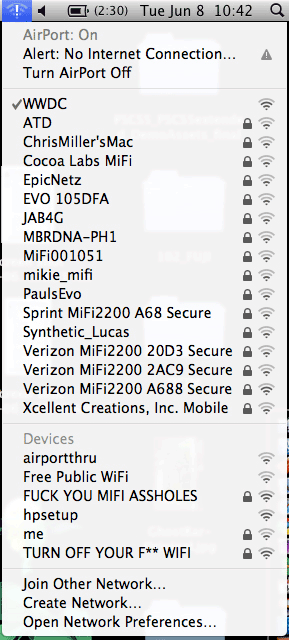
Jobs said from stage, and an Apple engineer later told InfoWorld, that over 500 WiFi networks were in operation. Not 500 WiFi adapters or connections—in an audience of 5,000, there could have been thousands—but 500 distinct networks.
Most of these networks were apparently generated by people using a MiFi, a cellular gateway from Novatel Wireless, sold by Verizon Wireless and Sprint Nextel, which relays 3G networks over WiFi.
However, after examining the video from the event and discussing it with two veteran WiFi gurus, it seems almost certain that the MiFi was only part of the problem. A flaw in the pre-release iPhone 4 iOS was clearly another element. Apple’s public relations confirmed receipt of a request for comment, but none was forthcoming.
That’s not to say that having hundreds of WiFi base stations doesn’t cause trouble. In fact, the iPhone 4’s putative driver problem likely arose from the multitude of network signals. But neither the ocean of signals nor the iPhone 4’s performance can be looked at entirely in isolation.
Checking the replay
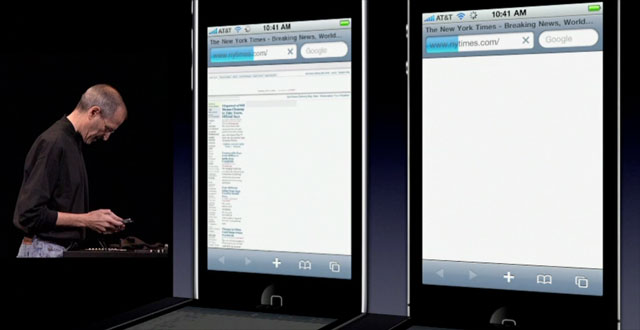
Let’s take a close look at the video, which shows an iPhone 3GS on the left and an iPhone 4 on the right. What’s confusing in watching the video at first is that Apple had a backup set of devices cued up and ready to go. Steve Jobs’ backstage folks switch between the first set of phones and a second, and then back to the first during the first part of the referenced clip.

 Loading comments...