Skip to content
Tech

Ars Ultimate Home Theater PC Guide: 1080p HDMI Edition

If you're building a home theater PC (HTPC) this Christmas, and you won't …

Brian Won | 0
Story text

A PC in your entertainment center

TiVo and its brethren get credit for introducing the average consumer to the concept of the digital video recorder (DVR) and opening the door to bigger and better things. The Home Theater PC (HTPC) is the computer enthusiast's answer to all the things that a DVR generally does, with the potential to do everything a full-fledged computer does. The concept had a bit of a slow start until Microsoft's release of Windows XP Media Center Edition (MCE) 2005, which gave the very familiar Windows a living room interface and the hardware support that HTPCs needed.

No matter what operating system you use for your HTPC, the same general concepts exist: recording and time-shifting TV are the device's most basic functions; playback and recording of DVD and Blu-ray are secondary but (perhaps) no less critical, followed by distribution of audio content and, in more ambitious setups, serving up digital media in its capacity as the whole home network's media storage center. And don't forget the ability to do mundane things like browsing the web from ten feet away on a shiny new 1080p HDTV.

The newest evolution in the HTPC is the continuing development of HDMI (High Definition Multimedia Interface). HDMI allows a protected connection that carries both audio and video over a single cable, and in the current version, 1.3a, HDMI is finally established enough that it now just works. . . most of the time. When the last update was published, HDMI for content-protected video was working fairly well in the HTPC arena, but HDMI for content-protected audio was not yet working very well. That has changed in the past few months, as AMD, NVIDIA, and Intel have all made substantial improvements in getting full-blown HDMI working. Things are now solid enough to make HDMI a vital part of the HD-capable HTPC.
It has been over three and a half years since the HTPC has gone mainstream. Today, the HTPC front-end is fairly well established, with a slick interface and a compact, living-room-friendly form factor, and it's reliable enough that you rarely notice it's there. Toss in working HDMI for both audio/video signals, and it's possible to fit an HTPC in your entertainment center with even fewer cables strewn about than ever before.

Going beyond the DVR

Though it has made great strides in the past few years, the HTPC is still fundamentally a geek endeavor. An off-the-shelf DVR is almost certainly going to be cheaper, use less power, and be easier to setup than an HTPC. Using an Xbox 360, PS3, AppleTV, or something else as a Media Center Extender to get content to your TV will also be cheaper (and probably easier). If you can skip recording and just playback recorded content, the Western Digital WD TV is cheap and effective. As Mythtv.org points out, lots of solutions exist, almost all of them cheaper than building your own HTPC.

You get lots of potential for additional capability with an HTPC, capabilities like massive amounts of storage space: There's nothing stopping you from building an HTPC with a few terabytes of hard disk space, assuming you're willing to deal with the cost and power consumption. You won't find that in an off-the-shelf DVR. (Of course, with an off-the-shelf DVR, you can call technical support when it breaks; or, more appropriately, when your family's DVR breaks and they live 300 miles away, they can call tech support so you can continue watching The Office, uninterrupted.)

Have a standard-definition DVR already and want to go high-definition (HD)? Sure, it would be cheaper to buy an HD-capable DVR, but what if you want Blu-ray, too? A Sony PlayStation 3 might be able to do the Blu-ray part, but with only 80GB max, it's severely lacking in space. Hence, for those with needs desires beyond the average DVR user, the HTPC starts to make sense.

The fact that you can do it all in one box with an HTPC is the real reason for building one. The HTPC can handle DVR duties, HD playback, and even gaming (now that finding fast yet quiet video cards for 1920×1080 gaming is no longer the chore it once was).

Evolution in the HTPC: proper HDMI support

The biggest change since the last update is the ability to implement the fully protected content path in an HTPC necessary to play HD content (both audio and video).

On the video hardware side, HDCP (high-bandwidth digital content protection), AACS (Advanced Access Content System), and the other mechanisms for the Protected Video Path have worked for the last generation or two of computer hardware. To get full-resolution protected content output on your monitor or TV, both the video source (the video card in your HTPC) and the display (monitor/TV) must support HDCP. Today, most do.

To play protected audio has been a bit more difficult until very recently, as no current video or sound card (no matter which hardware it has) supports the Protected Audio Path needed to get compressed multichannel audio (Dolby TrueHD or DTS-HD MA) from your Blu-ray to your speakers via HDMI. The fix, as Anandtech and others discovered, is to let your HTPC decompress the multichannel audio, and send it over HDMI as uncompressed 8-channel LPCM. The hangup then became that hardware did not incorporate enough bandwidth to accommodate uncompressed 8-channel audio over HDMI, or if it did, the drivers or something else didn't work.

Redemption (or at least a workable fix) finally arrived in summer, 2008. AMD's Radeon HD 4000-series graphics cards, NVIDIA's GeForce 8200/8300 chipset, and Intel's G45 chipset all support 8-channel LPCM and actually work. Technically, Intel's G965 and G35 chipsets also support 8-channel LPCM, but the drivers never made it a pleasant experience.

ASUS's brand-new soundcard, the Xonar HDAV 1.3 would also work if you really needed to get an existing system with only video-over-HDMI to contain audio, but one look at the price of the Xonar HDAV 1.3 (almost $200), plus the thought of cramming another card into an already-crowded HTPC case, makes it a less than ideal solution for a new build.

Anandtech has considerable discussion on this in several recent articles, including one on 8-channel LPCM over HDMI and two more on chipsets with integrated video.

Three approaches to the HTPC

As a freshening of the last installment of our HTPC guide, the approach we take to the HTPC is unchanged. We focus on a three-box setup, all of which are equipped to deal with 1080p HD content. In a new twist for this update, we now focus on HDMI support for the entire content stream, both video and audio. This is actually fairly easy to do once you know what to buy, but that does mean a little preparation and research before breaking out the credit card.

To remind people, building an HTPC generally is not an inexpensive endeavor: we deliberately choose to go for a fairly powerful setup to emphasize the differences that might otherwise be blurred with an off-the-shelf HD DVR. A mid-range Athlon X2 and just about any off-the-shelf hard drive can handle a few HD streams in Linux without breaking a sweat, which is a significant improvement from where things were just three years ago.

Many people now have a Home Media Server (aka, the back-end in the last update) sitting in a study or closet somewhere with far more storage than most would want to stick in a little box in their A/V stack, and instead they use a very lightweight front-end HTPC. So there's no longer a single, do-it-all box sitting next to the TV in the most ambitious HTPC setups, and this means quite a few more areas of expansion that we can address.

This gives us three systems in the HTPC System Guide:

  • All-in-one HTPC: this is what most people traditionally think of as the classic HTPC: a single box that sits next to your TV and plugs neatly into your TV, network (wired or wireless), and antenna/cable. This normally has at least two tuners in it, so you can watch and time-shift content at the same time as you record something else in the background. It also has enough space for most of your video files, and probably your pictures, music, DVD ripping, and whatever else you need to do.

The other two HTPC options come in the form of a one-two punch:

  • Lightweight front-end: this sits by your TV like a traditional HTPC does, except it offloads the storage and heavy lifting to the back-end. It streams all of the content off of the back-end, so the front-end can be very compact, low power, and unobtrusive. No tuners, only minimal storage, for minimal footprint in more ways than one. In fact, a media center extender might work here for those willing to explore the option.
  • Back-end: in a two-part setup, this does the heavy lifting, containing the tuners and all of the media. Since it's out of the living room, it can be much bigger with significantly more emphasis on storage and performance, without costly burnt offerings at the altar of low-noise components. Cramming a stack of 1TB hard drives in a low-cost software RAID5 may be an exercise in overheating in the living-room-friendly chassis of an all-in-one box, but it's cake in most good quality conventional chassis.

These three options, taken together, represent the spectrum of HTPC in its late 2008 incarnation.

Software essentials

There are several good media center front-ends out right now. The most familiar package for many will be Windows Vista Home Premium, which includes Windows Media Center. The familiar Windows MCE interface on top of Windows itself means that the learning curve is essentially zero for most users. For the back-end, regular versions of Windows or the new Windows Home Server (WHS) are easy enough to use to store data, although WHS had a few initial bumps that left a modestly sour impression on early adopters.

MythTV is the next major front-end. It's in the process of being ported to Windows, but for now, consider it Linux-only. It has excellent front- and back-end support, and is fairly easy to setup. Hardware support is also pretty good, but like all Linux-based media center software, the lack of high-definition acceleration support from Intel (Clear Video), AMD (UVD), and NVIDIA (Pure Video) means that you have to use a considerably more powerful processor to play back HD than you do in Windows. Such acceleration under Linux is coming soon since the last update, but only AMD has made any serious headway so far.

If you want to explore the home media server concept without paying Microsoft for two different operating systems, though, MythTV is definitely worth considering. Numerous flavors of MythTV are available to fit your needs, too—KnoppMyth, MythBuntu, and more. In fact, MythTV is worth checking out even if you are already familiar with Windows.

Additional Windows-based front-ends exist, including Beyond TV and MediaPortal, but they don't yet have the penetration that Windows MCE does. The application is somewhat more evolved in terms of support for front-end/back-end and multiple drives, but our experience is somewhat limited with BeyondTV (and almost non-existent with MediaPortal) at the moment, so while we know it's capable, we're reluctant to pass judgment on just how capable.

SageTV supports both Windows and Linux, and it supports the front-end/back-end concept pretty well from what we've seen. Much like MythTV, getting the back-end and front-end talking to each other looks almost painless. It's hard for us to say much more than that; we liked what we saw, but haven't used it much.

Many other media center software packages exist—we've doubtless skipped a few—but these are some of the major ones for the PC. Less-popular ones include J. River Media Center, Freevo, GBPVR, and Orb. Front-ends such as XBMC and Apple's Front Row are somewhat beyond the scope of this article. 

It's not about the Benjamins

As mentioned previously, you'll probably end up spending quite a bit more than what a plain ol' DVR would cost, even an HD-capable one. Maybe you'll be able to recycle a second system into something acceptable for the living room. You might decide that the HTPC concept stands on its own merit.

More than likely, though, building an HTPC will be an exercise in geek pride. Not just recording over-the-air HD or serving files to every computer in the house, but the ability to do it well and without compromise. Instead of being stuck with 500GB inside your DVR—maybe more with an external drive plugged in, cluttering the shelf—you have a few terabytes of storage available. If you elected to use software RAID in Linux or Windows, or the chipset RAID part of your motherboard, you gain some fault tolerance (good luck finding that in an off-the-shelf DVR). 

Much like the Green System Guide, the HTPC doesn't boil down to saving money. Rather, it comes down to performance and capability: the knowledge that you can get things done exactly the way you want.

All-in-one system

The all-in-one HTPC does everything with a case that blends into your living room, be it a single box or one of many sitting on your home theater rack. It offers reasonable storage capacity, fairly decent performance, and ease of upgrading in several directions, such as adding a discrete high-performance video card for gaming or a quad-core CPU for heavy-duty encoding.

We do leave one important decision up to the builder, despite our constant harping about 1080p capability: Blu-ray. A BD-ROM drive is reasonably affordable, but most lack any writing ability whatsoever, even to CD-RW. Going to a Blu-ray writer is considerably more expensive, and we're not sure if it should be a mandatory component quite yet. Weigh the cost and benefits yourself, then make the call.

Motherboard

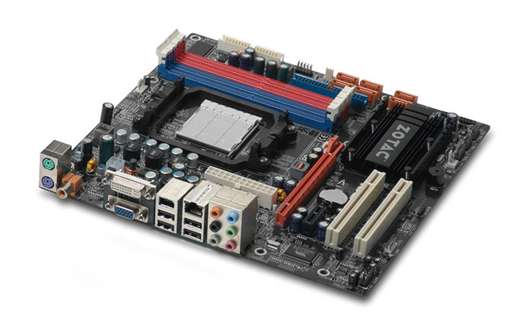
Zotac GF8300-A-E

We use the motherboard's onboard video and audio in the HTPC, which means we must be particularly careful in its selection if we want proper HDMI support.

In the previous update, AMD 780G-based boards were the choice, owing to superior video performance and a competitive feature-set. In the past six months, NVIDIA and Intel have released updated products in this area, with the NVIDIA GeForce 8200/8300/9300-chipset being the best choice at the moment. The key reason is NVIDIA's implementation of HDMI on the GeForce 8200/8300, which has proper uncompressed 8-channel LPCM output (which is particularly critical for Blu-ray discs). Intel's G45 chipset has proper support, but their implementation is not as good (1080p/24 output is/was broken), while AMD's integrated video chipsets are missing LPCM entirely at the moment.

Aside from 8-channel LPCM over HDMI, the motherboard is expected to provide enough connectivity for the rest of the system. Not all HTPC builders need all of the features most motherboards have, but enough memory slots, enough SATA ports, Firewire (particularly if your cable box supports Firewire out), S/PDIF out, decent fan control, and enough expansion slots are checkboxes on the list. If you're a Windows builder, you will be able to take advantage of the integrated graphics' hardware acceleration for HD video (AMD UVD, NVIDIA PureVideo, Intel Clear Video) on higher-end chipsets, which will let you get by with a slower CPU if you so choose. AMD UVD support finally arrived in Linux last month, too, although we have yet to experiment with it.

Intel builders will want to look at the Gigabyte GA-EG45M-DS2H, Asus P5Q-EM HDMI, and their competition. They are very good boards, merely handicapped by Intel's less complete driver support and the fact that AMD processors give more for the money in HTPC territory. HTPC builders going far beyond the minimum specifications needed for 1080p playback and into quad-core territory will definitely want to go Intel, as Anandtech has found that most current AMD Socket AM2+ microATX boards may not handle 125W and 140W TDP AMD processors, such as the Phenom 9750 and 9850, without risking overheating and permanent board damage.

Most NVIDIA GeForce 8200/8300 boards aren't quite as flexible as the board we chose, although they are still very good. The Gigabyte GA-M78SM-S2H and Asus M3N78-VM both lack Firewire, while the MSI K9N2GM-FIH lacks S/PDIF. If you prefer to use AMD-based boards—perhaps 8-channel LPCM support over the onboard HDMI is not important or you simply prefer them—the Asus M3A78-EM and Gigabyte GA-MA78GM-S2H are both excellent, feature-packed choices with HDMI, Firewire, S/PDIF out, etc.

The Zotac GF8300-A-E has four DDR2 sockets, six internal SATA, one PATA, Firewire, four USB 2.0 ports plus headers for eight more, DVI outputs with an adapter for HDMI, and a coaxial S/PDIF out. One PCI-e x16 and one PCI-e x1 slot for the tuner cards, plus two PCI slots round out the package. About the only drawbacks are having to use an adapter for HDMI, which is trivial, plus lousy placement of the main ATX power connector.

Cost: $84.99 (12/1/2008) [Comparison shop for this item]

Processor

AMD Athlon X2 5200+ Retail

Your choice of operating system will dictate the processor you go with here—specifically if your OS of choice supports your video chipset's onboard HD video acceleration, be that AMD's UVD, NVIDIA's PureVideo, or Intel's Clear Video. At this time, chipset onboard HD acceleration seems to be limited to Windows; Linux drivers for AMD supposedly support UVD now, but Intel and NVIDIA seem to be lagging.

This breaks the CPU needs of the all-in-one HTPC box into two options: the hardware-assisted route, where a dual-core CPU as slow as 1.5GHz would do the trick per SilentPCReview, or the software-only route that a Linux-based front end is going to have to take, which needs something along the lines of an Athlon 64 X2 5200+. AMD's energy-efficient Athlon X2 4450e or 4850e would be a better choice for Windows users whose MCE of choice can use HD acceleration. For unassisted playback, the 4450e and 4850e's respective 2.3GHz and 2.5GHz clockspeeds might prove a bit weak, so we stick with a faster processor.

Intel builders have similar choices: the hardware assisted route, where a dual-core CPU as slow as 1.2GHz would do the trick, or the software-only route, where a Core 2 Duo E7200 or older should work fine. The Pentium Dual-Core E2200 is about as slow as we would go on the low-end as the price/performance doesn't make too much sense with anything older and hotter-running. On the faster side, the Core 2 Duo E8500 or Core 2 Quad Q9400 offer much more flexibility, particularly if heavy-duty media encoding is expected to be a regular task for your HTPC setup.

Remember, if you plan to run an OS/hardware combo with support for GPU-based hardware acceleration, you can get away with a considerably slower dual-core part. Just make sure you're running a fairly modern dual-core part; older, slower CPUs are often outclassed by their more modern brethren in all aspects, particularly power consumption, which is very important in keeping your HTPC low-noise and living-room friendly.

The AMD Athlon X2 5200+ is one of AMD's cooler-running processors. At 2.7GHz, 2x512KB cache, and a thermal design power (TDP) of just 65W, it's not quite as good as the current Intel chips, but it's competitive, and the ability to pair it with a modern chipset such as the NVIDIA Geforce 8200/8300 or AMD 780G convinces us to make it the processor of choice. We go with the retail box for the longer warranty.

Cost: $66 (12/1/2008) [Comparison shop for this item]

Heatsink

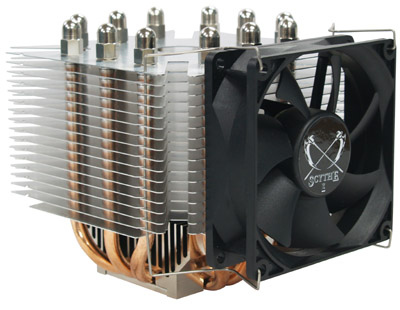
Scythe Ninja Mini

The retail heatsink is perfectly adequate, but for lower noise, the Scythe Ninja Mini or some of the other aftermarket heatsinks available do a better job. If your chassis has appropriately placed fans already, it may be possible for you to run your Ninja Mini without the included fan, further lowering noise.

Cost: $20.99 (4/27/2008) [Comparison shop for this item]

Memory:

4GB DDR2-800

Since the last installment, memory has only gotten cheaper (!). 4GB is unnecessary for a HTPC, but at this price, it's almost impossible to say no to 4GB. A lighter-weight OS and MCE front-end such as Mythbuntu can get by with 1GB or even 512MB, but didn't we mention just how cheap memory is?

We stick with DDR2 that requires the JEDEC-standard 1.8v for optimal compatibility and lowest power dissipation. Keep in mind that for the lowest prices on memory, you may be dealing with minute-to-minute sales and rebates.

Cost: $28.26 (12/1/2008) [Comparison shop for this item]

Video

None—onboard

Six months ago, chipset integrated graphics (IGP) had a clear choice: the AMD 780G was faster and more capable than its counterparts. Today, NVIDIA's GeForce 8200/8300/9300 and Intel's G45 chipset now give an array of choices to HTPC builders who don't need much from their GPUs aside from hardware acceleration of high-definition content and multichannel audio support over HDMI. AMD's 780G and faster 790GX lacks 8-channel LPCM over HDMI support, which excludes them from the HTPC despite being excellent choices otherwise.

Superior 3D performance used to be the AMD 780G's other major advantage from its competition, but NVIDIA's faster GeForce chipsets have caught up. As gaming is not an emphasis for the HTPC, we stick with onboard video. If your HTPC does need to game on a casual basis, the midrange AMD Radeon HD 4670 and NVIDIA GeForce 9600GT are excellent choices. Higher-end, the Radeon HD 4850 and GeForce 9800GTX+ are both very good. As a plus, AMD's Radeon 4000-series cards support 8-channel LPCM over HDMI.

Cost: n/a

TV tuner

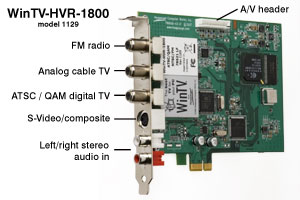
Two Hauppauge WinTV-HVR-1800 HD tuners

Not much has changed in the land of HD tuners. The key sticklers remain compatibility. Check sites like LinuxTV.org and its ilk for Linux compatibility, which is essential for many MCE front ends. If you're Windows-centric, then quite a few more cards should work for you.

We go with two Hauppauge WinTV-HVR-1800 tuners, which take advantage of the PCI-e slots on our motherboard and are widely supported in multiple OSes. With two tuners on each card, this gives tremendous flexibility to watch live TV and record one, two, or three shows in the background. If you're hooked into cable, don't forget to check if your cable box supports (and if your cable company enables it) FireWire out; that may let you plug the cable box directly into your system via FireWire, allowing you to dispense with a separate tuner card.

Alternative tuners include the Hauppauge Nova-T-500 for DAB signals outside the USA. For in the USA, the SiliconDust HD Homerun is very popular, as is the Dvico FusionHDTV 7, AverMedia AverTV HD A180, and the PCI version of the Hauppauge WinTV-HVR-1800, the WinTV-HVR-1600.

The Hauppauge HD PVR USB is also worth looking at if you need high-definition video recording from component video sources. It's not exactly a tuner, but the capabilities it has are worth noting.

Cost: $94.99 each ($189.98 total) (12/1/2008) [Comparison shop for this item]

Sound:

None—onboard

Onboard sound is fine for a HTPC, particularly with the motherboard's IGP supports handling compressed multichannel audio into uncompressed 8-channel LPCM for passthrough via HDMI. If you won't be using audio over HDMI, almost all motherboards with onboard sound support 7.1 analog out, and many support S/PDIF out.

If you need more, cards such as the Bluegears b-Inspirer and Auzentech X-plosion 7.1 are good choices, although they lack the ability to handle HDMI. The newly released Asus Xonar HDAV 1.3 is the only card that does this at the moment. Gaming enthusiasts may want to look at Creative's venerable X-fi XtremeGamer, although the Asus Xonar cards handle EAX reasonably well too.

Cost: n/a

Communications

Network card—none (onboard)

The average HTPC doesn't move, so the standard onboard gigabit Ethernet is just fine. If you need wireless, a cheap 802.11g or more capable 802.11n card is easy to set up. Keep in mind the bandwidth needed to stream HD content, especially 1080p flavors, requires a solid wireless signal if you are going that route.

Cost: n/a

Hard drive

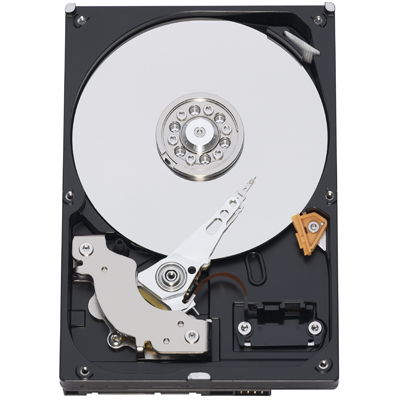
Two Western Digital Greenpower 1TB (WD10EADS)

Boot and storage drives are both the same size here. We could go for a smaller boot drive, but with physical space at a premium inside the typical HTPC chassis and hard disks being cheap, we elect to splurge, because the additional space is likely to be very useful somewhere down the line. Not to mention the price of 1TB drives has also plunged, like memory, to very affordable levels.

Somewhat less extravagant would be the Western Digital WD6400AAKS, a very fast 640GB two-platter drive courtesy of its use of some the highest-density platters available today. Alternative 1TB recommendations include the Samsung F1 1TB, Seagate Barracuda 7200.11 1TB (ST31000333AS), Western Digital Caviar Black 1TB, and Hitachi 7K1000.B 1TB, all of which pack the latest, fastest 333GB/platter, 7200rpm designs from their respective manufacturers. If even more space is needed, Seagate's 7200.11 1.5TB (ST31500341AS) is surprisingly affordable, although we would hold off until this drive is a little more mature before buying.

Western Digital's GreenPower 1TB drive has a 5400rpm spindle speed, 333GB/platter design, 32MB cache, three-year warranty, and relatively low power and noise for a desktop 3.5" drive, making it ideal for HTPC use. The slower 5400rpm spindle speed hurts performance in access time-dependent areas, but most HTPCs never see very stressful use, and the WD10EADS is plenty fast to start with, so this should not be an issue.

Cost: $114.99 each ($229.98 total) (12/1/2008) [Comparison shop for this item]

Optical drive

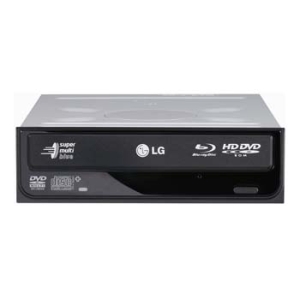
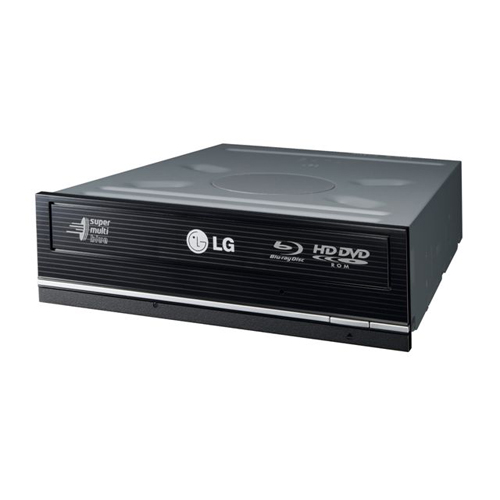
LG GGC-H20L

With the emphasis on HDMI in this installment, adding a Blu-ray drive is essential. To keep things affordable we settle for a Blu-ray reader only, although if you can justify the high cost of the drive as well as the media, the LG GGW-H20L or Lite-On DH-4B1S are both excellent.

The cheapest Blu-ray option around is the Lite-On DH-4O1S, but it's a reader only, which is a bit limiting in the All-in-One HTPC. If Blu-ray is not necessary, there are plenty of excellent choices in DVD-RW drives. The Pioneer DVR-216D, Samsung SH-S223F, LG GH22LP20, and Optiarc AD-7200S are all viable choices.

LG's GGC-H20L supports Blu-ray reads up to 6x, DVD reads/writes up to 16x, CD reads/writes up to 40x, has a 4MB cache, as well as an SATA interface.

Cost: $149.99 (12/1/2008) [Comparison shop for this item]

Case

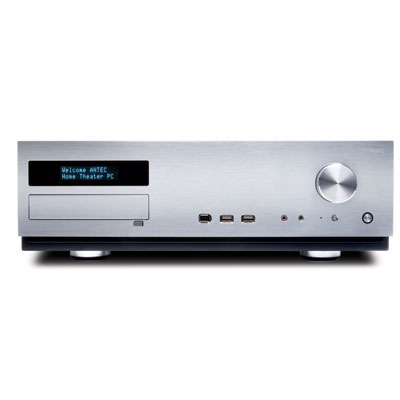
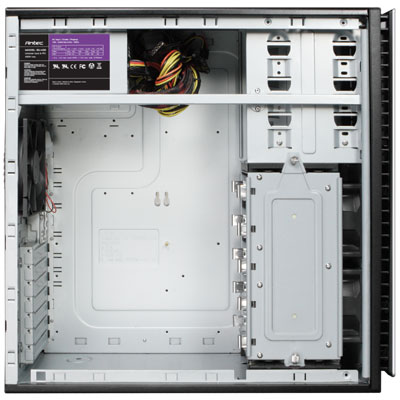
Antec Fusion V2

We looked at the Silverstone LC17, Silverstone GD02, Thermaltake Bach, Lian-Li PC-V800B, and quite a few others before we decided on the Antec Veris Fusion V2. We checked out the lower end too, such as the In-win BT566T before making our decision.

While far from perfect, the Antec Fusion offers two 3.5" bays for hard drive, one 5.25" exposed, a VFD, IR receiver, and potential for very low noise cooling via its side-mounted 120mm fans. The 120mm fans are very well positioned to pull air off of the CPU heatsink, which is something low-noise builders will want to take advantage of. The factory Antec Tri-cool 120mm fans are good enough for this use as well, which minimizes additional costs. The standard-size ATX power supply also helps, and the included 430W unit makes it a very good value compared to higher-priced offerings from Silverstone, Ahanix, Lian-Li, and others. There are some newer flavors of the Veris Fusion since the last update, but we prefer the original (and prefer to provide our own remote).

430W is serious overkill for this system, so the Sparkle SPI250EP 250W is probably more appropriate, but the fact that Antec's included 430W unit is already pretty low noise and fairly efficient means we stick with the included PSU. If you're using a chassis other than the Fusion that does not include a power supply, then we would strongly consider the Sparkle SPI250EP, Seasonic S12II 330W, or Antec's own Earthwatts EA380.

Builders may wish to look at chassis other than the Antec Fusion V2, particularly very-low-noise builders and those seeking to put more than two hard drives into their all-in-one HTPC. Budget builders may also want to look at something cheaper, but once you factor in the price of a power supply, the Antec Fusion is a pretty good deal.

Swapping out the stock fans in the Fusion to the Scythe S-flex SFF21D fans will help bring the noise down from the relatively low stock levels into very-low-noise territory, as would a power supply swap to the Enermax Modu82+ 425W. Doing both of these upgrades, though, means you're not using a lot of stock parts in the Fusion, and hence makes the Fusion somewhat less attractive on the value front. Individual builders should evaluate their needs here, particularly since the living room is not a super quiet place, which makes swapping out to the lowest-noise components unnecessary for most HTPCs.

Cost: $173.99 (12/1/2008) [Comparison shop for this item]

Input devices

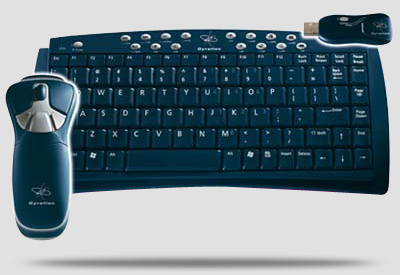
Gyration GO 2.4 Optical Air Mouse and Compact-size Keyboard

If you need serious range because your living room is 100 feet long or you just have a lot of RF interference, the Adesso Wireless SlimTouch Mini and Gyration GO PRO 2.4 are both reported to have a 100 foot/30meter range.

In the more pedestrian range, the Gyration GO 2.4 lineup is pretty decent, as is Logitech Cordless Desktop S510, Logitech Cordless Desktop S520, and the Logitech Cordless Mediaboard Pro. All should work fine in Linux, although we're not 100% sure about the various idiosyncracies of the S520 and Linux. The Logitech MX5500 is also excellent, but not all features work in Linux.

Cost: $98.92 (12/1/2008) [Comparison shop for this item]

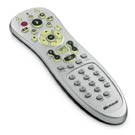
Microsoft Remote Control

As far as media center remotes go, the Microsoft Remote is actually quite good, and is liked by most. The Snapstream Firefly, Soundgraph Imon, and quite a few others, are pretty good too. If you need a little more integration, the Logitech Harmony 550 and its brethren are very useful as well.

Many components now come with remotes, including many TV tuners and even some of Antec's cases. You may want to give the included remote a shot before picking up another, although we've found we still prefer the Microsoft one.

Cost: $29.97 (4/27/2008) [Comparison shop for this item]

Total price: $1,073.07, not including shipping and handling (12/1/2008, no OS)

Lightweight front end

Much like the all-in-one, the lightweight front end is intended to sit in your living room, feeding content from the big server in the closet or the study to your home theater. It's fairly low noise and blends in unobtrusively, and probably takes even less power than the all-in-one because it has less hardware inside.

The key differences that result from this are the small, single hard drive and the absence of any tuners; all of the storage takes place on the back end, as does the tuning and encoding. While we do keep the optical drive in the lightweight front-end, a variation could omit the DVD drive and hard drive entirely. We won't be quite that ambitious here, but we do keep the possibility in mind. Our take on the lightweight front end doesn't get quite as low-power as it could, in large part because we intend for it to support 1080p in all operating systems—this means we include enough CPU power to decode 1080p without assistance from the video card to support current Linux-based HTPC front ends that do not yet support PureVideo/UVD/ClearVideo.

For the Lightweight Front End, take the all-in-one specification and make the following changes:

Video

Tuners—none

We put the tuners in the back end, allowing us to slim things down in the front end. The case now holds the motherboard, CPU, memory, power supply… and, depending on your ambition, the hard drive and optical drive. Not much else, which allows it to run very cool and very quietly.

Cost: n/a

Hard drive

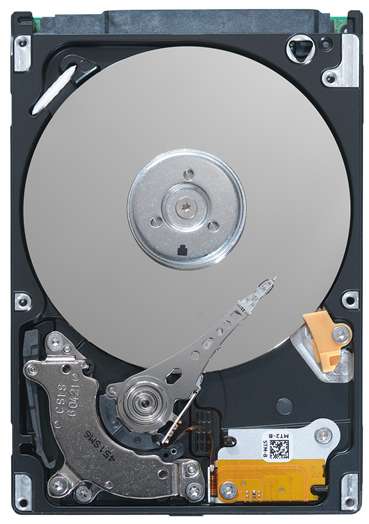
Seagate Momentus 5400.5 160GB 2.5" SATA

With no need for massive storage, the hard drive's primary raison d'être in the lightweight front end is to hold the OS. You could do this over a network boot or even with a few gigabytes of flash memory, but we go the conventional route here with a regular mechanical drive.

Incidentally, solid-state disks (SSD) may not yet be a good idea, mostly due to the lack of benefits for the HTPC. Even cheaper SSD's such as the OCZ Core V2 are substantially more expensive, and are generally equal, at best, in write performance (which is critical for a HTPC). Most importantly as far as the HTPC is concerned, SSDs save very little additional power (per Techreport and others).

2.5" laptop drives tend to run cooler and consume less power than their 3.5" desktop counterparts. The Seagate Momentus 5400.5 (ST9160310AS) offers excellent performance for a laptop drive, 160GB of space, 8MB of cache, a 5400rpm spindle speed, sub-12ms seek time, and a three-year warranty.

Cost: $56.99 (12/1/2008) [Comparison shop for this item]

Case

Antec Fusion V2

We keep the existing recommendation because it's already reasonably low noise and it's fairly well-built. We feel compelled to note that with no add-in PCI or PCI-e cards and only a 2.5" laptop drive, you could potentially move to a much smaller chassis, particularly if you shifted from the standard-sized 5.25" optical drive to a slim unit such as the Samsung SH-S082H.

The challenges of going to something this small add up when you realize you don't know how quiet or well-built many of the components are. Finding low-noise, high-quality ATX and SFX power supplies is much easier than looking for quiet 1U or FlexATX units. A few do exist, such as the SFX form-factor Seasonic Eco Power 300W and FlexATX form-factor Sparkle SPI220LE, but be aware of their drawbacks, particularly the fact that both actually tend to be noisier than many of their ATX counterparts at loads typically seen in a HTPC, which is exactly what we're trying to avoid.

For actual case recommendations, the Foxconn DH153C, Chenbro PC40523, HEC 7K09BB, and several others are smaller and more compact than most of the cases in the primary all-in-one HTPC recommendation. They carry compromises such as smaller, noisier fans, and even with a PSU swap to a suitable lower-noise unit, their relatively poor internal airflow may find them to be more noisy than we'd like them to be.

Cost: $173.99 (12/1/2008) [Comparison shop for this item]

Total price: $708.10, not including shipping and handling (12/1/2008, no OS)

It may look just like the all-in-one HTPC box, but the lightweight front end ends up being a little more than half the cost. It's still more than a comparable media center extender, but it's also much more capable and flexible. For example, install a powerful discrete video card like an NVIDIA GeForce 8800GT 512MB, and you could have a formidable gaming setup in your living room.

Heavy-duty back end

The back-end does all of the heavy lifting in this setup, but because it sits out of the way in the closet, it can be bigger, a little more noisy, and store a lot more data without having to cram everything into a tiny chassis in your living room. We also don't have to worry about content protection very much, as the back-end is just storing and crunching media rather than actually talking directly to your TV.

If you have an existing PC that's perfect for this role, you may not even want to build a new one. The case may be big and beige, but if you've got enough SATA ports on the motherboard, internal 3.5" bays for the hard drives, and a suitable power supply, why not reuse an existing box? There are many approaches to this; using the recommendations below may be a useful way to modify an existing system rather than building an entirely new one.

Motherboard

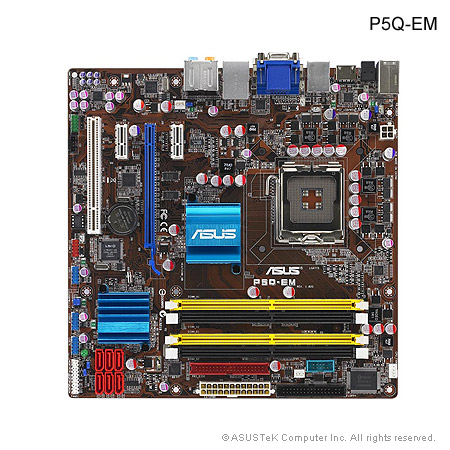
Asus P5Q-EM HDMI

The key features we look for on the back end motherboard are at least six SATA ports—preferably in RAID to give us additional configuration options—passive cooling, and onboard video. This restricts us to slightly higher-end choices, but the price difference between the P5Q-EM HDMI and the cheaper P5Q-VM is pretty small, so it's not a significant issue. Losing on chipset RAID support and HDMI are also very minor negatives.

We go Intel in the back end as we don't need the higher integrated video performance of the competing AMD or NVIDIA chipsets. For users wishing to go for maximum processing power with quad-core chips, Intel's quad-cores are faster and cooler than the AMD competition, although that is somewhat diluted by the fact that AMD has continually slashed the prices on their quad-cores. AMD users still have plenty of options if going Intel doesn't appeal to them; the Gigabyte GA-MA78GM-S2H offers both onboard video and six SATA ports, but it has only two PCI-e slots (one x16 and one x1) and lacks chipset RAID5. The Asus M3A78-EM is similar, but offers four DIMM slots instead of two.

The Asus P5Q-EM HDMI is based on the Intel G45/ICH10R offering, including four DDR2 sockets, one PCI-e x16, two PCI-e x1, and one PCI slot, six SATA 3.0Gbps ports with RAID0/1/0+1/5 support, HDMI, DVI, VGA, FireWire, six USB 2.0 ports (plus headers for six more), and onboard Ethernet.

Cost: $134.99 (12/1/2008) [Comparison shop for this item]

Processor

Intel Core 2 Duo E8500 Retail

We could go lighter on the processor if your encoding requirements don't happen in real time, or we could go much heavier (Core 2 Quad Q9400 anyone?) to do simultaneous encodes if you demand that much performance. The 45nm Core 2s are very energy-efficient compared to their older 65nm siblings, so we feel they're worth the additional cost.

AMD users can look at the Athlon X2 4450e on the low-end, which is the latest, most energy-efficient version of the Athlon 64 X2. Somewhat higher end, the X2 5200+ in the all-in-one recommendation is a pretty good choice, and for massive encoding jobs where quad-cores help, one of the cooler-running AMD Phenoms such as the 9550 should be an excellent choice. If you choose to run a higher-end chip like the Phenom 9850 or 9950, you'll want to make sure your motherboard supports it; some AMD 780G boards have trouble with 125W and 140W TDP Phenoms.

The Intel Core 2 Duo E8500 has a 3.16GHz clock speed, 6MB of L2 cache, and runs both cooler and slightly faster than its older 65nm brethren, such as the Core 2 Duo E6850. The retail boxed version comes with a three-year warranty and a heatsink/fan that's decent enough to let us skip an aftermarket heatsink.

Cost: $174.99 (12/1/2008) [Comparison shop for this item]

Memory

4GB DDR2-800

Since the last installment, memory has only gotten cheaper (!). 4GB is unnecessary for a HTPC, but at this price, it's almost impossible to say no to 4GB. The back-end is supposed to do heavy lifting anyway, the low price is just another excuse for 4GB. A lighter weight OS such as Mythbuntu can get by with 1GB or even 512MB, but didn't we mention just how cheap memory is?

We stick with DDR2 that requires the JEDEC-standard 1.8v for optimal compatibility and lowest power dissipation.

Cost: $28.26 (12/1/2008) [Comparison shop for this item]

Video

None—onboard

Onboard video is fine. It won't even be used most of the time, as the back end can be remotely managed. If you're buying a motherboard for the back end that doesn't have onboard video, then pick up whatever's cheap and works; both NVIDIA and AMD have plenty of cheap low-end PCI-e cards.

Cost: n/a

Two Hauppauge WinTV-HVR-1800 HD tuners

We can use the exact same tuners from the all-in-one HTPC here in the back-end.

We go with two Hauppauge WinTV-HVR-1800s, which take advantage of the PCI-e x1 slots on our motherboard and are widely supported in multiple OSes. If you're hooked into cable, don't forget to check if your cable box supports (and if your cable company enables it) FireWire-out; that may let you plug the cable box directly into your system via FireWire, allowing you to dispense with a separate tuner card.

Alternative tuners include the Hauppauge Nova-T-500 for DAB signals outside the USA. For in the USA, the SiliconDust HD Homerun is very popular, as is the Dvico FusionHDTV 7, AverMedia AverTV HD A180, and the PCI version of the Hauppauge WinTV-HVR-1800, the WinTV-HVR-1600.

The Hauppauge HD PVR USB is also worth looking at if you need high-definition video recording from component video sources. It's not exactly a tuner, but the capabilities it has are worth noting.

Cost: $94.99 each ($189.98 total) (12/1/2008) [Comparison shop for this item]

Sound

None—onboard

Onboard sound more than does the job—which will probably comprise of sitting there and doing exactly nothing most of the time.

Cost: n/a

Communications

None—onboard

Gigabit Ethernet is onboard, and should prove more than adequate for serving files. We don't recommend wireless for streaming HD, as 802.11g or even 802.11n is hard-pressed to do this without a strong, consistent signal. You can try it if you like, as it does work, it's just not as reliable as a nice run of Cat5e.

Cost: n/a

Hard drive

Three Western Digital Greenpower 1TB (WD10EADS)

One drive for boot, two more drives for data. Feel free to add or subtract drives as you need to, set them up in RAID (chipset RAID with the ICH10R, software RAID via the OS, or whatever you feel like…), etc. Since the last update, almost every major drive maker has updated their product lines to higher density 333GB/platters, for improved performance and reduced power consumption.

We recommend keeping the OS drive separate to prevent occasional hiccups in recording and playback, as the data drive needs to be constantly accessed. Modern drives now are more than fast enough to prevent this in a single-disk setup, but start talking multiple HD streams and it could be an issue, so we avoid it entirely by going to multiple disks.

1TB for a boot disk is probably excessive, but since hard drive space rarely goes to waste in a HTPC, we think it's a viable choice. Seagate's new Barracuda 7200.11 1.5TB (ST31500341AS) is also an attractive option, although it appears to need a little additional firmware development at the moment. Smaller drives such as the Western Digital WD6400AAKS may be more suitable for builds that need less space.

Shop around for drives; if you're not building a high-end hardware RAID5 off of an Areca ARC-1220 or 3ware 9650SE-8LPML, then you probably don't need to worry too much about nearline drives, and, as a result, pretty much anything will work. The Seagate 7200.11 1TB (ST31000333AS), Hitachi 7K1000.B 1TB, Western Digital Caviar Black 1TB, and Samsung F1 1TB are all excellent choices. All work fine for light use like they'd see in the HTPC Back-End. If you must go nearline (be it for the higher MTBF, or because you do plan to go high-end RAID), the nearline versions of the drives mentioned here would be the Seagate ES.2 1TB, Western Digital RE3 1TB, and Hitachi E7K1000.

We go with the Western Digital Greenpower 1TB (WD10EADS) because of its low noise, low power consumption, more than adequate performance, 32MB cache, and three-year warranty. The WD10EADS is an update over the previous WD10EACS with 333GB/platter rather than 250GB/platter for improved performance and reduced power consumption, and the performance of the slower Greenpower drives is still more than adequate for the Back-end.

Cost: $114.99 each ($344.97 total) (12/1/2008) [Comparison shop for this item]

Optical drive

LG GGW-H20L

In the all-in-one, Blu-ray is a substantial chunk of the budget, so we make it optional.

With someone spending substantially more money on what would probably be a front-end/back-end setup, the extra cost to go Blu-ray as an additional 1080p source is significantly less of a hit. Being able to write to Blu-ray is nice too, although it's still a luxury for most given the high cost of writable media. Lite-On has some excellent choices in the form of the DH-4B1S BD-writer and the DH-4O1S BD-ROM if you don't like the options from LG, such as the GGC-H20L.

Unlike its cheaper GGC-H20L sibling that only reads Blu-ray, the LG GGW-H20L is a 6x Blu-ray burner, 16x DVD-writer, 40x CD-writer, has 4MB cache and a SATA interface.

Cost: $224.99 (12/1/2008) [Comparision shop for this item]

Pioneer DVR-216D

The more mundane task of ripping DVDs could probably be handled by the Blu-ray drive, but using a separate DVD drive that's just over a tenth of the cost probably makes more sense. Plus, the Pioneer DVR-216D is an excellent reader.

Pioneer's DVR-216D supports DVD reads and writes up to 20x, CD reads up to 40x, has a 2MB cache as well as a SATA interface. Its competition, such as the Samsung SH-S223F, LG GH22LP20, and Optiarc AD-7200S, are also appropriate choices.

Cost: $26.99 (12/1/2008) [Comparison shop for this item]

Case

Antec NSK6580

Boring and mundane, but it holds up to five 3.5" drives with grommeted mounts in addition to three 5.25" devices. Add in a 92mm fan or two in the front to keep the drives cool, and the Antec NSK6580 does everything we need it to do for a pretty good price. We go for the black version in this update as it happened to be cheaper, but check the silver version as well in your shopping.

The included Antec Earthwatts 430W PSU makes this case an excellent value, as the cost of going to a separate PSU such as the Corsair VX450 or Enermax Modu82+ 425W would be substantial for a box that doesn't need to be ultra-low noise.

If you have ambitions beyond a handful of hard drives, the Chenbro SR10769BK, Lian-Li PC-V1200Bplus II, and quite a few other chassis can hold more drives and keep them properly cooled. The Chenbro SR10769BK, in particular, takes up to eight 3.5" drives with optional hotswap available, although for home use we'd definitely swap the fans out from the stock high-flow/high-noise Delta units to something more ear-friendly.

Cost: $88 (12/1/2008) [Comparison shop for this item]

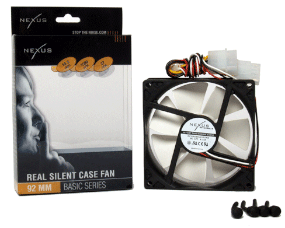
Nexus Real Silent 92mm fan

Low noise, low-flow, the Nexus Real Silent 92mm provides more than enough airflow to keep the hard drives cool in the NSK6580 with 27cfm of air at 19.2dBA. With only three drives, we only specify one, but if you intend to fully populate your NSK6580 with five drives, you might want to consider two.

Cost: $9.99 (12/1/2008) [Comparison shop for this item]

Mouse

Logitech Optical Wheel Mouse USB

Since we expect the back end to be controlled via remote most of the time, buy whatever you like for a mouse. Optical mice are cheap enough that we buy one of those, but that's about it.

Cost: $9.95 (12/1/2008) [Comparison shop for this item]

Keyboard

Logitech keyboard

If you find it comfortable, then buy it. Logitech, Microsoft, and other name-brand units are all pretty decent. Keep in mind the important nature of personal preference in this decision and the fact you probably won't be using it too often.

Cost: $6.90 (12/1/2008) [Comparison shop for this item]

Total price: $1,241.01, not including shipping and handling (12/1/2008, no OS)

0 Comments