Let Loose: New iPads At Last [5/7 event livestream commentary begins on p.3]

Cranioclast

Ars Legatus Legionis
10,846
Subscriptor++
Pretentious for using an iPad? I doubt many people even recognize the various models at a glance, let alone think much about them.

A few other items that may matter to you: aside from performance, being on an M4 means it should be supported by Apple for a good bit longer. Also, aren’t there improvements in the speakers?
Pretentious for buying a $1,000 iPad Pro to browse the web and read some books and comics.

Longevity is something else I took into account. Not just support, but relative performance 5-6 years down the road. I do benefit from that.

I may hear the speakers twice a year when using it for video conferencing during holidays. I'm sure the sound is great, but not something I can claim with a straight face that it justifies my purchase.

As I said, it's okay. I know what my usage will be and I still feel like it's worth it to me.
 

Hap

Ars Legatus Legionis
12,232
Subscriptor++
My M4 arrived at the Apple Store about three hours ago. I chose pickup, since I want to make sure the cellular works before I leave the store and I've had issues with swapping which iPad is on the plan ever since they dropped physical SIMs. As it, I always have to go to the store, no one seems to be able to address it on the phone.
 
  • Like
Reactions: Jeff3F

jaberg

Ars Praefectus
4,456
Subscriptor
One iPad form factor, get rid of all the others. Would have been far better to have never had this foolish and wasteful proliferation of form factors to chase every last single dollar in the first place.
Sure. But some people appreciate the Air and the base models. (And for that matter, I find use for both 12.9 Pro and Mini myself.)
 

ant1pathy

Ars Tribunus Angusticlavius
6,984
I think it's far more likely to be an artificial segregation, much like 120hz screens.
You think so? FaceID is on the entire iPhone lineup, you would think that if artificial segmentation is the goal that they'd use that playbook on the product where they'd get the most bang for their buck, no?
 

cateye

Ars Legatus Legionis
12,813
Moderator
I didn't say it made sense, because it doesn't. But that FaceID is on every iPhone except the SE suggests that it being left off the Air is arbitrary. Back when there wasn't that much separating the Pros from the Airs, it was something they could point to as a differentiator. Now that there's a significant performance and design difference, it does seem odd to me that they wouldn't start pushing FaceID down the line since it's such a better experience.

Not having it on the iPad 10 makes more sense to me as margins are more obviously slimmer. Again, a bit like the iPhone SE.
 
  • Like
Reactions: Bonusround
I’m antsy to hear how folks like the display. I would strongly consider an early upgrade for that, despite needing to repurchase all the accessories. Maybe not strongly, assuming that the display quality will not decrease in the future and will still be there in 3 or 4 more years.
Upgrading from a 2020 13, so the gap is likely smaller from any of the miniLED versions than it is for me.

Every other screen I spend real time looking at is OLED, and first impressions are at least the equal of those (15PM, LG C2).

EDIT: put some video on side by side, with the 2020 and the C2. If you care about the display, it’s worth the upgrade. I can’t wait for this to hit monitors/TVs.

WRT longevity, I would expect the screen to hold up given my experience so far with the C2 and the iPhones, given this screen should have better wear resistance than either of those.
 
Last edited:

Cranioclast

Ars Legatus Legionis
10,846
Subscriptor++
I didn't say it made sense, because it doesn't. But that FaceID is on every iPhone except the SE suggests that it being left off the Air is arbitrary. Back when there wasn't that much separating the Pros from the Airs, it was something they could point to as a differentiator. Now that there's a significant performance and design difference, it does seem odd to me that they wouldn't start pushing FaceID down the line since it's such a better experience.

Not having it on the iPad 10 makes more sense to me as margins are more obviously slimmer. Again, a bit like the iPhone SE.
It seems like something that's of less value on a tablet (or traditional computer), where sessions are longer and the environment is less likely to make accessing the fingerprint sensor difficult.

The only time I'm really even aware of edge-mounted Touch ID on iPad is when it's lying on a flat surface and I need to unlock it. It's not impossible, but requires positioning my finger at an awkward angle. Having a case to raise it a couple mm or just having smaller fingers might make it easier.

For dozens of daily short sessions on a phone, when you might be wearing gloves or be holding it in a weird way, the benefit of face unlock is more significant.

That doesn't mean it shouldn't be in the iPad Air. I just get it if Apple thinks it's not worth the increased cost.
 
  • Like
Reactions: Amasa

Bonusround

Ars Tribunus Militum
2,926
Subscriptor
The argument is that FaceID's exclusion is about iPad segmentation, not cost.

It's interesting to see the lineups sorted by price:

Starting Price FaceID
iPad$349No
iPhone SE$429No
iPad mini$499No
iPhone 13$599Yes
iPad Air$599, $799No
iPhone 14$699, $799Yes
iPhone 15$799, $899Yes
iPhone 15 Pro $999, $1199Yes
iPad Pro$999, $1299Yes

Edit: added the mini
 
Last edited:

Jonathon

Ars Legatus Legionis
17,479
Subscriptor
New shiny (11" iPad Pro, cellular, 1 TB) has been picked up and I'm in the process of setting it up.

Moving my Verizon eSIM from my old iPad was very smooth (at least, I assume it's working; it says it has signal but I haven't actually taken it off wifi to check).

Screen is purty, but I still need to get some apps and content on it to really properly evaluate it.

The new Magic Keyboard is nice. Keys feel about the same as the old one; trackpad is similar to the ones on MacBooks now, but a bit lighter on the click haptics (and no two-level 3D Touch or Force Touch or whatever the branding is for that on the Macs). Haptics don't appear to be adjustable like they are on the Macs, unless that's buried somewhere in Accessibility settings.

There's a day-one software update; these iPads appear to have gone to manufacturing before iPadOS 17.5, so they ship with 17.4 and have an update available to 17.5 which the setup assistant will prompt you to download (it's optional, though). Release notes are the same as on other iPads, plus a mention of "improved document scanning".
 

Gandhim3

Ars Legatus Legionis
11,321
My 13” 1TB just got delivered. Setting up and doing software update right now. It really feels like half the thickness of my 12.9” M1 Pro. Lighter too. the colors look much more vibrant as I stare at the software update screen. Thankfully it came with 97% charge OotB compared to closer to half charge for previous devices that got delivered from Apple. Will update more later once I go through actual set up.
 
  • Like
Reactions: cateye

japtor

Ars Legatus Legionis
14,010
Paying $400 to last longer and hold its value. My last pro was OG, so 6 years old since release?
Feels like it kinda comes back to the ol "Jade plan" in a way, like is that worth it vs a cheaper machine and upgrading more often? Guess that just depends on what qualities you value and how long you think it'll take stuff to trickle down. I used to go for higher end but holding onto a machine for so long felt like pulling teeth towards the end while waiting for a new one. And felt kinda pointless when newer lower end devices were already a marked improvement for however long.
WRT longevity, I would expect the screen to hold up given my experience so far with the C2 and the iPhones, given this screen should have better wear resistance than either of those.
Speaking of OLED wear, reminds me of when YouTuber Wulff Den got an OLED Switch on launch and left it on a kinda worst case scenario...indefinitely. I forget if he still has it going, but here's one summary 3600 hours in, when it started showing minor signs of wear. Course different panels and everything but just an example of modern OLEDs seeming pretty solid wear wise.
 

benInMa

Ars Tribunus Militum
2,199
I just traded my 11" M1 Air for a new 12.9" M2 Air.

I wanted the larger size for a while, I have my iPad up on a Music stand a lot and I knew the 13" was better for that but when I got the previous Air I didn't want to spend up for the Pro.

One thing that I didn't see mentioned in reviews. If you're worried about not having Face ID on the Air because Touch ID wasn't great on the M1 Air, they seem to have fixed that on the M2 Air. The Touch ID on the M2 seems like it got a revision.. it unlocks instantly like Touch ID iPhones did and I have not had it fail to recognize my finger yet. It remains to be seen if is really and truly reliable over time but it seems like it might be fixed. I'm not sure if the Touch ID thing is a widespread thing but the other people I know IRL who have M1 Airs had the same issue I did.

I got $310 trade for my old Air. I will need to sell my old Pencil. I am annoyed they couldn't figure out a way to do forward/backwards compatibility with the Pencil yet again.
 

Jonathon

Ars Legatus Legionis
17,479
Subscriptor
Minor nitpick: the Magic Keyboard function row follows the current Mac layout exactly (replacing Touch ID with a lock button)... meaning there are dedicated keys for the app switcher, Spotlight, Do Not Disturb, and dictation, but no button that will take you back to the home screen.

Yes, I know there's a keyboard shortcut for that (⌘H)... but it's the principle of the thing. (Control Center would be another nice one to have on the function row, if they're going to build an iPadOS-centric keyboard rather than just aping the Mac layout on a device that they're determined to make Not A Mac.)

(Also, has anyone ever intentionally used the Do Not Disturb key on a Mac keyboard? Feels kind of like the slightly less destructive version of the Suspend key that Microsoft tried to make a thing back in the day.)
 
  • Like
Reactions: Jeff3F

wrylachlan

Ars Legatus Legionis
15,029
Subscriptor
So the new toy arrived. Haven’t had time to push it so this is just first superficial impressions:
  • The screen is as everyone else has noted, goddamn gorgeous.
  • It’s so thin and light that I’m afraid I won’t be able to hold onto this one anywhere near as long as I did my OG iPP (9 years) because a 15” is so obviously doable that I’d be shocked if they don’t release one in the next 2-3 years (and of course I’ll have to buy that…)
  • The Magic Keyboard is great, but the ‘lap-ability’ is still not great because it’s top heavy. If your knees are at all slanted down it’s fine while typing because your wrists hold it down, but take your hands off the keys and it dumps.
  • This is my first time using a Magic Keyboard and they really nailed the UX on this one. The circular cursor that dynamically changes based on what it’s over and the way icons react to being hovered over is really slick.
  • Speaking of stupidly slick, I was using the Apple Pencil and noticed a bit of a shadow that I at first thought was the light in the room. Oh no - they implemented an Apple Pencil shadow in software that responds to the angle you hold the pencil at. Mind=blown at the attention to detail there.
  • Sound is rich but the bass is expectedly weak. Not much you can do in that form factor.
  • Lack of a home button threw me for a bit until I remembered the three fingers up trackpad gesture. It’s not particularly discoverable but once you use it it’s second nature - no need for a dedicated button.

Tonight I’m going to throw some Swift Playgrounds and late game Civ6 at it and see what it does. I don’t have a punishing workflow on the device - bought it over the Air mainly for the screen and longevity so there’s not much I do that’s likely to tax it.
 
I seems as though FaceID’s components have stubbornly refused to come down in cost over time. I would have though that FaceID would be in everything at this point, but no.
I definitely thought the iPad Air was going to get Face ID this time around. And considering that the iPad Pro now starts at $999, the cost of entry to get an iPad with Face ID actually went up $200, which is kind of bizarre. Face ID has been around for 7 years at this point.

That said, I have a 10th-gen iPad with Touch ID and even though I’ve been using a Face ID-equipped phone for years, the lack of Face ID on the iPad doesn’t really bother me. You still get an edge-to-edge display, which to me is the main draw.
 

cateye

Ars Legatus Legionis
12,813
Moderator
The circular cursor that dynamically changes based on what it’s over and the way icons react to being hovered over is really slick.

The circular cursor does have a certain logic to it, and it's grown on me despite thinking it was murderously stupid at first (I use my iPad Pro with my MacBook Pro via Handover... or whatever they call it. The system where you just scroll your mouse pointer off the edge of the screen and it "pops" over to your iPad screen allowing you to use the Mac and the iPad with the same input devices. Really slick, love that feature). But the way the iPad cursor/pointer sort of gets "absorbed" by click/touchable elements as you mouse over them and temporarily disappears I find needlessly disorienting. Keep the pointer visible at all times if you're using an abstracted selection device.
 

Cranioclast

Ars Legatus Legionis
10,846
Subscriptor++
Not quite evenly spaced in age, but close. I should see if the Newton still boots and do a 30 year progress report.

IMG_0650.jpeg
 

Gandhim3

Ars Legatus Legionis
11,321
Niiiiiice, Cranioclast - although the box for the latest ipad is upside down.

This thing feels like it’s half as thick as my M1 12.9” Pro, even with both of them in cases. The lightness certainly helps, but the thinness is very much noticeable.

The screen quality is very much like my Iphone 15 Pro Max screen. The speakers don’t have the same bass oomph as the M1 iPad Pro but it’s fine for YouTube and streaming. I have AirPod Max for long viewing sessions.
 

Jonathon

Ars Legatus Legionis
17,479
Subscriptor
The circular cursor does have a certain logic to it, and it's grown on me despite thinking it was murderously stupid at first (I use my iPad Pro with my MacBook Pro via Handover... or whatever they call it. The system where you just scroll your mouse pointer off the edge of the screen and it "pops" over to your iPad screen allowing you to use the Mac and the iPad with the same input devices. Really slick, love that feature). But the way the iPad cursor/pointer sort of gets "absorbed" by click/touchable elements as you mouse over them and temporarily disappears I find needlessly disorienting. Keep the pointer visible at all times if you're using an abstracted selection device.
That can be (mostly) disabled in Accessibility settings. Drives me crazy too— not so much because of the pointer disappearing, but because it moves the pointer somewhat unpredictably when it does it (stray too close to a clickable element and suddenly your mouse pointer is in the center of that element).
 

Jonathon

Ars Legatus Legionis
17,479
Subscriptor
Now that I’ve finally spent some time with the new iPad Pro in not-bright lighting (was in my office earlier, working in front of a window), I’m really liking the new screen.

Is it some revelatory, magical, best-screen-ever kind of thing? No; it looks and feels a lot like an iPhone screen, just bigger (not that that’s a bad thing). And it is worlds better than the LCD on my previous 11” iPad Pro. Noticeably better even than the mini-LED backlit screens on a 12.9” Pro or a MBP— zero blooming is nice.
 

Chris FOM

Senator
10,714
Subscriptor
Interesting factoid I didn’t see anyone else mention: when the iPhones went OLED they also went to a 3x retina factor with PPI well over 400 (exact number varied depending on model), which partially ameliorated the RGBG subpixel layout. The iPad Pro’s OLED screen looks to keep a full RGB pixel but also maintains the same 264 PPI pixel density as before.


The speakers don’t have the same bass oomph as the M1 iPad Pro but it’s fine for YouTube and streaming. I have AirPod Max for long viewing sessions
Disappointing, if not entirely surprising. As mentioned before there’s no replacement for air movement when it comes to bass and the thinner form factor almost certainly cut the speaker size. That said the iPP’s speakers since the very first generation have always been astonishingly good, so it’s a real shame to see a regression here.
 

Cranioclast

Ars Legatus Legionis
10,846
Subscriptor++
Niiiiiice, Cranioclast - although the box for the latest ipad is upside down.
Well, I keep picking it up upside down, so that makes sense. Actually, it might be easier to use upside down, since my right hand is invariably covering the camera otherwise. So far, iPad Face ID is actually more clumsy than Touch ID for that reason. I'll probably adapt and start picking it up differently or something.
 

Jonathon

Ars Legatus Legionis
17,479
Subscriptor
Interesting factoid I didn’t see anyone else mention: when the iPhones went OLED they also went to a 3x retina factor with PPI well over 400 (exact number varied depending on model), which partially ameliorated the RGBG subpixel layout. The iPad Pro’s OLED screen looks to keep a full RGB pixel but also maintains the same 264 PPI pixel density as before.
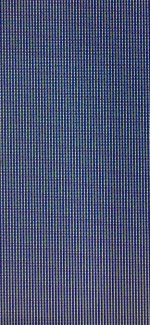
It's not Pentile RGBG like the iPhone screens and there is exactly one subpixel of each color per pixel, but they're not of even sizes and they're not in a conventional striped layout like you usually see in an LCD-- that animation Apple showed with the two tandem panels being layered together is an accurate representation of the pixel arrangement.

Not a thing that anyone's going to notice at the iPad display's DPI, though.
 

Bonusround

Ars Tribunus Militum
2,926
Subscriptor
It's not Pentile RGBG like the iPhone screens and there is exactly one subpixel of each color per pixel, but they're not of even sizes and they're not in a conventional striped layout like you usually see in an LCD-- that animation Apple showed with the two tandem panels being layered together is an accurate representation of the pixel arrangement.
Photo, please?
 

wco81

Ars Legatus Legionis
32,632
One of the reporters on MacBreak Weekly is saying that Apple told them the nano texture is for professionals who are outdoors a lot, to cut down the glare.

Otherwise, the texture will diffuse the light, resulting in less brightness and black levels. Or at least the perception of those attributes.

He says that Apple isn't trying to oversell the nano texture option.