Skip to content
Gaming

My virtual living room: Setting up a social VR space in the house

Video: Drilling, furniture-clearing, ceiling-testing, and Pictionary hacking.

Sam Machkovech | 132
Credit: Sam Machkovech
Story text

SEATTLE—The HTC Vive isn’t like any computing device I’ve ever put in a home. This “room-scale” virtual-reality system is at the bleeding edge of what I’d call “home-appropriate”—meaning, it’s pretty ornate and complicated, but not so much that you need to dedicate an entire lab or office space to it.

Though you might assume that. Many question marks currently hover over the burgeoning VR industry, thanks to issues like high costs, required computing power, nausea potential, and an unproven field of early software. The Vive goes one step further by also asking its buyers to clear out some serious space so that they can walk across a room and feel fully transported to a game or app’s impressive virtual space. The demands that Microsoft asked of Kinect buyers a few years ago are tame compared to the cleared floors and mounted motion trackers of HTC’s dream future.

Demand for space has been easy to shrug off at nearly a year of expo and convention demos, where game developers have done the setup legwork for us. We at Ars have spent less of our HTC Vive preview time sorting out logistics and more time letting our jaws drop to the floor. When it’s hitting all cylinders, the SteamVR vision of room-scale VR is crazy-bonkers compelling. But what happens when VR dreams collide with the reality of installing and using one of these things in a home?

Ars’ Sam Machkovech installs an HTC Vive Pre in his living room

Thanks to early access to an HTC Vive Pre kit, ahead of the retail hardware’s launch next month, I found out. I was surprised to learn that my assumptions about both the installation process and the resulting, shared experiences afforded by a full-room VR system didn’t totally pan out.

Make room, kick your cat out

A reminder: The HTC Vive Pre is made up of “near-final” hardware. Every part of the system that showed up at a few Ars staffers’ home offices last week could differ in tiny ways from the retail edition that will ship in April for a pre-order price of $800.

We don’t expect many changes to the hardware half of the installation process, since the kit that arrived at my home very much resembles the hardware we’ve seen time and time again at press events. Our initial impressions report last week spelled out everything included in a Vive Pre shipment, but it failed to mention that the system shipped in a giant, 15-pound box, which itself contained four smaller, neatly positioned boxes. The whole thing was nicely padded and seemed designed to withstand the wear-and-tear of cross-country shipping.

An extra thick strap up top helps keep those heavy cables from flopping all over your head.
Side view shows the Vive branding prominently. Note the rubber nubbin at the bottom right, which is used to adjust the inter-pupillary distance of the lenses.

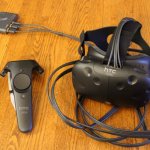
As Kyle wrote, the box contains a head-mounted display (HMU), two motion-tracked controller wands, and two tracking stations with matching mounting hardware. Valve has confirmed that retail Vives will also come with little mounts that can either be drilled into a wall or ceiling or stuck in place using adhesive (and they should be superior to the ugly-but-functional mounts we got with the “near-final” set).

HTC and Valve didn’t include an instruction booklet; instead, they direct new Vive Pre owners to this online manual, which spells out much of the physical process required. What it doesn’t do is walk new users through what I would call the personal logistics of making space in your home for room-scale VR.

The manual suggests you use a room that’s “at least 2m x 1.5m,” “free of furniture and pets,” and has “some free space.” That only scratches the surface of the elements you need to consider in choosing and setting up your VR room. In my own case, I had two potential VR spots to choose from: the main living room (right inside the entrance to the house) and an out-of-the-way basement office.

At first, the basement office seemed ideal, since it already housed the powerful PC I needed to run the Vive and didn’t have any bulky furniture. However, my office also has relatively low ceilings. That’s not a big deal for storage or for sitting at a computer, but it can be a big deal for games like Selfie Tennis, which could have you banging your controllers against the ceiling for jumping smash shots.

So, before you choose your own VR room, make sure it has enough clearance to hop around and return a pretend, high-flying tennis ball without feeling cramped. Even if most HTC Vive games won’t push these vertical limits, rest assured that at least one person you introduce to VR will lose their bearings and try to test its sensing boundaries within minutes.

Alpha footage of the very weird HTC Vive game Selfie Tennis

The other issue with an out-of-the-way basement office is its inherent lack of space for spectators. That’s not a big deal if you plan to lock yourself into a “Vive pit,” put on some noise-cancelling headphones, and play in a ridiculously immersive VR world for hours. But having used the HTC Vive at multiple demo events, I suspected that groups will enjoy it, with friends taking turns in the headset while watching the current player’s activity on a nearby screen. I’d done something similar with 2015’s Keep Talking and Nobody Explodes, in which the bomb defuser’s display was mirrored on a TV so that friends could follow along and laugh at the resulting zaniness. If I wanted to do the same for the Vive, the cramped, furniture-free basement room wouldn’t work.

Vive-proofing my living room

With that in mind, I began Vive-proofing my living room a few months ago. The room is my apartment’s main entryway, and it has a simple, rectangular layout, boxed on four sides by a sofa, a futon couch, an entertainment center, and a wall covered in windows. I made room in the entertainment center for my gaming PC and pushed that whole unit against one wall. Then I put padded nubbins on my loveseat’s legs and found a perfectly sized, easily draggable rug for my coffee table.

The next room over is a connected dining room with a table, shelves, and a desk. I rearranged all that stuff just enough to make room for whenever I needed to drag the coffee table over and push the loveseat against the table. After moving furniture, I could eke out 3m x 2m of totally unfettered hardwood floor, all while still leaving a clear walking path between the living room, the dining room, and the kitchen.

As the above video demonstrates, I drilled holes in my ceiling to mount the Vive’s tracking stations, as opposed to using adhesive on the walls or buying any moveable tripod stands. Stability is a huge factor for tracking, and I’m not interested in having any game or app’s virtual floor swirling around me mid-experience because somebody bumped some furniture. However, my studfinder told me I couldn’t drill at the wall’s edges, so I had to bring the tracking stations a little closer in than I wanted. Thankfully, their 120-degree tracking angle gives coverage at even very close ranges, which is good news for anybody in a similar Vive mounting boat.

I also lucked out in terms of power. Each tracking station must plug into a two-prong electrical outlet, while the HMU’s junction box needs its own juice. My living room has plugs in each corner, but I still needed extension cords; the HTC Vive Pre’s power cables are a little too short to reach from the floor to my ceiling. We hope the final Vive adds another foot or two to these cords, but you may still need extensions if your ideal station installation spots lack a good outlet.

My biggest setup hitch, honestly, came from lacking proper cables for the PC. My living room TV connects to my PC via HDMI, so I had to order a Display Port cable before I could see images on both my TV screen and my HMU (you’ll need both in order to get the HTC Vive up and running). Once those were connected, I was able to immediately mark my floor space with the wands and confirm full-room tracking. SteamVR hides some of its most useful options in a few menus, including automatic sound-device switching (so that game audio can run directly into the headset). Otherwise, I was totally impressed with how smooth the PC-specific side of Vive setup proved to be.

There’s nothing quite like VR Pictionary

A few days later, after having tested the system solo pretty much non-stop, I invited some friends over for a big Vive party. I knew some demos would be better than others for a big group, so I focused on what I thought would be appropriate for a crowd of four to six people at a time: the paint-sculpting app TiltBrush, the arcade-blaster Space Pirate Trainer, the spatial puzzle game Fantastic Contraption, and the silly VR fun of Job Simulator. I didn’t have to do anything special to get the games to display on the nearby TV set; every Vive game I’ve tested thus far automatically displays a mirror version on the main display (and the SteamVR interface has a mirroring setting buried in its menus, as well).

Most of the group agreed that Space Pirate Trainer was the most fun to play, at least in the scope of trying the Vive for roughly 15-to-20 minutes before passing the headset to the next person. The game, in its pre-release state, pits each player against increasingly difficult waves of floating drones, which they must shoot with pistols in their hands while side-stepping enemy laser attacks. I suspected that this would be a group hit, since players must actively shoot and dodge in real life—which is amusing to watch a person do with a headset on—while the mirrored display makes it easy to follow the shooting.

Yet this game didn’t really translate into something watchable with a crowd. People routinely buried their faces in smartphones as others played the game in front of them. The same happened with similarly active games like Selfie Tennis and Brookhaven. The person in the headset had a blast, but their laughter and real-life motions didn’t do much for everyone else waiting their turns.

Instead, the biggest group-watching hit wound up being Job Simulator. The game is a weird one, asking players to perform rudimentary tasks in humdrum situations, but its joy—and the reason it’s been a massive expo hit over the past year—is that it very quickly lets players pile absurdity onto the ordinary. As my party’s players took a turn in Job Simulator’s pre-release, time-limited demo, they each found new ways to crank up the game’s inherent hilarity, whether by throwing ordinary objects at the game’s sentient robots or by seeing how well the game accommodates chaos. More importantly, the players and observers could easily talk to each other about what was going on.

The only other experience that came close was when we decided to spice up 3D drawing app TiltBrush with a suggestion I’d gotten from my friends at Seattle’s Indie Workshop: “VR Pictionary.” We split the room into two teams, then one team would whisper a clue into the opposing painter’s ear while he or she had the headset on. We’d set a three-minute timer and watch as the painter drew stuff in VR, then stood back to make sure teammates could see the full creation on the nearby TV screen for guessing’s sake. TiltBrush has plenty of features that make it adaptable to this kind of competitive play, including quick ways to undo, erase, and change colors. Plus, the VR space makes it simple to paint on a new, blank canvas by just turning to the side a little bit.

Makeshift Pictionary was the clincher—the demo that proved VR’s party-play potential and made me glad I’d set up a thoroughfare VR room with comfortable, nearby seats for observers. Conversely, we agreed that a lot of VR’s coolest solo experiences can make the rest of the party feel like they’re missing out. You could get away with two friends sharing the headset, so that one person could take a break while the other goes VR-crazy, but that’s less “social” and more “I don’t mind resting my eyes a bit between Fantastic Contraption sessions.”

After the party, I easily dragged all of the furniture back to its original locations, and I felt fine. The mounted ceiling hardware could look more elegant, but it doesn’t ruin the living room. The only other annoyance is that the HTC Vive Pre’s sensors don’t automatically shut off; I had to manually unplug to prevent their always-on infrared signals from interrupting my remote control use.

Otherwise, I now have an ideal spot for comfortable, room-scale VR that I can share with friends, as well as an easy-to-clear space for when I want to do some solo VR play. That’s a very good thing, because now that I’ve used VR in the home, I want as little friction as possible between setup and play—and I think I’ve pulled it off.

132 Comments