Skip to content
Tech

Nexus 6 review—The “premium” price still comes with compromises

Slow storage hurts load times, multitasking on Google’s new flagship. Plus, why 6 inches?

Ron Amadeo | 181
Story text
Specs at a glance: Google Nexus 6
Screen 2560×1440 5.96″ (493 ppi) AMOLED
OS Android 5.0, Lollipop
CPU 2.7GHz quad-core Snapdragon 805
RAM 3GB
GPU Adreno 420
Storage 32GB or 64GB
Networking 802.11ac, Bluetooth 4.1
Cellular Bands Americas SKUGSM: 850/900/1800/1900 MHzCDMA: 0/1/10WCDMA: 1/2/4/5/8LTE: 2/3/4/5/7/12/13/17/25/26/29/41CA DL: B2-B13, B2-B17, B2-29, B4-B5, B4-B13, B4-B17, B4-B29
Rest of world SKU
GSM: 850/900/1800/1900 MHzCDMA: not supportedWCDMA: 1/2/4/5/6/8/9/19LTE: 1/3/5/7/8/9/19/20/28/41CA DL: B3-B5, B3-B8
Ports Micro USB 2.0, headphones
Camera 13MP rear camera with OIS, 2MP front camera
Size 6.27″ × 3.27″ × 0.4″ (159.26 x 82.98 x 10.06mm)
Weight 6.2 oz. (176g)
Battery 3220 mAh
Starting price $249 with two-year contract, $649 unlocked
Other perks NFC, wireless charging, “turbo” charging, Ambient notifications, always-on voice commands

Another year, another Nexus phone. Google’s flagship devices are the fast track for the newest software, but they’ve typically been devices of compromise. A bad camera, no LTE, or a poor battery—there’s always something. The compromises were usually easy to forgive thanks to the incredible—probably subsidized—pricing scheme that Google has used in the past.

This year, Google has tapped the newly Lenovo owned Motorola to build a massive, 6-inch monster of a phone with a 1440p screen. It has nearly doubled the price up from $350 for the Nexus 5 to a whopping $650 for an unlocked Nexus 6. Google says they’re aiming for more “premium” devices this year, and the company is working with all four big US carriers to offer the phone with a two-year contract.

The price is well into the range of flagship devices from other companies, and it makes us less forgiving of any faults we might come across. The Nexus 6 is still not really expensive for what it is, though. Consider that an unlocked Galaxy Note 4 costs around $800 and has a smaller screen, and you’re still getting a deal on Google’s giant phablet.

The most important part of any phone is the software, and the Nexus 6 is one of the first phones with Android 5.0 Lollipop. The new OS is one of the biggest releases from Google in years, so we’re covering all the software changes in a separate review. Be sure to check that out for an idea of the new software packed into the Nexus 6.

The Nexus 6 isn’t the only game in town for Lollipop, though. The 2014 Moto X has already been updated to the new OS, and the Nexus 5 is still a fine phone that’s still for sale at $350. That predecessor will probably be the Nexus 6’s biggest competition.

How big is too big? It changes every year

And yes, “big” is the word of the day with the Nexus 6. It features a massive 6-inch, 2560×1440 AMOLED display which makes it the biggest mainstream smartphone out there.

Every year a company seems to push the envelope of smartphone screen sizes, and every year someone declares the new model to be “too big.” When Steve Jobs unveiled the first iPhone in 2007, he called the 3.5-inch screen “giant”—laughable today. In 2009, Engadget described the 4.3-inch HTC HD2 as “a hulking, intimidating, massive slab of a gadget.” Today, the HD2 would qualify as a “mini” device—the Sony Z3 “Compact” is 4.6 inches. In 2011, Cnet said the 5.3-inch Galaxy Note would require “clown-style pantaloons” to fit into a pocket, but now even iPhones hit 5.5 inches.

Size standards change annually, and despite the hyperbole at the time, we somehow manage to deal with ever-larger devices. At six inches, the Nexus 6 is the new high-water mark for mainstream screen sizes, making us again question how big of a device we can deal with.

But, it’s really not too big.

Well, let’s elaborate. The first day, we swore it was too big. Every time we held the Nexus 6, we felt it would drop, probably shatter into a million pieces, and maybe even dent the floor because it was just so huge.

As the days passed, though, we got more and more used to it. After about a week, going back to the Nexus 5 felt like using a tiny toy replica of a smartphone. The point is, you can’t just walk into a store and try it for a few minutes—you’ve got to live with something this large for a week to get used to it.

The Nexus 6 will still fit in a pocket, but it’s big enough that it can restrict movement a bit. You won’t want to do any vigorous activity while lugging this around. If you normally carry your phone in a bag or purse, though, you won’t have a problem. And Motorola has done a great job with the bezels, squeezing a 6-inch screen into a body that is only about 1mm taller and 5mm wider than the iPhone 6 Plus.

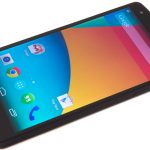
The front. Boy, is that screen big.
The top is rounded over and houses the SIM tray and headphone jack. That’s a nano SIM, so if you’re upgrading from a Nexus 5 or most other Android phones, you’ll need a new SIM card.

The Nexus 6 comes in two colors: white and blue. The blue really comes out in pure-white lighting like under the fluorescent lights of our photo setup, but in certain lighting it can look almost black. The overall phone design is that of a super-sized Moto X.

The front is an all-black glass face with relatively tiny bezels. On the top and bottom of the screen are speaker grills, and unlike the Moto X, the Nexus 6 has a front facing speaker behind each speaker grill. The speaker grills stick out of the screen slightly, so if you put the device face-down, the speakers act as little feet. The speakers are blaringly loud on the max setting. It’s not something you’d want to seriously listen to music on, but it’s great for games, notifications, alarms, and speakerphone.

On the back, the usual “Nexus” logo was changed from same-color lettering on the Nexus 5 to shiny chrome letters on the Nexus 6. It’s a little shouty, especially on the blue version where the colors are contrasting. It’s also not centered, since it has to share space with the Motorola dimple on the back. The back feels like it was designed for the Motorola logo and camera—which would look nice and minimal—and then Google came along and slapped a huge “Nexus” logo on the back. It’s almost Verizon-like.

Google says it’s aiming for a “premium” product, and at least on the build quality side of things, this device does a good job of living up to that. Unlike the smooshy, marshmallow-like back of the Nexus 9, the Nexus 6 has a rock-hard plastic back that feels like the milled “polycarbonate” backs from a recent Nokia phone. Along with the aluminum sides, the whole device feels like a solid brick that could double as a hammer and/or weapon in a pinch.

The back is rounded to fit nicely into a hand; thus, the tradeoff is that it becomes a seesaw on a table.

The screen

At its lowest brightness, the Nexus 6 screen (right) turns pink.
At its lowest brightness, the Nexus 6 screen (right) turns pink. Credit: Ron Amadeo

One of the more interesting features of the 6-inch, 2560×1440 AMOLED screen is that, on the lowest brightness, it turns pink. We’re going to call this a feature, and not a bug, since the screen can do normal-color low brightness at about the same level as the Note 4 (2 cd/m2). While Samsung just stopped at that point with its AMOLED screen, Motorola takes things a step further and goes for the absolute lowest brightness without regard for color accuracy. This pink mode allows the Nexus 6 to hit (0.9 cd/m2)—one of the darkest displays we’ve ever seen. The pinkness doesn’t really bother us when we’re just trying to get stuff done in the dark. Our primary concern is not being blinded.

Because of the way brightness works in Lollipop, you’re only able to get this pink mode in a dark environment. “Adaptive Brightness” is meant to be on all the time. It works like automatic brightness, but there is still a slider you can adjust.

When you’re not in the dark, the colors on the screen are fine. It’s still an AMOLED display, though, so you’re still dealing with oversaturated colors.

Voice commands

Like the Moto X before it, the Nexus 6 has an always-on voice feature that works even when the screen is off. The Nexus 6 has a dedicated digital signal processor (DSP) that handles the “OK Google” hotword recognition, which allows the main processor to save power while the phone is off.

While the feature has been on the Moto X, it’s much, much faster on the Nexus 6. This makes a world of difference. Motorola’s implementation on the 2013 and 2014 Moto X was a third-party hack of Google’s voice system. In KitKat, the Google Search app wasn’t built to handle always-on voice recognition, so Motorola made a special middle-man app that would listen for your hotword, wake the phone up, and collect your voice command. Moto’s app would then turn on Google Search, pass it your voice command for processing, and you’d get a response back from Google.

In Lollipop, the Google Search app is built for always-on voice recognition, which allowed Google and Motorola to cut out the middle-man app. Google Search listens for your hotword, collects the voice command, and processes it. Without the extra step of the Motorola app, the Nexus 6 processes voice commands about one-and-a-half times faster than the Moto X does. There’s also a lot less to go wrong, since you’re only using one app and not dealing with a data handoff.

The Nexus 6’s always-on voice commands are easily the phone’s best feature and will change the way you use the device. It’s so fast now that it’s just way easier to set a reminder or a timer with your voice. “OK Google remind me to buy milk tomorrow” is more efficient than turning the screen on, unlocking the device, swiping over to Google search, and typing in a reminder.

These voice commands aren’t exclusive to the Nexus 6; they’re now a base feature in Lollipop, complete with support for the low-power voice processor. Even if you don’t buy the Nexus 6, the line in the sand is drawn. Make sure your next device has a special DSP for always-on voice recognition. (Unless you hate the idea of always-on voice recognition.)

Ambient Display

Credit: Ron Amadeo

When a notification arrives, or you have a new notification and pick up the phone, the Nexus 6 screen will light up to show the lock screen (which displays your notification now) in dim black-and-white mode. This is called “Ambient Display,” and it’s another feature Motorola cooked up for the Moto Xes that’s implemented much better on the Nexus 6. The idea is that when a notification comes in or when you pick up the phone, you almost always want to see what the notifications list looks like. Rather than forcing a user to turn on the screen and unlock the phone, the Nexus 6 gives you a status report on a dim, battery-friendly screen.

The difference between the N6 and Moto X is that the Moto X would show a confusing custom interface for the Ambient Display. It was always a weird collection of notification icons, rather than text, and it was hard to get used to the new interface. The Nexus 6 shows you the same interface—the lock screen with full notification text—in ambient mode or regular mode; the only difference is color.

If you frequently sit with your phone on a table, Ambient Display is another great feature that will change how you interact with your phone. Hear a beep, look over and see what caused the beep—no touching necessary. This combined with the touchless voice controls make using the Nexus 6 unlike any other device. It feels easier and more helpful than a regular smartphone.

The Ambient Display is really sensitive. It turns on not only when you pick up the phone, but when you bump the phone or knock on the table the phone is sitting on. Ambient Display is so sensitive, some early hands-on posts even thought the phone had tap-to-wake, because sometimes the vibration from tapping on the screen will wake the device up. The sensitivity isn’t a bad thing. The mostly black screen doesn’t use much power thanks to the AMOLED display, and we’ve never had the device turn on in a pocket. It’s also only active when you have a new, unseen notification.

Sadly, the Nexus 6 does not have tap-to-wake functionality. It’s a huge bummer considering it’s on the Nexus 9 and most LG and HTC devices.

Performance—Overall slower than a Nexus 5

In our experience, the Nexus 6 was slower than the Nexus 5. Apps took longer to launch, tasks took longer to switch, and sometimes—particularly during heavy multitasking—our Nexus 6 liked to get stuck and pause for a few minutes while it thought about things. It would often “chug” during our normal usage and in general felt like a slow device.

Above is a video of the Nexus 6 (running Lollipop) versus its predecessor, the Nexus 5 (running KitKat). We’re just simultaneously launching apps on each device. This is the simplest and best of tests, pitting all the hardware and software of the Nexus 5 against the Nexus 6. As you can see in the video, the Nexus 6 is continually a few beats behind the Nexus 5, and this is just a light workload of launching a few apps. Heavier workloads, like launching a 3D game, give the Nexus 5 a multi-second victory over the Nexus 6.

In our video, both devices have just been restarted, clearing anything that would be in RAM. The versions on all of the apps match.

While you could place the blame on Lollipop, we think we’ve got the problem nailed down: the sequential read speed on the Nexus 6 isn’t up to the level of its competitors and is even slower than the Nexus 5. Sequential read speeds are mostly going to affect load times, which backs up what we see in the video—opening things just takes longer. While you might have a faster frame rate in a game thanks to the SoC, the storage is going to be a bottleneck.

We’ve also got a third chart, above, showing the load times for Asphalt 8—the game in the video. It’s a 2GB install, which is pretty heavy for an Android game. On average, our Nexus 6 took 22 seconds to load the first level, which is about the same speed as the two-year-old Nexus 4. Modern flagships you would expect it to be competitive with, like the Note 4 and 2014 Moto X, are much, much faster, taking only eight seconds to load the same level.

Update 12/8/2014: At the time of this review, the Nexus 6 and 9 were the only devices with Lollipop, but after additional devices were updated, allowing for before-and-after testing, we realized AndroBench wasn’t scoring devices correctly on the new OS. Today AndroBench has been updated to score devices correctly on Lollipop, so we’ve updated the charts. The old version was actually scoring the Nexus 6 too high. The storage is even slower than it first appeared.

The SoC isn’t a problem; the 2.7GHz Snapdragon 805 and Adreno 420 GPU both score about as well on the Nexus 6 as they do in the Note 4. All the fancy Lollipop improvements, like a faster java runtime, don’t affect benchmarks, since benchmarks use native code.

Keeping the Nexus 6’s screen at 200 cd/m2 meant digging into the settings to turn off “Adaptive Brightness,” which is basically an auto brightness with a slider the user can control. Adaptive Brightness seems really core to the way the screen works—the Nexus 6 screen won’t go as bright or as dark with the feature turned off, so it’s not something the user would ever want to do.

For our test, though, we need a steady brightness level, which means disabling this battery saving feature. After disabling the software tricks, we swear battery life can just be calculated by some easy math equation like “screen size and resolution divided by battery size.” The Nexus 6 has the same size battery as the Note 4, but it pairs it with a larger screen, so naturally the device performs worse than the Note 4 does. We got 7 hours and 25 minutes on our test, which keeps the screen on the entire time and loads webpages from cache.

In the real world, though, if you don’t disable important things like the Adaptive Brightness, the Nexus 6 battery life feels up there with the rest of the phablets. It will last through a day, and that’s it. The battery life isn’t really a concern.

Camera

The 13MP camera of the Nexus 6 does a decent job with photographs. We wouldn’t call it one of the best cameras out there, though. It’s not as good in low light as a Note 4 or iPhone, but in daylight or indoor lighting, it can hold its own.

Android 5.0 promises lots of camera improvements, but the Nexus 6 doesn’t seem to be taking advantage of them yet. There’s no support for outputting RAW images in the stock software, and none of the new manual controls like exposure and ISO are here. For that, you have to download a third-party app. We get the feeling Google isn’t done with the Nexus 6’s camera just yet.

As for what’s here on day one, here are some camera samples:

The Nexus 6 (this one) is about even with the Note 4 and iPhone 5s.
The Nexus 5 is the only loser to our eyes; it’s overexposed and oversaturated.
The Galaxy Note 4.
The iPhone 5s.
The Nexus 6. There’s a lot of variation in the saturation between each device.
Hello colors! The Nexus 5 goes crazy with the saturation.
The Note 4 is brighter and hits a happy medium between the grey Nexus 6 and colorful Nexus 5.
This iPhone 5s’ take on this scene is really contrasty.
In this low light test, the Nexus 6 is a clear loser.
Even the Nexus 5 is better.
The Note 4. Hey look! A Yoshi.
The iPhone 5s pulls more uniform brightness out of the scene, but we still prefer the Note 4 shot.
A close-up of a lightbulb from the Nexus 6. None of these shots really have a clear winner.
The Nexus 5.
The Galaxy Note 4.
The iPhone 5s.

A mixed bag that doesn’t justify carrying something this big

In terms of build quality, Motorola has built a fine device that meets Google’s “premium” claim and doesn’t make the $650 price feel like a ripoff. The Nexus 6 is very big, and while the size of a device is a pretty personal thing, we think we could deal with it. Today, a lot of people will be put off by the huge size, but don’t be surprised if, in a year or two, every flagship Android phone is six inches.

The battery is OK, but we still feel like Motorola could have packed more than a 3220mAh battery into a 6-inch device. Sony’s 5.2-inch Z3 has a 3100mAh battery, and 6.1-inch phones from Huawei usually clock in around 4000mAh. A massive battery like that would make the 6-inch screen a lot easier to stomach.

The thing that really bugs us about the Nexus 6 is, why is this device six inches? Lollipop doesn’t really do anything to take advantage of the bigger screen. If Google introduced something like split screen app support, we would feel a lot better about lugging something like this around. Right now, nothing justifies the size of the Nexus 6. The battery isn’t huge, and you’re mostly getting the same Android you’d get on a 5-inch device, just bigger.
The real downside is that the device just feels slow, and while maybe Google has some optimization work to do on Lollipop, a big part of it is the slow storage the Nexus 6 was saddled with. It’s not as fast as the Nexus 5, and it loads bigger games about as quickly as the Nexus 4, a phone from 2012.

We’ll go more in depth on Lollipop in our separate OS review, but it’s the first update in a long time that actually makes strides toward changing how you interact with a phone. The always-on voice commands are so fast and accurate now that they’re one of the most satisfying ways to use the device. Sure, they’ve been around on the Moto X, but that was a clunky hack. The full integration Google has going on in the hardware, software, and the cloud make the voice commands the best feature on the Nexus 6.

The best part is that always-on voice commands won’t just be limited to the Nexus 6. That’s a standard feature in Lollipop, along with support for a low-power hardware voice processor. If you’re a fan of voice commands, not having always-on voice and a dedicated processor in your next phone should be a dealbreaker.

The Ambient Display and the new notification panel is another feature that changes user behavior. When your phone beeps, you can just look at it. There’s no need to turn it on and unlock it. It’s a real time saver.

Given that we’re lacking in the storage speed department and neither the battery nor software takes advantage of the massive size of the device, the Nexus 6 is a tough sell at $650. The $350 Nexus 5 has held up well, but it’s out of the running thanks to the lack of a voice chip enabling the fantastic new always-on features. For now, we guess that makes the best Lollipop device the 2014 Moto X.

The Good

  • Lollipop isn’t perfect, but it’s the best Android update in years.
  • Always-on voice controls that work this well will change the way you use the phone.
  • Ambient Display instantly gives you a status report when you pick the phone up.
  • Solid-as-a-brick build quality.
  • Loud, front-facing stereo speakers.

The Bad

  • Really slow sequential read times means slow app loading and multitasking.
  • No tap-to-wake functionality like on the Nexus 9 and flagship phones from LG and HTC.

The Ugly

  • Thanks to the pokey sequential write speeds, the Nexus 5 feels like an overall faster device.
Photo of Ron Amadeo
Ron Amadeo Reviews Editor
Ron is the Reviews Editor at Ars Technica, where he specializes in Android OS and Google products. He is always on the hunt for a new gadget and loves to rip things apart to see how they work. He loves to tinker and always seems to be working on a new project.
181 Comments