One of the headline features of Android 4.4 is a revamped home screen and app launcher. The icons are bigger, there is more transparency, and the app drawer makes better use of the screen real estate. It’s also heavily integrated with Google Search and Google Now, although you might not see it at the surface level. Sure, there’s the usual search bar widget and a swipe to the left will open the full Google Search app, but the integration goes much deeper than that. While developing KitKat, Google made a very interesting decision: rather than graft a few new search UI pieces onto the home screen, Google threw the existing home app in the trash and turned all home screen functionality over to the Google Search app.
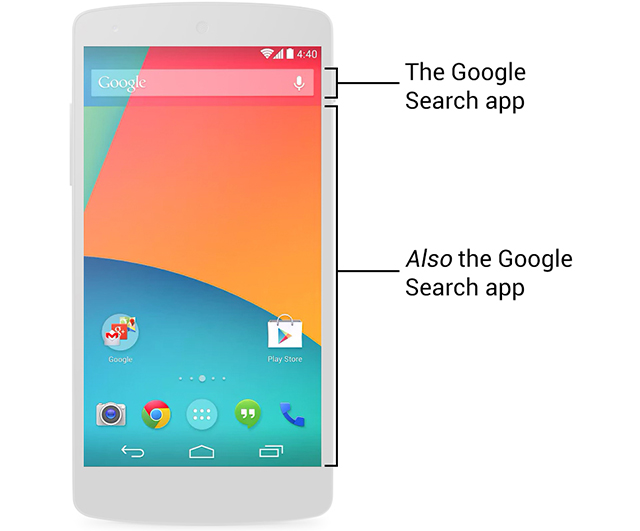
That’s right, Google Search isn’t just integrated into the home screen, it is the home screen. Everything you see on the home screen—the wallpaper, the icons, the widgets, and the app drawer—are all drawn by the Google Search app. “GoogleHome.apk” still exists, but it is an empty shell that forwards everything to the search app.
If you need proof of this, the picture below shows the layout files for the Android 4.3 launcher and the 4.4 Google Search app. Layout files do exactly what you think they do: they determine what goes where in an Android app. As the image shows, the layout files from the 4.3 launcher have all migrated over to the Google Search app. All the necessary assets and image files have made the jump, too. I would show the GoogleHome.apk layout files for comparison, but there aren’t any. The launcher has been gutted and is now just a helper app that registers Google Search as the home screen. In fact, if you install GoogleHome.apk without the 4.4 Search app, it won’t work at all. It just displays a message saying it requires the Google Search app to function.


 Loading comments...