Skip to content
Tech

Masochist me? An Ars writer’s iPad-only workday

How easy is it to complete a full workday while only using the iPad? One …

Jacqui Cheng | 420
Story text

According to Steve Jobs, we’ve already entered the post-PC world thanks to the iPad, the iPhone, and other non-computer computing devices. But have we? Sure, musicians and artists might get by doing their work on these newfangled devices, but what about those of us who lack the talent to doodle New Yorker covers for a living, forcing us to perform more “normal” jobs?

When I reviewed the original iPad in the spring of 2010, I wrote part of the review on the iPad itself. At that time, however, apps for the iPad were few; developers didn’t yet have a full grasp of what it meant to develop software for such a large non-laptop device. I wrote the section of the review in the iPad’s default Notes app—text only, of course—and did the formatting work, the images, and the content management system (CMS) wrangling on a traditional computer, as any sane person would. But both native and Web apps have come quite a long way over the last 17 months, causing us to wonder: is it now truly possible to do a full day’s worth of work for Ars using nothing but an iPad?

The initial proposition seemed crazy. I was sure it was not possible to work this way. My job as a writer and editor here at Ars depends on (too much) serious multitasking with multiple open windows. I wasn’t sure I’d even be able to successfully write full articles with proper formatting, links, images, and HTML using only iPad apps. And let’s not even talk about the Ars CMS—many of us at Ars have attempted to use it from our iPhones in the past; it has always ended in tears.

So imagine my surprise when a day on the iPad actually worked.
My tools

My job changes on an hourly basis, and can only be described as “managed chaos.” I typically use either a 27″ iMac or an 11″ MacBook Air, depending on what I’m doing or where I need to be. My essential software tools include a fully functional Web browser, an IM client for communicating with writers and other editors, some way to access IRC (the “office” part of our virtual office lives), an e-mail client, a Twitter client, an RSS reader, and a simple writing app that can export clean HTML.

As those of you with iPads already know, Safari works well for Web browsing; Mail, despite its various annoyances, is okay for getting the e-mail job done. I had extremely poor experiences in the past dealing with the official AIM app for iPad, so on high recommendation from Twitter, I purchased the $9.99 Beejive IM client for iPad. A Web-based IRC solution already existed for me thanks to Ars developer Lee “Quick Draw” Aylward, whose Alice client is so useful to those who switch devices regularly that it has become my main IRC client on my “real” computers, too. (The benefit here over another client—even Web-based ones—is that Alice keeps you connected even while you’re not on the page, so you can easily load it up to see what’s been going on while you were away doing other things.) Twitter was easy—I just used the official Twitter client for iPad—and I decided to forego RSS, because who really wants to sift through thousands of RSS items every hour of the day on any device?

The biggest challenge was finding a writing app to suit my—and the CMS’s—tastes. On recommendation from former Ars writer David Chartier, I decided to try out the $4.99 Writing Kit, which boasts Markdown support and clean HTML exports to my iPad clipboard or e-mail. Shockingly, these features are already hard enough to find in a normal Mac app (I use MacJournal for this purpose under OS X), so I was pleased to find something that at least seemed to offer what I wanted on the iPad.

My rule was that I couldn’t touch a real computer all day, though I did use a wireless hardware keyboard with the iPad via Bluetooth. I figured if Apple allows it without jailbreaking, I could allow it too. I usually have no problem typing on the iPad’s onscreen keyboard for short items, but if I was going to work all day on the thing, I needed the screen space and typing speed that a hardware keyboard would offer.

With that, I was off.

99 problems?

I embarked on my iPad-only workday one recent Tuesday, checking in with the other editors at Ars via IM and touching base with Ars contributor Chris Foresman to talk about his coverage for the day. (Beejive turned out to be a decent IM client that can send push alerts to your iPad whenever you get an IM, and it won’t log you off accidentally like the official AIM client does.) I then entered the day’s story plans into our shared Google Docs spreadsheet, which can now thankfully be edited via Safari on the iPad. I followed up on a couple story leads via e-mail and began writing an article based on an e-mail interview.

I expected that switching between Mail and Writing Kit every other sentence would quickly become a pain—this is a situation where I would normally place my Mail client next to my writing app on the Mac and just let the thoughts flow as my eyes flick back and forth between the windows. In reality, it was much less annoying than I expected; I ended up focusing more on the actual content of the interview while I was reading the subject’s responses, then switching over to Writing Kit to sum things up.

Still, slight annoyances began. As I wrote in the original iPad review, using a hardware keyboard with the iPad is a challenging UI experience because some traditional Mac keyboard commands work on the iPad, but not all of them do. So, while I could use the keyboard to easily copy and paste, control the volume, tab through fields in Safari, and perform other tasks, I could not do the one thing I kept trying to do in earnest for 10 hours: switch between apps using Command + Tab. Describing this experience in prose doesn’t even approximate the actual feeling of insanity I experienced as I hit Command + Tab subconsciously, then resigned myself  to reaching out and hitting the home button twice so I could access the iPad’s application drawer. Every. Single. Time.

There were other, smaller problems too, but nothing that put the brakes on my entire day. For example, one observation I typed into Notes during my iPad workday was: “Important! Make sure you know all passwords.” This seems like an obvious tip, but with the advent and growing popularity of password managers like 1Password, it’s not uncommon for users to have no idea what their passwords actually are. And unless you want to submit a “forgot password” form for every site you use in a day, it’s a good idea to know which passwords you’ll need and/or make sure to have the iOS app (if applicable) for your password manager. In this case, 1Password does have an iPad app that you can use to copy your passwords out of and paste into the sites in question, so my bacon was largely saved.

I was also apprehensive about our Movable Type-based CMS, whose mobile site has been notoriously non-functional on Ars staff iPhones since, well, forever. Fortunately, the CMS saw the iPad as a normal computer and therefore served up the usual Web page that I’d get on a laptop. And to add frosting to this wonderful development, the custom image upload tool created by Lee Aylward also worked on the iPad (barely). The interface is clearly designed to work on computers with large screens (I even had initial issues using it on my 11″ MacBook Air, but those have since been fixed), and I did experience some frustration with overlapping elements if the page got zoomed in too far on the iPad. But as long as I didn’t get too crazy about zooming, the tool worked fine and I was able to complete the final and very necessary step of the article creation process: saving it as a complete work that was ready for editing and then publication.

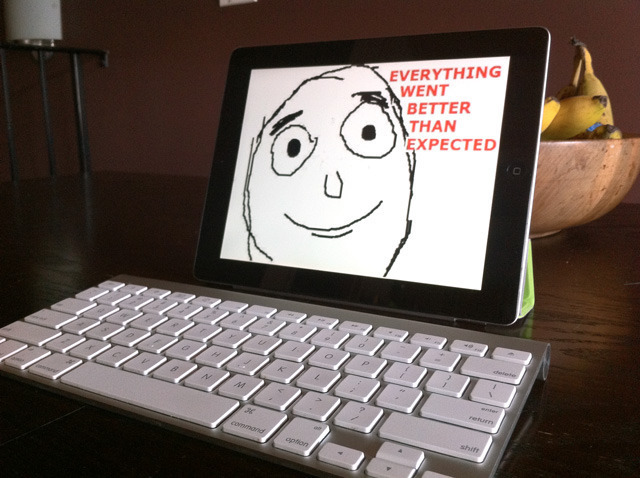
Everything went better than expected

Some parts of my normal routine had to be adapted slightly for the iPad, but in the end I pulled it off just fine. Many of my fellow coworkers at Ars didn’t even know that I wasn’t working on a normal laptop.

Working on a tablet made it more difficult to constantly monitor everything that happens in a day, but there was a tradeoff: it was significantly easier to be productive when actually writing. In fact, I produced slightly more the day I worked on the iPad than on a normal day, and I didn’t miss any significant news—work-related or otherwise. I did feel as if I was somewhat disconnected from the world compared to my usual setup, but I wasn’t—I just couldn’t see everything at the same time, all the time.

Instead, I had to make conscious decisions to switch over to IM and respond to several people at once, or go to IRC to see what the rest of the staff was up to, or go back to Writing Kit to dedicate another hour to uninterrupted writing. It’s a different mental process for a typical computer user, but it worked out a bit better than fine if personal productivity was the metric.

Let’s be clear, though: there’s a reason I (and most of us at the Ars staff) didn’t expect things to go as well as they did. Not everyone’s job makes use of the same tools as mine, and not all of those tools (or their substitutes) are available on the iPad. For example, Ars Creative Director Aurich Lawson is absolutely sure that he wouldn’t be able to do his job designing for the site and creating his famous story graphics—at least not the way he prefers to do it—on an iPad. People who rely on Microsoft Office will have real problems (some users are able to switch to Apple’s version of iWork for the iPad, but let’s be honest: those whose jobs heavily rely on Office usually can’t make that switch). It’s difficult—though not totally impossible, depending on what you’re using—to manage virtual machines from the iPad, or to perform any number of other IT-related tasks. Even my own job would be difficult if I had to, say, test out some Mac software in order to do a hands-on article. Surely our loyal readers will be able to think of many more examples.

Still, thanks to the improved state of iOS apps designed for the iPad over the last year or so, things are certainly looking up. I no longer fear the possibility of having to re-write someone’s questionable intro while I’m traveling sans laptop, or having to crank out an emergency article while at a coffee shop. And when iOS 5 hits, this sort of work should be even easier thanks to the advent of iMessage on the iPad and improved notifications for apps that can send push alerts. 

As it turns out, you don’t necessarily have to be a budding rock guitarist recording tracks in Garage Band in order to do real work on the iPad—you can be a writer for Ars Technica, too.

Photo of Jacqui Cheng
Jacqui Cheng Editor at Large
Jacqui is an Editor at Large at Ars Technica, where she has spent the last eight years writing about Apple culture, gadgets, social networking, privacy, and more.
420 Comments